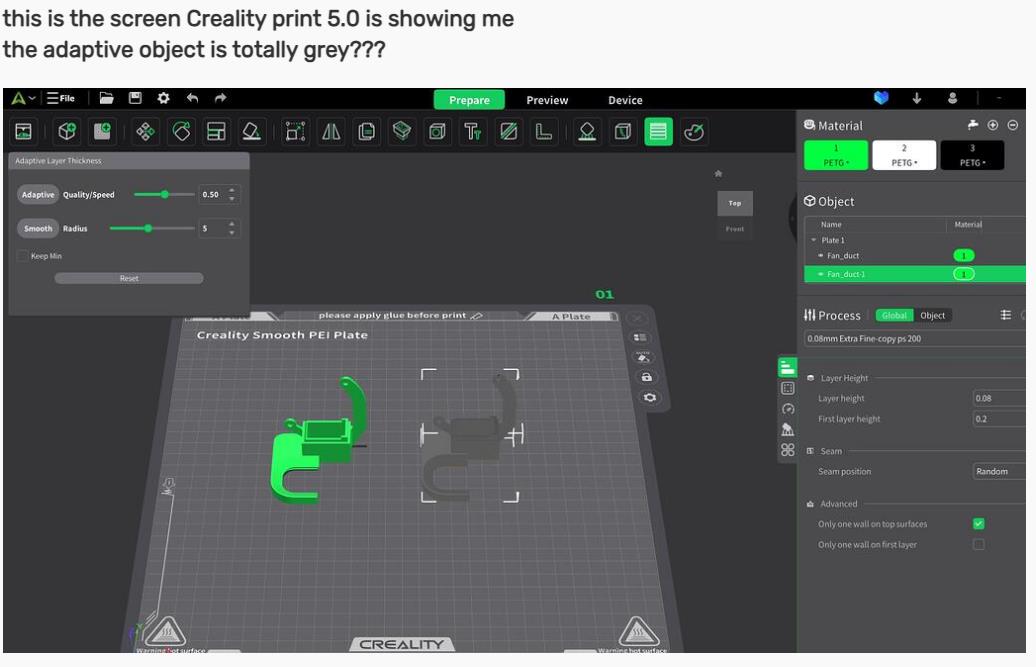
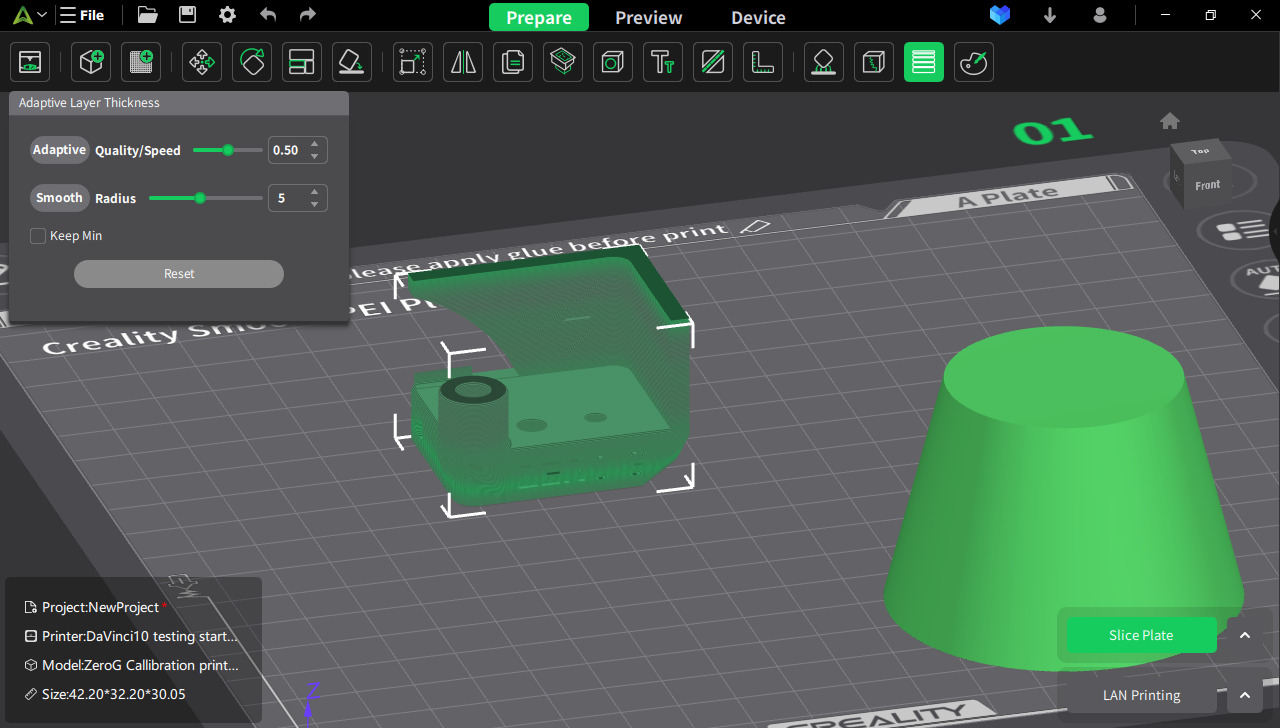
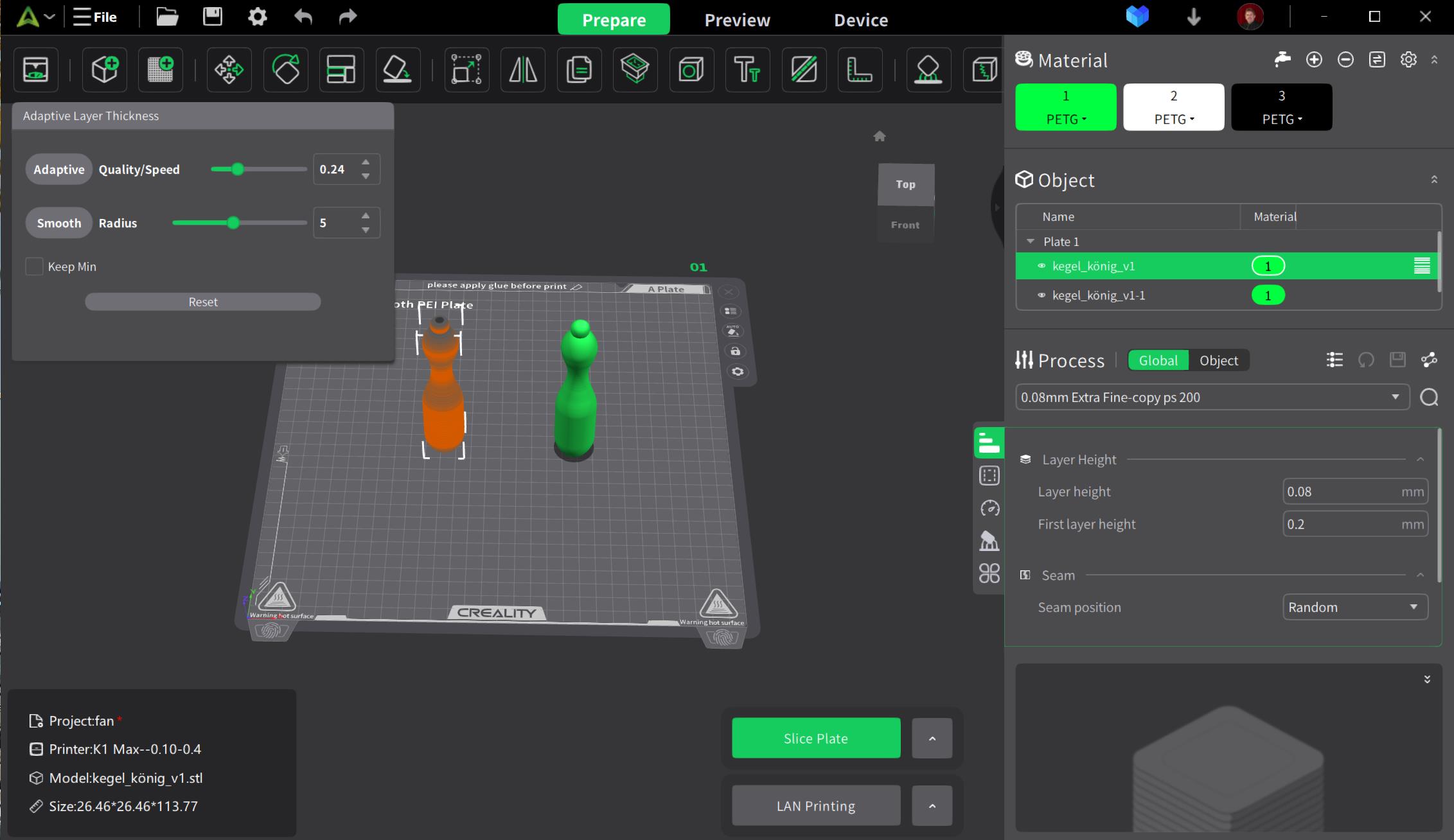
this is the screen Creality print 5.0 is showing me
the adaptive object is totally grey???
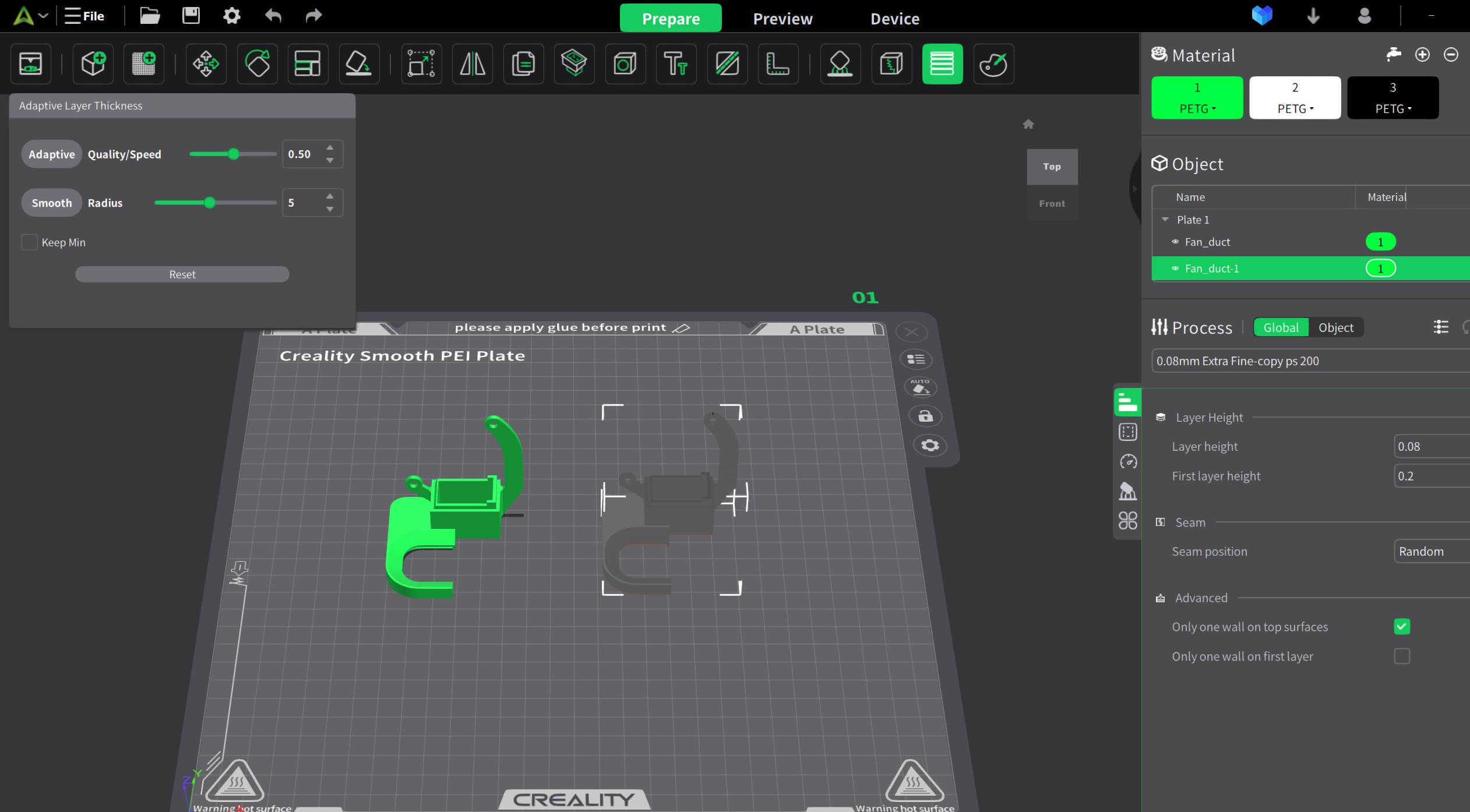
who can explain???
this is the screen Creality print 5.0 is showing me
the adaptive object is totally grey???
who can explain???
Yes, ORCA has it somewhat clearer, normal and logical — and predictable (and mostly all functions are more or less documented and described).
Here at Creality, I would expect them to keep things clear and logical as well. Likewise, I would expect more support for their own products in their “ecosystem”. I originally used (and still use) their Creality CURA. Then I slowly started switching to Creality Print4, to find that the painstakingly crafted settings in Creality CURA are incompatible with Print4. After installing Print5 I see that it is not completely compatible with Print 4 and CR CURA, and it also brings illogicality and chaos to the setup it again and use.
The range of supported printers in Print5 is very limited. But if I spend so many hours laboriously creating a my printer and migrating (manual setup) for the most used print modes for my printer in Print5, how sure I can be, that I won’t have to do it again for Print5.2 or Print6?
It logically follows from this that although Creality Print5 looks very promising at first, its demo in the form of the current version is more of a warning to me. Rather than using the DEMO SW, I’ll probably have to try another working program. And it looks like an ORCA SLICER. It’s a shame that Creality feels so chaotic and unfinished. I just want to print and not spend all my time migrating print settings over and over (from previous versions) and then trying to guess by trial/error what the Creality developers had in mind with a undocumented funstions in their SW. This is realy crazy… 
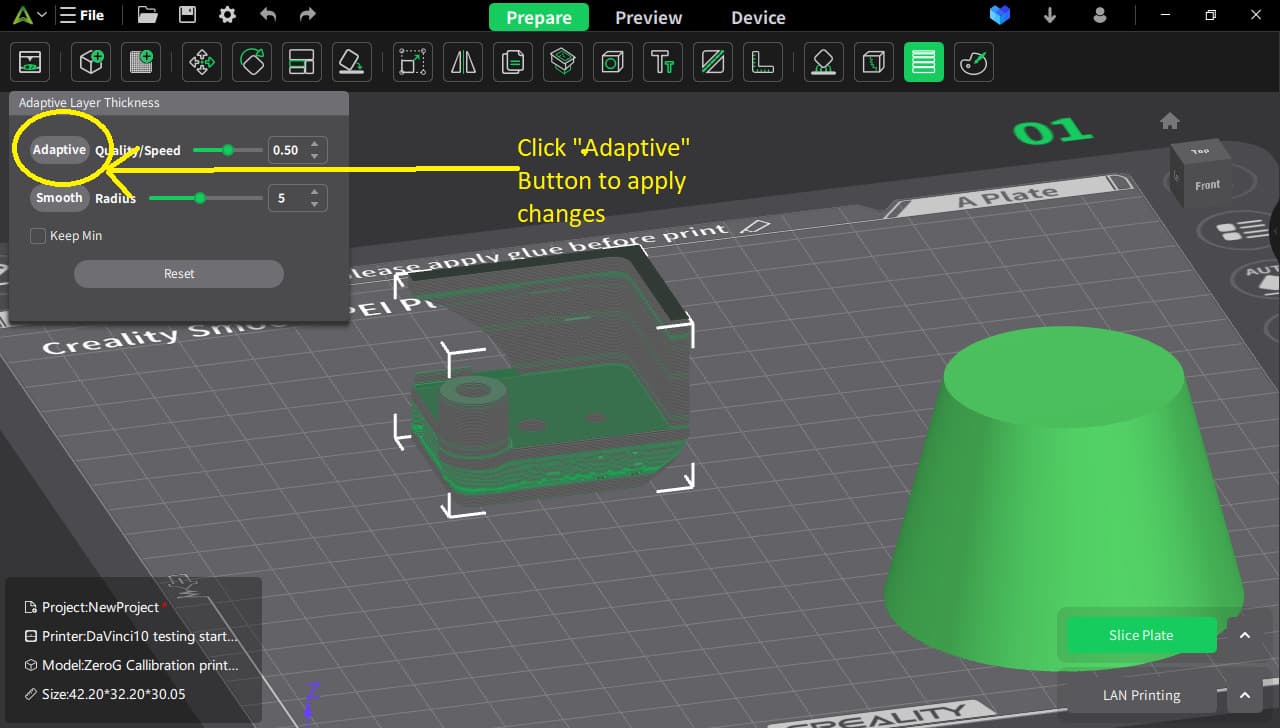
tjan: after all, it was already explained here: select imported object and push “Adaptive”.
I just did that the right object I pushed adaptive
but it becomes gray
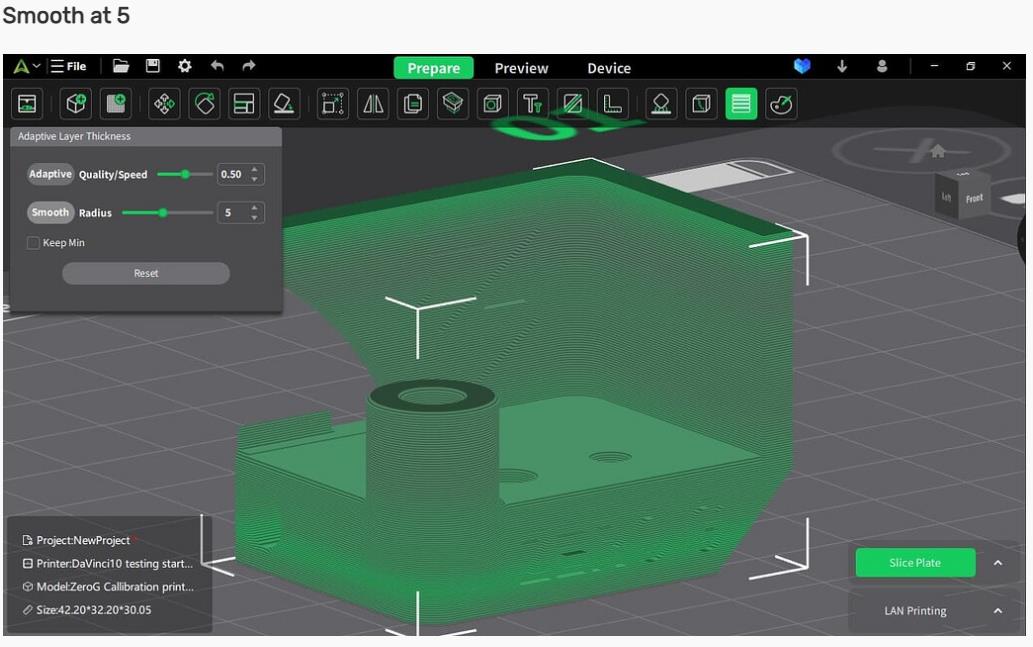
the pictures of davinci 10 from cp5 are gray/greenish
why does that not happen in mine cp5.0
why did you suddenly loose your tong
You did not tell me why my display is different then that of davinci 10 in CP5.0
Or maybe davinci10 can explain this to me better???
Why is my display different then yours in CP5.0
I do not know. Really. I’m struggling with this SW just like you…
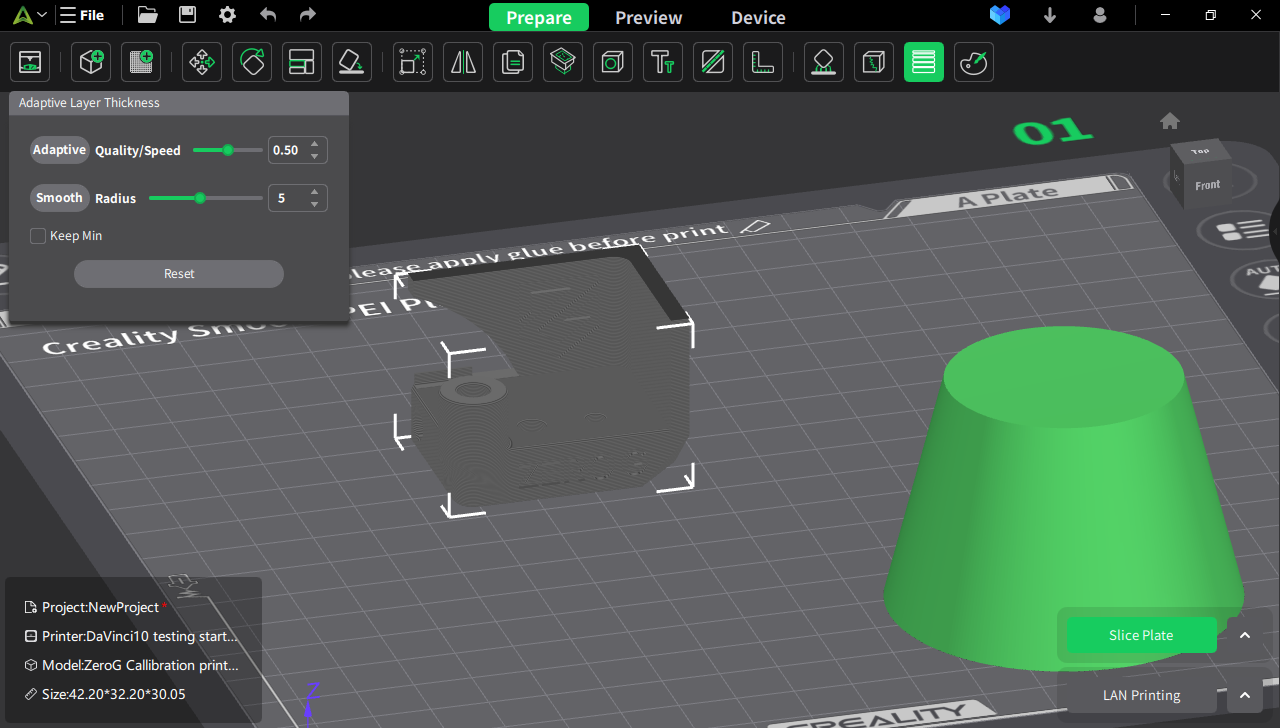
before hitting the adaptive button it is grey…
after hitting the adaptive button
and finally after hitting adaptive and smooth
Maybe its the version your running:
Here is mine
thank you so much
now I get it 
If you don’nt select keep min the printer is free in chosing layerheight it will take the thickest then and vary with smaller.
when selecting keep min it will stay within a certain layerheight and not choosse the thickest to begin with.
but when I selected keep min with 0.08 layerheight it thickest lines were 0.12 mm
but it didn’t select draft 0.24 or 0.20 which he will do when not selecting keep min
Hi tjan, thanks for that informations, but for that moment I closed case “playing with PRINT5”. Let me explain why.
I’ve already sent a few queries to CR support about the portability of settings. And of course – no reply. I’m rooting for this company, but I really can’t work like this…
Conclusion
I am using the vastly improved Ender-3 NEO connected via SonicPad. CR PRINT4 sort of works with SonicPad, but I’m not thrilled about it, more embarrassed. CR PRINT5 works with SonicPad in a different way, but it’s also not a miracle for a single company ecosystem! It doesn’t work better or worse, just only differenly. So disappointing.
But now I have connected it to ORCA and ALELUJA! It suddenly works exactly as I imagined! It works as if it has always been an integral part of this slicer and on the first try. I just entered the IP address and ORCA took care of everything else. Awesome! It’s working perfectly, the way it’s supposed to, finally! But why doesn’t it work perfectly too with the Creality slicer? That’s a question for someone else…
So I spent this afternoon creating my printer printing settings and modes for ORCA, including image of my tuned and improved printer, bed and now I’m migrating the customized materials settings from CR CURA. Oh, and I’m definitely done with PRINT5. When I do the complete migration to the ORCA slicer, I’ll uninstall CR CURA and both PRINTs and just keep ORCA itself on my comp. 
I think your mixing up the term layer height and line width. Line widths is a whole different topic.
yes you are right I edited that in the post now
Yes I understand Viktor
You are better of with ORCA slicer
Well, the point is that, practically speaking, PRINT5 is a functionally trimmed down ORCA. And it will always (by principle) be behind the official current version of ORCA (but with additional bugs added).
I just saw how ORCA slicer works and Creality Print 5.0 is a copy of that I saw.
so I stick with creality print 5.0
the bugs will go out soon and it is compatible with my machine K1 max
Have been trying to use Ver 5 but have had little success. After too many failed prints I finally threw in the towel and went back to Ver 4.3.8.7058. Hopefully as Version 5 progresses the issues will be fixed and I can try again.
Has anyone tested v5.0.3. with ender 3 V3 SE? If so please share your results! I’ve been using Cura slicer for the past few weeks and I keep having bed adhesion issues and first layer issues. Wondering if official software profile for SE is any good.
hi , the bed adhesion issues and first layer issues not be a problem with slicer.
Maybe you need to check a lot of things before try another slicer , like filament , plate type , Z-offset , layer height , and others things.
what material you are printing ? PLA ? PETG ?
have a nice day