Recently I heard a very loud and unusual cracking noise from my K1 Max. At first, I thought it was not possible for the printer to produce such a sound. It sounded like metal keys hitting a door. I did not pay much attention at that moment.
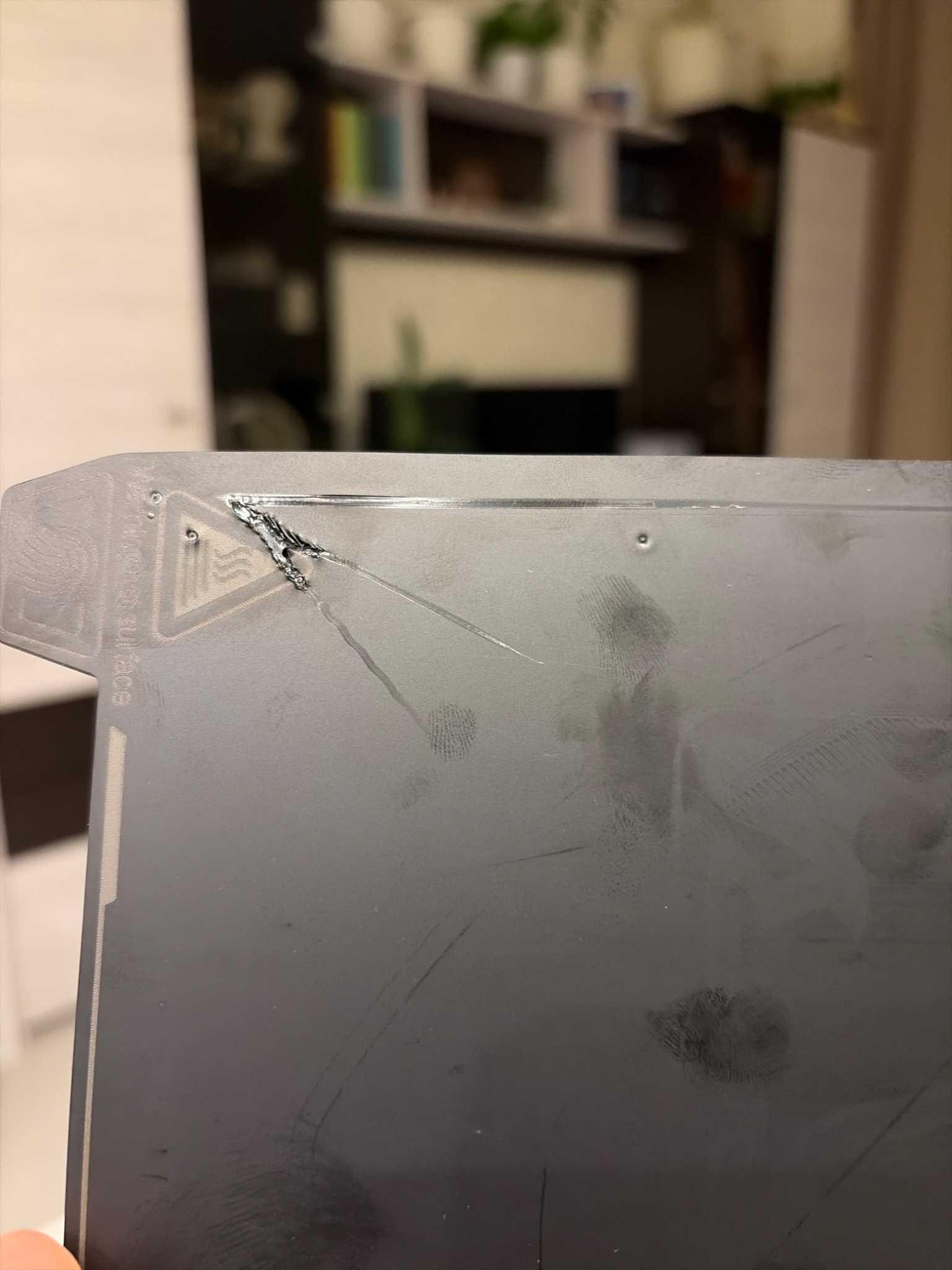
After that, I noticed that on the B plate, along the wipe line area, the plastic was heavily pressed into the surface. When the nozzle moved away from the wipe line, I noticed it was scratching the build plate, but only in the lower right corner.
I performed auto-calibration again. Then I installed the original A plate, and during the pre-print calibration the nozzle pressed into the plate and damaged it (photo attached).
The issue appears localized to the lower right corner of the bed.
Could you please advise what might be causing this? It seems the nozzle is pressing too hard in one specific area despite auto-calibration.
Check the z-offset value in Print Settings, is should be zero or a VERY low number like 0.01. I had this same thing happen to me once when I accidentally put a large number in z-offset. That’s the only time I’ve had the nozzle dig into the build plate.
Thanks for the suggestion! I checked the Z-offset in the print settings and it was already set correctly (0). I only use 0.2 mm Z-hop for travel moves, so that was not the cause.
In my case, the issue turned out to be mechanical. The bed mesh showed a tilt of more than 1.5 mm across the surface, which indicated a significant Z-axis misalignment.
To fix it, I:
Removed the bottom cover
Detached the Z synchronization belt
Leveled the bed manually by adjusting each Z lead screw independently
Reinstalled and properly tensioned the belt
Performed a full bed mesh calibration
After that, the mesh improved significantly and the nozzle no longer scrapes the build plate.
So the root cause was Z lead screw desynchronization, not a software Z-offset value.