Hey friends; this is my first 3D printer, and this is first post on this forum, so I dearly apologize if I’m out of order or if these are FAQs. I’ve done some research online and found conflicting, or no, answers for these questions, and I was referred here by an expert who uses Ultimaker printers and is unfamiliar with my machine. I’ve been going it alone so far, so a lot of my education is from Google Gemini and YouTube.
Pic attached is my setup: A 20"x20” concrete paver atop carpet pad (concealed under the paver) atop foam gym floor. The padding is because I live on the second floor and want to insulate my floor, and thus my downstairs neighbors, from the vibrations. I’m a dirty apartment dweller, so no garage for me.
Firstly: Is it unrealistic to be printing at max or near max flow all the time and expect decent results? Creality advertises 20k mm²/s acceleration, and I used a speed test to determine a max volumetric flow of 22mm³/s for my Hyper PLA. I found out the other day that Orca limits the acceleration to 5k mm²/s at most and the speed to 200mm/s in some cases, even where according to my max volumetric rate (at 0.2mmx0.42mm layers) the speed could go to 255mm/s. So I let my K1C off leash, cranked most of the accels to 20k mm²/s, the speeds up to 300mm/s (to make Orca max out the volumetric flow limitation I set) (except the first layer accel and speed, which I left alone) and, perhaps unsurprisingly, the results were in one piece, but ugly. Stringing, gaps in seams, corner and wall blobs, VFAs (which I dealt with at slower speeds, too), etc.. I did a retraction and pressure advance calibration, and gave my K1C some leeway to accel at 10k mm²/s and travel at max 250mm/s on some outer surfaces, and the results were still pretty terrible. Unsure if I’m asking too much or if this is just a calibration issue.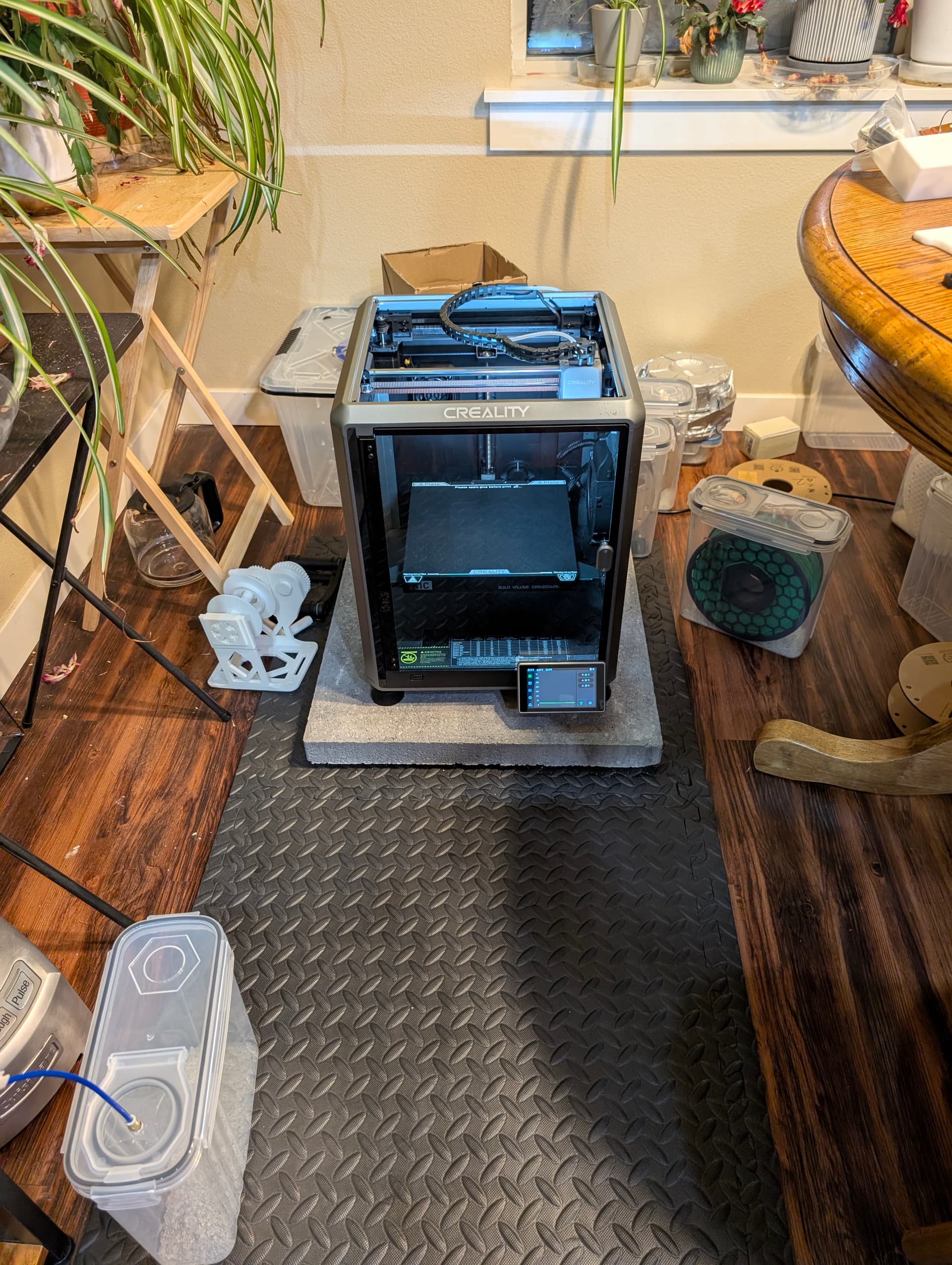
Secondly: How on Earth can I get good bridges? I see these “perfect bridging” models online and mine come out dogwater even at the 1.5flow 10mm/s recommendation they talk about. Very droopy and the bridge lines don’t support their neighbors. Gemini seems to think this is the fault of Hyper PLA’s special formulation being “runnier” than basic PLA. Is this BS? Am I doing something wrong?
Thirdly: Is there any way to get rid of VFAs? Even at Orca’s decently stable default speeds, I still get ghosting, ringing, or wall ripples on parts. They’re as frequent as the teeth on the XY belts. Could it be my printer setup?
Fourth: If you guys lower the speed for detailed prints (or if you have a separate profile for that kind of thing), what settings do you use? What maximum acceleration, speed, and/or volumetric flow cap do you follow? I’m also considering a “nighttime” profile so that the printer going hog wild doesn’t bother me and my very gracious roommate through the night.
Fifth, and perhaps noobiest: What steps do you guys follow to remove filament from the extruder when changing spools? I used to continually pull on the spool while retracting until it released, but I think I caused the one super bad clog in the tail of the nozzle by doing that. Now, I heat the nozzle to working temp, unlock the gears, and manually extrude some filament and then suddenly pull it out, not allowing any filament to sit and melt in the nozzle. Basically doing a “cold pull” (I think?) but while hot. Maybe there’s a better or safer way than this?