Introduction: What is an AI 3D Model Generator?
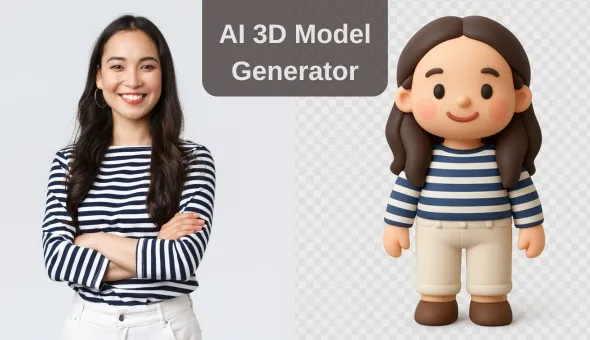
If you’ve ever wanted to design your own 3D models but felt overwhelmed by CAD software, you’re not alone. Traditional 3D modeling tools like Blender or Fusion 360 can take months to learn. That’s where an AI 3D model generator steps in.
With AI, you can turn a simple idea, prompt, or image into a ready-to-print 3D model. No advanced skills required, just a little creativity. And the best part? These tools are now easily accessible on platforms like Creality Cloud and MakerWorld.
In this blog, we’ll explore why AI 3D model generators are such a big deal, compare Creality Cloud with MakerWorld, and share practical tips to get started.
What You Can Make with AI 3D Modeling Tools
AI 3D model generators are transforming the creative process, making it easier than ever to bring your ideas to life. These tools allow anyone—whether you’re a hobbyist or a seasoned designer—to generate 3D models quickly and effortlessly. From personalized figurines to fantasy creatures, the possibilities are endless. You can even create functional objects like phone stands or artistic sculptures with just a few clicks.
One of the coolest features of AI 3D model generators is their ability to remix and customize existing models, giving you the flexibility to modify designs or combine elements into something entirely new. Whether you’re crafting game assets, educational tools, or personalized gifts, AI tools make the process accessible and fun.
The coolest part? What used to take hours of technical work now takes minutes. AI modeling makes creating playful, personal, and practical 3D objects something anyone can do—students, hobbyists, or seasoned makers alike.
What Are the Popular AI 3D Model Generators?
AI has reshaped 3D printing by turning complex modeling into a fast, intuitive process. Two standout platforms, Creality Cloud and MakerWorld MakerLab, are leading the way, each offering unique strengths for creators at every skill level.
Where to find them: Creality Cloud Modeling Tools
Creality Cloud: AI 3D Model Generator in Action
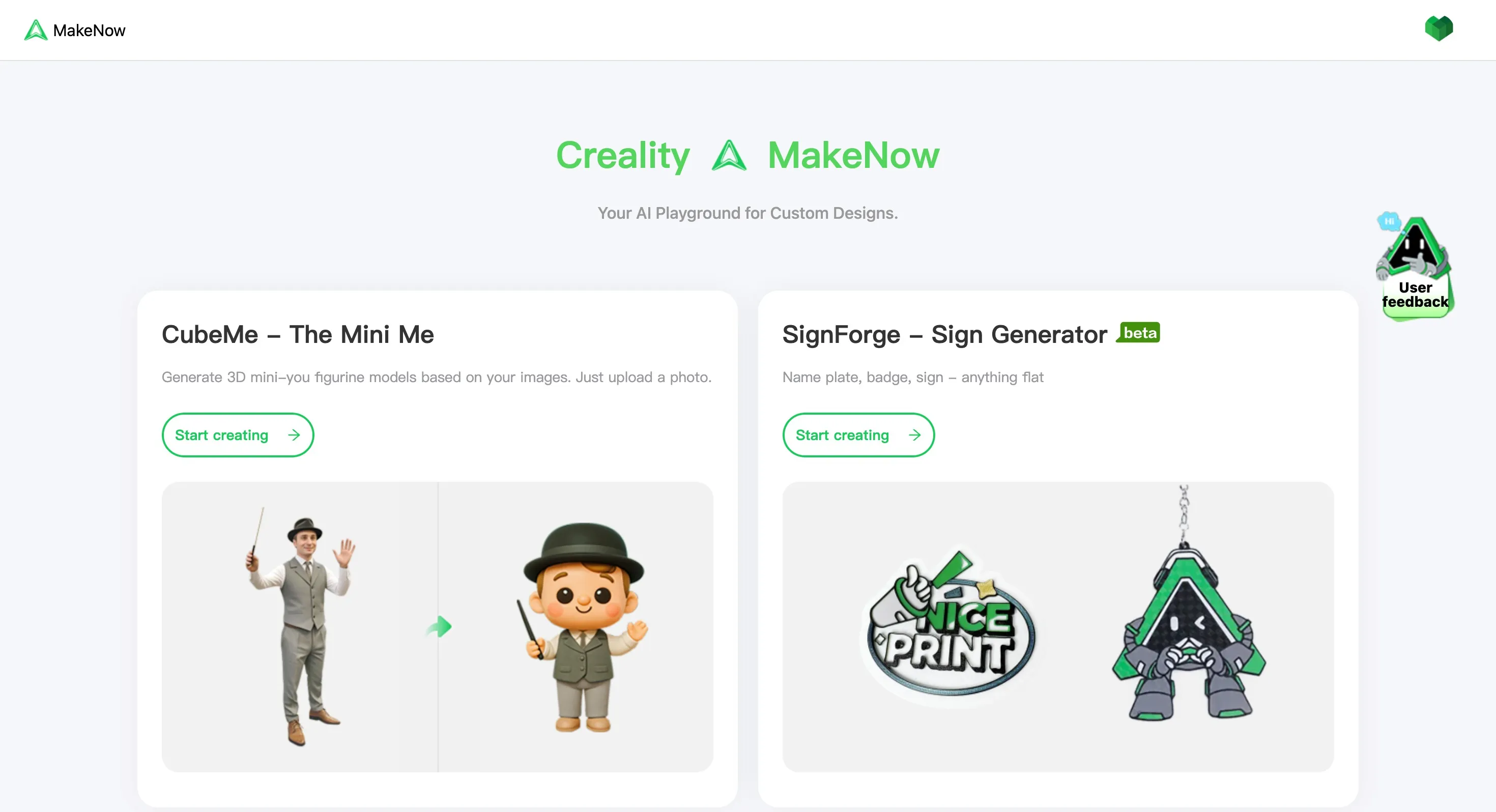
Creality Cloud is revolutionizing the 3D printing experience by offering an intuitive platform where you can go from idea to printable model in minutes. Designed for creators of all levels, it simplifies the process of creating custom 3D models without the need for complex CAD software. As part of the broader Creality ecosystem, it ensures a seamless workflow that integrates perfectly with Creality’s 3D printers, delivering professional-grade results effortlessly.
Creality Cloud AI 3D Model Generators:
Creality Cloud has recently expanded its AI-powered offerings with two exciting new tools that make 3D model generation faster and more personalized:
- Cubeme: This AI-driven tool lets you create 3D mini-you figurines by simply uploading a photo. The AI analyzes your image and generates an accurate 3D representation that’s ready to be printed. Whether you want to create personalized figurines or a custom gift, Cubeme makes it quick and easy.
- SignForge: Ideal for making flat designs like nameplates, badges, and signs, SignForge uses AI to turn your text and ideas into beautifully crafted, 3D printable models. Whether you’re designing a personalized nameplate or creating unique signage, SignForge delivers results in minutes.
With these AI 3D model generators, Creality Cloud takes the guesswork out of 3D design, offering an accessible, efficient, and creative toolset. It’s the perfect solution for anyone looking to bring custom, high-quality models to life without needing advanced design skills.
MakerWorld MakerLab: Another Powerful AI 3D Model Generator
MakerWorld also offers AI-powered design through its MakerLab, and it’s quickly gaining traction in the maker community.
Where to explore it: MakerWorld MakerLab
MakerLab 3D Model Generators:
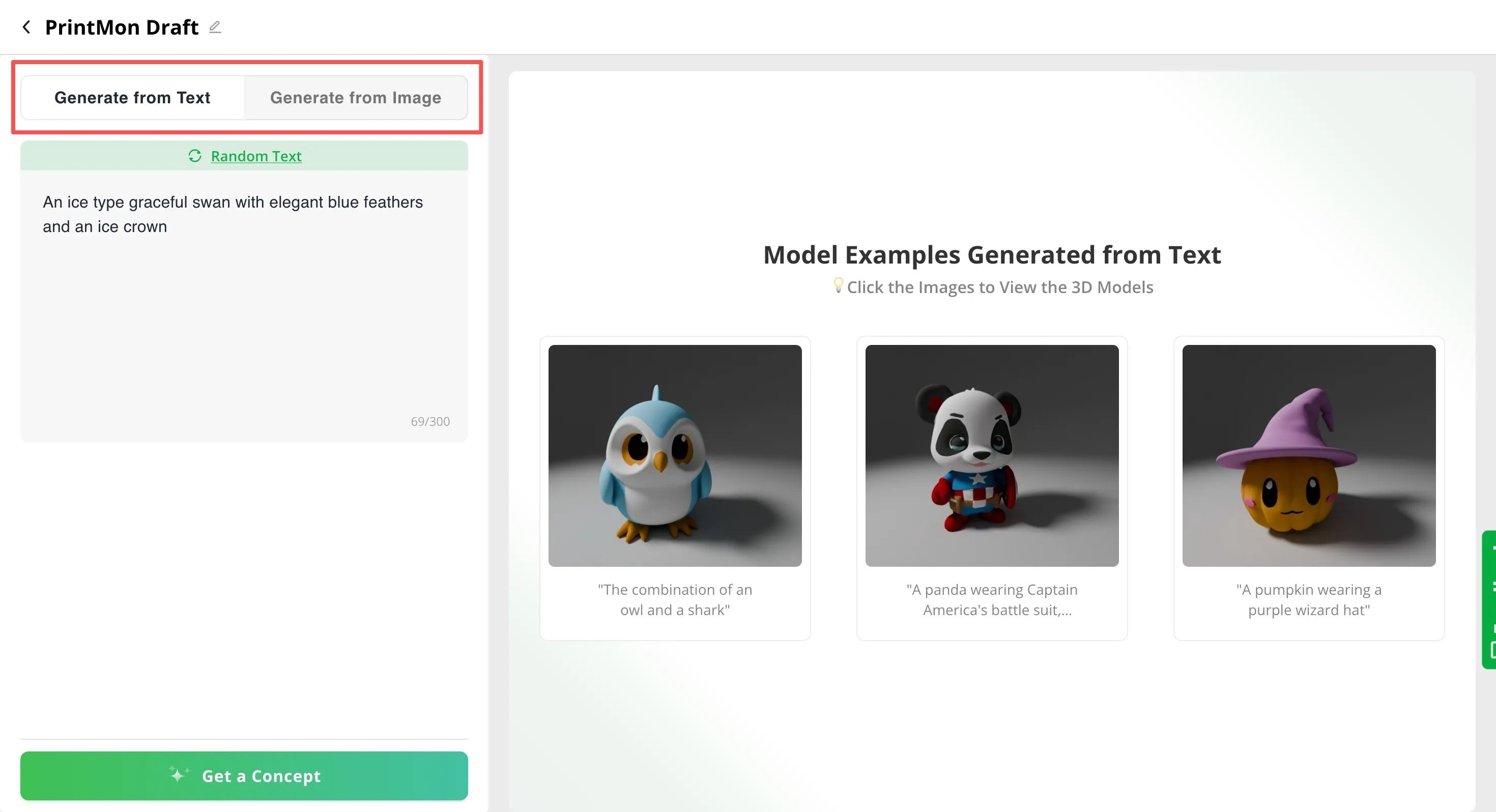
MakerWorld MakerLab has introduced several AI-powered tools that make designing and crafting 3D models both fun and easy:
- Make My Sign: Create flat, customizable objects such as nameplates, badges, signs, and light boxes with just a few clicks. This tool uses AI to help you quickly generate precision designs, whether you’re working on personal projects or creating professional signage.
- PrintMon Maker: Unleash your creativity by crafting fantasy creatures for 3D printing. Whether you’re into sci-fi, fantasy, or whimsical designs, PrintMon Maker allows you to generate unique creatures, animals, or characters that are ready to be printed. Perfect for fantasy enthusiasts or those looking to bring imaginative designs to life.
Creality Cloud vs MakerWorld: Which AI 3D Model Generator is Right for You?
Both platforms are great options, but here’s a quick breakdown:
| Feature | Creality Cloud | MakerWorld |
|---|---|---|
| Ease of Use | Beginner-friendly, straightforward | Simple but geared towards community use |
| Style Options | Presets like Chibi, Clay, Cute poses | Broader experimentation through prompts |
| Export & Printing | Direct export to 3MF, ready for slicing | Export-ready, with community remix options |
| Community Support | Strong but mostly Creality-focused | Highly collaborative, more open community |
To conclude, both platforms offer powerful AI 3D model generation tools, each with its own style and strengths. Their methods and toolsets differ, so the best choice depends on the type of model you want to create. Explore both, experiment with their features, and see which one fits your creative vision.
How to Create a 3D Model with AI
Let’s walk through creating a 3D model using Creality Cloud’s CubeMe - The Mini Me as an example.
-
- First, access the tool by clicking here: Creality Cloud Modeling Tools.
-
- Once on the page, select the model type. For this example, click on CubeMe to start the creation process.
-
- Follow the steps to upload an image you want to turn into a mini 3D model. I’ll use a portrait of a girl as an example.
-
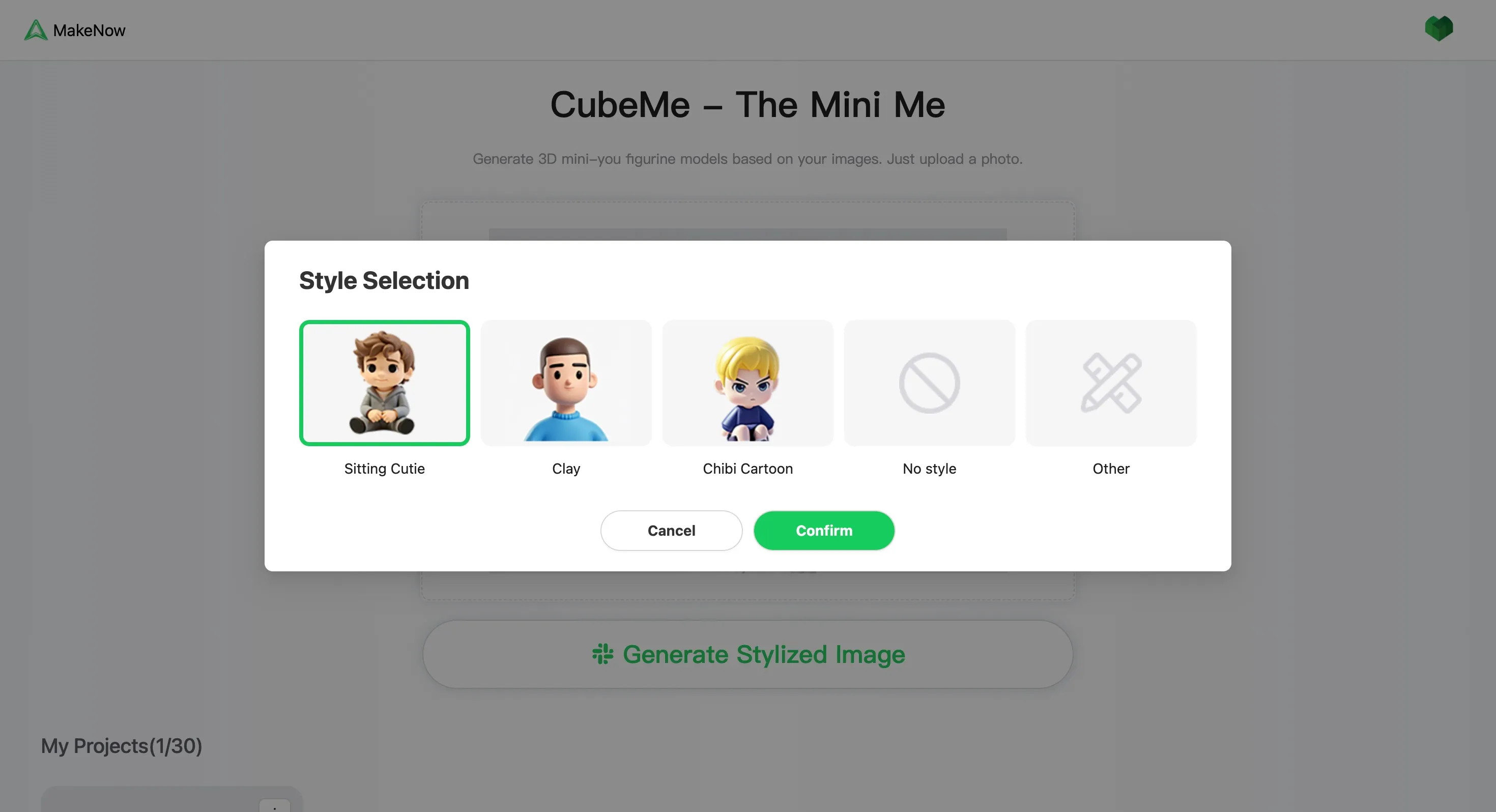
- Next, choose the style you prefer. Options include Sitting Cutie, Clay, Chibi Cartoon, or no style at all. For this example, I’ll go with the Clay style.
-
- After selecting the style, click Confirm.
-
- And voilà! A cute, personalized 3D model has been generated for you in just moments.
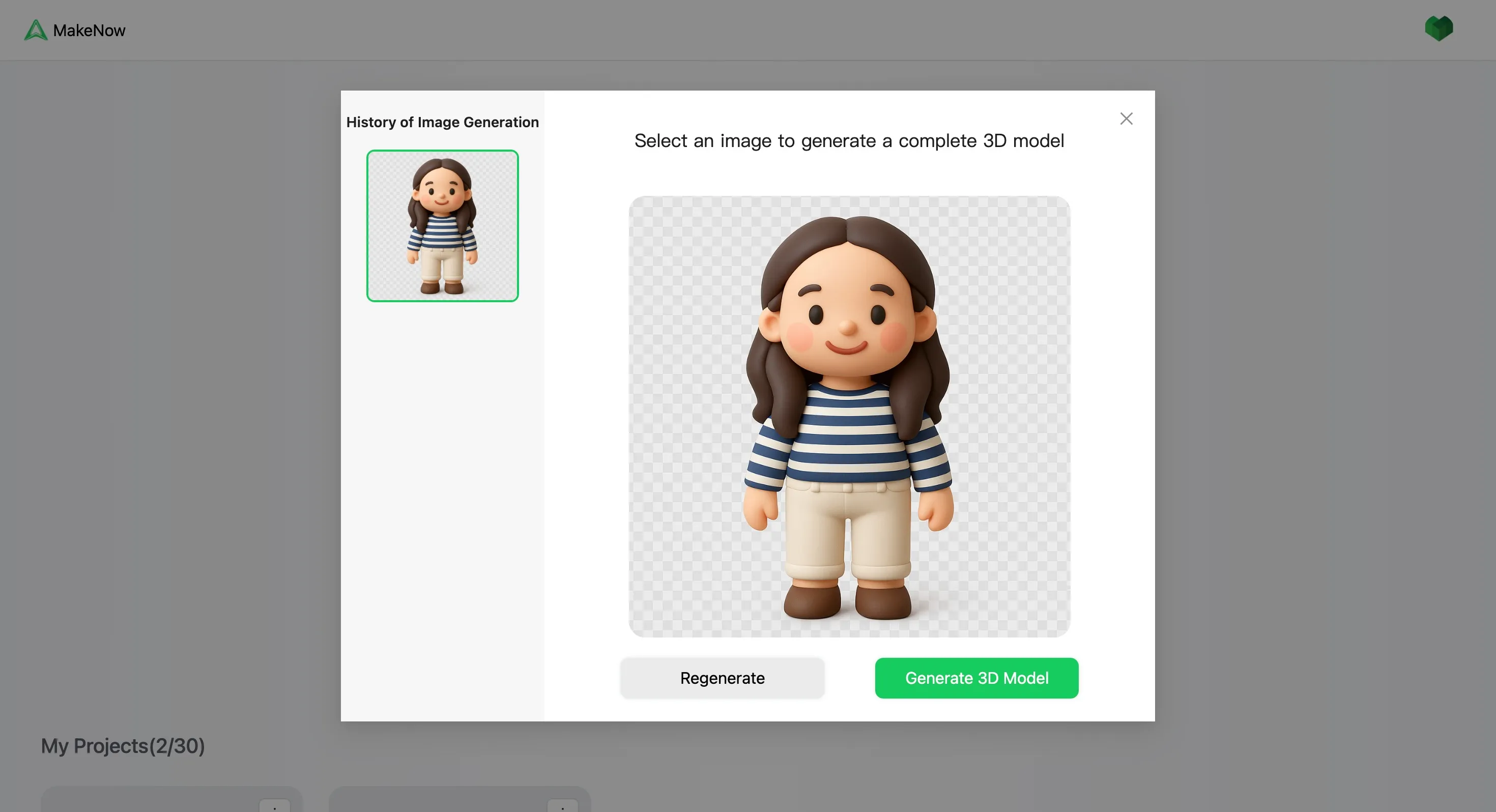
That’s it! You now have your very own AI-generated 3D model ready for 3D printing or further customization.
Top Use Cases for AI 3D Model Generators
Still wondering how you’d actually use these tools? Here are some popular applications:
- Quick prototypes – Great for testing an idea before investing hours in CAD.
- Character and collectibles – Bring your favorite characters or custom figures to life.
- Education projects – Teachers can use AI modeling tools for STEM lessons and creative projects.
- Small business – From custom keychains to mini figurines, small shops can create products fast.
Tips for Getting the Most Out of an AI 3D Model Generator
Want to maximize your results? Keep these tips in mind:
- Start simple: Use short, clear prompts before moving to complex ideas.
- Experiment with styles: Try different presets (chibi, clay, realistic) to see what fits.
- Preview before printing: Always check the 3D preview to avoid wasted filament.
- Engage with communities: Join discussions on Creality Cloud or MakerWorld to learn from others.
Conclusion: The Future of AI 3D Model Generators
AI is changing the way we create. With platforms like Creality Cloud and MakerWorld, the once complex world of 3D modeling is now approachable, fun, and accessible to everyone.
Whether you’re making a prototype, a personalized gift, or just experimenting for fun, an AI 3D model generator helps you go from idea to print faster than ever.
Ready to give it a try? Head over to Creality Cloud’s Modeling Tools and start creating today.