I assume the AI Auto Calibrations on the printer, override the settings for the selected filament. Is there a place to view what the Auto Calibration selected? Does the Auto Calibration setting “stick” anywhere, or does it have to be re-done on a print by print bassis? Is the AI any good at picking these settings or should I just ignore them?
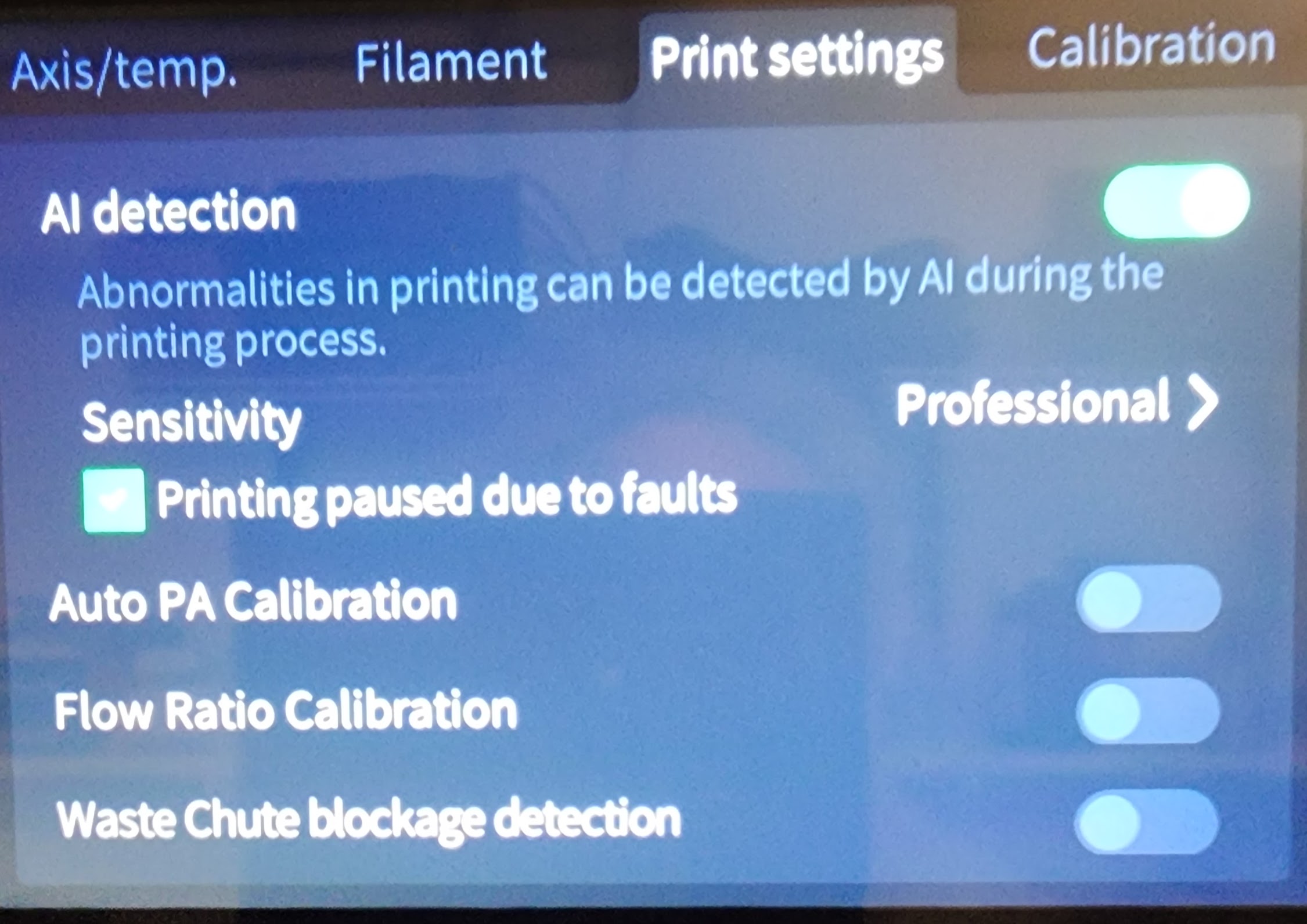

From my understanding, the PA and flow rate calibration is only done before the print (when it does the zig-zag to check the pressure advance and the flat rectangle for the flow.
It then writes a value in the console on Fluidd so yes, it kind of overrides the settings for the selected filament.
Still from my understanding, it doesn’t stick anywhere, you have to copy them and make a new filament settings in the slicer
As long as filaments are from the same type (settings given for HyperPLA are not working well with Solyein PLA for example), I am pleased with what it is giving me.
1 Like
@Alex2Lab Thanks. That makes sense. I usually don’t use all the “extra” calibrations for every print. they are time consuming and seemed redundant. I’m having trouble with one specific filament. I’ll try using the auto calibration for that filament and pick off the values. Sad truth, I think the auto calibrate mode is better than I am for those two settings.
I’m looking through the console during the Auto Leveling, Auto PA, and Auto Flow Ratio. I do not see any data on Auto Flow Ratio. Did they change the name between Fluidd and Print-6? I could not interpret the Auto PA sequence.. Here is the tail:
17:46:11 // pressure_advance: 0.080000
// pressure_advance_smooth_time: 0.038000
17:46:11 // pressure_advance: 0.096000
// pressure_advance_smooth_time: 0.038000
17:46:11 // pressure_advance: 0.000000
// pressure_advance_smooth_time: 0.038000
17:46:18 // temp_pos:0.06550431000141543
17:47:18 // temp_pos:0.467823672999657
17:47:38 // pressure_advance: 0.040000
// pressure_advance_smooth_time: 0.038000
17:47:38 // pressure_advance: 0.040000
// pressure_advance_smooth_time: 0.040000
17:48:06 // warning: get percent failed, percent: None
That last line has me concerned.
There were around 100 // pressure_advance lines before the tail. They looped through a variety of PA values about 4 times each.
Thoughts anyone?
I’m still having trouble finding those values. I assume they are in Klipper console. Yes? As I mentioned ab ove, I see the pressure Advance sequence in the console, but I do not see a result I can interpret.
Sorry for the delay. I was a bit sick and then there was Christmas and all..etc
You can see it via fluidd :

Aka Pressure Advance is “avance de pression” or that’s generally the last value given in the console
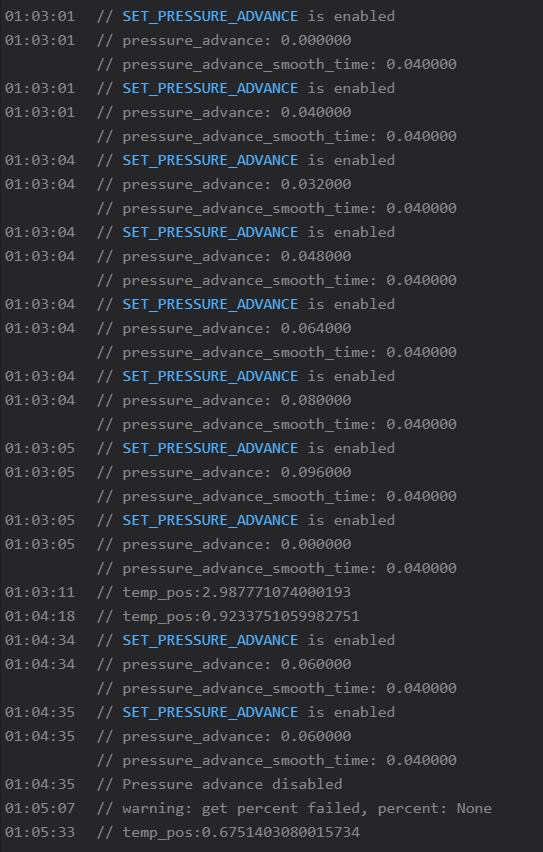
And the flow is “Debit” here. It is the pourcentage of the current value. For example, my current value in slicer is 0.95 so the final flow is 0.95*0.97 = 0.92
1 Like
I understand I need to add Pressure advance to a profile to make it permanent. I am having trouble findint the value determined by the Auto PA. is it the last line above “temp_pos:0.675140….” ?
Last value written so 0.06
The value is also automatically written in the first picture
1 Like
@Alex2Lab Thanks! Now you have peeked my curiosity. Do you know what the other boxes are in the “Tool” menu?
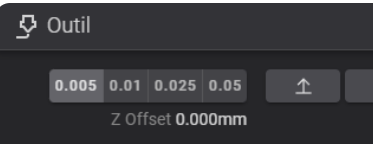
I did not find that one in the Fluidd documentation.
Never used this one specifically. I guess it changes the z-offset while printing. A bit like the export mode on the printer’s screen ! 
1 Like