As said in the title, from the version 6.3 ownards you can only see the ironing if you visualize the model from the first layer upwards. The top layer is now by default colored as the top, red, top surface class. In all previous versions, the ironing, colored light orange, showed up as the last layer giving a visual indication of where it is being used and the toolpath. Also, you can’t see the nozzle ironing path curves when visualizing the toolhead movements in the horizontal slider in the bottom.
See the first attached picture, visualized from first to last layer. In all previous versions the infill was visible and colored light orange. Now, infill is missing regardless of being selected or not in the ticked boxes.

Then, if i draw the model from the SECOND layer (second from bottop to up), the infill appears, as seen below:
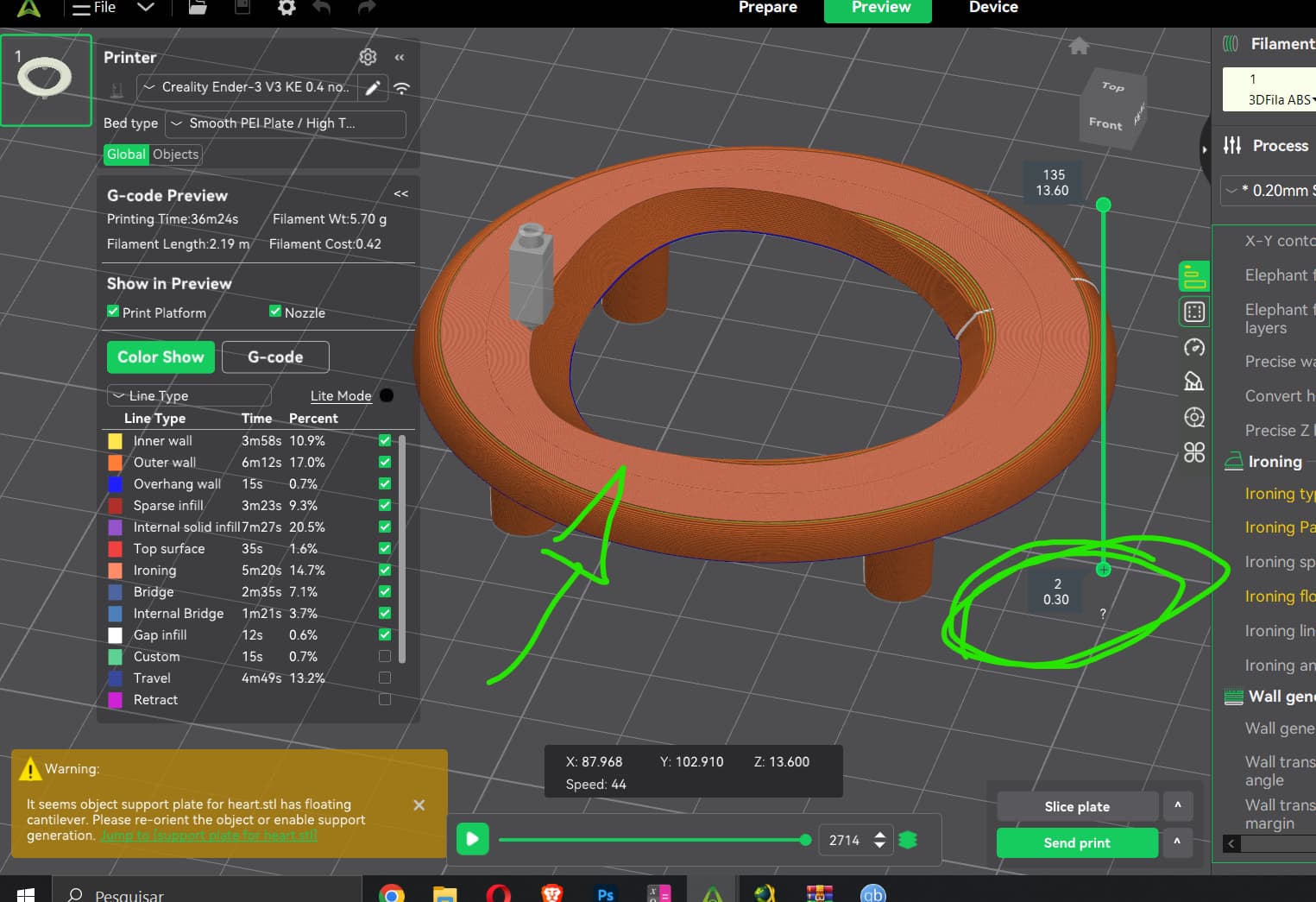
The infill path from the toolhead also isn’t shown when visualizing the toolhead motion throughout the printing process. As seen below. I can drag it from start to finish and it doesn’t show the circular path that it should ( ironing in this model was selected as concentric. But if it is rectlinear it doesn’t matter since it doesn’t show up as well. )
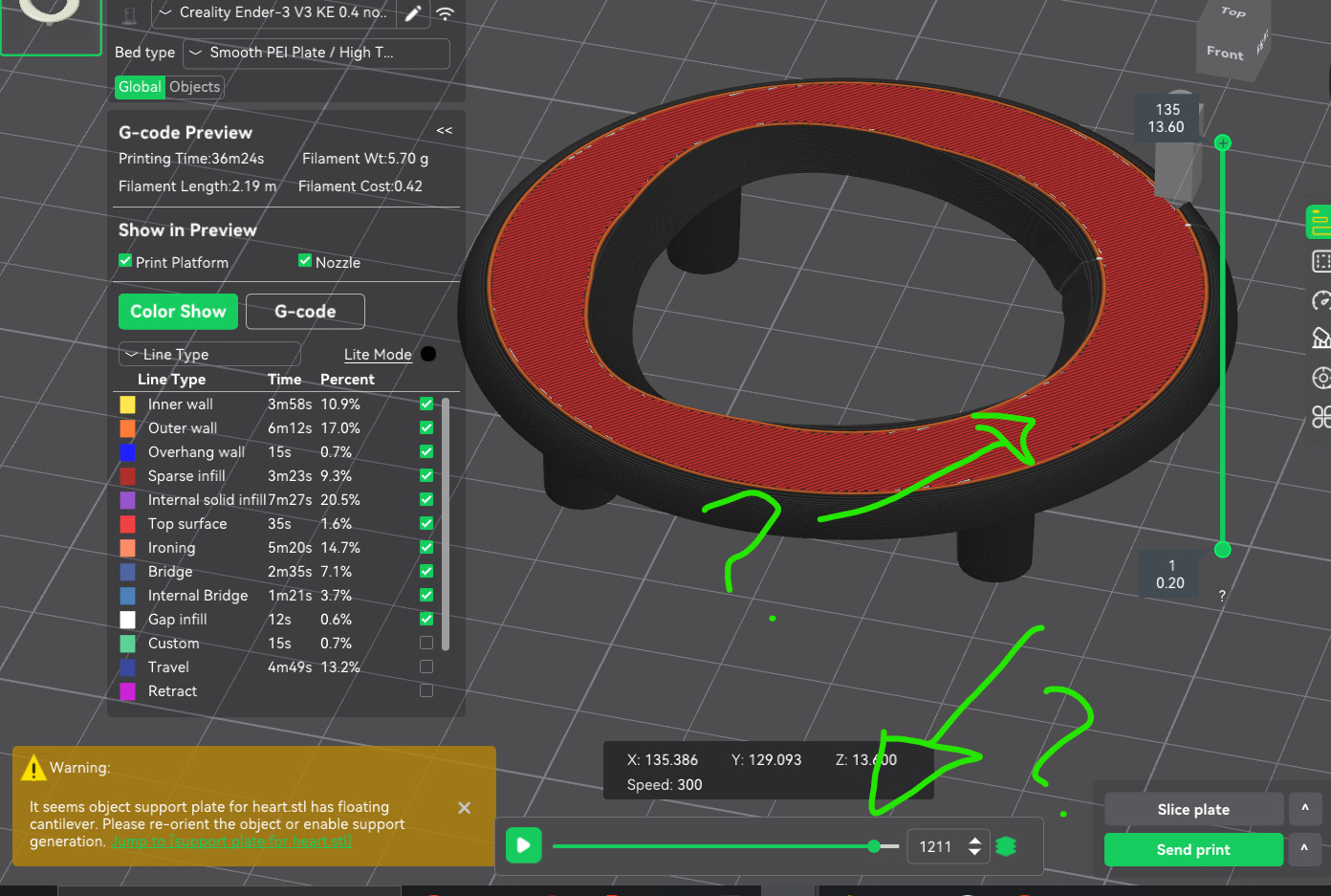
Please, fix that. It is very confusing not knowing visually if the infill is present or not and where it is being drawn.