Hello. I am completely new to 3D Printing. I am attempting to do a 2 color Benchy. My issue is that it says I am using about 11g of filament for the item and 130g of filament for flushing. That’s ridiculous. I wouldnt really have an issue with that if it would let me do something usefull with the waste. Like instead of printing a tower… why can I print another object? Is that a possibility and I am just stupid and completely missing that option. Any help would be great
1 Like
I am new to multi-color printing as well and I’m amazed at the amount of purged filament that is wasted. I’ve been digging into the settings but I have really found a way to reduce the amount that is purged in the “poop”.
A couple of setting you can change in the “Flush Options” section. You can flush into supports and/or into the infill.
Neither of those address the amount of poop that is generated, if there is a way to reduce that I would love to find that setting.
1 Like
Ya I definitely should have done more research on the CFS and how it functions doing multicolor prints. I had in my mind that it would gauge how much I needs of one color and then switch on the fly. Needing 100+ color changes to do a Benchy creates a LOT of waste. I ended up printing a tower with my 2 color version that I had modified and it is such a waste. Use half as much filament to print a tower to save on poops but still end up with a waste. I have seen in a few videos where people with other brands are able to print a second object and have all the waste printed into it instead of towers or poops.
Should probably have just not bought it or tried to save up for a multi-hotend printer instead.
1 Like
Hello,
I had also the issue, that the printer a) flushes a lot b) seem not to respond to any flush multiplier changes and c) doesn’t flush either into tower or infill.
So I ran some tests with different Flush settings:
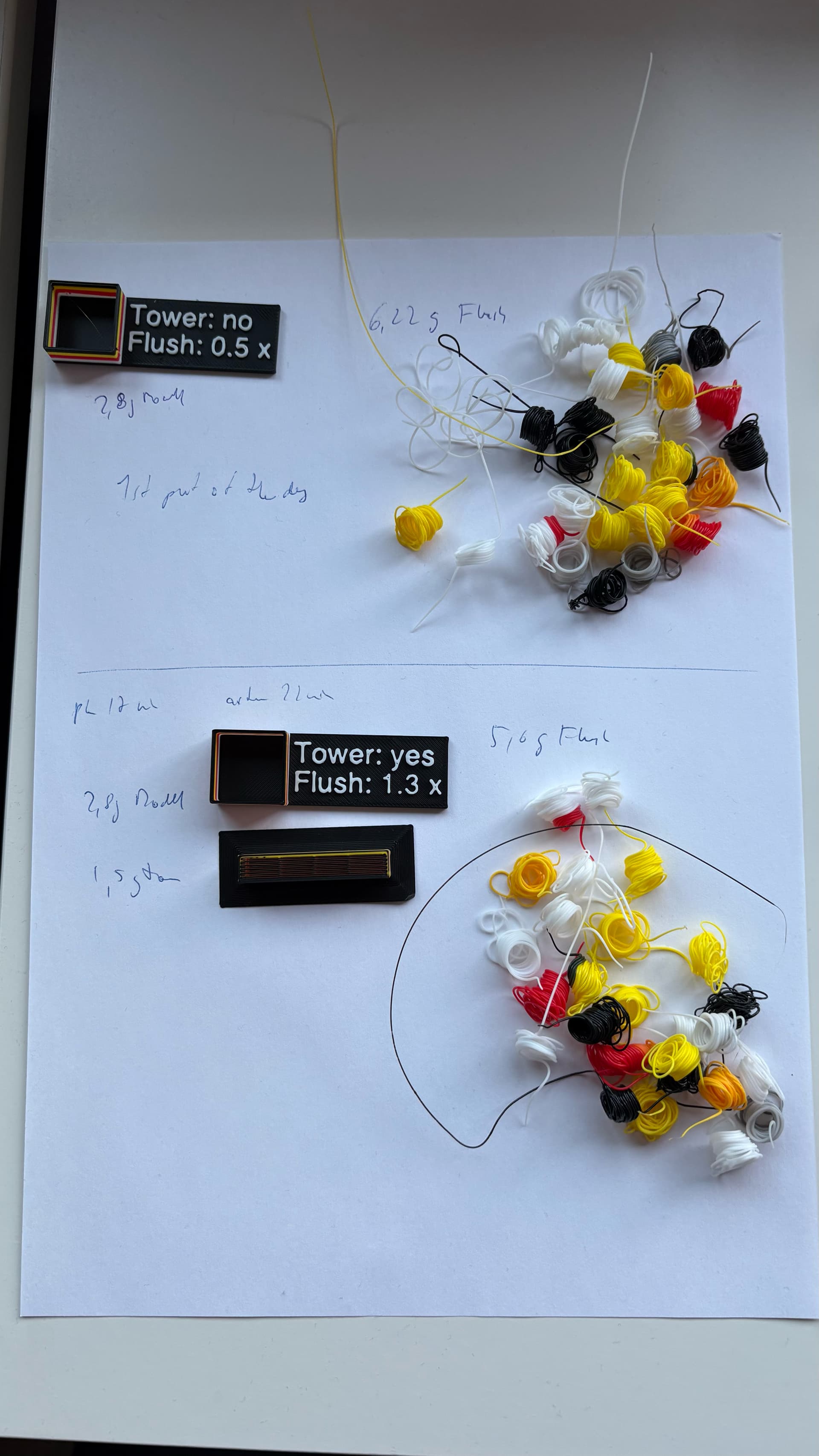
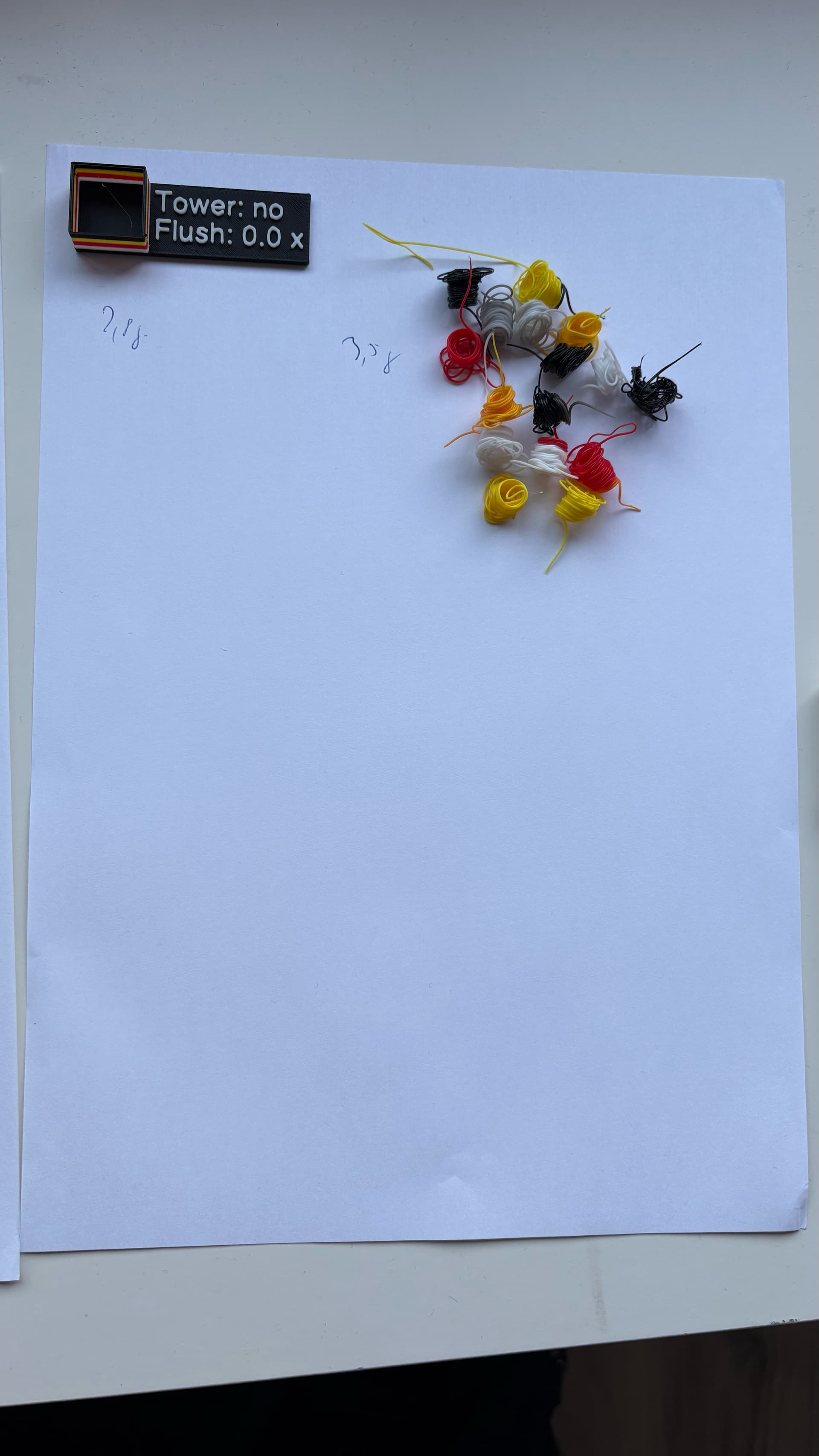
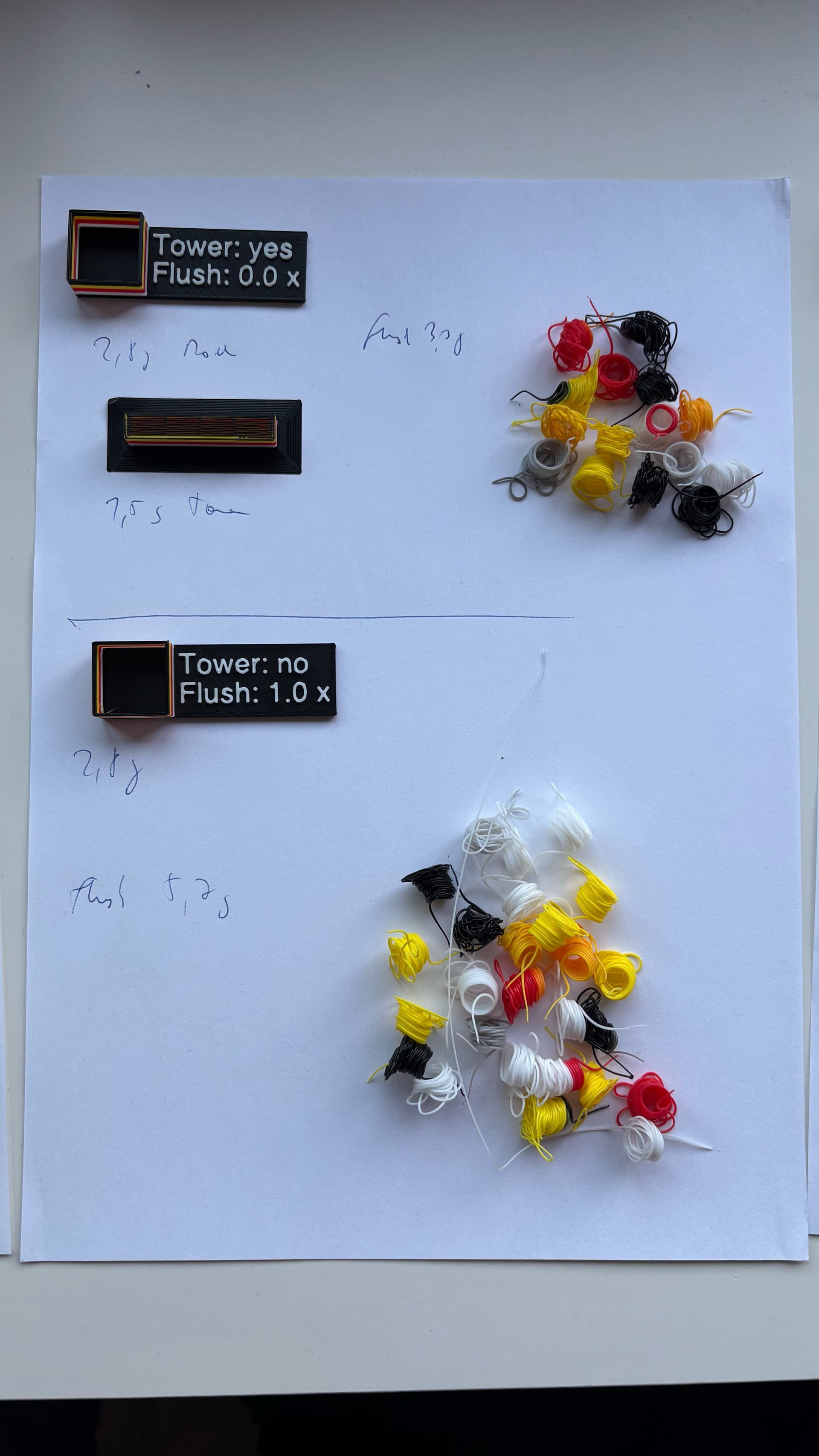
5 Tests (see named screenshots and print / flush results in pictures)
-
flush 1.3, with tower - calculated (calc.) 2,9g model (M) / 3.3g flush (F) /
1.58g tower (T) - reality 2.8g model, / 5,6g flush / 1.5g tower → way more
flush
-
flush 1.0, no tower - calc 2,9g M/ 2,5g F/ no T - real 2,9g / 5,7g F / no T →
double flush calc to real and similar to 1,3 setting
-
flush 0,5, no tower - calc model = real Model / 1,27g F calculated, but 6,2
expelled (was also first print of the day)
-
flush 0.0, with and without tower - Model + Tower weights similar to above,
flush calculated 0.0, but 3.3 to 3.5 grams
Results:
-
with flush settings to 0.0, flush in this test reduced to nearly half
-
flush setting above 0.0 always same flush, but also not adjustable (simulated in
slicer, close to multiplier set to 2.7 or 2.8
-
no difference using a tower for flushing (assumption from prior printing, also
flushing into infill makes no difference, because printer flushes first everything
into waste channel
Find enclosed the print test file
4 Color Tower Testprint.3mf (68,9 KB)
what the software told me, how much it would flush

Do you have smilier problems?
Chrisslybear
2 Likes