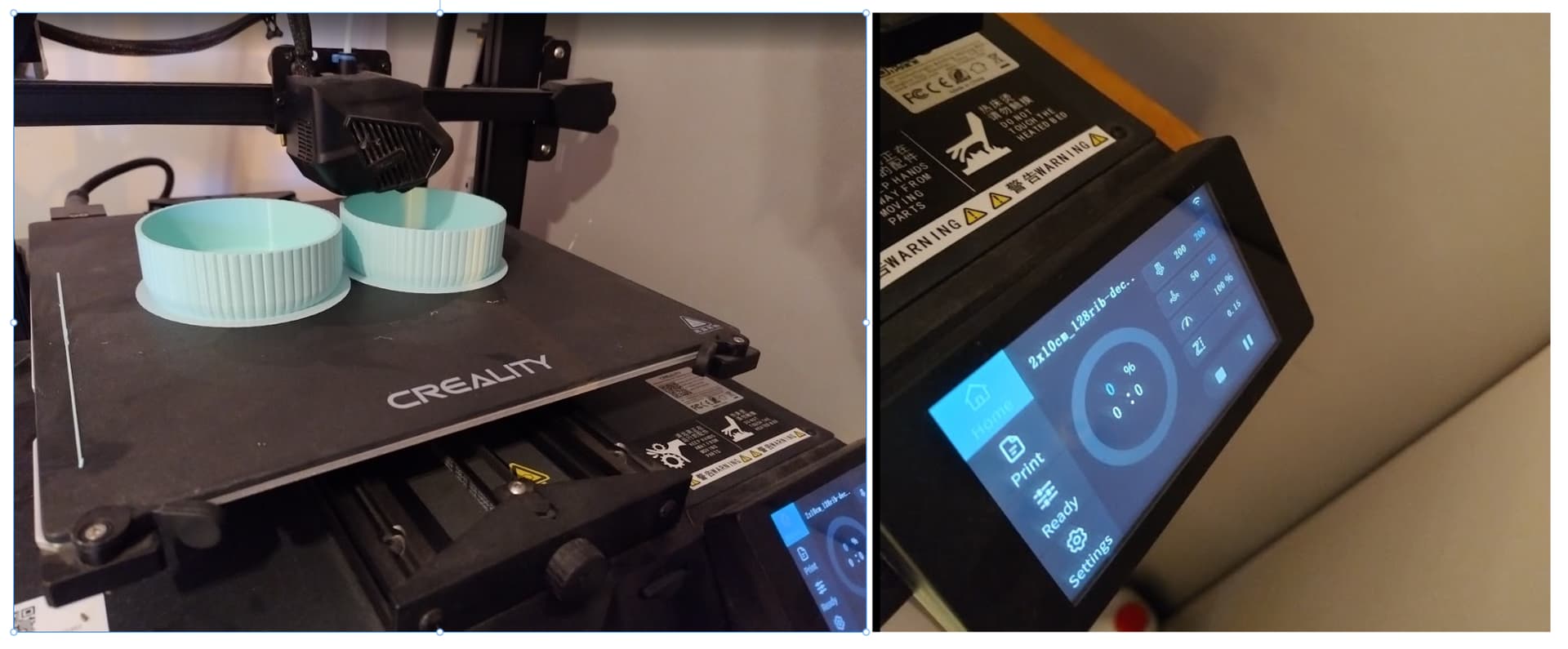
I’ve started to have issues with my creality CR10smart lately. It randomly stops during printing, sometimes at 10% sometimes 60% or any %. some prints may fail 3 times and suddenly the fourth it will print 100%.
The weird thing is that the printer stops at a point, keeps everything at that place and keeps bed and nozzle temperature at print temperature (creating a little blob where the print head stops). I read somewhere that it might be faulty connection, but all cables look perfectly fine.
Sidenote, the progress bar on the creality screen has stopped showing the print progress since a while, but did not have any impact on the prints.
Any idea how i can fix this?
Hello Sebastien, I have just recently purchased a 2nd hand CR-10 Smart, and face exactly the same issues as you. Any large print seems to fail. Firmware for both screen and motherboard is updated. Have you found a solution for the issue, and can pass on a hint?
Thanks in advance.
Brgds Kristian
Hey Kristian , sorry for seeing this so late… yes actually I managed to solve it by updating firmware and the console software - the version that worked for me by following the exact instructions: was
Printer model: CR-10 Smart
Software version: v1.0.14
Motherboard Silk Printing: CR-FDM-V2.5.S1_100
illustrate:
The firmware optimizes the UI PID control page font size, and the version is upgraded to V1.0.14
Screen update instructions:
- Format the TF card on the computer, and select 4096 to allocate the size of the unit.
- Put dwin_set、private into the memory card.
- Turn off the printer and insert the memory card into the screen card slot.
- Restart and wait for the update.
- After completing the update, remove the TF card and delete the file inside.
Motherboard update:
- Format the TF card on the computer, and select 4096 to allocate the size of the unit.
- Put the firmware file “CR-10 SMARTMARLIN2.0.6V1.0.13.bin” into the memory card (this step is necessary, please note).
- Turn off the printer and insert the memory card into the machine card slot.
- Restart and wait for the update.
- After completing the update, take out the TF card and delete the bin file inside.