I’ve been having an issue with Creality Print for a long time now. I’ve reported this on reddit like last year but it still persists.
Basically, whenever I print something with “stepped” structures (a vertical wall meets a horizontal floor/ceiling at a perfect 90degree angle), the corner where the two sides meet always ends up being a point of failure, as it doesn’t properly place solid material there. The vertical wall ends, there’s a single layer in the horizontal structure that overlaps it, and the rest of the horizontal structure starts at the vertical wall’s outer surface.
In basically every case I’ve dealt with thus far, this has resulted in the vertical structure having an incredibly weak connection to the horizontal one, being essentially held together by a few wall-widths of bottom surface layer, and sparse infill. Especially in the case of objects with “shafts” which are completely embedded within horizontal surfaces, this results in “shafts” which break off incredibly easily, due to a lack of solid structural connection/support, and we’ve had to waste a lot of effort designing around this problem.
It’s difficult to explain, so I shall do so with pictures.
Here is a project demonstrating the issue:
SpindleExample.3mf (595.6 KB)
in this spindle object, we see multiple ‘steps’ where walls meet floors/ceilings:
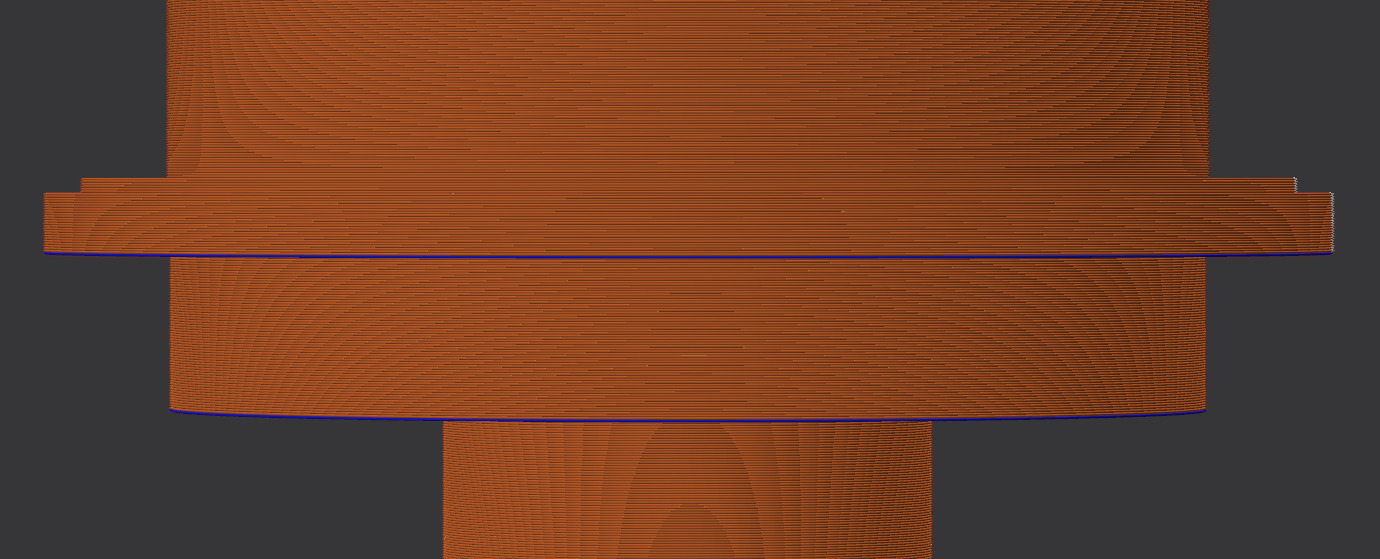
let’s observe where the shaft at the bottom meets the much wider shaft section above it. I have hidden both the support and the sparse infill so the issue is more visible.
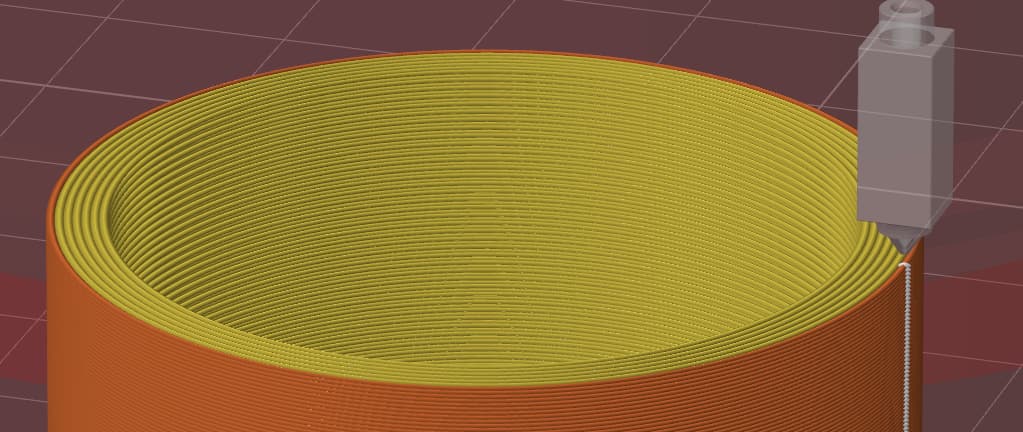
here is the cross-section of the shaft at the layer just below the brim:
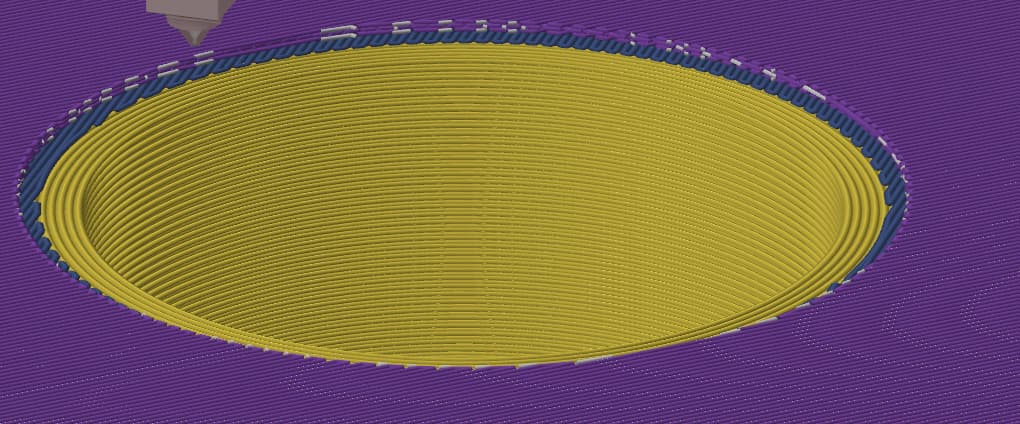
and here is the cross-section of the fully-printed lower surface of the brim, with 4 bottom shell layers:
here’s with sparse infill visible, so you can see the full picture:
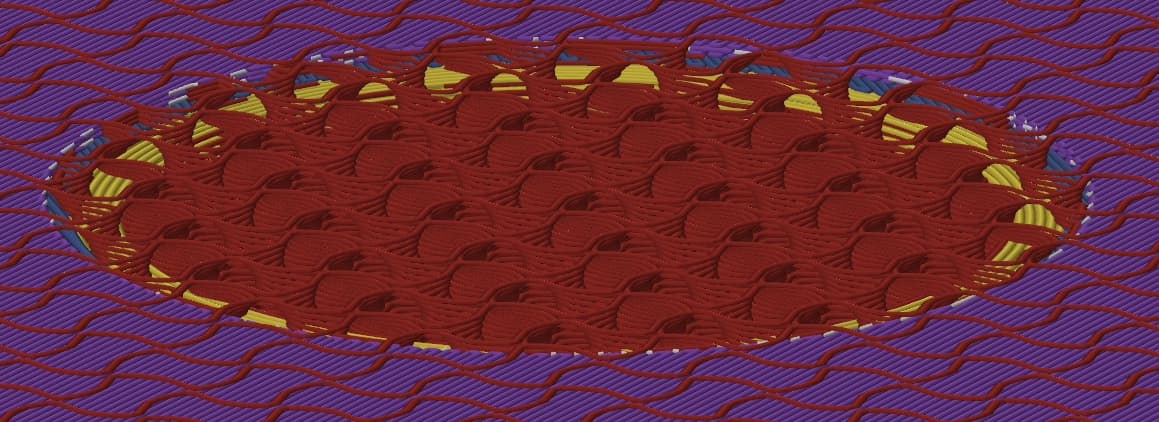
we can see the bottom surface partially overlaps the walls (it only overlaps the two outermost wall lines). then, the rest of the bottom surface layers have an ID equal to the OD of the shaft. this results in a structure where there’s basically no solid material on the interior of that corner. Which looks like this:
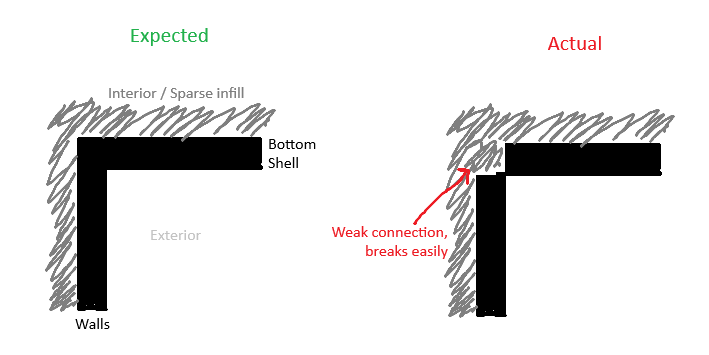
…and then it doesn’t take much effort at all to break the shaft off cleanly at the bottom shell surface layer.
The situation can sometimes be even worse with “up-facing” corners — we’ve had instances where such a corner would have a visible gap into the interior of the part, as it didn’t even bother with any overlap whatsoever.
What am I to do about this issue? Is there some setting I’m missing which can properly solidify these internal corners? or is this just a bug?