Hi everyone, is this normal?, my printer does that since the first day, never got any problem, just asking if the nozzle scratching that plate is normal? i think the printer shouldn’t do that, anyone got that problem? there’s any solution? i have the last firmware
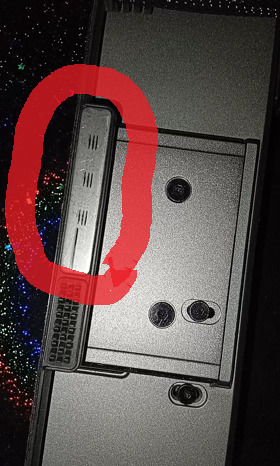
Watch the startup sequence closely. If the nozzle only touches that narrow strip while cleaning itself, that’s expected. If it drags across the build plate during printing, check
Z-offset calibration and bed leveling/mesh. Also check whether the correct build plate is selected in the printer settings. Inspect the nozzle and bed mounting for looseness.
1 Like
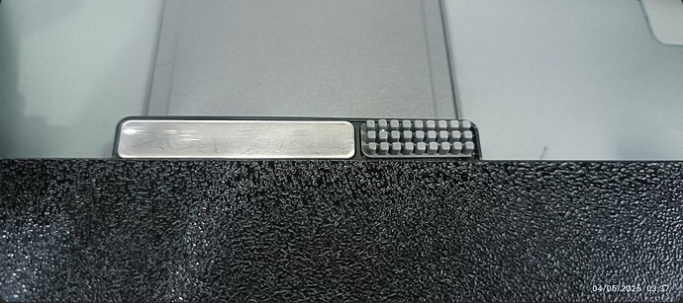
it’s all very tight, nothing is loose, the nozzle only drags and scratch that narrow metallic strip, it drags the nozzle to the silicone cleaning pad scratching that metal plate, i saw photos from internet of another users of creality hi and i saw their metallic strip its not scratched as mine
i found a topic in this forum of some one talking about the silicone pads, and he dont have that metallic stripe dragged by the nozzle, this is the photo of his printer as you can see it’s not dragged as mine
1 Like
If the printer is still under warranty, I think you should email/whatssapp to Creality customer support and send them a close-up of your scratched strip, the comparison photo and a short video of the wipe sequence.
They can tell you whether your wipe force is within specification. After seeing everything that you have posted here, I think we should not consider these problems normal.
1 Like