After updating the firmware on my K2plus and updating the CC mobile App I can no longer see the printer under the Mobile Apps “Workbench” menu ie the printer has lost its connection to the mobile App.
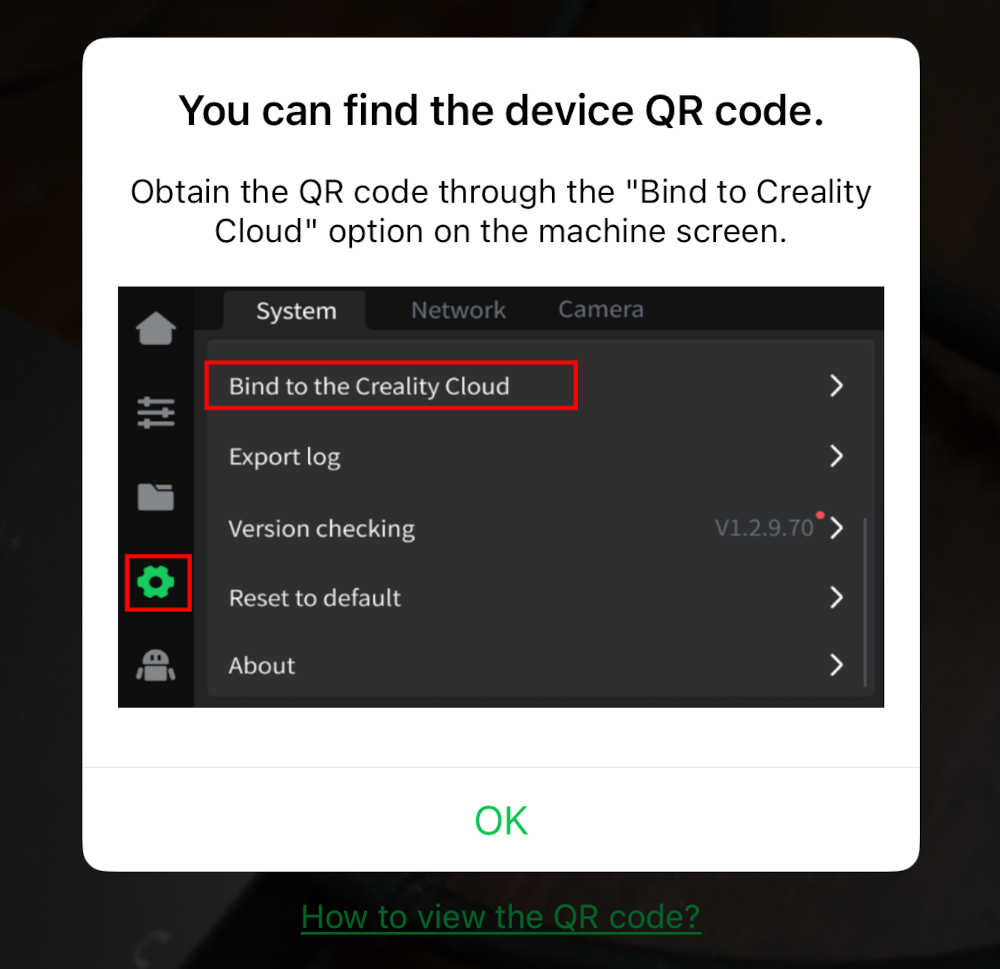
To re-establish the connection the App suggests going to the Settings/system screen on the printer and scanning a QR shown by the printer . Photo is what the mobile app displays
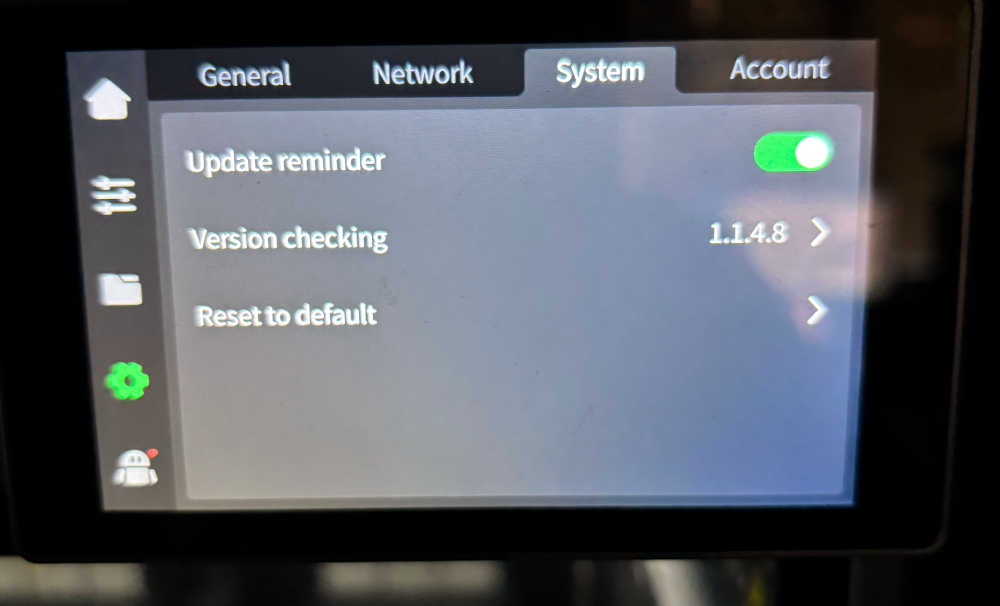
However this is what my printer displays in the Settings/System menu.
Creality Print app on my laptop is communicating as per usual via WIFI and printer is printing fine otherwise.
My Creakity Cloud account is also working OK.
Any ideas.