TE2766: XY axis homing failed, unable to perform precise nozzle wiping
Applicable models: K2 Plus/ K2 Pro/K2
Why does this prompt appear?
XY axis homing failed, cannot perform precise nozzle wiping
How to solve?
Perform homing operation again from the main interface.
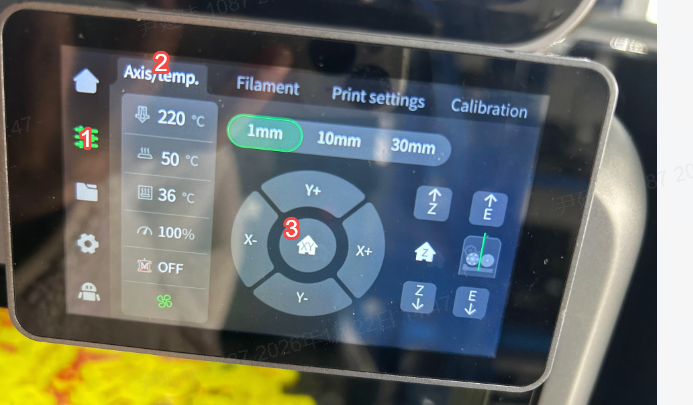
- Check if there is high resistance in the X/Y optical axis/rails causing homing failure; if movement resistance is high, lubricate the optical axis and rails before attempting to home again.
Related Wiki for reference:
K2 Plus Periodic Maintenance Tips
K2 Pro Motion Mechanism Lubrication
Check if there is damage, seizure, or abnormal noise from the idler wheel in the X/Y motor assembly; if damaged, please contact customer service or try replacing the idler wheel.
For relevant Wiki, please refer to: