Creality Print has been working well for me for months. Now, all of a sudden, I get the following error message whenever slicing. I am using the default settings – there is no custom G-code.
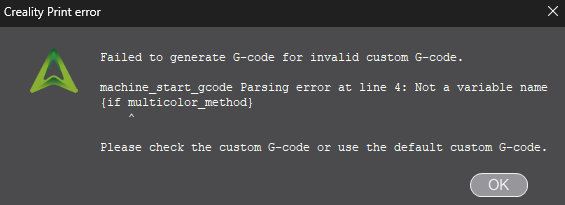
What can I do to get past this message?
Creality Print has been working well for me for months. Now, all of a sudden, I get the following error message whenever slicing. I am using the default settings – there is no custom G-code.
What can I do to get past this message?
Try with removing you printer and then adding your printer again in Creality Print.
@Mr_MBR. Thanks for the suggestion. I tried removing the printer. It forced me to select another printer. That one sliced properly. I reselected the K2 Plus and got the same error message. Same message with any nozzle selection.
Then I tried doing that with other randomly selected printers, which sliced properly. Closed the software, reopened the software, added the K2 Plus and got the slicing error again. I did this with multiple randomly selected printers.
I did this testing through the Printer Settings with the nozzle selections. Is there another way to add/remove printers?