Hello,
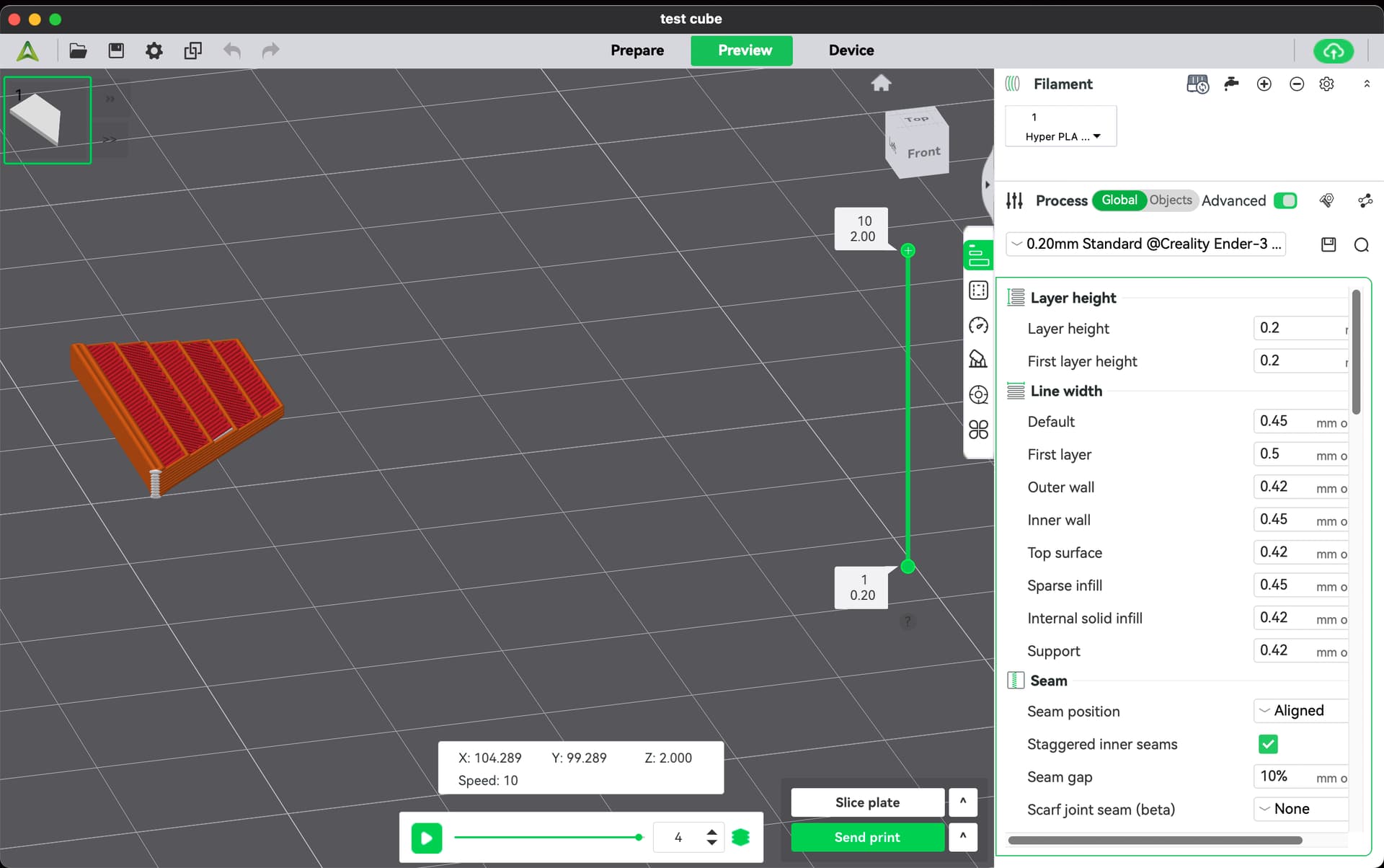
I’ve been using Creality Print with my Ender 3 V3 KE for almost a year and outside of the normal occasional print issues I just started having issues where the sliced object seems to have a stepped appearance. I’ve printed a lot of small parts at the standard .2mm layer height quality without issues. Not sure what has changed. I downloaded and installed the lastest version of the software and the same thing. What gives! Here is a screenshot.
Thanks,
Troy
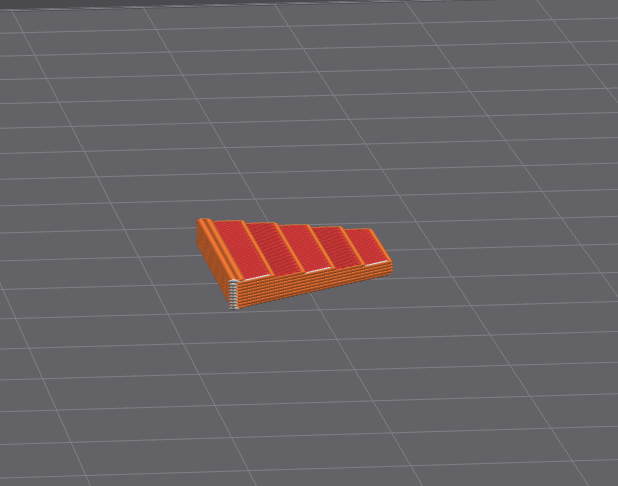
I tried enlarging the part just a bit and this time it seems to be missing the final top layer. It looks just like it does in my screenshot. I noticed it with v5.1.7… that I had been using so I upgraded. No change. I went back to v5 and still slicing weird. What the heck? Here’s a closer screenshot
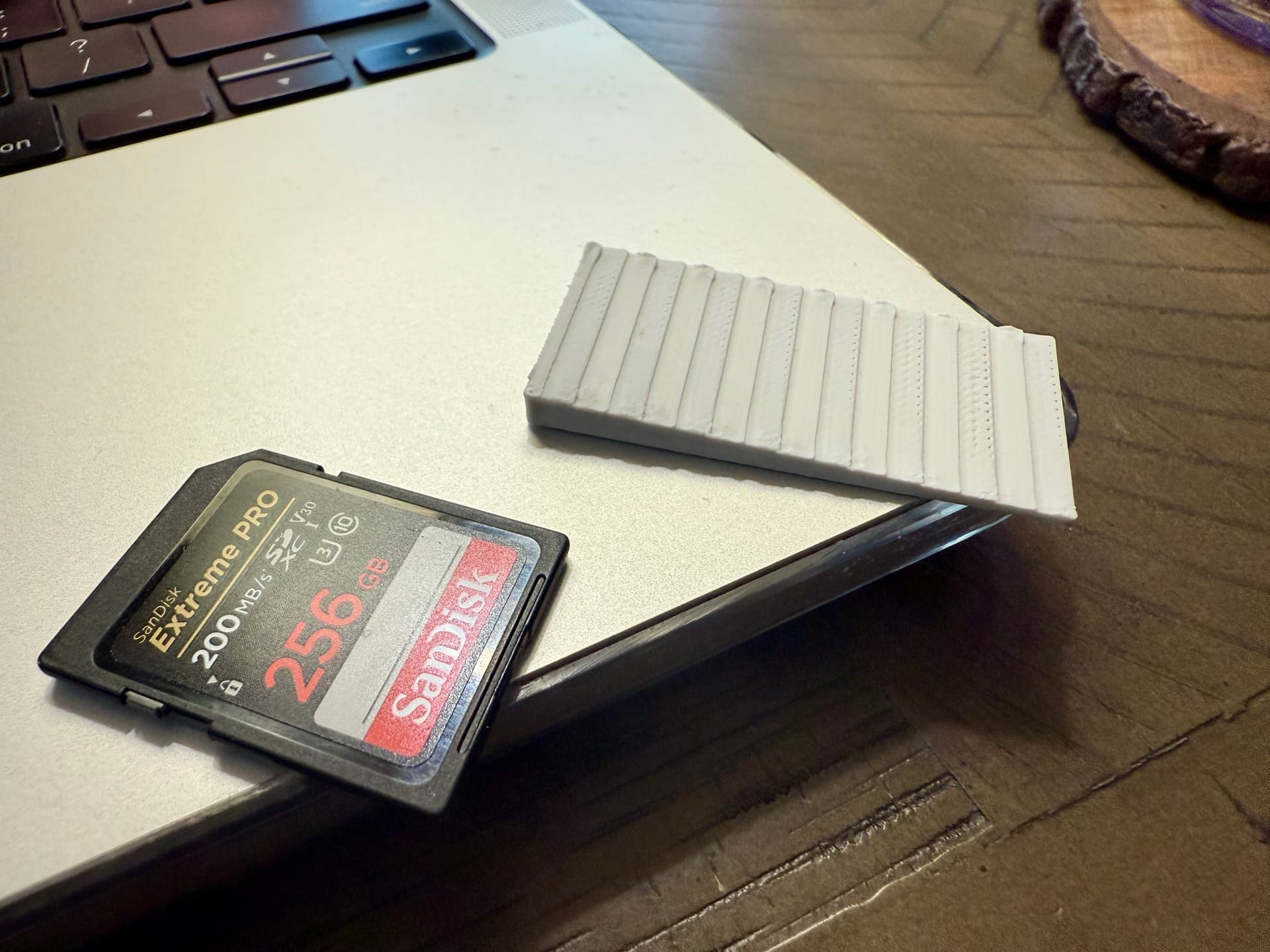
Heres an image of a part that I just printed. I tried another simple sloped cube with all flat faces and no complex geometry. It’s printing like a Mayan pyramid! I even changed to another brand of PLA (Hatchbox) that I’ve used successfully for a long time and no change. I tightened all of the screws, still no improvement. I don’t know what changed! I don’t recall seeing the issues in the slicer softer before, but maybe I just didn’t notice since it has worked well. Any help would be greatly appreciated.
On a side note, it has randomly howled like a bad wheel bearing on and off for a while. When it’s cold it screams, but seems to diminish after a while. I’ve noticed that when it spins up to prepare for a print it begins to howl louder that it has. I did purchase the protection plan when I bought it from the Creality Store on Amazon. I’m beginning to wonder it is on the way to a dirt nap.
Thanks,
Troy
Can you pinpoint where the noise is coming from…?
I think its a fan motor bearing inside. I just did some more investigation and loaded a test model from the Creality Print menu and it looked correct in the slicer like all my other models did. I’ve used Blender successfully for a long time to create and export .stl files. I just loaded the newest version of Blender (version 5) and it’s the culprit! I went back to version 4.5 and created similar simple shapes and back to normal! Go figure. I guess Blender 5’s STL export is broken!