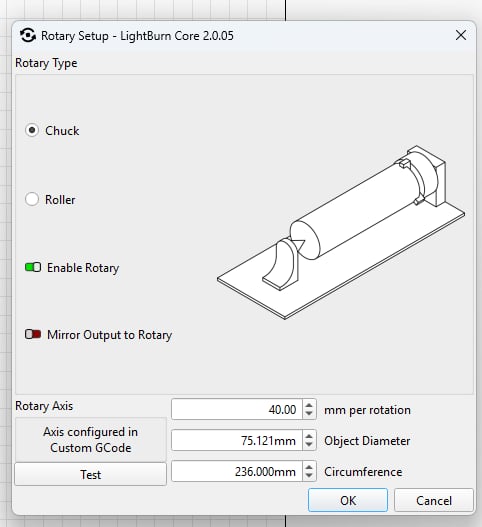
Creality Rotary Kit Pro Help Needed! Today I tried to get this running. I followed the instructions provided but I still cant get it running right. Example: I measured a stainless steel water bottle (coated) and it was 236mm circumference. I added that information in Lightburn in the Rotary Setup box. Creality says to check “Chuck”, enable rotary and add 40 to the mm per rotation. The only thing I didnt do was check the Rotary Axis because as you can see from my pic I dont have that option. When I try to engrave a rectangle 236mm High and about 5mm wide it begins to engrave but the rotary tool just keeps turning. Turns about 5 full rotations before stoping and coming back. I have changed the mm per rotation from as low as 5 to as high as 1000 and it just does the same thing. I have tried EVERYTHING! Anyone have any ideas? Thank you.
Hi,
Is it possible you have the rotary tool plugged into the x axis instead of the Y axis?
When you try to engrave something, while the object is rotating 5 times what is the laser tool head doing?
I don’t have a rotary myself so hopefully others will weight in now that you’ve added the video - that definately gives a better idea what’s happening.
I’d say your setup looks correct for the most part, but i’m questioning something about the rotary config window in lightburn.
mine looks like this:
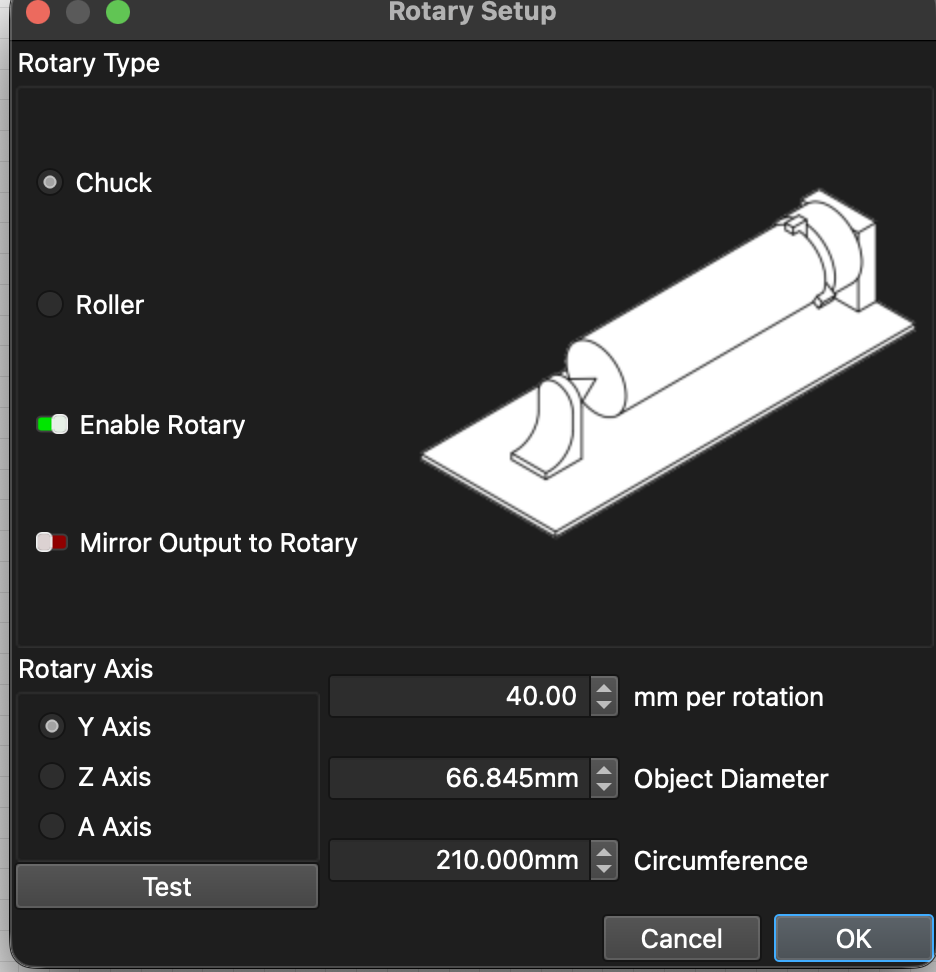
whereas yours indicates “axis configured in custom gcode”…
I guess now i’m just wondering if there could be some y axis movement or other gcode in your Device Settings → Custom Gcode tab that’s running or overriding the rotary axis settings?
One other thought would be to try and run a test using the Falcon Design Space software, selecting the chuck rotary profile and the software setup documented here, and see if you get different results? If it was working in one software and not the other, you could start looking more closely at lightburn configuration for what is causing the problem and rule out anything mechanical.
Have you installed the latest profile for the device you have? You can find the .lbdev files in the guides section of the Falcon FB group:
It should select the correct axis (Y) automatically, newer LightBurn version don’t let you select it manually there.
Definitely plugged into the Y axis.