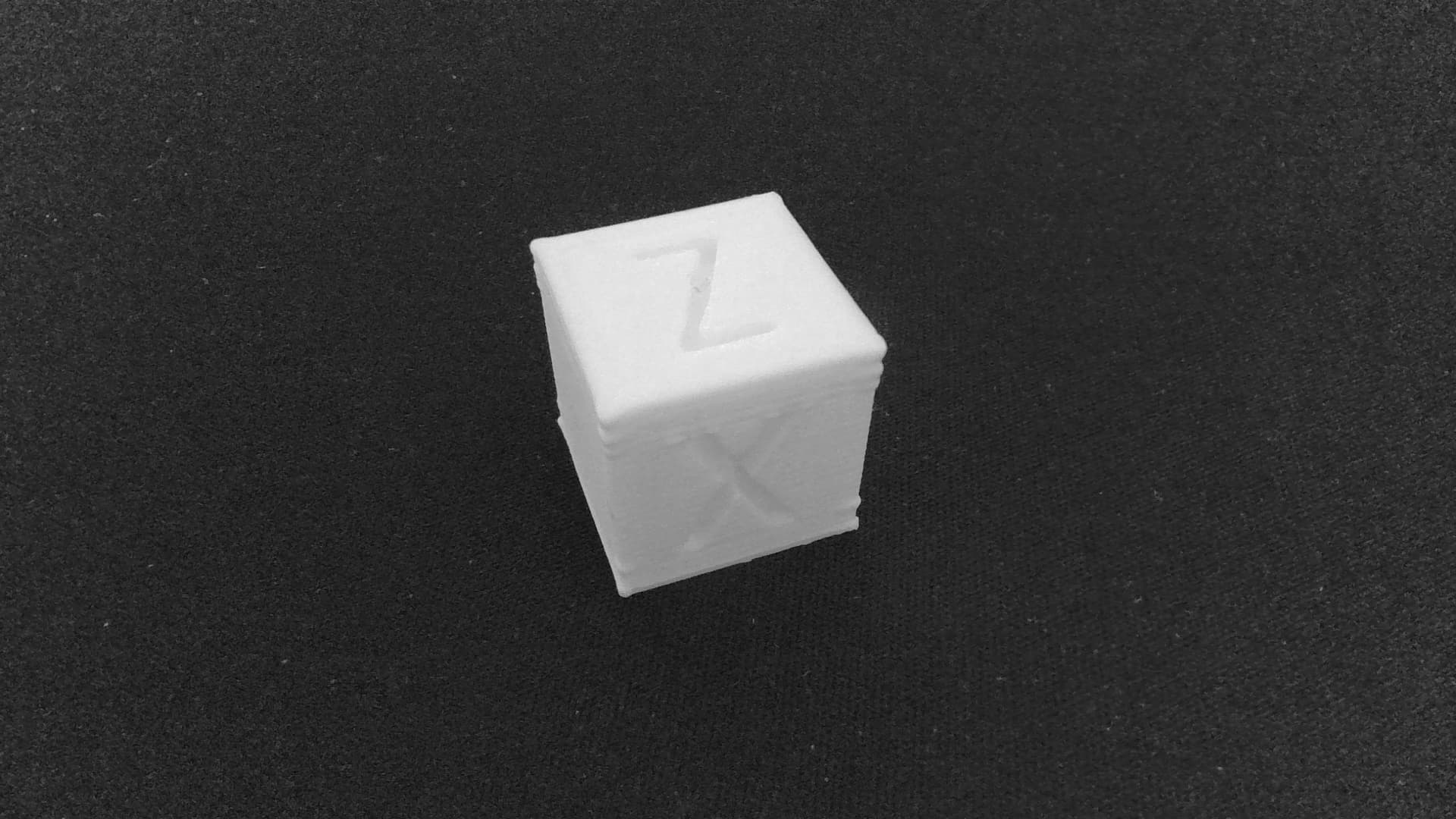
I recently re-leveled my Ender 3 S1 after installing several upgrades (new filament, silicone socks, dryer box, build plate, and new nozzles). To test everything, I printed a calibration cube and swapped my 0.4 mm nozzle for a 0.2 mm nozzle to get higher print quality. However, the cube’s X and Y edges (especially on the first and last layers) came out wavy and not straight. I had the same problem with the 0.4 mm nozzle as well.
I’m a beginner with 3D printing and I’m not sure what’s causing this. I’m using the misriscoc Ender 3 S1 Professional custom firmware and Elegoo Rapid PLA+ at a print speed of 600 mm/s (I also tried slower speeds, but the issue persisted).
Does anyone know what might be causing these uneven edges, and what slicer or printer settings I should check or adjust to fix it?