I have an ender 3 v2 purchased in 2020. Worked well - dozens of prints.
Upgrades included: Capricorn PTFE tube / Marlin firmware / inverted bed (printing on glass side) / New bed springs.
In 2024 upgraded to Sprite pro direct drive. This has worked for a couple of dozen prints, BUT now I have an issue with getting consistent extrusion.
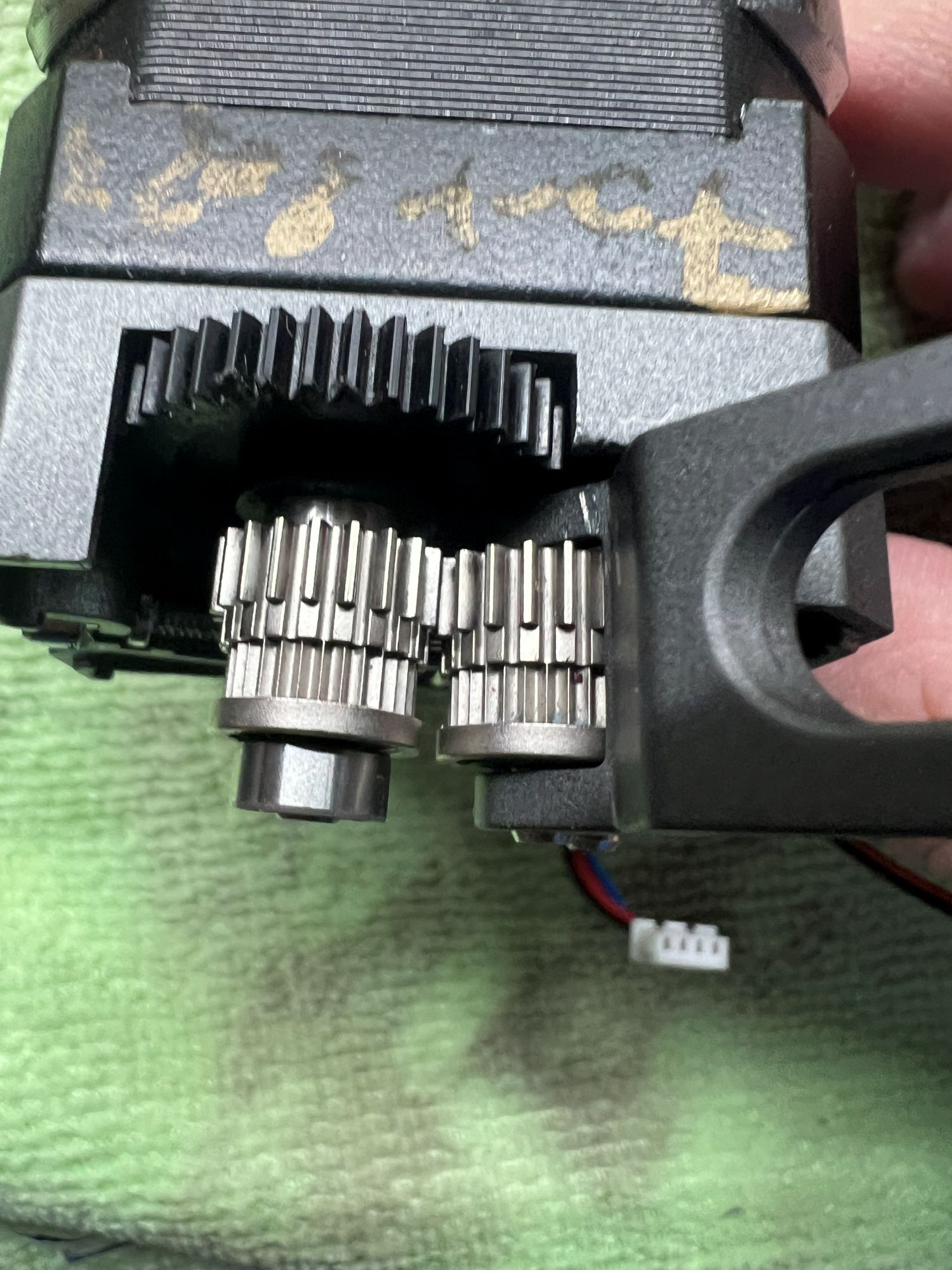
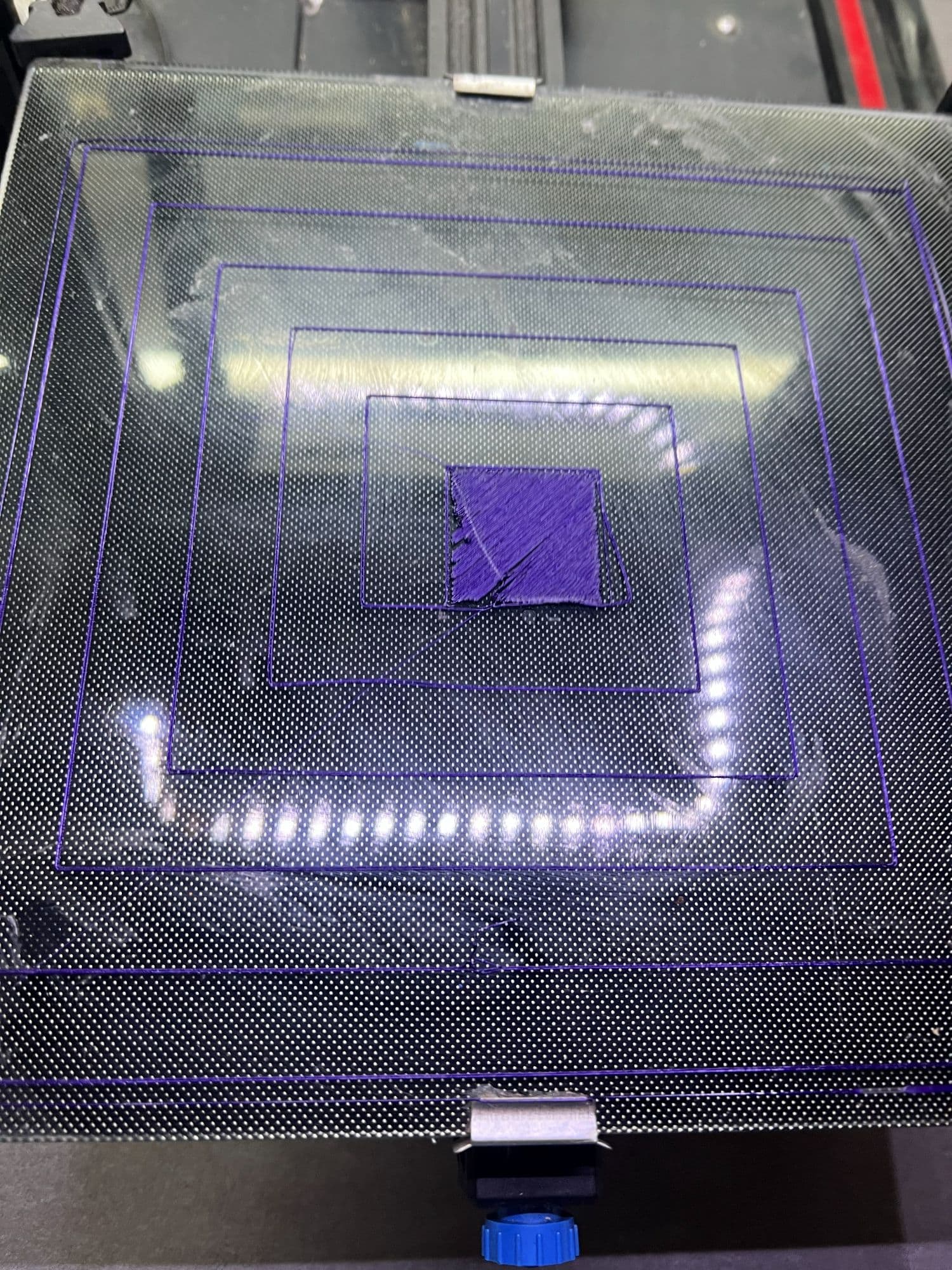
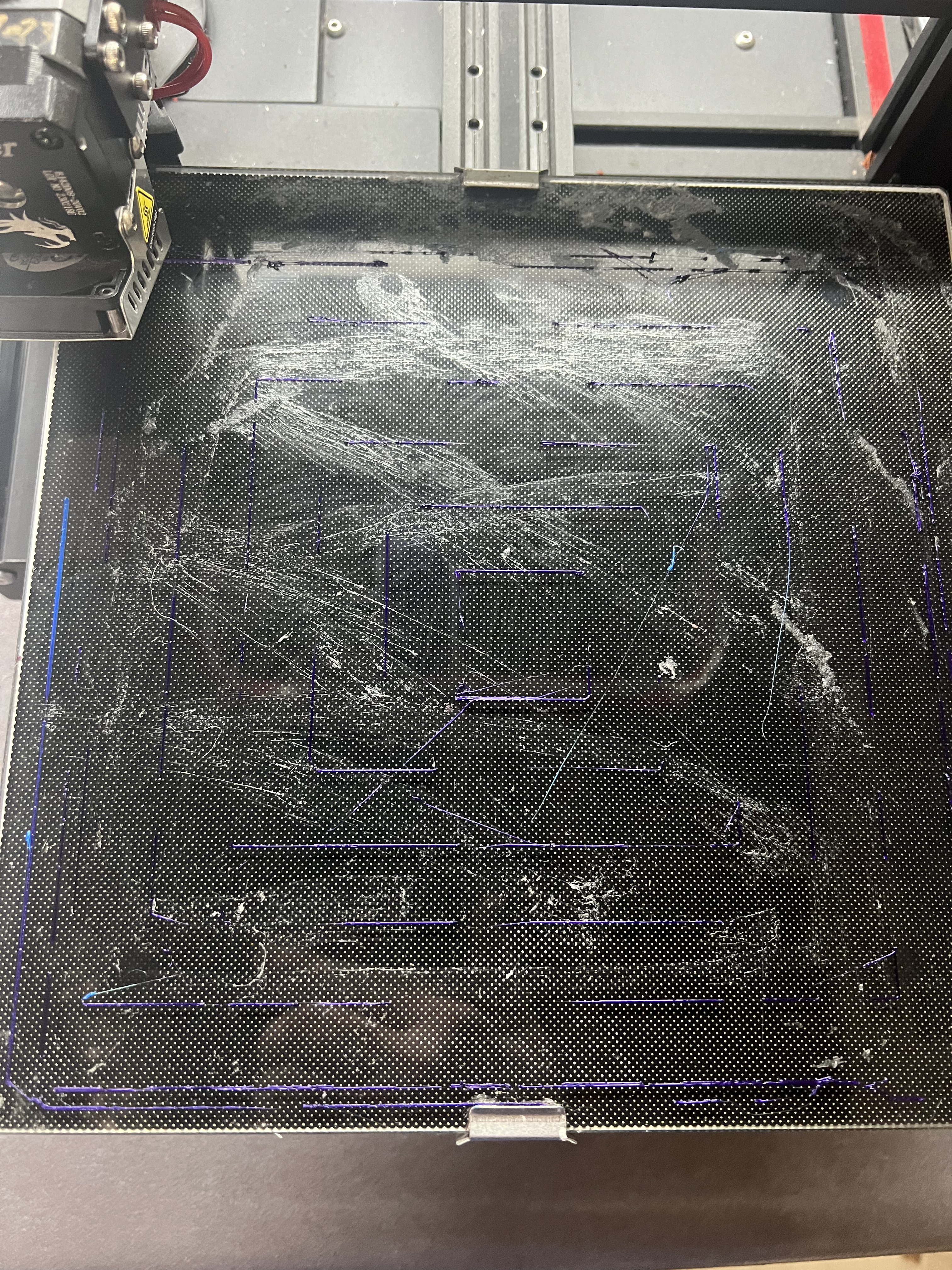
The filament extrudes in dashed lines (see image), which makes me think there is an issue with the gears in the extruder.
**Is there a way to fix this? **
Or does Creality sell sprite pro gears as a spare part?
I checked the PTFE tube and re-installed the sprite pro.
Thinking maybe this was a filament issue I grabbed a roll of PLA that had been in a filament dryer (Sunlu S1) AND also printed correctly on my Prusa Mini+ but the result is the SAME.
With stock Ender 3V2 i’ve printed : ~140 designs
With the Sprite Pro direct drive i’ve printed : ~20 designs
I.e. the Sprite pro hasn’t seen a lots of printing.
Please advise the steps to resolve this Sprite pro extruding issue with my Ender 3.
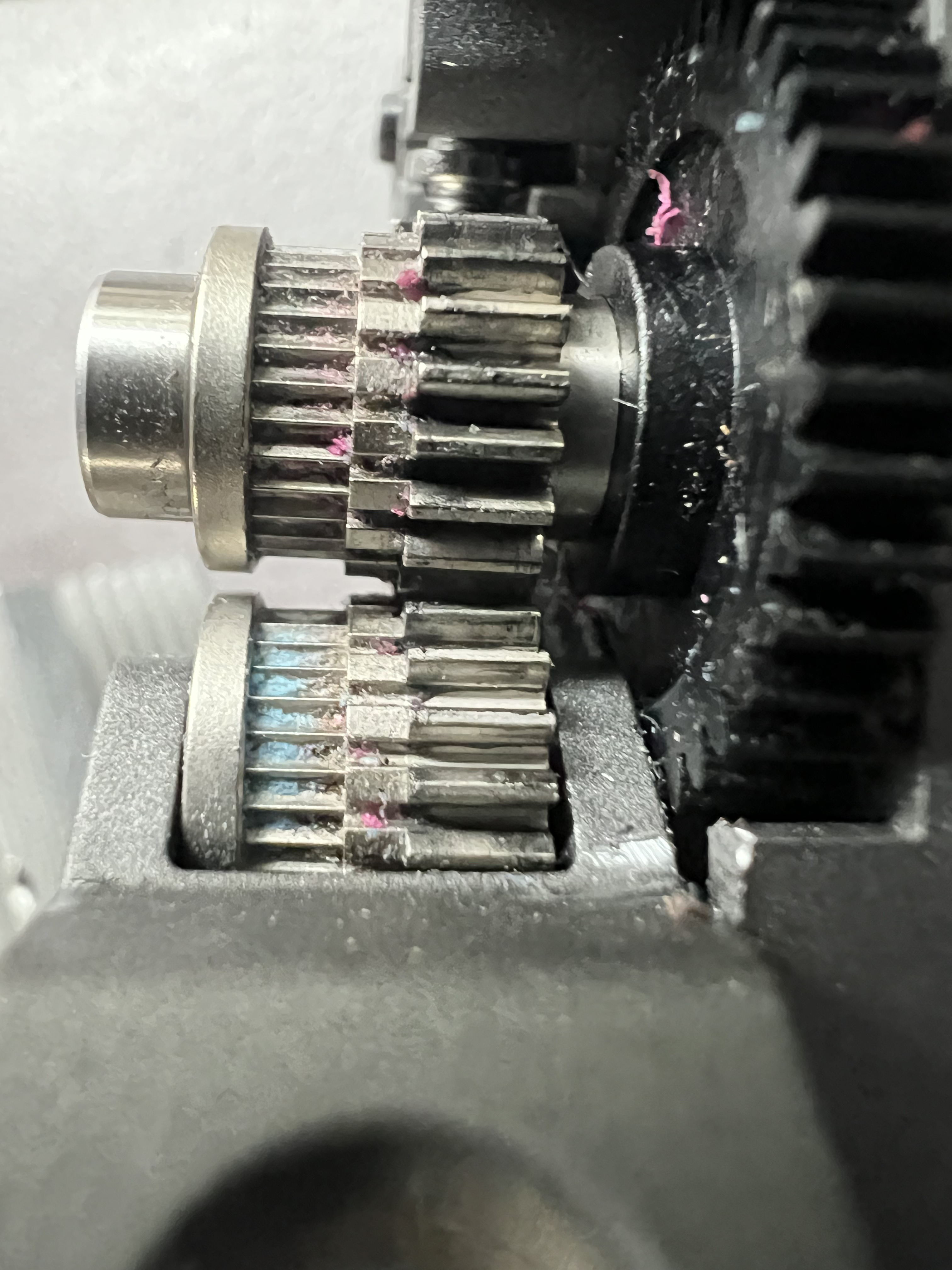
You can clean the extruder gears with a small brush, (old Toothbrush maybe).
I would replace the nozzle, just to be sure.
Did you check the nozzle height to the bed?
I would also suggest to check the tension of the extruder gears. If there’s a spring tensioner, it may need to adjust it so the gear grip well on the filament.
If you can replace the gears, give it a try. I replaced mine once, and everything is cool since then.
Then check if your printer Over- extrudes or Under Extrudes.
I’ve tried adjusting the tensioner screw (last night) no change to print.
If you can replace the gears, give it a try. I replaced mine once, and everything is cool since then.
Then check if your printer Over- extrudes or Under Extrudes.
Where do you purchase new gears from? Please supply a link to where these can be purchased.
I will try cleaning the gears as recommended by Ben_Engelen.
Concerned that my $100 ‘upgrade’ has worked for 20 prints and now needs servicing.
I’ll also try replacing the nozzle, maybe the supplied one has failed.
Cleaned filament feed gears
(Soaked in hot water with detergent - then scrubbed with old toothbrush)
Replaced Nozzle (which was clogged) with hardened steel nozzle.
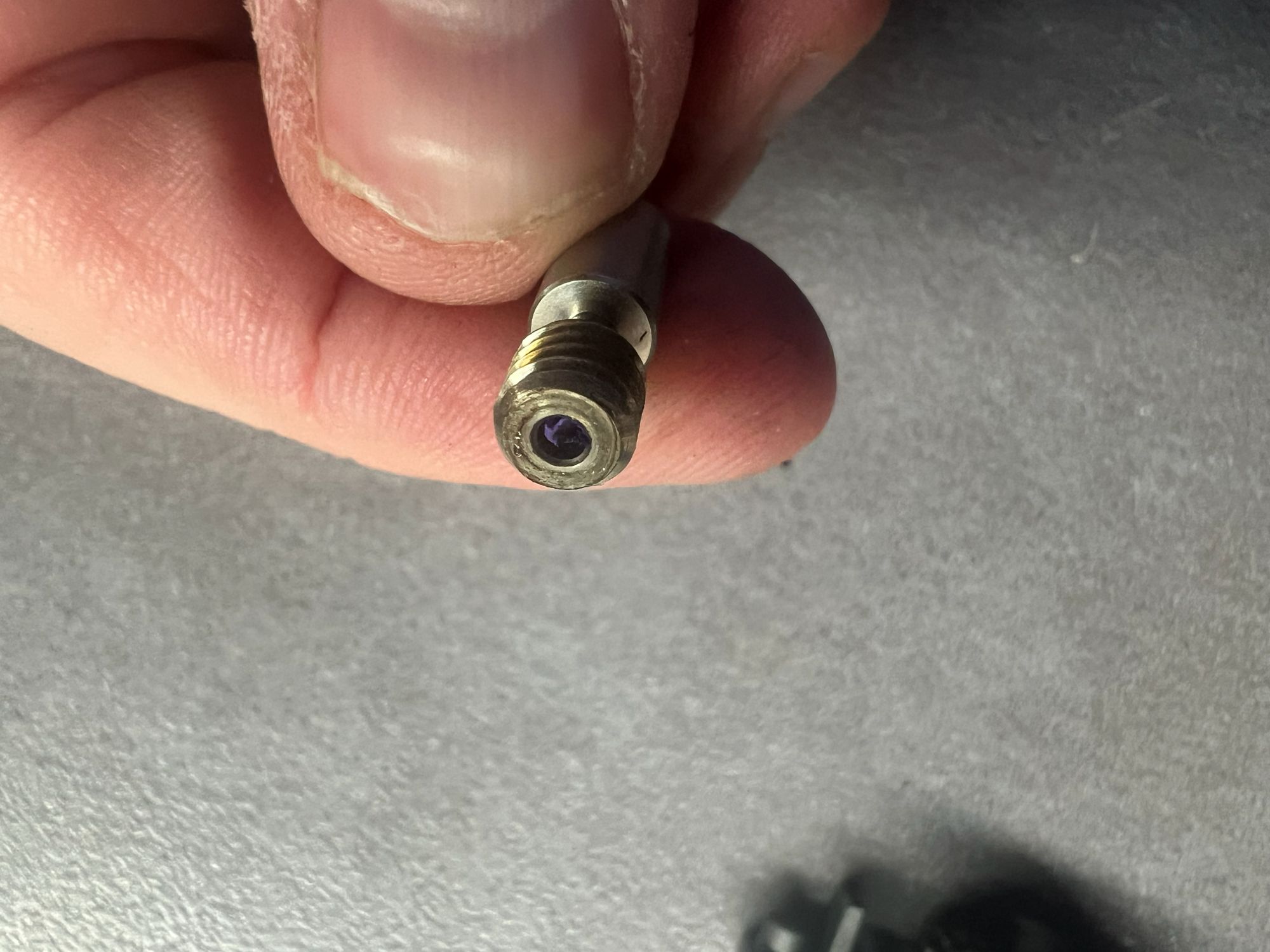
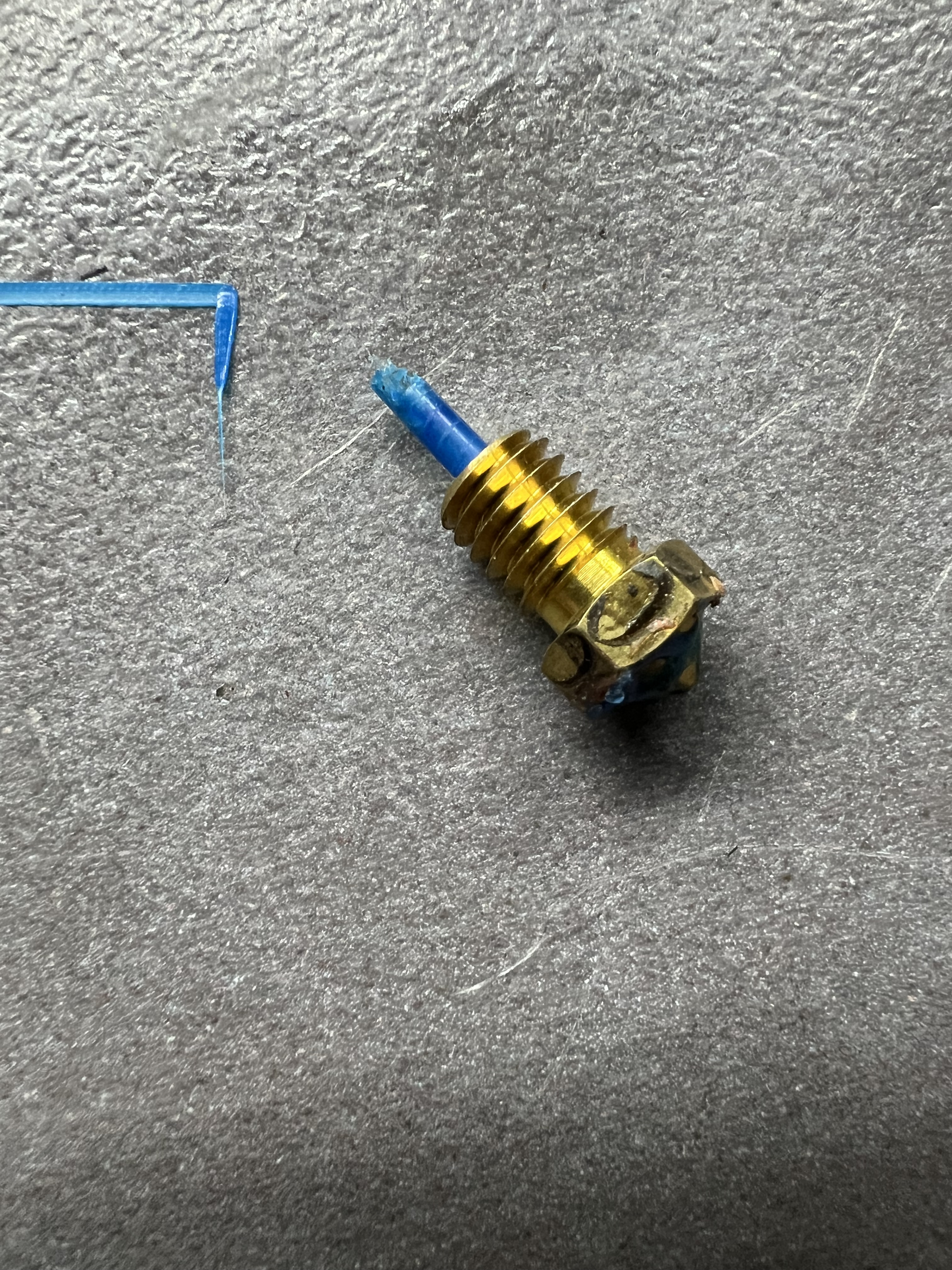
Removed and cleaned heat break which was clogged with filament gunk.
(Used kitchen butane torch to heat and melt all the clogged filament). BE CAREFUL with torch if doing at home!!
Reset tensioner on gear pressure. Spring had buckled due to excessive tightening.
Re-assembled - re-installed extruder.
Test print OK.
Note. The heater block has 2 small screws for attaching to the larger heat sink. I had the block initially installed 180deg - leaving insufficient space to get the silicone cover back on - fine once inverted.
My process is to take photos through the process and separate the screws into small containers as you go per part of disassembly. I’d recommend anyone do this as is helps ensure all the screws parts are installed for each component.
Next step will be to upgrade the heat break, I’ve purchased a new bi-metal one:
 BE CAREFUL with torch if doing at home!!