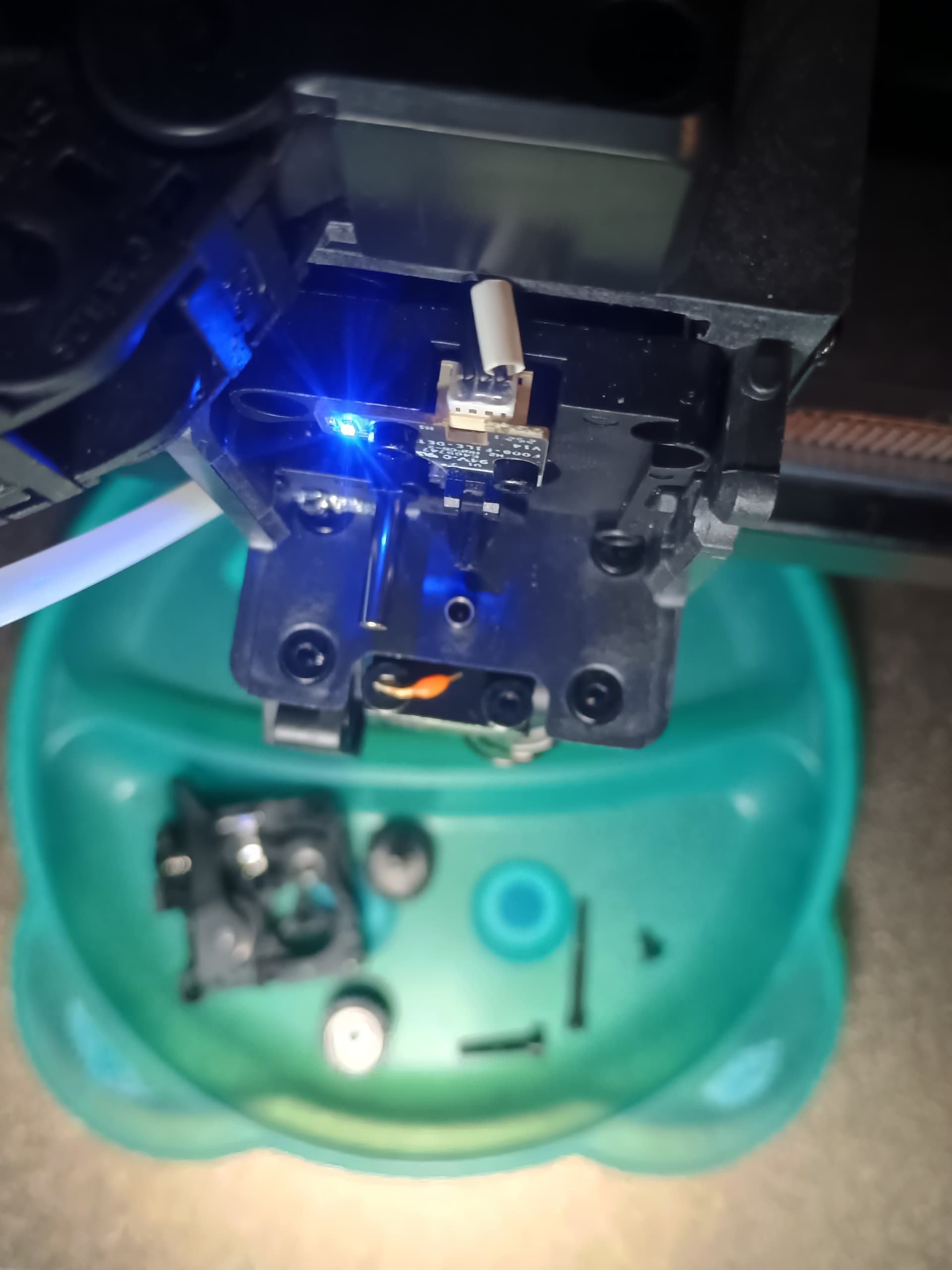
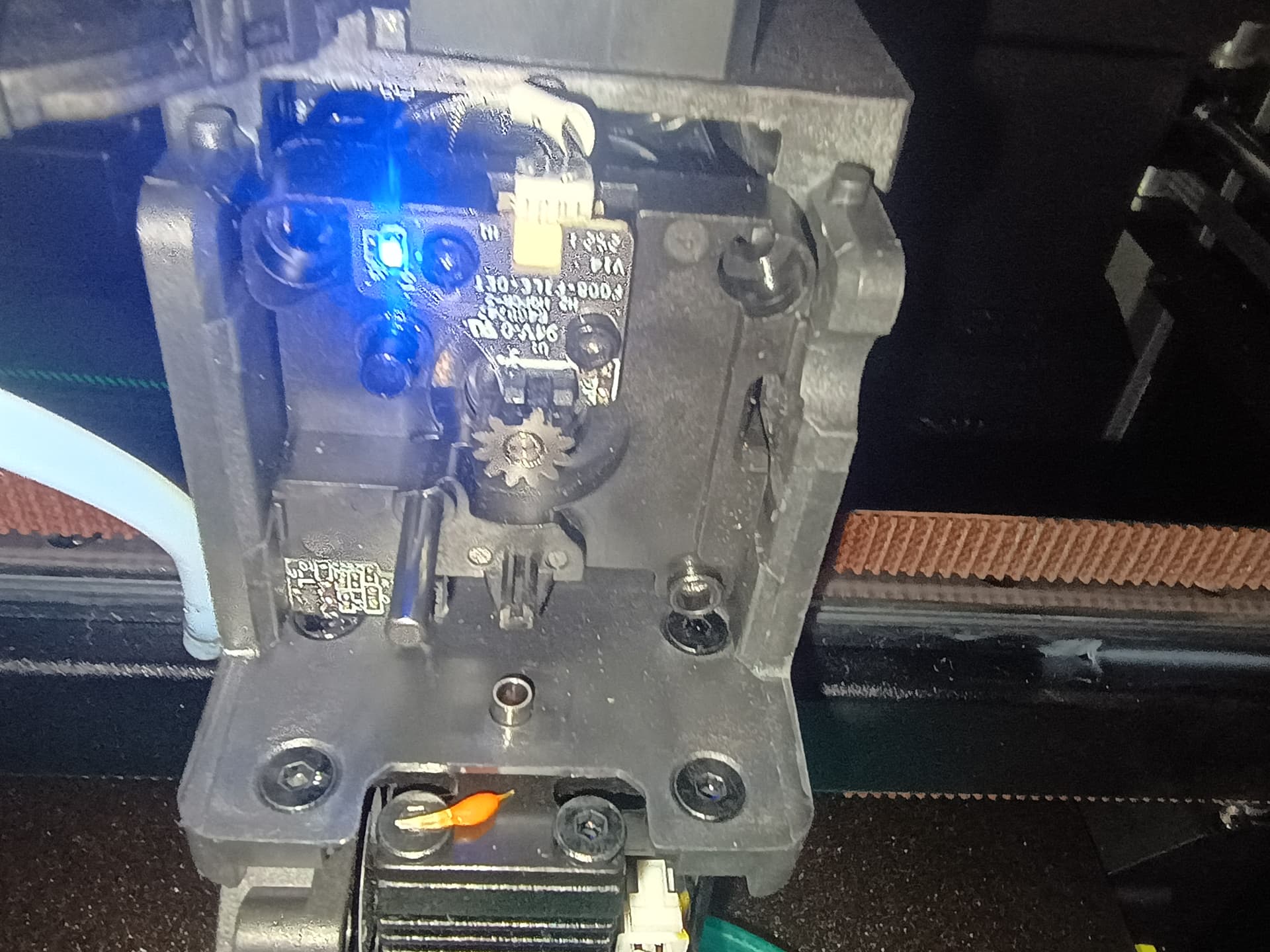
Hello. A month ago, I bought a K2 with CFS. This is my first 3D printer. About two weeks ago, the printer started throwing various errors while working with CFS (CM2789-y, FS2843, FR2851, CY2577, TR2852, CM2789-x, 2766, FR2865, FO2845). I removed the CFS and installed filament on the side of the printer. The errors stopped appearing, but I had trouble changing the filament. After pressing “retract,” I can’t eject it. I have to heat the extruder to the appropriate temperature and manually eject the filament by clicking on the screen several times. I also can’t perform cutter calibration. The blue LED is also constantly on. Today, I disconnected the filament sensor and checked it. I don’t see anything wrong. Should I contact Creality about a replacement?
To answer your first question: yes, contact Creality for a warranty replacement if your printer is new. Be aware that they will almost certainly ask you to attempt troubleshooting or a repair before they ship a replacement part.
In the meantime, here are some troubleshooting steps you did not mention trying.
As you noted, the sensor light is lit. Your error message and your photo clearly point to the same issue: the “Material Break Detection Light” is on. That indicates something is blocking the sensor. Filament is what it is designed to detect, but dust and debris can block it as well. That light must be cleared before you can proceed with further diagnostics.
You didn’t mention which K2 model you have, but here is the service video for the K2 Plus detection module as a reference:
- Power off the printer.
Carefully disconnect the connector from the PCB, then remove the two hex nuts and inspect the interior for visible debris. Start by using tweezers to remove anything you can see. An air duster can be used afterward, but be careful not to blow contaminants deeper into the assembly. This is easiest and safest to do with the extruder removed and worked on at a table.
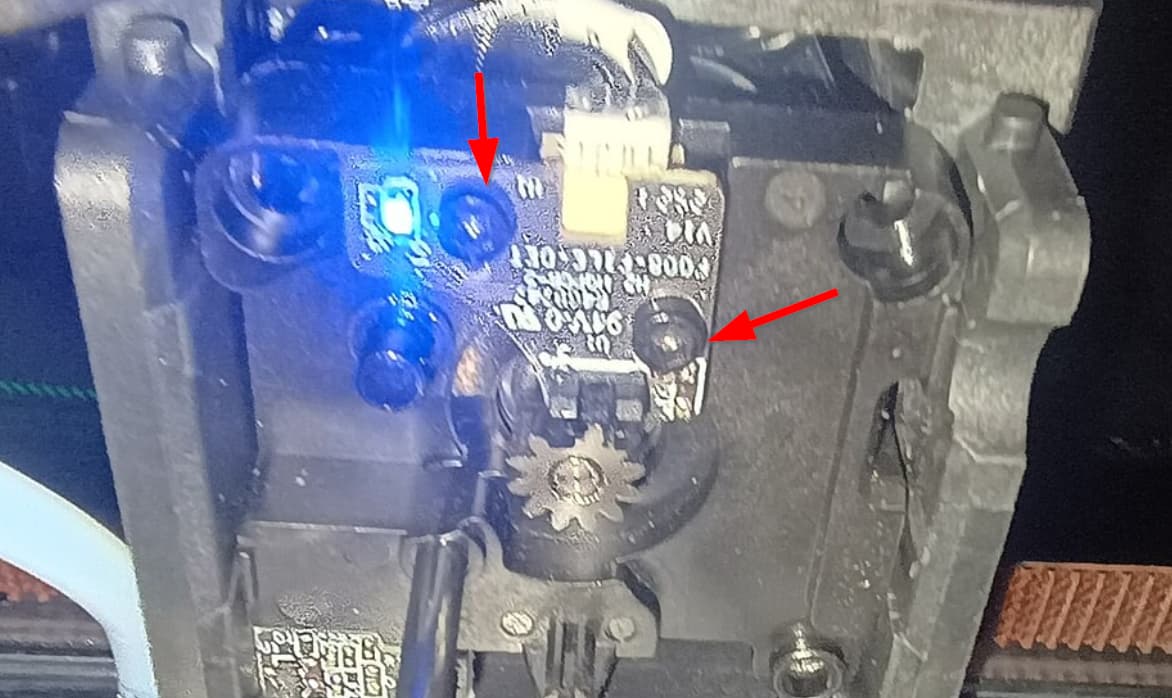
Once you’ve performed the cleaning, if the blue light remains on, include that detail in your warranty request to Creality. It will help reduce back-and-forth with tech support and speed up the resolution.
Mine came with spare parts that also included the sensor.
The printer is a basic K2 Combo model (260x260mm build volume). I disassembled the extruder again. I used a lint-free cloth and isopropyl alcohol. I cleaned the sensor slot, but unfortunately, that didn’t help.
I see that even if I had to buy it myself, this part is cheap: https://www.amazon.pl/wykrywania-filamentu-Creality-akcesorium-ekstruderów/dp/B0F8HW7WT2?ref_=ast_sto_dp
Yes, it is cheap which makes it a viable option to simply replace it as a diagnostic step. If it were a $50 component, I might have to think about it but after going through the amount of work you already went through, $25 is probably time and money well spent and if it isn’t the issue, at least you have a spare, or you can do as I do, return it to Amazon.
Since the beginning of this month, I’ve had a K2 Pro, a big improvement over my old Ender 3 V2 Neo. Today, I was having problems with brittle filament, old stock. Small pieces of it were stuck somewhere in my extruder. Every time I removed the front part of the extruder, the blue light went out. But as soon as I reassembled the extruder, the light came back on. It turned out that a very small piece was still clogged.
I think the blue LED should go out when the front part of the extruder is removed.
If the blue LED stays on.
1. There’s a piece of dirt on the circuit board of the filament sensor between the two measuring points.
Right finger, the two small black protrusions. Picture: https://wiki.creality.com/products/fully-enclosed/k2pro/%E6%9B%B4%E6%8D%A2%E6%96%AD%E6%96%99%E6%A3%80%E6%B5%8B%E6%A8%A1%E5%9D%97/%E6%9B%B4%E6%8D%A2%E6%96%AD%E6%96%99%E6%A3%80%E6%B5%8B%E6%A8%A1%E5%9D%9708.png
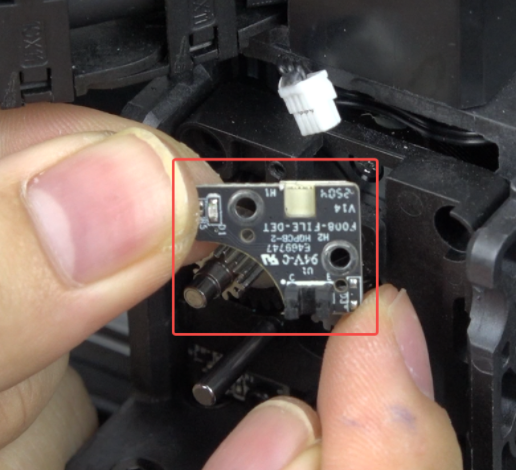
2. The filament sensor is defective. Install a new one.
I don’t see the part where the filament tube attaches. That boden connector easily breaks and small metal pieced fall done inside and jam the filament cutter and the filament path. This is VERY common. They are nice, better than new, band-aid fixes that are printable. In your case since this is your only printer, you need to get the extruder assembly (that part that feeds the filament in to the hot end). Then when it is working again, print one of the replacements to have for when it breaks again.
I bought this sensor on Amazon and replaced it. All the problems disappeared. So far, a few small, colorful prints have printed without issue. Creality customer service referred the problem to geekbuying.com, where I bought it. The issue is currently with them. Luckily, the repair was inexpensive and I managed to fix it myself.
NICE!!! Thanks for closing the loop and letting us know how you resolved it.
I ended up buying the part privately on Amazon, and it fixed the problem. Creality reported the issue to geekbuying.com (where I bought the printer), but the store hasn’t contacted me to resolve the issue.