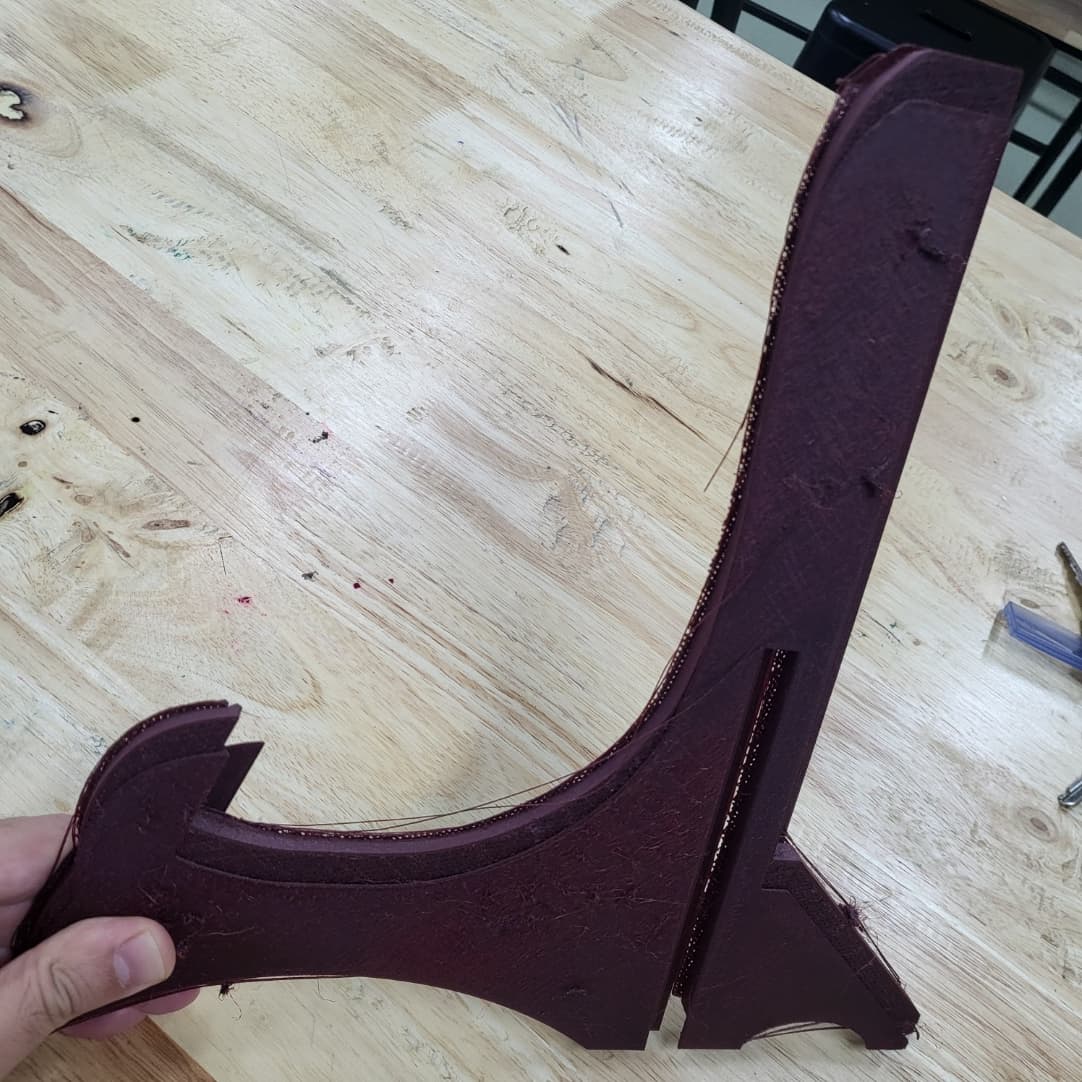
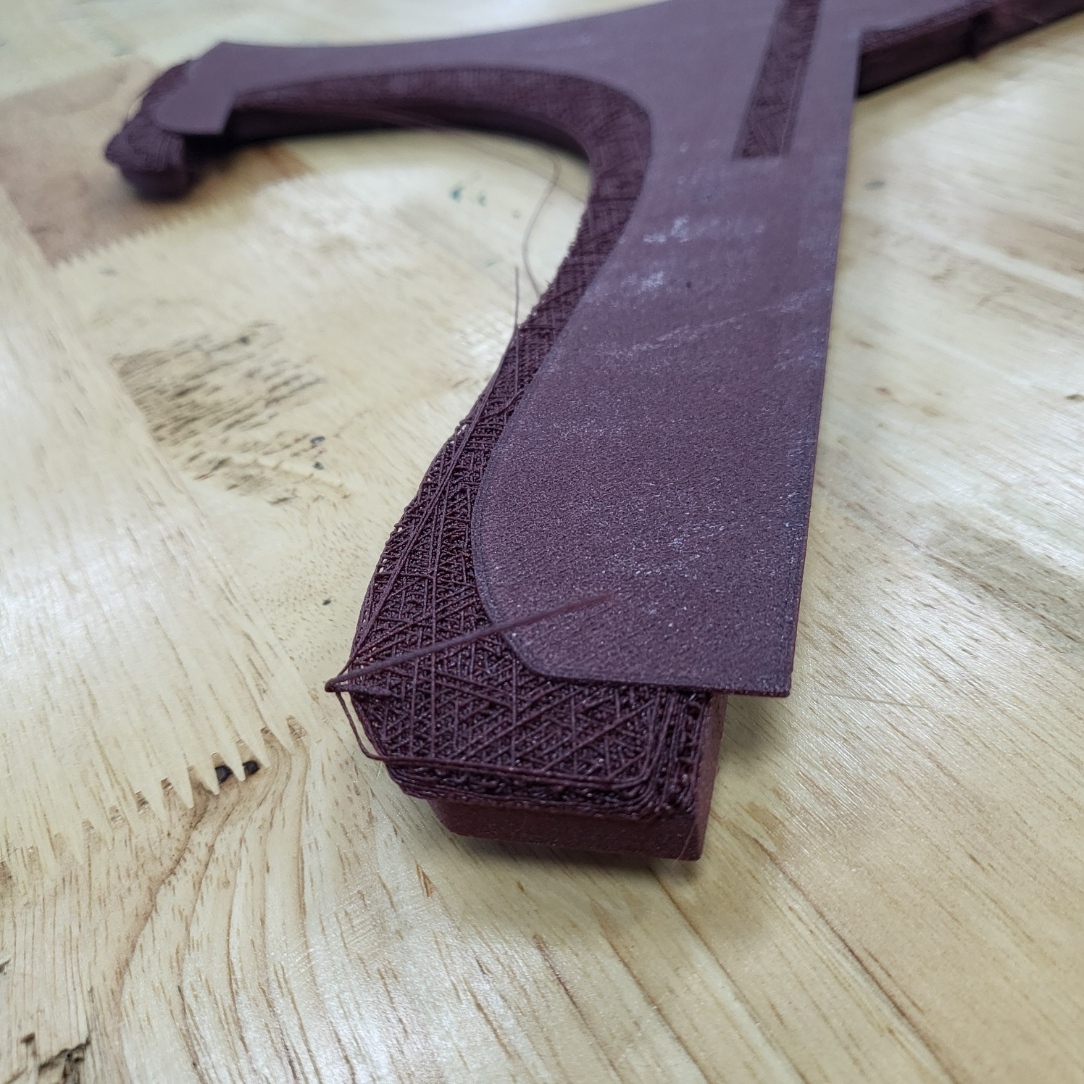
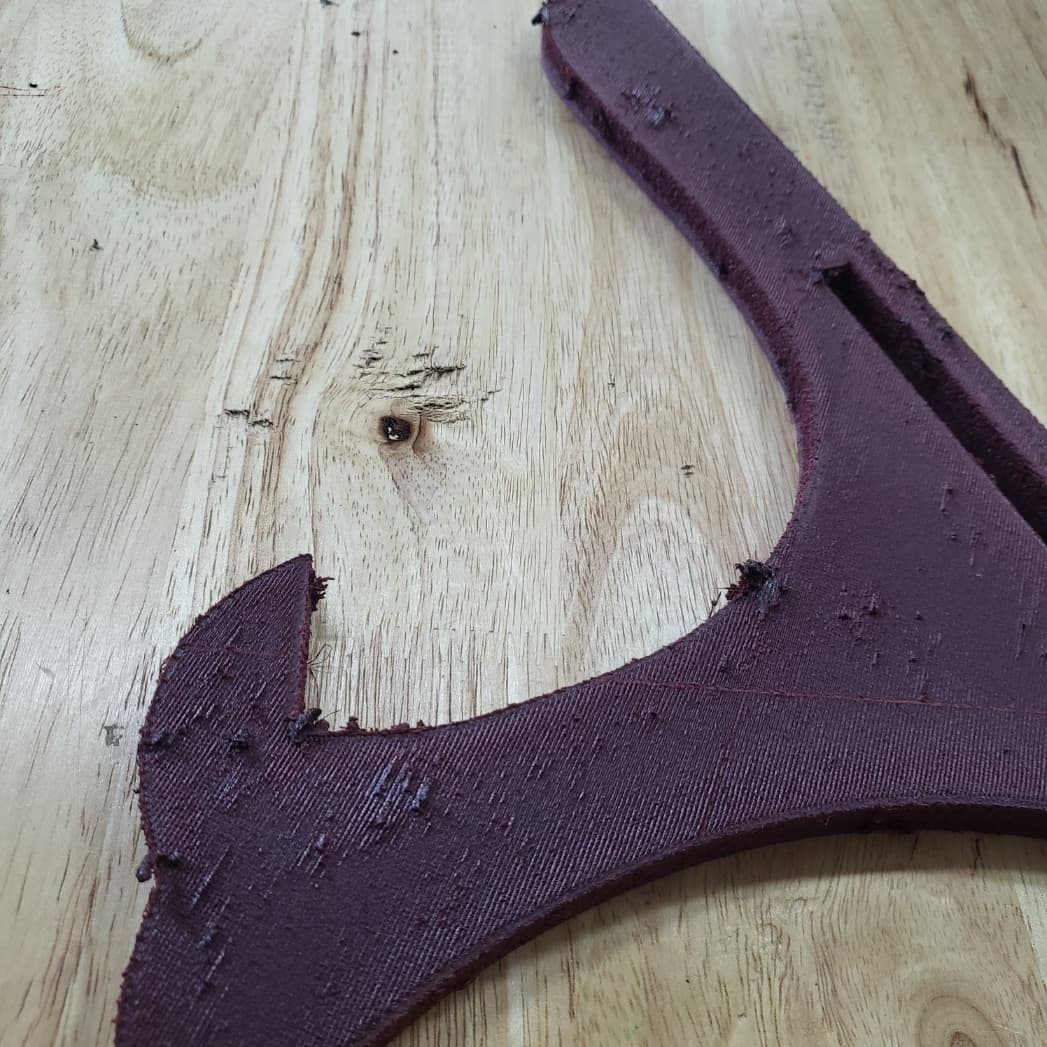
eSun PETG-CF Filament settings

Dear friends,

I’ve been getting consistently good results with Creality PLA on my K1 Max, but I’m now trying to move to eSun PETG-CF because I need parts with more strength and durability. Unfortunately, I’ve been struggling to get reliable prints with this filament on anything larger than a small test piece.

For example, a 3D Benchy printed fine with PETG-CF, so I know the machine can handle it. But whenever I try to print something bigger that covers about a third of the build plate, the job eventually fails. The most frustrating case was an overnight print: the first few percent of the part must have shifted or lifted off the plate slightly, and the printer just carried on. By the morning I had a full-height print with misaligned layers and a huge amount of wasted filament. Strangely, the later layers looked fine even though they were printed on top of the shifted base.

I’ve experimented with different setups in both Creality Print and OrcaSlicer, but haven’t found a configuration that’s stable. I’ve tried:

Even with these adjustments, the same issue keeps happening — small prints succeed, but large structural ones fail early in the job.

If anyone here has a working K1 Max profile for PETG-CF, or tips on what’s worked best for you (e.g. flow rates, fan settings, bed prep, infill strategy), I’d be hugely grateful. This is for a functional part that needs to take a heavy load, so strength is critical, which is why I’ve been trying 70–80% infill — but maybe there’s a smarter way to get strength without stressing the print.

Any advice, shared profiles, or even lessons learned from your own experience with carbon-fibre PETG would be a massive help.

Thanks in advance for your support!
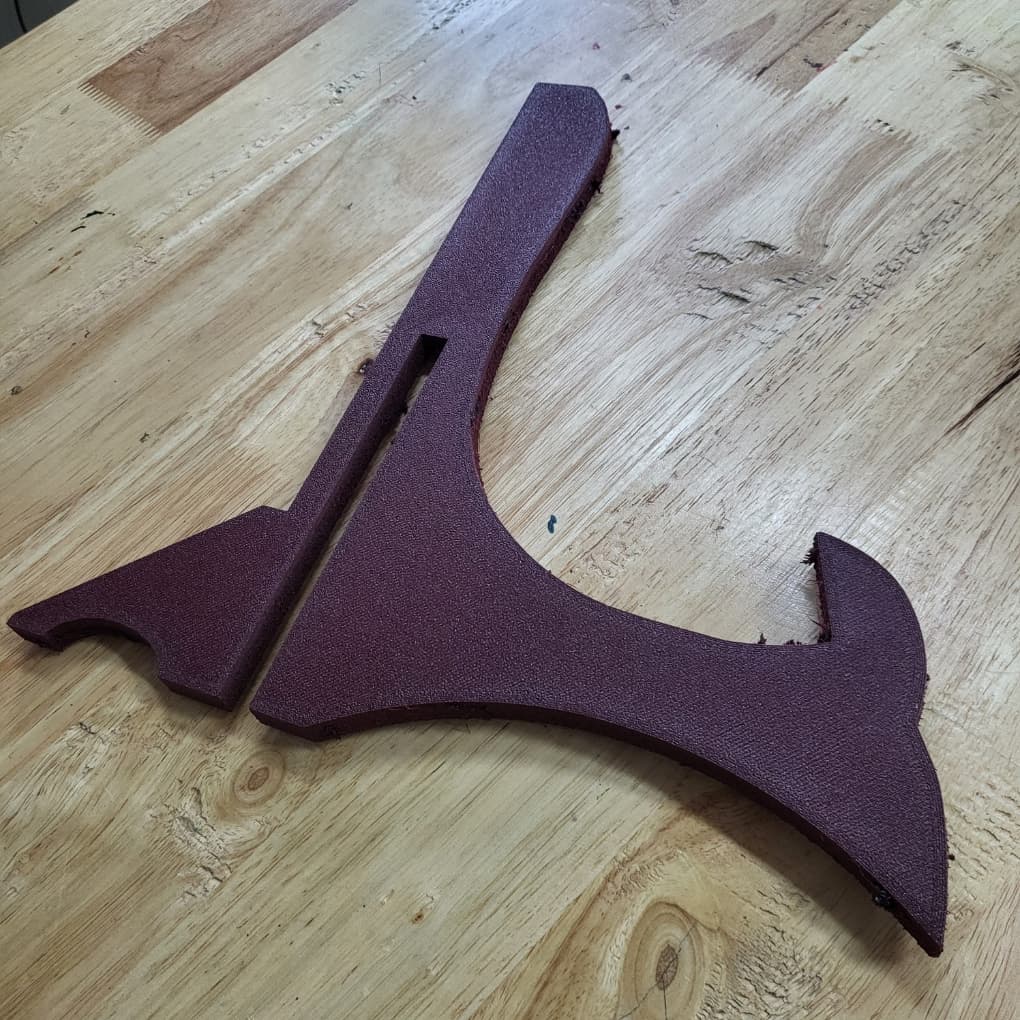
Here is an update guys. So I changed my settings and I manged to print successfully but the top side wasn’t so clean. I will include my settings for others if they need. If anyone has some extra tips please let me know. Cheers!

Filament setting json

{
“activate_chamber_temp_control”: [
“1”
],
“chamber_temperature”: [
“45”
],
“default_filament_colour”: [
#94996A
],
“enable_pressure_advance”: [
“1”
],
“fan_max_speed”: [
“40”
],
“fan_min_speed”: [
“0”
],
“filament_flow_ratio”: [
“1.05”
],
“filament_max_volumetric_speed”: [
“9.0”
],
“filament_retract_when_changing_layer”: [
“1”
],
“filament_retraction_length”: [
“0.8”
],
“filament_retraction_speed”: [
“30”
],
“filament_settings_id”: [
“ePETG-CF”
],
“filament_shrink”: [
“100.4%”
],
“filament_type”: [
“PETG-CF”
],
“filament_vendor”: [
“eSun”
],
“filament_wipe”: [
“1”
],
“filament_z_hop”: [
“0.2”
],
“from”: “User”,
“inherits”: “Creality Generic PETG”,
“is_custom_defined”: “1”,
“name”: “ePETG-CF”,
“nozzle_temperature_initial_layer”: [
“255”
],
“nozzle_temperature_range_high”: [
“265”
],
“nozzle_temperature_range_low”: [
“240”
],
“overhang_fan_speed”: [
“30”
],
“pressure_advance”: [
“0.06”
],
“temperature_vitrification”: [
“70”
],
“textured_plate_temp_initial_layer”: [
“85”
],
“version”: “1.9.0.2”
}

Printer process settings (diamond noz)

{
“bottom_shell_layers”: “4”,
“bridge_density”: “90%”,
“bridge_flow”: “0.9”,
“bridge_speed”: “30”,
“brim_object_gap”: “0.05”,
“brim_width”: “8”,
“compatible_printers”: [
“MyKlipper 0.4 nozzle”
],
“default_acceleration”: “1500”,
“detect_thin_wall”: “1”,
“filename_format”: “{input_filename_base}{filament_type[0]}{print_time}.gcode”,
“from”: “User”,
“fuzzy_skin_point_distance”: “0.8”,
“fuzzy_skin_thickness”: “0.3”,
“gap_infill_speed”: “54”,
“infill_wall_overlap”: “30%”,
“inherits”: “0.20mm Standard @MyKlipper”,
“initial_layer_acceleration”: “150”,
“initial_layer_infill_speed”: “30”,
“initial_layer_line_width”: “0.5”,
“initial_layer_print_height”: “0.24”,
“initial_layer_speed”: “20”,
“inner_wall_acceleration”: “1500”,
“inner_wall_line_width”: “0.45”,
“inner_wall_speed”: “80”,
“internal_solid_infill_line_width”: “0.42”,
“internal_solid_infill_speed”: “107”,
“is_custom_defined”: “0”,
“line_width”: “0.42”,
“name”: “0.20mm PETG-CF @K1 Max Ruby”,
“outer_wall_acceleration”: “1000”,
“outer_wall_line_width”: “0.42”,
“outer_wall_speed”: “54”,
“overhang_2_4_speed”: “40”,
“overhang_3_4_speed”: “25”,
“overhang_4_4_speed”: “15”,
“precise_outer_wall”: “1”,
“prime_tower_width”: “35”,
“print_settings_id”: “0.20mm PETG-CF @K1 Max Ruby”,
“seam_gap”: “15%”,
“skirt_height”: “1”,
“skirt_loops”: “1”,
“small_perimeter_speed”: “40%”,
“small_perimeter_threshold”: “6.5”,
“sparse_infill_acceleration”: “3000”,
“sparse_infill_density”: “40%”,
“sparse_infill_line_width”: “0.45”,
“sparse_infill_pattern”: “gyroid”,
“sparse_infill_speed”: “107”,
“support_base_pattern”: “rectilinear”,
“support_interface_pattern”: “rectilinear”,
“support_line_width”: “0.4”,
“top_shell_layers”: “5”,
“top_shell_thickness”: “1”,
“top_surface_acceleration”: “2500”,
“top_surface_line_width”: “0.42”,
“top_surface_pattern”: “monotonic”,
“top_surface_speed”: “64”,
“travel_acceleration”: “6000”,
“travel_speed”: “300”,
“tree_support_branch_angle”: “45”,
“version”: “1.6.0.0”,
“wall_loops”: “4”,
“wipe_on_loops”: “1”
}

I also cleaned my textured plate and added ZERO glue