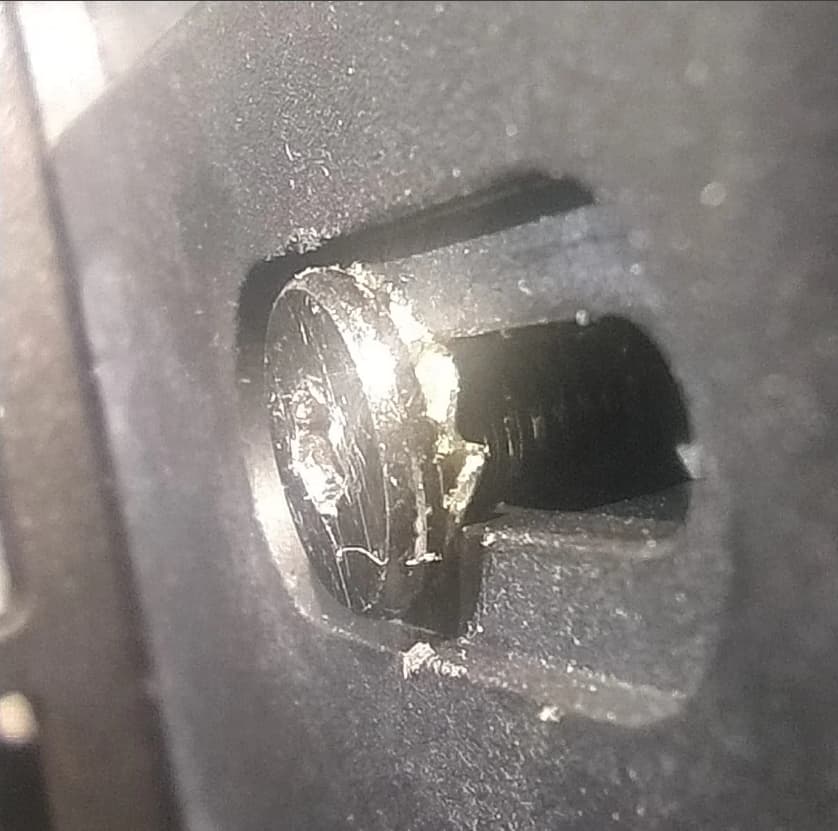
How about, I have a query with the X-axis strap adjustment on my creality hi + cfs … I’d like to start doing a full maintenance to my Creality Hi, but I bump that the back of the rail screw that drives the header X-Axis (and where the strap is) is super mega tight and can’t be unscrewed or loosened do the belt calibration, besides it’s as if the screw head had come “eaten/worn”. I wanted to loosen the screw with the Alem keys that come inside the Creality kit, but no way, also try with a professional kir that my parent has Alem keys … but honestly I don’t want to exert more force, I’m afraid to break the screw breaks, which would be the correct type of screw to replace in that area ?
I asked for help in customer support and still no eh received respues, besides I saw on the strap calibration Youtube videos that I usually use that screw, I bought the printer almost 8 months ago, but the first 2 months I hardly even use it and start using it quite these 3 months; so far it works wonderfully, I had some problems with the CFS, but nothing from the other world … Then I decided to do a maintenance on it in all respects, but I run into this hitch, someone know how to solve it.
Hi, I’ve got exactly the same problem. That screw won’t come out, and the head got worn down whilst I was trying. I contacted Creality as well, but they replied that they don’t cover screws under warranty; I don’t think they understood my message, but I left it at that.
I’d like to know if you’ve managed to sort it out, and how, because I think I’ve got another solution, but I’m not convinced by it, nor do I know if it’ll work.
Also ı have a smilar problem with Y axis adjusment bolt. The bolt head was demaged because of using improper tool. Is there anybody here to know what is the dimensions and type of this bolt?
The problem isn’t the screw itself, but the Allen key that comes with the printer; it’s poor quality and doesn’t grip the screw properly. When I bought the Sparkx i7—which comes with very high-quality Allen keys (even magnetic ones)—I was able to unscrew that X-axis screw on the Creality Hi to tension the belt. That was my solution. I wouldn’t dream of using the key that came with the Creality Hi; as soon as I tried it, I realized it wasn’t the exact size and would strip the screw head, so don’t even attempt it until you have a good-quality Allen key.