Hi I have just connected my 22w Falcon 2 and it now works with lightburn and Laser GRBL. However I want to use it with Falcon Design Space.
I have installed the software and chosen the correct hardware by following the wizard. The software sees that my laser engraver is connected and homes itself.
When I try and run a simple shape, it recognizes it and then frames it as expected. When I try and process the image (score it) the laser head correctly positions itself and follows the required shape, but the laser does not fire on. I know the laser works because it works in other software, and I can fire it manually in the drop down in the “Frame settings” window. Can you help please? I have also updated all the firmware and ensured I have the latest version of Falcon Design Space installed.
I should point out I am using a windows 11 laptop.
Have you tried actually engraving it or just framing?
I click on the “Start processing” buttton, not the frame. It does everything as expected, except fire the laser
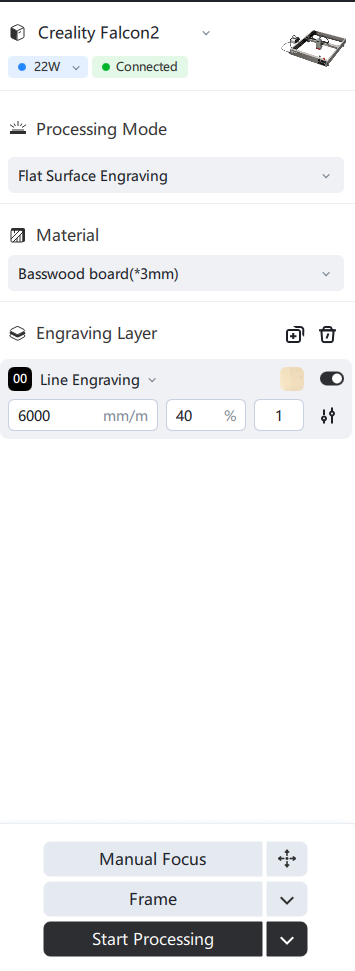
here is a screengrab of what i see
Update: I drew a simple circle in FDS, exported it as Gcode and looked at the code. It’s says M4 on one of the early lines. I edited the code to M3, saved it and then imported that code to FDS. It worked. I’m not sure why FDS is generating a gcode with M4? And why I have to edit the code to M3 in order for it to work? It seems to be a long work around to solve a problem. I can’t seem to find any setting in FDS that I can change?
That’s strange it should also work with M4, it is not uncommon for lasers to use M4 instead of M3.
Is that the new 1.9.1 version of Falcon Design Space?
its version 1.9.2 so the latest version. I just tried it again and I still have to export the file to gcode, change parameter M4 to M3 and then run the gcode in FDS.
Ok, just an update, I reinstalled the firmware for the laser head and now this works. Not sure what happened but it’s fixed 
1 Like