Hi, just though I’d share a problem I’ve encountered with my K2, in case it help’s others…
I was getting filament detection errors (false positive) & unable to operate (load or unload) the CFS because of it.
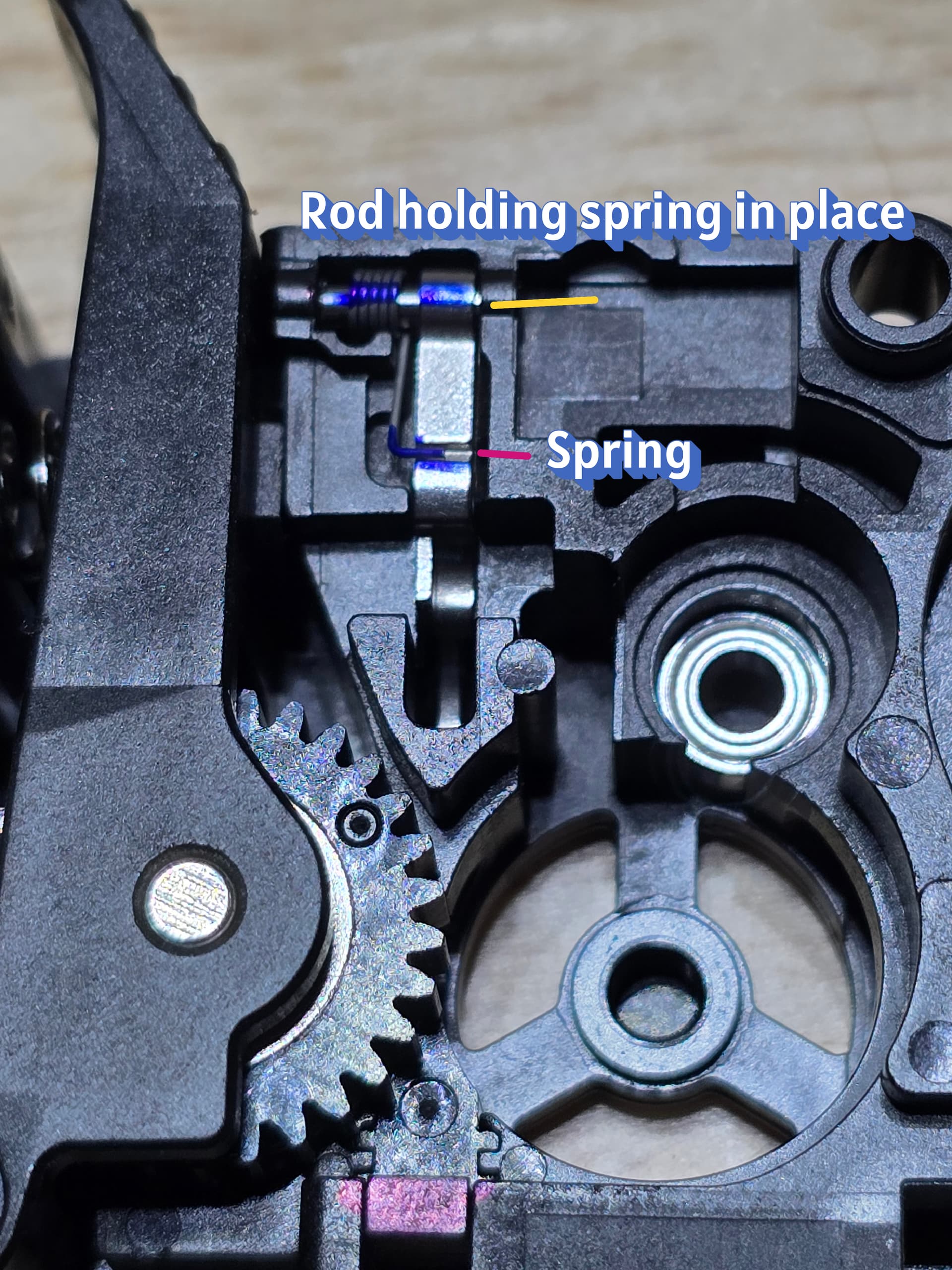
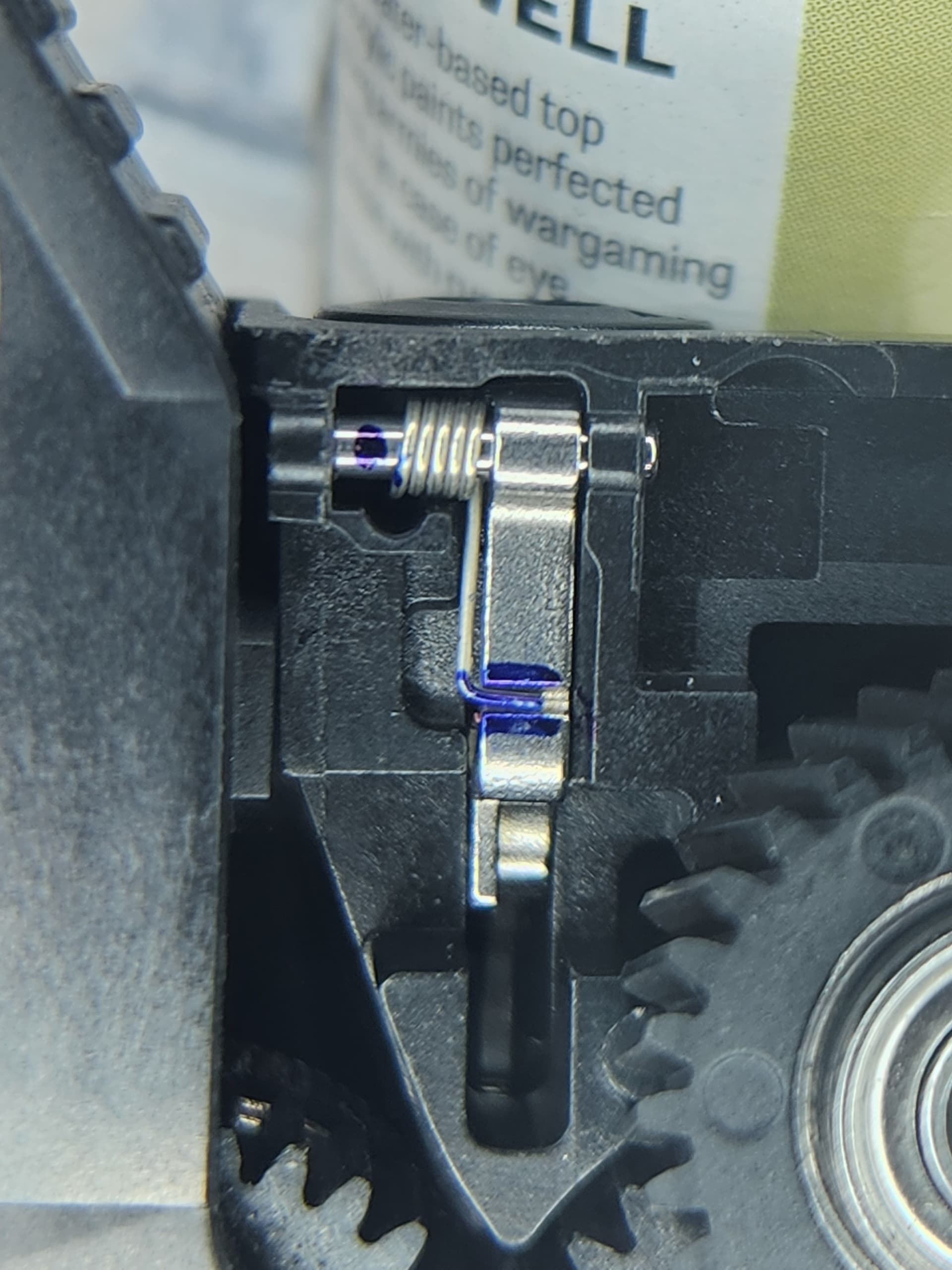
After replacing the filament detection board (spare part that came with unit) inside the extruder didn’t fix the issue, I noticed that there is a very small spring that had popped out under the K2 extruder pneumatic connector.
When this pops (red in picture) out its almost impossible to get it reattached back into location..
There is a metal pin (yellow ) that you have to push out, in order to re-orient the spring under the metal - magnetic part and re-insert the rod with the spring in the correct location as shown in picture.
This was extremely frustrating and hard to do process..
7 Likes
Chris,
I looked and mine looks to be properly seated.
One of the issues I think I may be having is my feeder tube will not stay in pneumatic assembly. Even with a clip the tube just slides right out, do you think this may be triggering the filament detector?
1 Like
Possible, as if the connector is broken then it “can” slide too far inwards…
If you have either a pc4 m6, or m10, then you can print one of the many connectors that can be used when that connector fails, to continue printing…
But… When my front cover connector failed (and while waiting for a replacement under warranty) I was able to continue printing normally via the side spool option without any errors, by-passing the PTFE tube and feeding the spool directly into the extruder…
So if manual, external - side spool, without a PTFE tube isn’t working for you, then it’s a different scenario.
I actually created an account just to say thank you for this. I was able to use a sim card removal tool to reposition the spring and fix my issue.
2 Likes
I took need to thank you. I have this issue with two extruders.
Thanks for sharing. Signed up so I could thank you. Was helpful as the spring had popped off but was practically invisible. I was able to reseat it with a tiny screw driver. Other than taking the unit off to fix a clog there was not a reason for this to pop off. The ERROR messages were slightly cryptic. The official wiki needs your picture as the words there didn’t do it justice. I was able to do it without removing the pin. On mine it was very secure so I could see breaking off the plastic ear very easily.
identifique que el problema que tenia, era justo el que explicas. Coloque el resorte correctamente y se soluciono el inconveniente que tenía. Ya puedo volver a imprimir con el CFS! muchas gracias por la claridad de la explicación