Are there any proper release notes for the recent firmware update? I installed the k2-improvements script on my printer, so I’m hesitant to install the update but https://www.creality.com/pages/download-k2-plus only lists the march update…

Thanks! The release notes aren’t really descriptive, but I suppose I’ll have to give it a try…
I just did that firmware update today and I’m not sure if its related to that firmware or the new roll of esun filament I put in today but now my prints are warping and lifting in some corners and seems like the hot end is scraping in sections on the print. I’m going to recalibrate (again) and do some more tests.
I did this firmware update a few days ago.
I re-ran every calibration option available then re ran a 1st layer print calibration test..
Mainly due to exlerience of issues introduced by previous firmware updates, i now do the lot..
If its scraping along the top layer thats usually related to gap fill & z offset lift options (in the nozzle system presets)
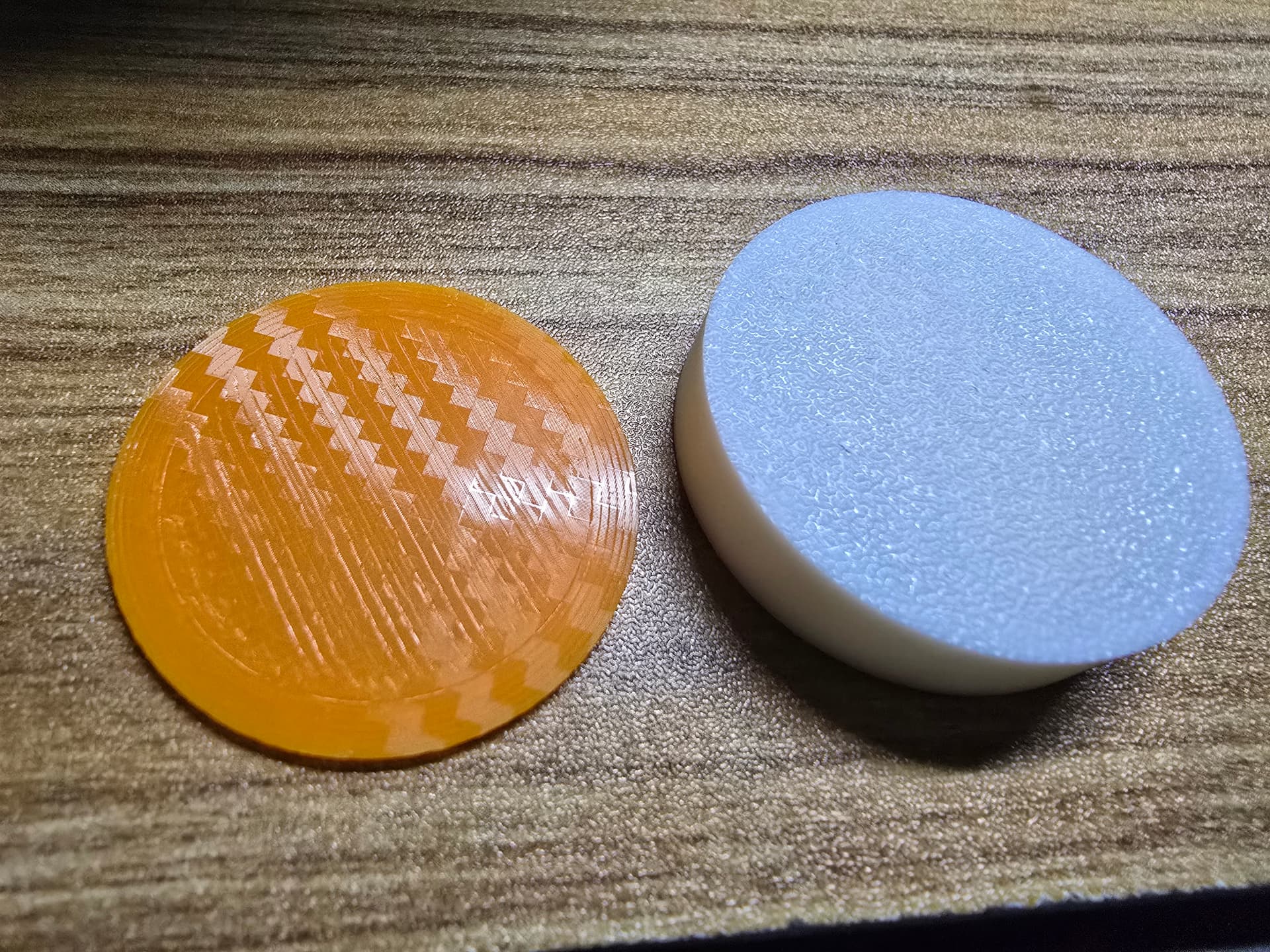
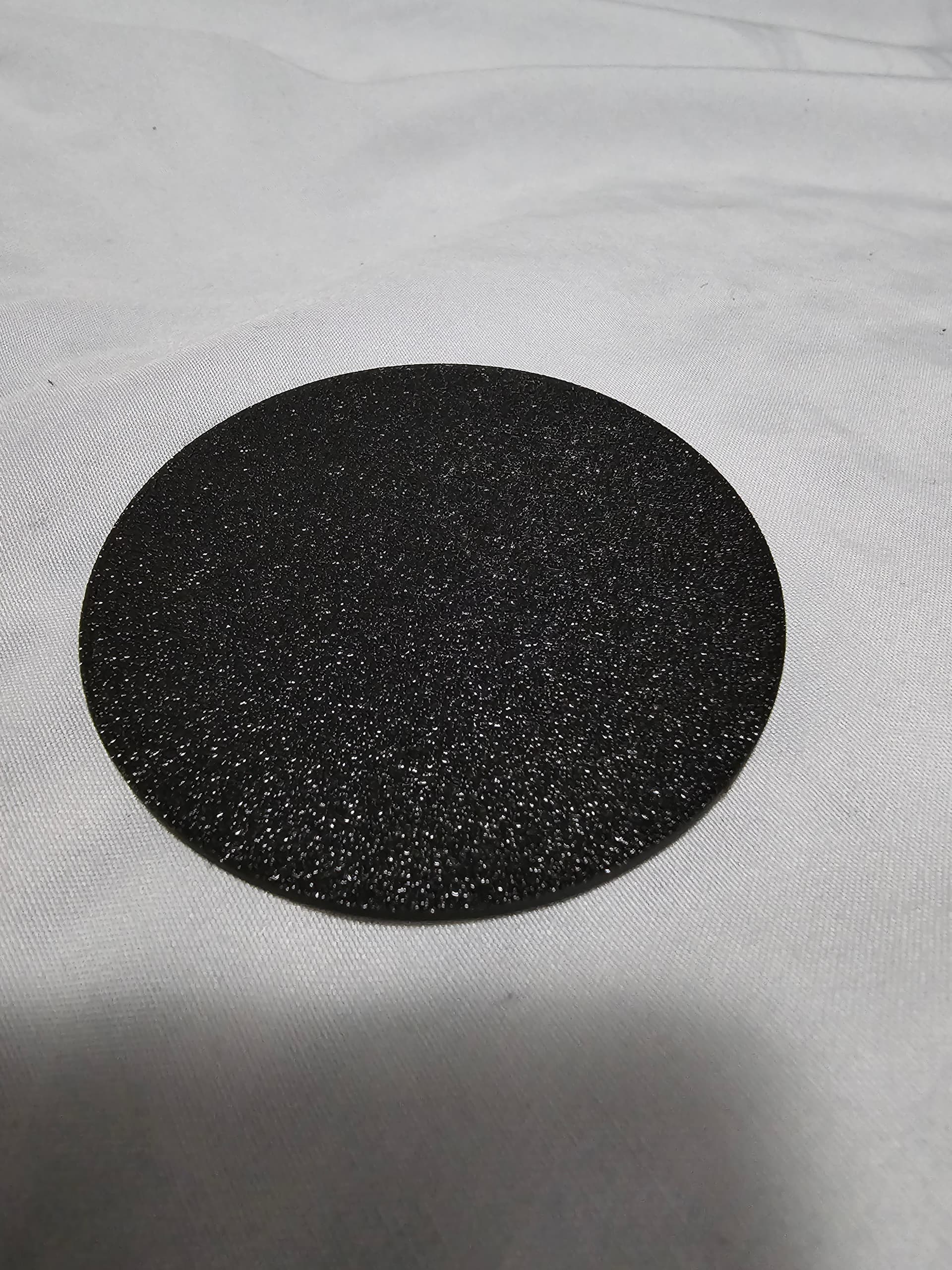
Printing a small disc (simple shape) is good for tuning this as it does the gap fill/scrape if you have some bad settings. Shows top/bottom 1st layer problems
Top petg CF bed/pla PIE bed (petg top wasnt great after fw update)
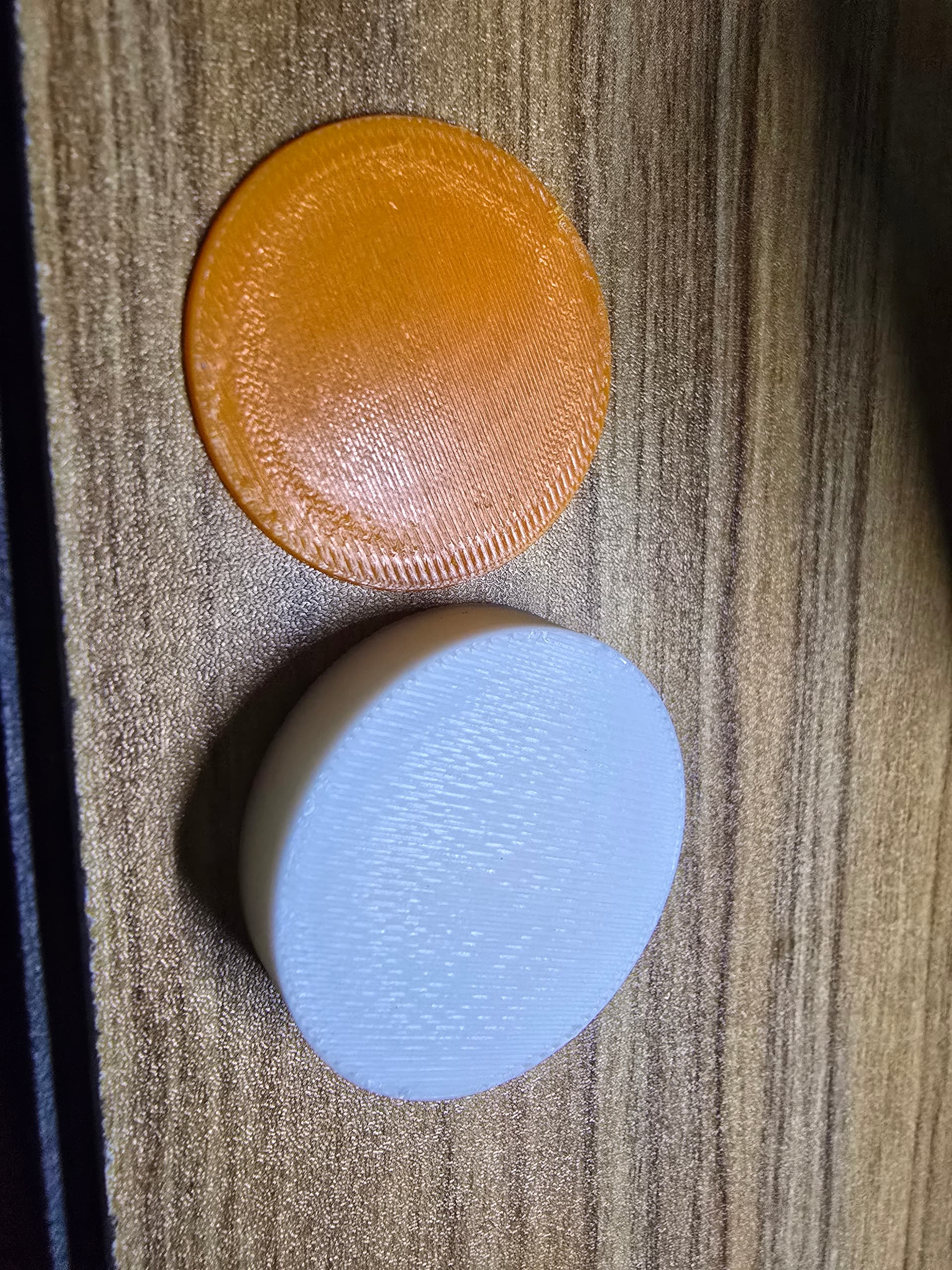
Bottom petg/pla (pla more forgiving)
1 Like
ill give what you said a go and see what I come up with.
I did make it do all calibrations after the update but ill do some more testing.
Edited above…i do a petg test on a CF build plate as pla sticks easily, but petg becomes a hockey puck during print if settings are bad, so its a good test of everything if petg sticks to a smooth bed.
Pla test on standard PIE
these were the first prints I did after the update. you can notice the top has the scraping in the corner and that’s where it was also lifting from the bed. the picture of the bottom you can see little scrape areas.
currently got it doing calibrations atm
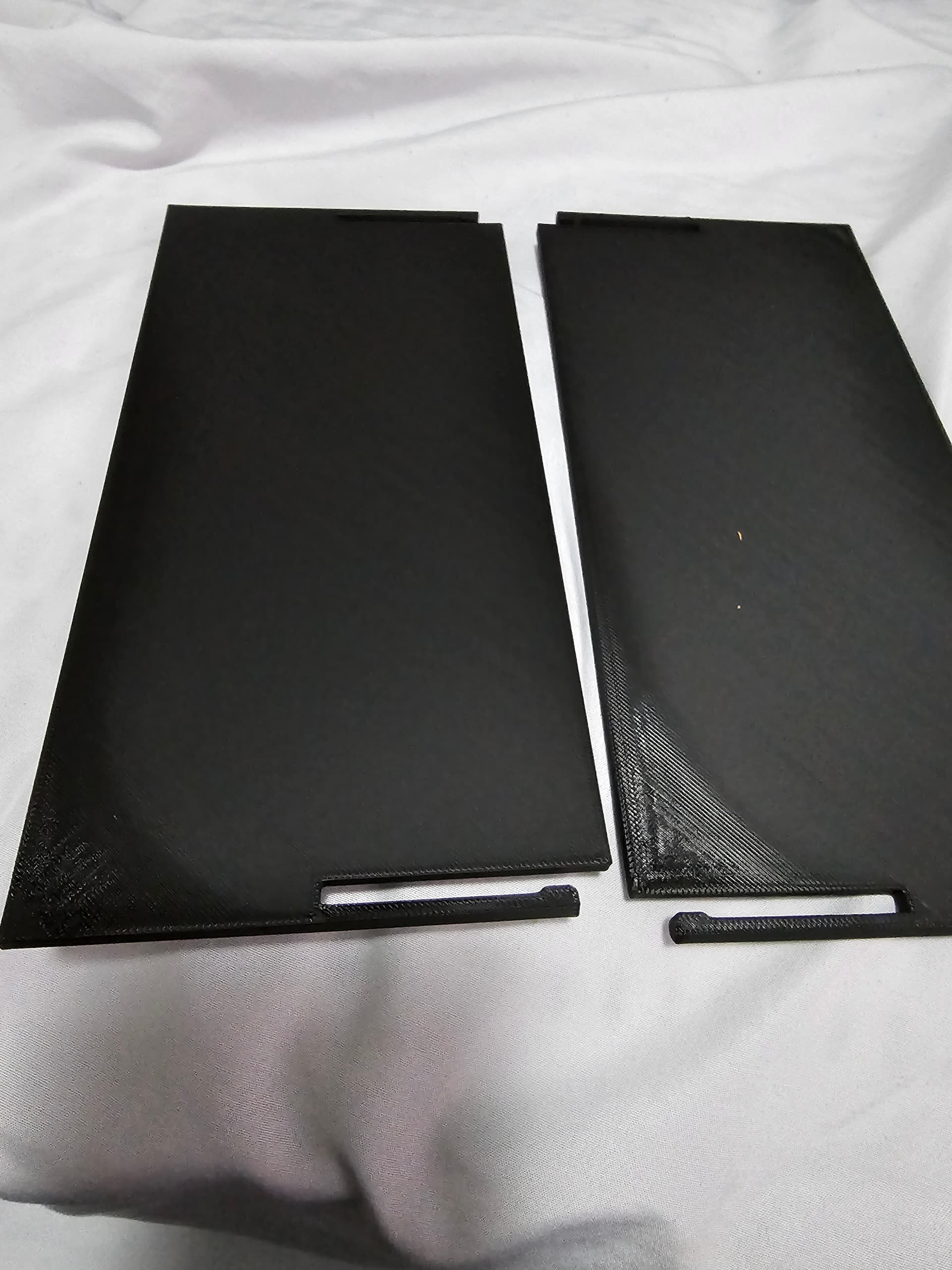
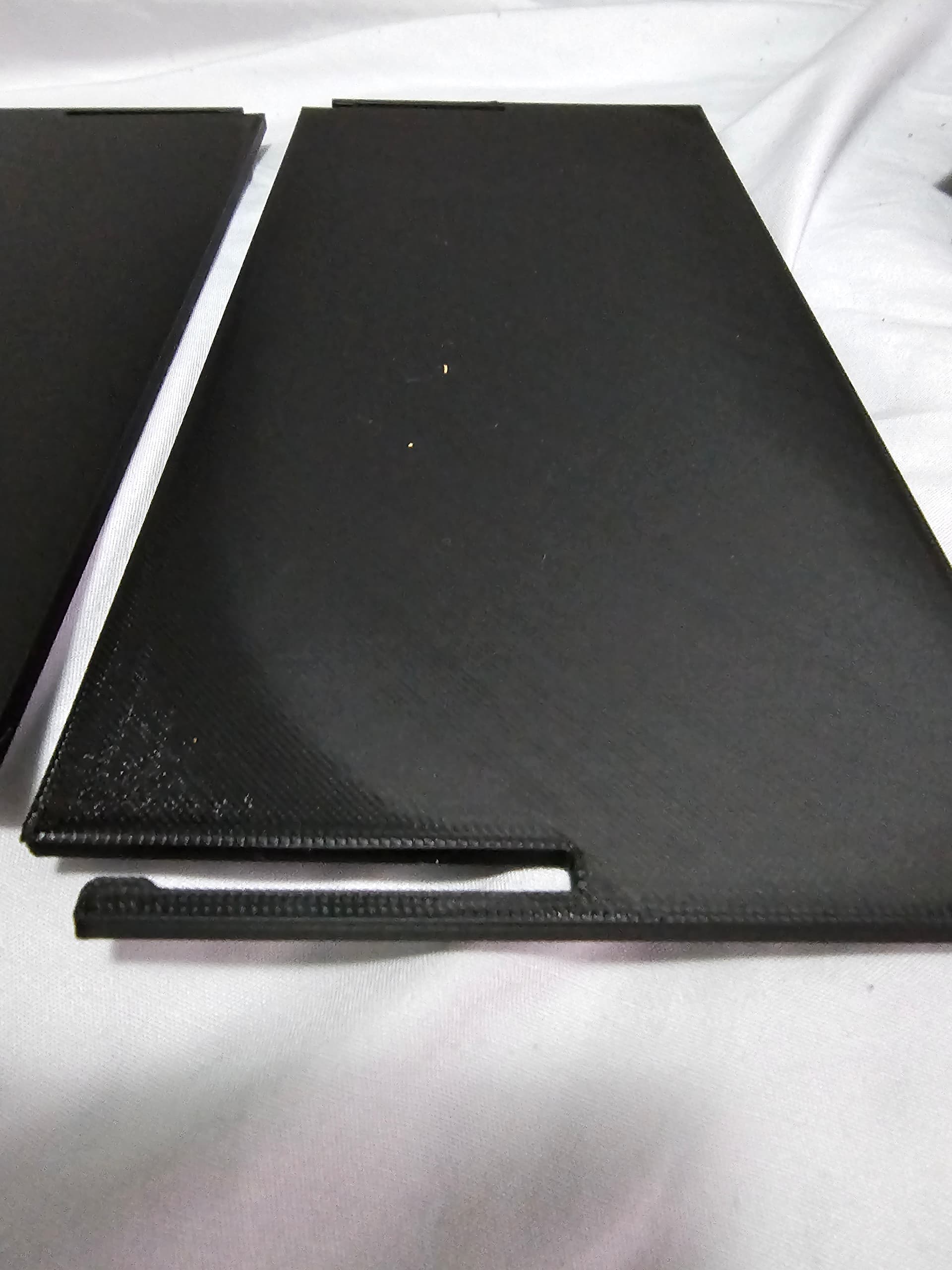
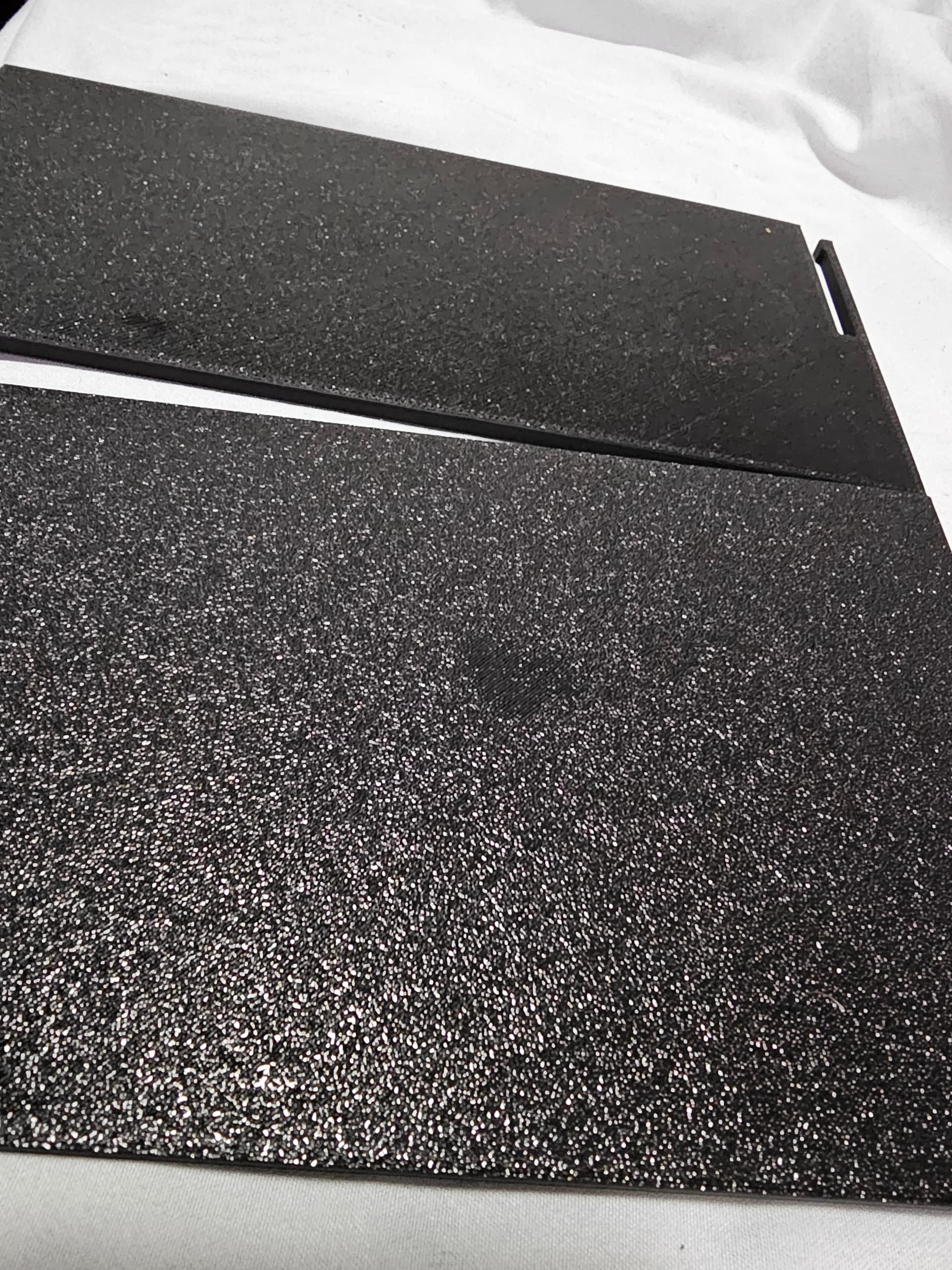
Yeah thats not good.
Try a simple disc with PA & Flow calibration both enabled (see above)
And while its doing that take down the PA, flow and smooth setting from the fluidd dashboard…
That will tell you if some settings are wildly off, for your filament
What type of filament is above its not ABS ?, do you use glue ?
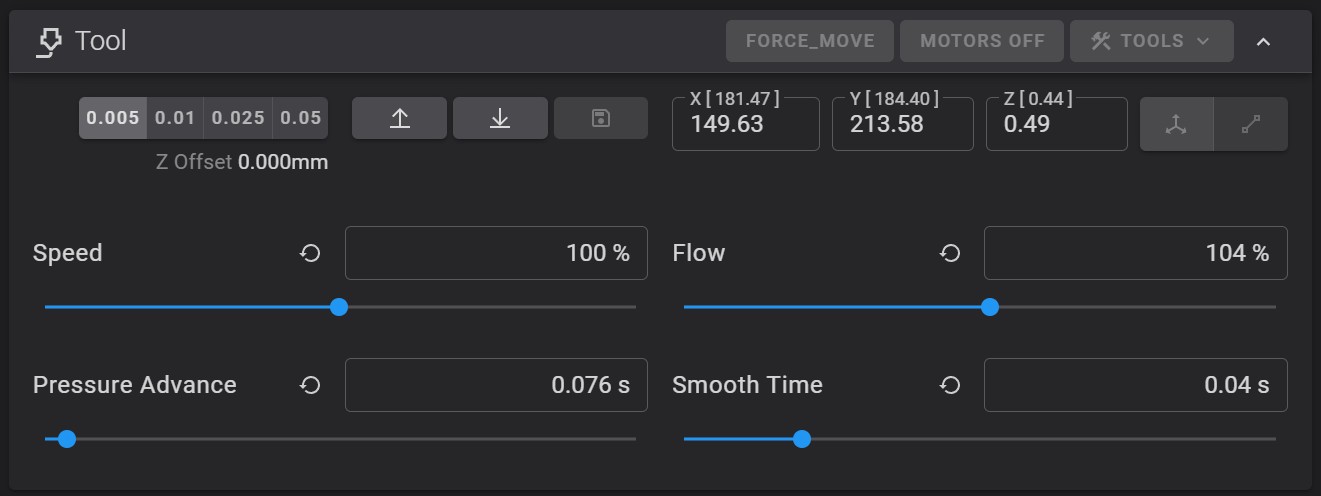
its finished calibrating and doing the pa and flow tests it in the middle of the print now. I’m just using Esun PLA+ with no glue. As of yet I’ve never had to use glue I’ve never had an issue with items sticking to the bed. might just be a coincident that just after the update the bed is wearing down and needs glue now lol. And I do use IPA and give the bed a nice clean every few prints.
1 Like
104% (+4% from your CFS / software settings) would be enough to make me reset that filament saved profile.
I have for each filament type a PA & Flow saved user profile, 2 actually 1 for CFS and 1 for my top mounted external spool… I find the PTFE all the way from CFS to extruder vs external - direct into extruder with no PTFE whatsoever changes the flow far more than you’d expect (and quality if not adjusted/saved)
5% off (under) usually gets bad results under extruding causing 1st layer thinness and can sometimes have layering issues… which would cause this lifting if it’s not bonding well enough…
4% is borderline… might work might not…
5% off (over) is where you get wavey lines on 1st layers or blobs on outer walls, over extruding is less noticeable on simple shapes
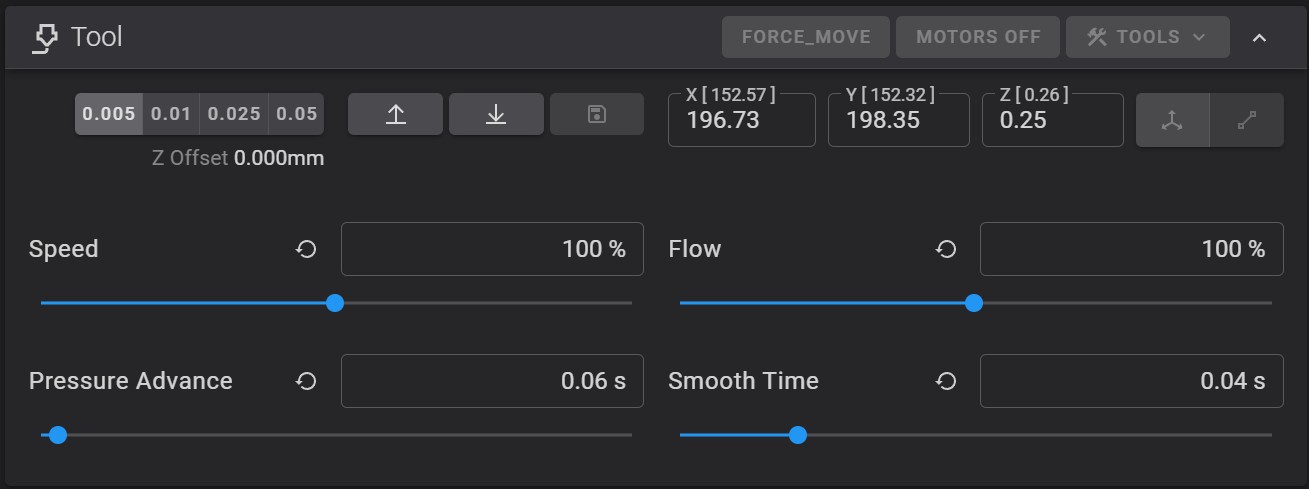
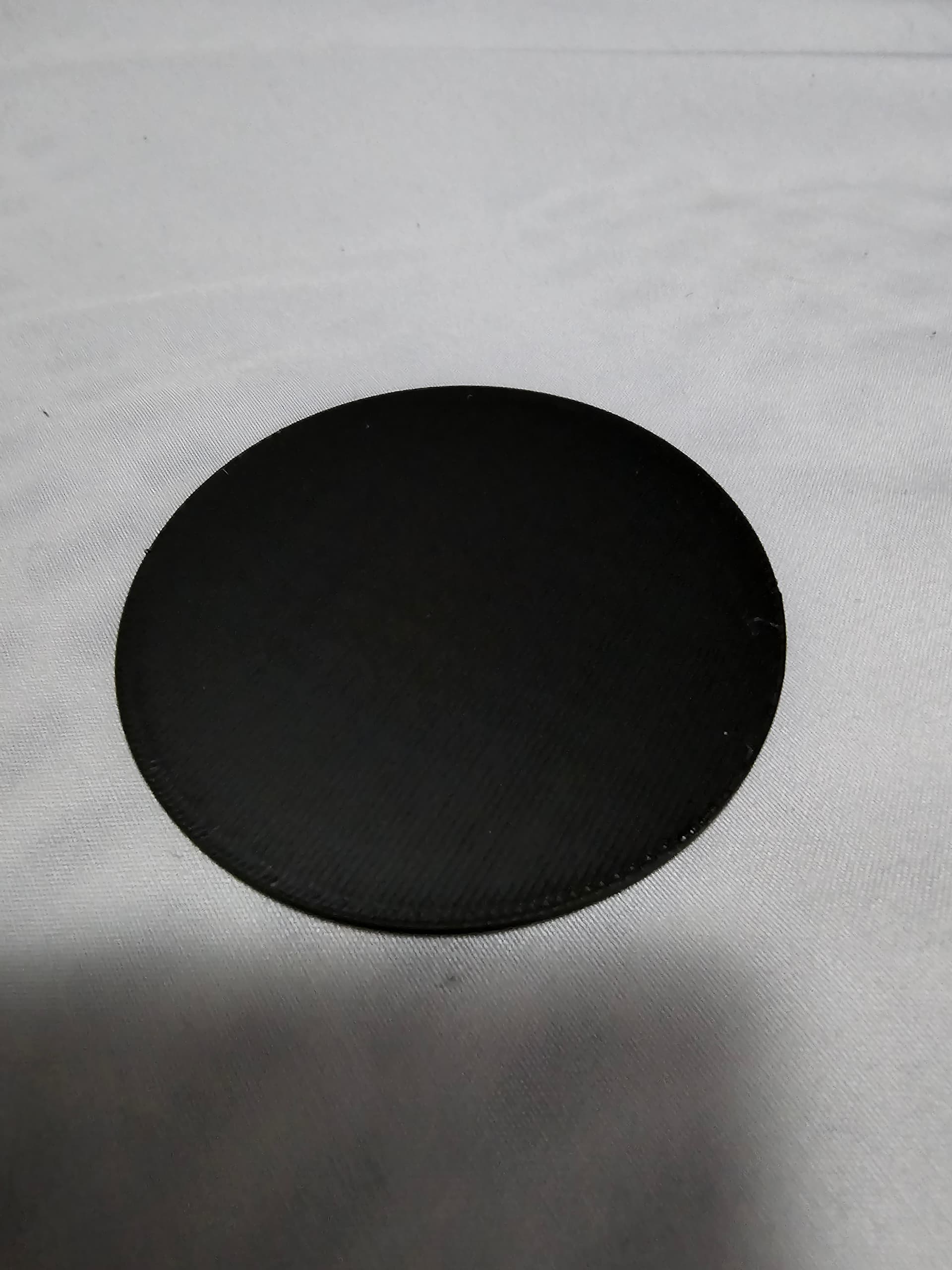
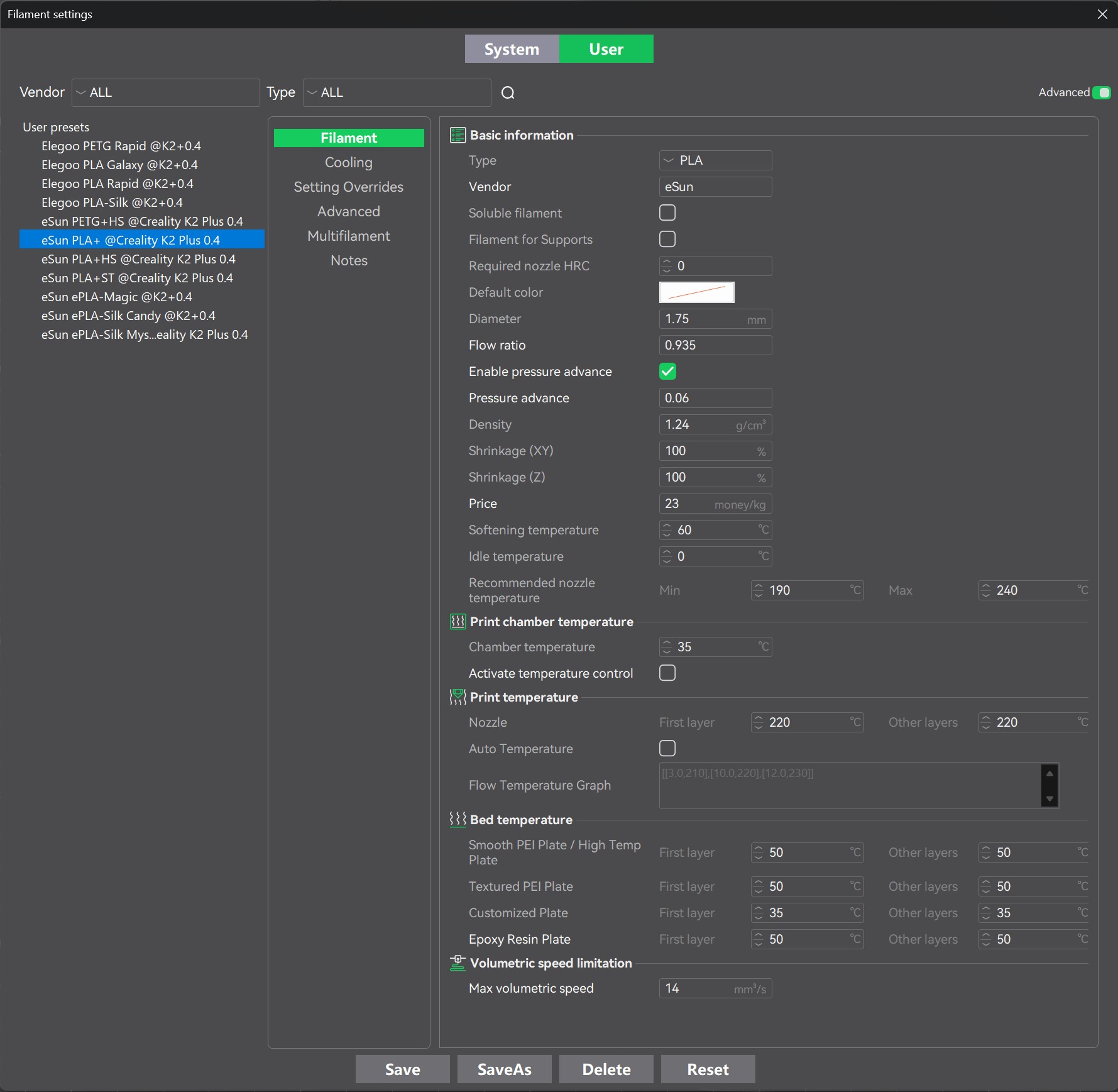
Think it might be fixed now. will do some bigger prints to test a bit more. I found someone’s settings on the forums for esun filament and looks like those settings have worked.
1 Like
Yay… yeah the esun filament settings are what you needed… the PA & Flow you posted earler showed that whatever setting you were previously using were too far off for the filament by default… which is where the fluidd post calibration, during a print - data, lets you capture what you need in order to create a new filament profile… (its not saved by default)
Anyway, good news you have it working.
2 Likes