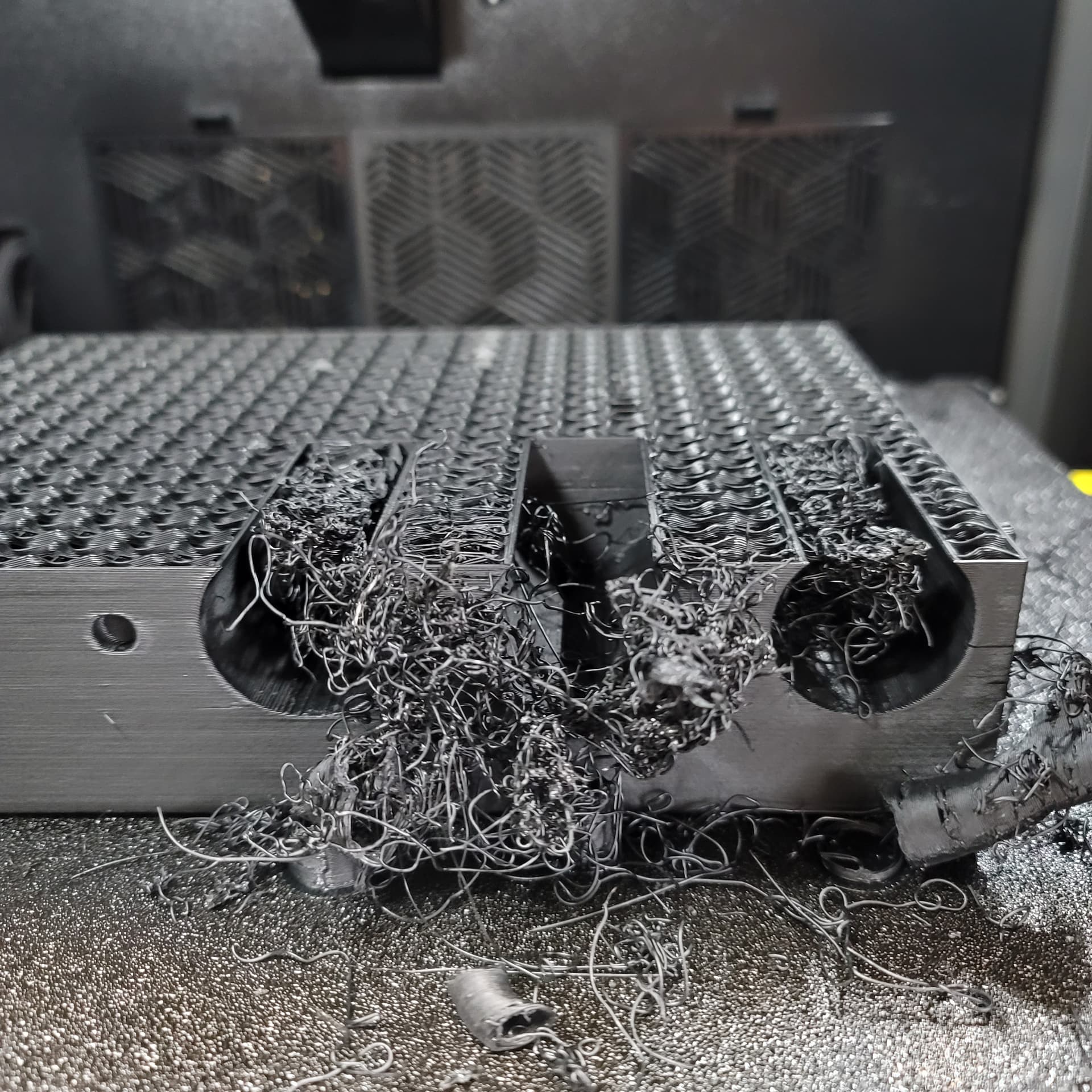
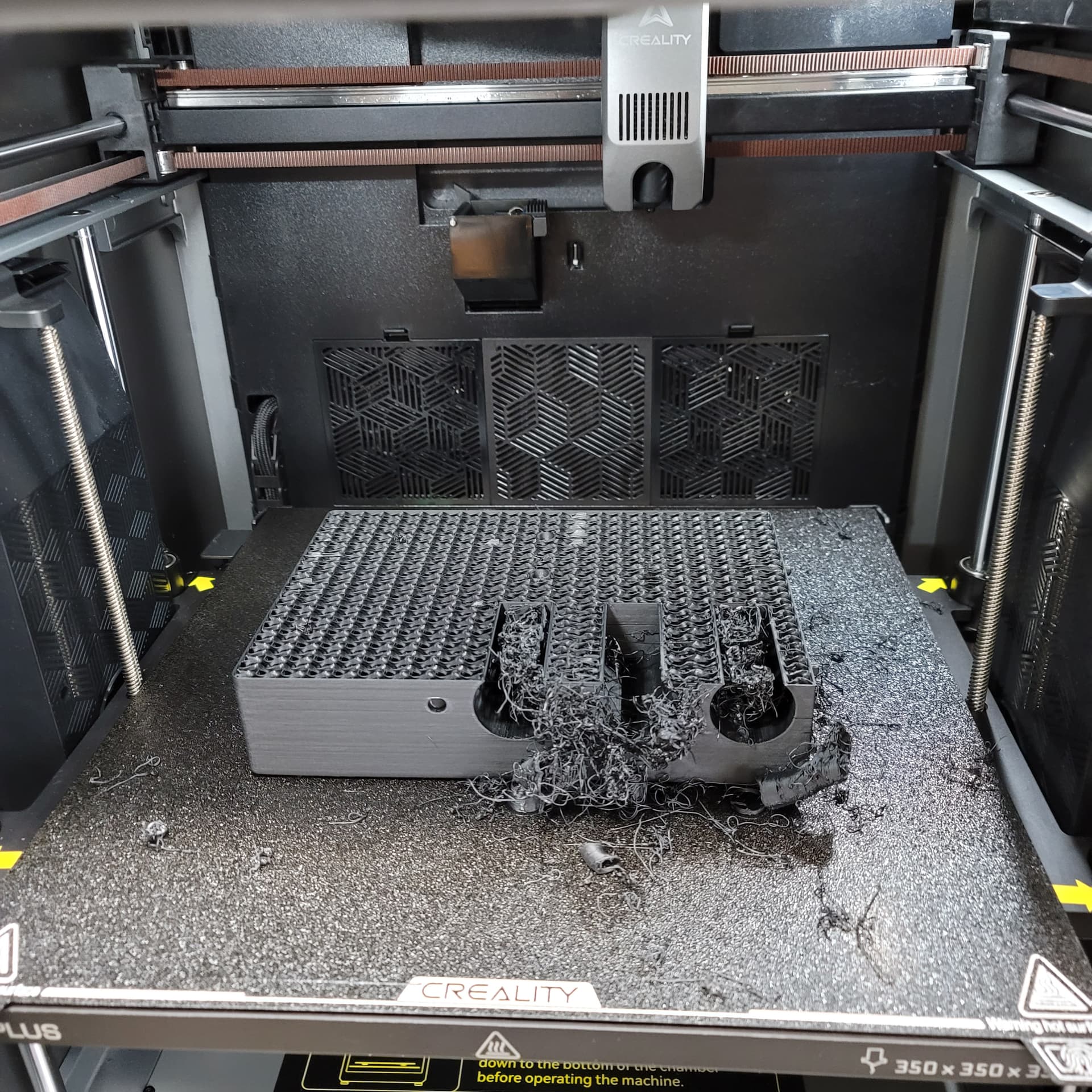
Started out a week ago with a new K2 Plus combo. The benchy and a couple of other models printed fine and looked very good. However, I spent the last few days trying to tune a PETG filament. Did flow and pressure advance calibrations, checked bed leveling, etc. I’ve been through 3 spools with nothing but trouble and have been trying to get a successful print, but it gets to maybe 50-60% complete and then fails.
The AI detection is useless, it just does not work. See photos. I’ve already changed the nozzle and no improvement. I’ve slowed the speeds down to 100mm/s and below, but still can’t get a complete print.
Did I just waste $1300 on a piece of junk? I want to like this printer, especially after seeing the great looking first few prints, but now it’s getting absurd. Online, all I see is people having all sorts of issues with the K2 Plus.
I’m about ready to return this thing to Microcenter before the 14-day window is up. Creality seems to be more interested in doing online sales pitch streams and selling filament and other gadgets, rather than fixing the problems with their design. Support is a not very good either.
Sorry for the rant, but I can’t accept a $1300 spaghetti maker.
Yes, you’re correct. After close examination the supports(tree) were weak and some of them weren’t formed correctly(maybe due to support speed being too high). The nozzle must have been shaking the supports and the weak ones knocked over. The nozzle then must have been extruding in air where the supports should have been and then resulted in the building of the spaghetti. I checked my filament settings and I forgot to enable z-hop in filament overrides so that made it worse.
I lowered support speed, enabled z-hop, and made the supports a bit thicker. Then I ran the print again and it was significantly better. It completed with no problems(12 hours), so I’m happy with the results now. I concluded that for PETG you can’t go too fast. I re-ran PA and Flow calibration and also re-leveled and raised the Zoffset to about +0.05. First layer now comes out beautiful.
When I check the System Preset on my end for Generic PETG it shows 16mm3/s for volumetric speed limit.
And in my custom profile for filament for Overture PETG I have set it lower than that, at 12mm3/s.
I’m pretty sure it was a support problem coupled with Z-offset too low. Also I noticed I had checked “Reduce Infill Retractions”. Apparently, if you check that option, it will not do retractions when moving over infill areas. As a result no Z-hop occurs on those travel moves. Without Z-hop the nozzle likely hit some areas and broke some of the support trees, leading to the mess.
I understand that now. But what’s not obvious is why didn’t the advertised feature of “AI spaghetti detection” not catch that and stop the printer or send a message? I had AI enabled on the printer.
In my experience, nothing-AI works. Keep hoping for some firmware updates… Anyways, also check the infill-to-wall-overlap percentage. Many profiles (were? are?) using 30% which is far too much and causes too much pressure at the edges, leading to knocking stuff over - changing to 15% may help.
I see alot of people having problems and complaints with the K2 Plus. I bought a refurbished K2 Plus on Ebay and it came with the full otter scanner for about $960. I have had it probably 1.5 months and have put over 4kg of filament through it. 90% of what I print comes from Defcad and the other 10% just trinkets gadget type things. I can honestly say, knock on wood x10 that I have NOT had a single problem lr issue with it. As far as PETG filament goes, I have put about a 1kg spool through it and my prints dont come out much different than my pla/pla+/hyper prints do. I mistakenly bought about 5 spools of it at first because I mistakenly thought it was better for printing such things as found on Defcad (it’s NOT, btw) I havent messed much with tweaking or fine tuning any settings other than making sure the extruder temperature ranges where what was found on the spool, the bed temp and inside temp. I also follow the recommended settings for the particular print Im doing such as number of walls, infill %, etc. Im currently doing my longest print which is a 37mm projectile launcher and have about 9 hours left on a 24 hour print. So far it looks like it came out of an injection mold. Anyway, I just wanted to throw that out there for anyone considering a K2 Plus. Personally, I would highly recommend it.