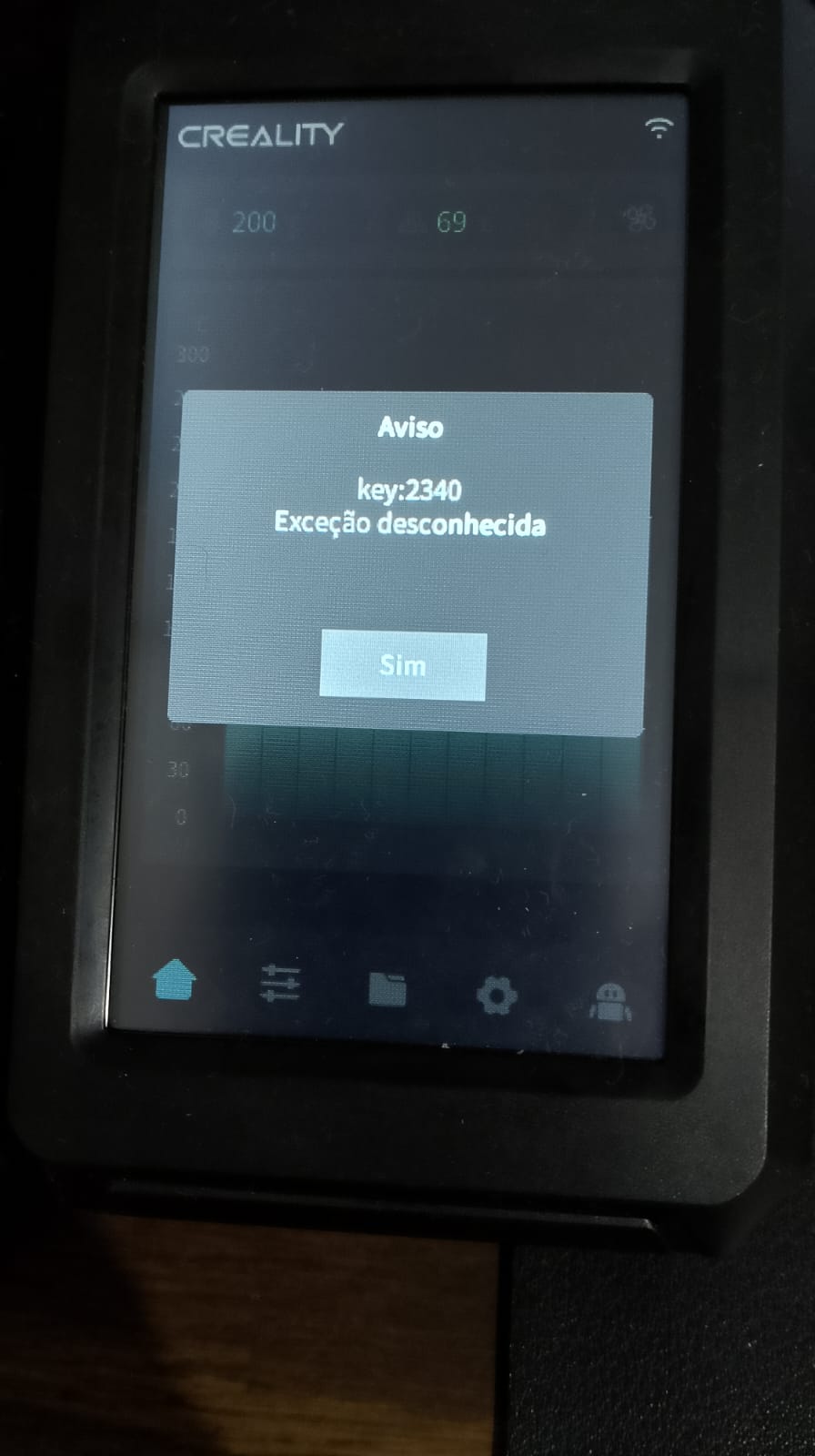
I recently purchased an Ender 3 V3 KE and started experiencing a strange issue during prints.
I began the day printing some calibration files using Orca Slicer, and everything worked perfectly. However, when I tried printing a model downloaded from Printables.com, the printer displayed the message “Key:2340 Unknown Exception” and stopped during the first layer.
At first, I thought the problem was with the file, so I tried a different model, but the same error occurred. Out of curiosity, I went back to print the calibration files that had worked earlier, and this time I also received the same error.
Here’s what I’ve tried so far to fix the issue:
Turned off the printer for a few hours.
Updated the firmware to the latest version.
Restored the printer to factory settings.
Unfortunately, the problem persists, and now I can’t complete any prints as the error Key:2340 keeps appearing.
Has anyone encountered something similar or knows how to resolve it?
Not sure but this might be something to do with temperature on the hotend. Could be thermistor or even a broken heater. Check connections to the hotend, check the ribbon connection to the hotend.
@Bonfireman, it wasn’t exactly a problem with the sensors, but your suggestion was on the right track!
I discovered that, accidentally (or mysteriously), the first layer temperature was set to 215°C, while the subsequent layers were set to 1500°C. When the printer tried to increase the temperature to 1500°C after the first layer, the system threw an error.
Thanks to your help, I was able to pinpoint the issue and resolve it.
Thank you so much for your support!
I recently replaced my hotend with a microswiss one. I did the nozzle PID calibration via my ender 3 v3+ touch screen
I can print via creality print and use the very limited material selection. If I try to print via orcaslicer (because im actually able to get presets for more than just PLA, ABS, PETG, and TPU) then there are no issues.
So I either need to fix that error or learn how to get ALL the presets into creality slicer.
Wow, I was getting the same error on my Ender3 KE out of nowhere, checked my nozzle temp as pointed out and it was set at 1500C. Not sure how that happened, this was in Creality Print too.
Thanks for posting your finding, so I was able to root cause mine much faster.