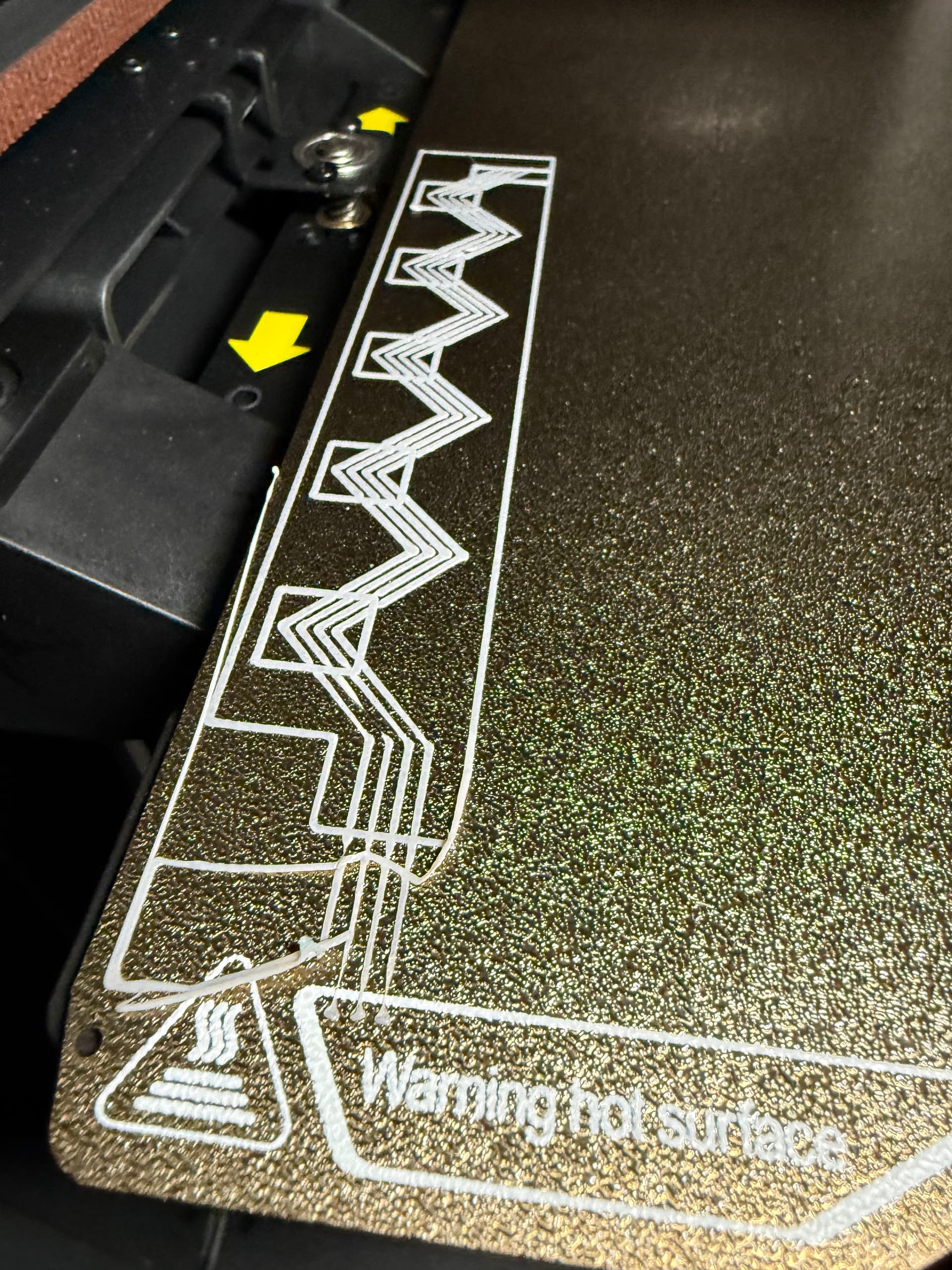
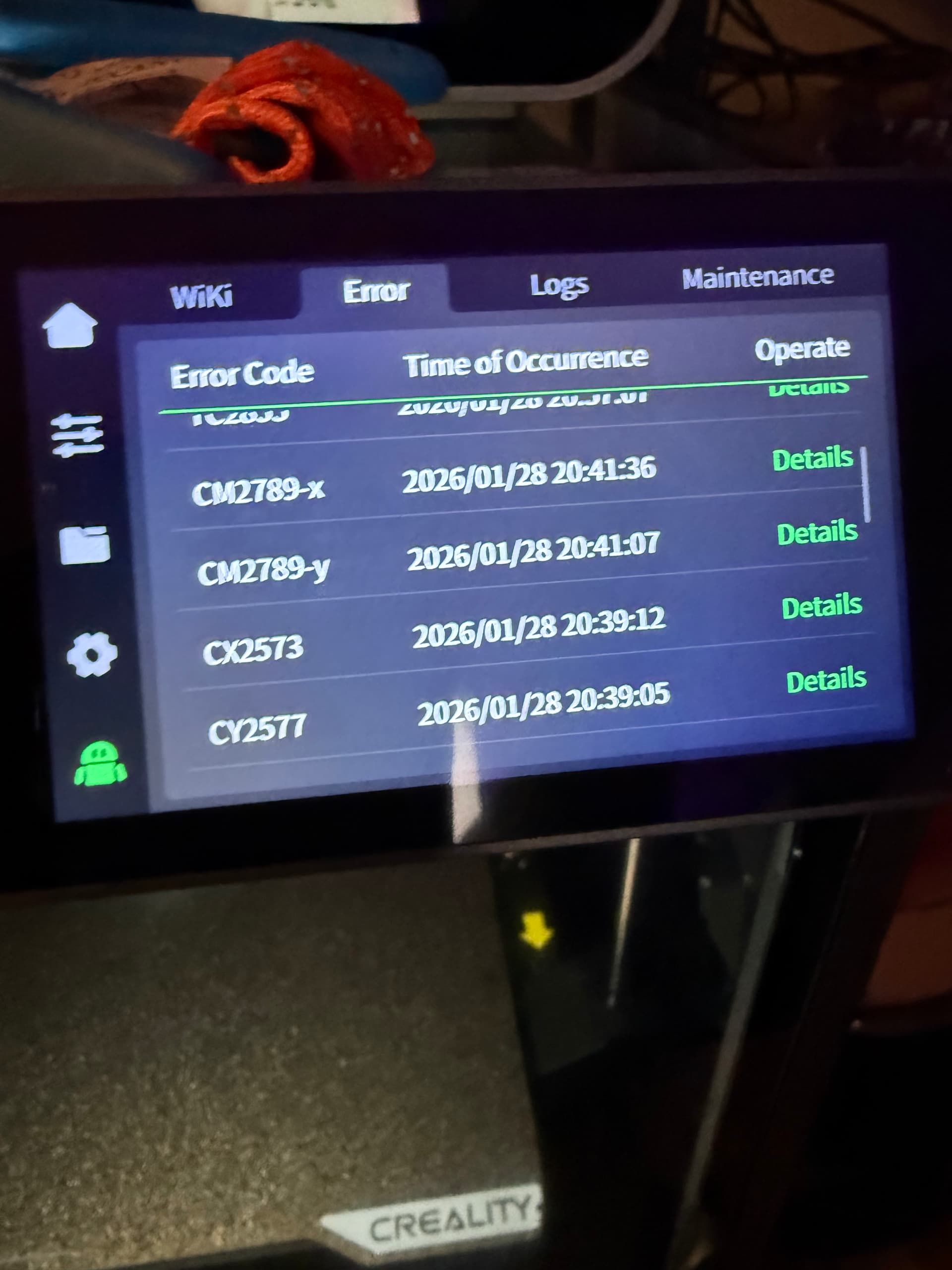
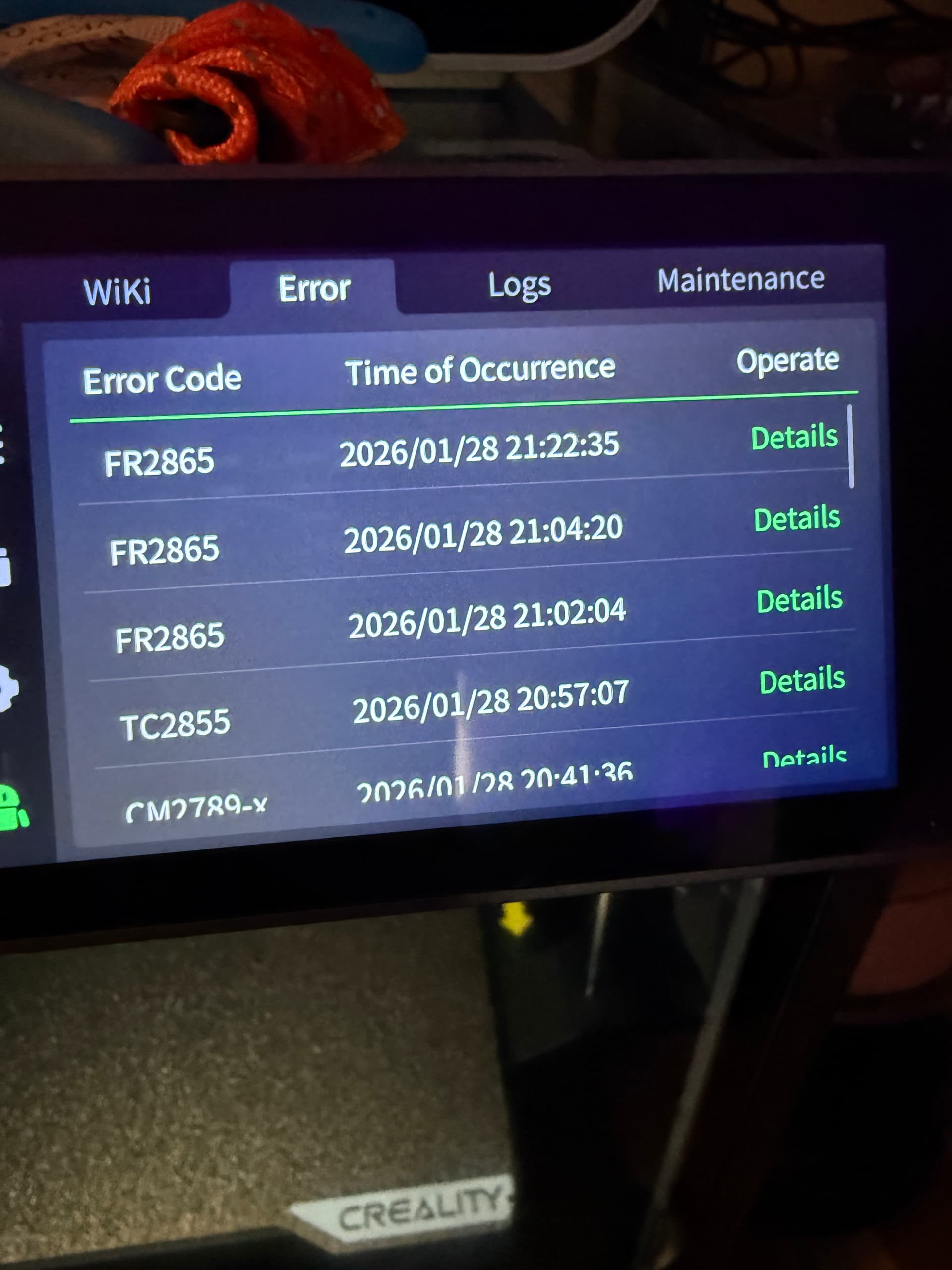
I get an x and y homing error as well as errors saying abnormal resistance and the head will slam into the left side and make a loud thud. Any ideas, was working fine, only had a couple weeks
still slamming and doing this
Welcome to the community.
The banging sound can be attributed to several things. One normal behavior to be aware of is that during filament changes or certain retraction events, the print head will move to a fixed position and give a brief bump. This action drives the cutter into the filament and should occur consistently during those operations. By itself, that behavior is not a fault.
The error codes you’re seeing, however, should be treated individually. While they can sometimes be related, it’s unlikely that multiple high-severity errors always share a single root cause unless there is an underlying mechanical or electrical issue.
If you’re simply copying the error list from the screen and expecting the community to produce one definitive fix, that’s probably not realistic. I’m assuming you’re relatively new to Creality printers. In general, when a Creality machine works out of the box, it works well. When it starts throwing repeated thermal and motion errors, it’s often because something is mechanically wrong rather than a simple settings issue.
Possible contributors include:
- A hard collision (for example, a print left on the build plate during movement)
- Latent shipping damage
- Incomplete factory mechanical calibration or QC
- Less commonly, cable or connector issues
To be clear, I’m not diagnosing your printer here. What I’ve done below is run the reported error codes through AI-based troubleshooting. The value of doing this is not that it provides a magic fix, but that it rapidly narrows the scope of what to research in the manual, wiki, and prior forum threads. AI is effectively doing accelerated pattern-matching across existing documentation.
Based on that approach, these are the critical errors and the commonly associated causes and remedies you’ll see referenced:
| Error Code | Subsystem | Likely Root Cause | Practical Remedy |
|---|---|---|---|
| TC2855 | Temperature Control | Thermistor or heater connection issue; partial clog | Power off, reseat heater and thermistor connectors; inspect wiring; clear clog |
| CM2789-x | Motion Control - X Axis | Mechanical binding, belt/pulley slip, motor stall | Check X-axis for smooth manual motion; verify belt tension; tighten pulley screws |
| CM2789-y | Motion Control - Y Axis | Bed or gantry resistance; belt mis-tension | Inspect Y-axis rails and belt path; clean rails; reseat motor connector |
If these errors showed up early in ownership or out of the box, requesting an RMA is a reasonable option. Even though troubleshooting is possible, time matters. If you paid for a complete product, it’s fair to decide how much effort you want to spend diagnosing issues that shouldn’t be present on a new machine.
2 Likes
Had a similar issue, look at the top of the tool head, make sure the chain is still attached. Mine popped off. Yeah, not sure how that happens in a closed unit.
1 Like
I’ve been getting more “alignment thuds” and motion errors ever since the last firmware update (1.1.4.11). Power cycle clears the errors and power-up alignment works correctly after the power cycle. Ever since that firmware update this has been a 2-3 times a day thing. It never happens once a print has started. Annoying, but I can work with it.
Basic troubleshooting applies here: if a change appears to introduce a problem, roll back to a known working state. If the issue disappears, firmware is at least a contributing factor.
That said, firmware updates often expose pre-existing conditions rather than create new ones. It is common for machines to operate at the edge of mechanical or electrical tolerance, and changes in motion control, timing, or acceleration can push those marginal conditions over the line.
Correlation does not guarantee causation. The fact that the symptoms appeared around the same time as a firmware update does not prove the update is the root cause. Rolling back the firmware is the quickest way to test that assumption and narrow the problem space.
I have had this problem since day one with my K2 pro but as gozmon has said although its annoying you learn to live with it. Cycling the power works for me every time which leads me to think it is really a software problem as the machine seems to lose track of where it actually is. If I stop a print for any reason this problem surfaces every time but is easily avoided by a simple power cycle.
I initially contacted Creality service but after weeks of going around in circles I decided to live with it.
In short if you can fix it with a restart you will save yourself some stress if you just accept it for now.
1 Like
@JoeFriday All very true. I’m waiting for the power cycle annoyance to outweigh the back-rev annoyance. Particularly as you say, correlation is not causation. I’d hate to roll back firmware only to discover it was just a random thing. I’m a retired engineer. Mildly annoyed is a natural state of mind for me. 
It is a firmware issue, automation is my career so these are fairly simple to troubleshoot. While it can be a few factors that should be looked into, I’d roll back the firmware.
こんにちは。
この投稿は1月29日ですね、現在は治ったのでしょうか?
状況を共有して頂けるとありがたいです。
素朴な疑問として同じファームウエアを使用して
エラーが出るマシーンと出ないマシーンがどうして存在するのか?
工業製品として疑問に感じます。
個体差の違いになると修正方法が見つかりにくいと思います。
今は順調にプリントが出来ていますがいつかエラーが起きると覚悟してます 
私も初めてのエラーで@gozmonさんに教えて頂き安心しました。
この場所は非常に救いの場です  。
。
この投稿やZ軸シャフトが曲がった方などの投稿をCrealityは見ないのでしょうか?
エラーをユーザー同士で解決する場としてCrealityが望んでいるとしたら大きな疑問符が付きます。
1 Like