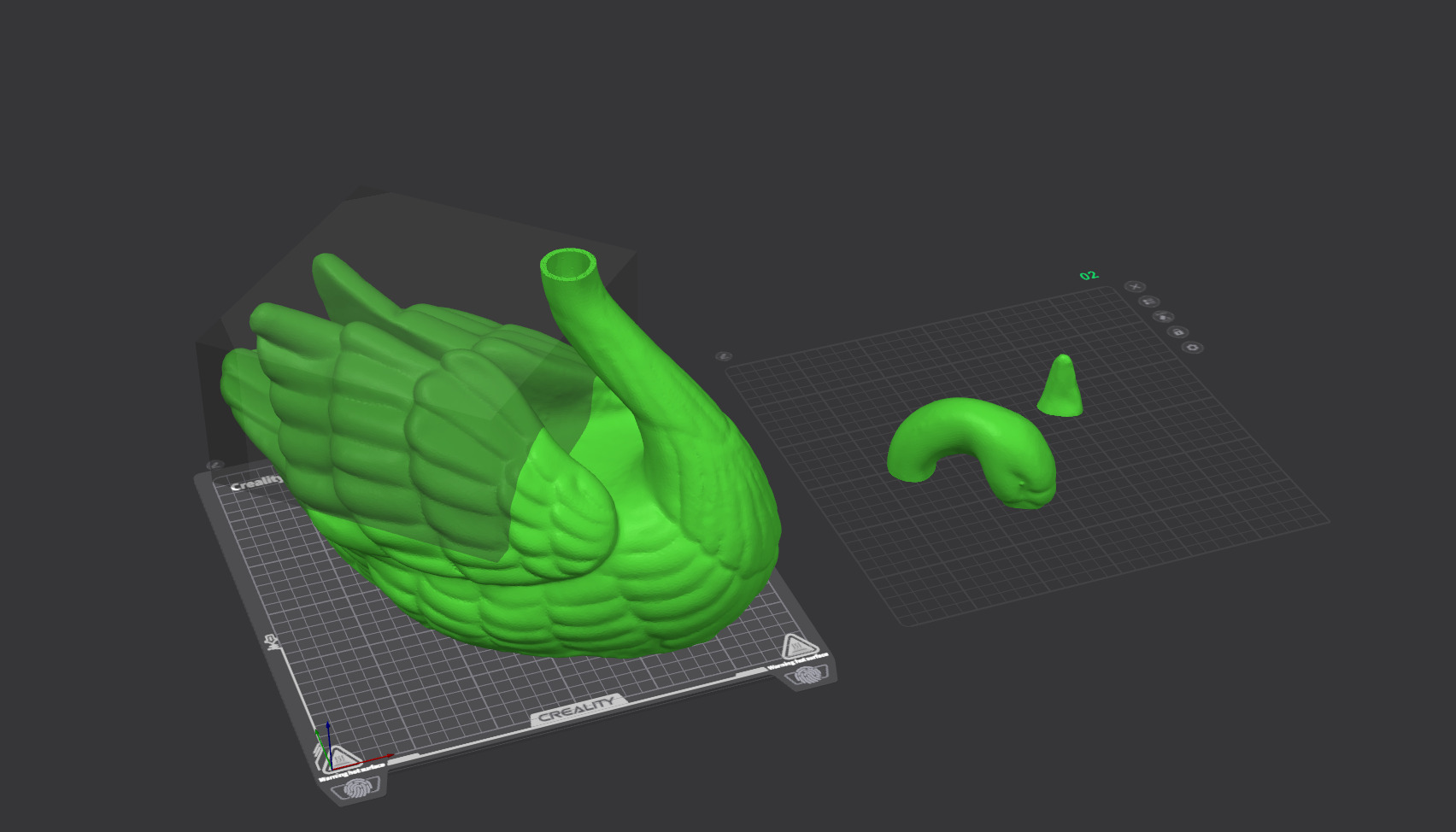
Apologies for my ignorance, but I can’t find any tutorial on YouTube for my problem or a matching topic in the forum.
I have a Swan STL that I intend to make remote control for my wife. I have scaled it up, hollowed it out, and sliced off the pieces I need to fit in my print area, but now I want to cut out a piece of the top to access the inside. (I have attached a photo for reference.)
I created a “negative part” cube for the section I wish to cut/print separately, but now I’m stumped as to how to make this a separate piece. Even if I check the preview with the negative part, it only cuts off the outside edges of the cube and not everything inside of the cube’s volume. (If you’re used to designing in Fusion 360 at all like me, I’m trying to essentially create a new body via the “intersect” method.) Unfortunately this STL isn’t my design, so I can’t edit it except in the slicer.
Thanks for any help you can provide!