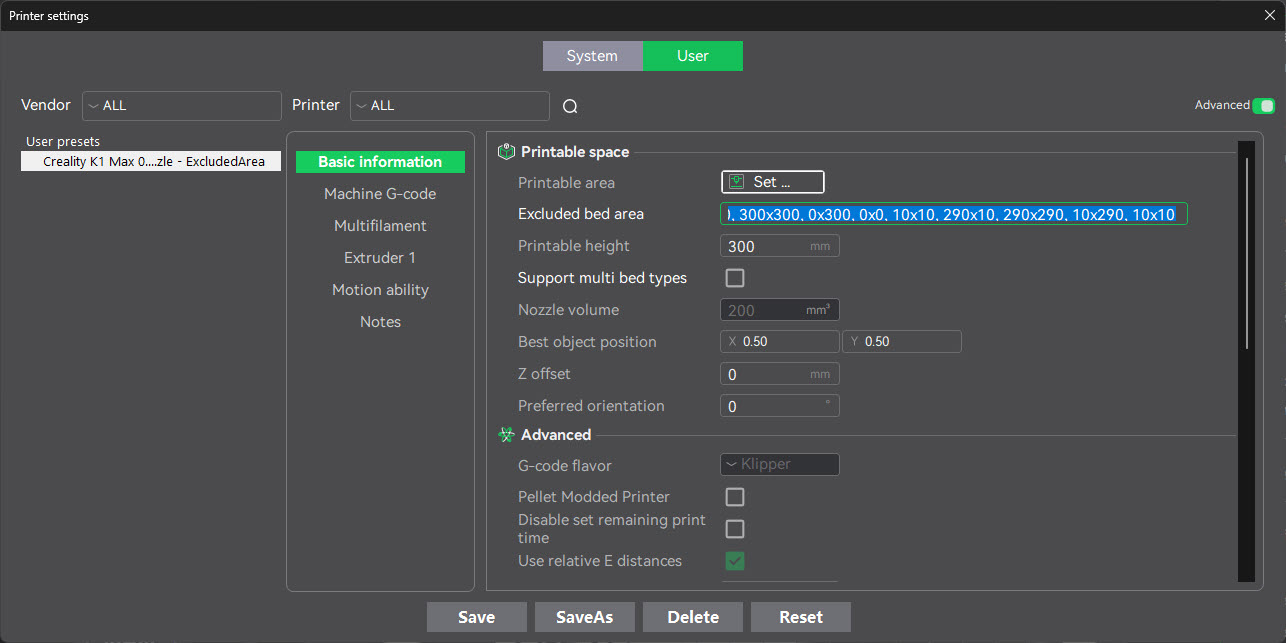
So w/in Creality Print when viewing the Printer Settings, in the Basic Information section, there’s a “excluded bed area“ field that I cannot find any examples online, or in the Online Help pages that describes how this should be set.
The description just says: Unprintable area in XY plane. The area is expressed as polygon by points in the following format: ‘XxY, XxY, ….”
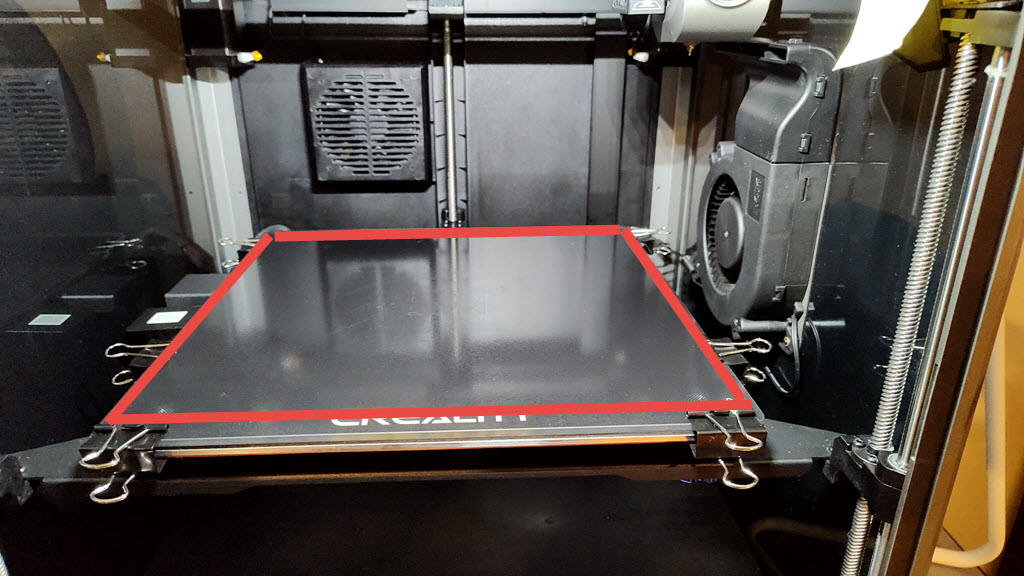
Can someone give an example of what this should be? If I have the glass bed, and I have those metal bag clips holding the glass bed in all 4 corners I want to exclude the 10mm from around the entire bed from the printer head running into those clips. How do I say that in this field?
I want to exclude the outer border of the 300x300 bed in a width of 10mm around the border.
Ok there is something really wrong with the software.
I did the following points:
This draws the outside border of the square/polygon:
0x0 is front left of the bed if you are looking at it from top down. So drawing a square from bottom left (0x0), to bottom right (300,0), to upper right (300,300) to upper left (0,300) back to bottom left (0x0)
0x0, 300x0, 300x300, 0x300, 0x0,
Then same thing but inner square now which is 10mm in diameter:
10x10, 290x10, 290x290, 10x290, 10x10
Which when defined w/in Creality Print v7.0 in the “Excluded Bed Area” I can see the excluded gray area, BUT the stupid program thinks my object is touching that area and I can’t slice/print. 
Did anyone at Creality test this?
Hello @CREALITY anyone here can address this? How do you defined the exclude area properly? There’s no documentation regarding this to get it working.
What happens when you change the “printable area”?
It shifts the entire plate to offset the new origin. Still can’t get this to work correctly
Can ANYONE from Creality please answer this? This should not be this hard to figure out.
Still an issue in version 7.11.442
… Until you wait for Creality to fix this you could try to find other clips for attaching glass to printbed.
In the past I have printed them myself for my Ender 5 Plus, so the printhead did no longer touch one or more of the clips…