I’ve drilled a hole through my wall ducted to the back-fan exhaust as much of the toxic cancer-causing plastic particles outside. The hardware works fine but some piece of software keeps turning off the back fan all the time.
I’m using the Creality slicer and the Creality K1C printer. I’ve tried to modify both the start and end G-codes to ensure the fan stays on, but it keeps getting turned off.
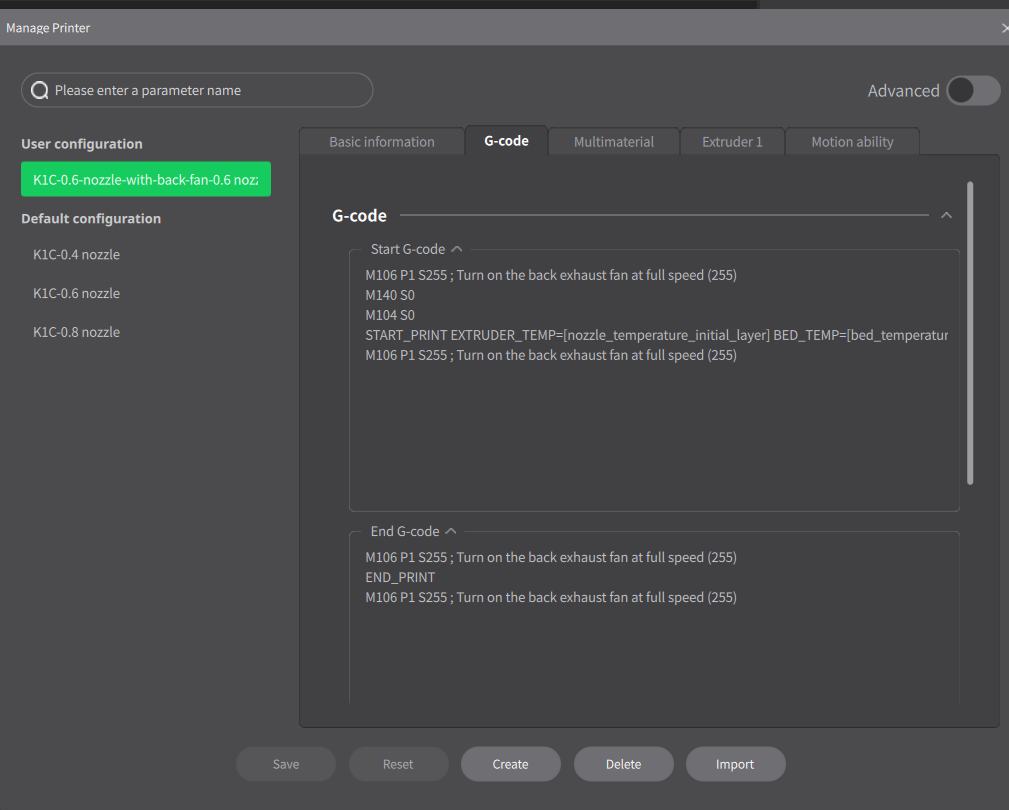
Here’s my start G-Code:
M106 P1 S255 ; Turn on the back exhaust fan at full speed (255)
M140 S0
M104 S0
START_PRINT EXTRUDER_TEMP=[nozzle_temperature_initial_layer] BED_TEMP=[bed_temperature_initial_layer_single]
M106 P1 S255 ; Turn on the back exhaust fan at full speed (255)
And End G-Code:
M106 P1 S255 ; Turn on the back exhaust fan at full speed (255)
END_PRINT
M106 P1 S255 ; Turn on the back exhaust fan at full speed (255)
Keeping the fan turned on is important for my health since my K1C printer is in my office, so I’d like to keep the K1C enclosure in negative pressure either all the time, or at least between nozzle-heating and 15m after end of print, for every print.
Can you help me identify which component keeps turning off the back fan, and how to keep it turned on all the time?