A picture paints a thousand words…
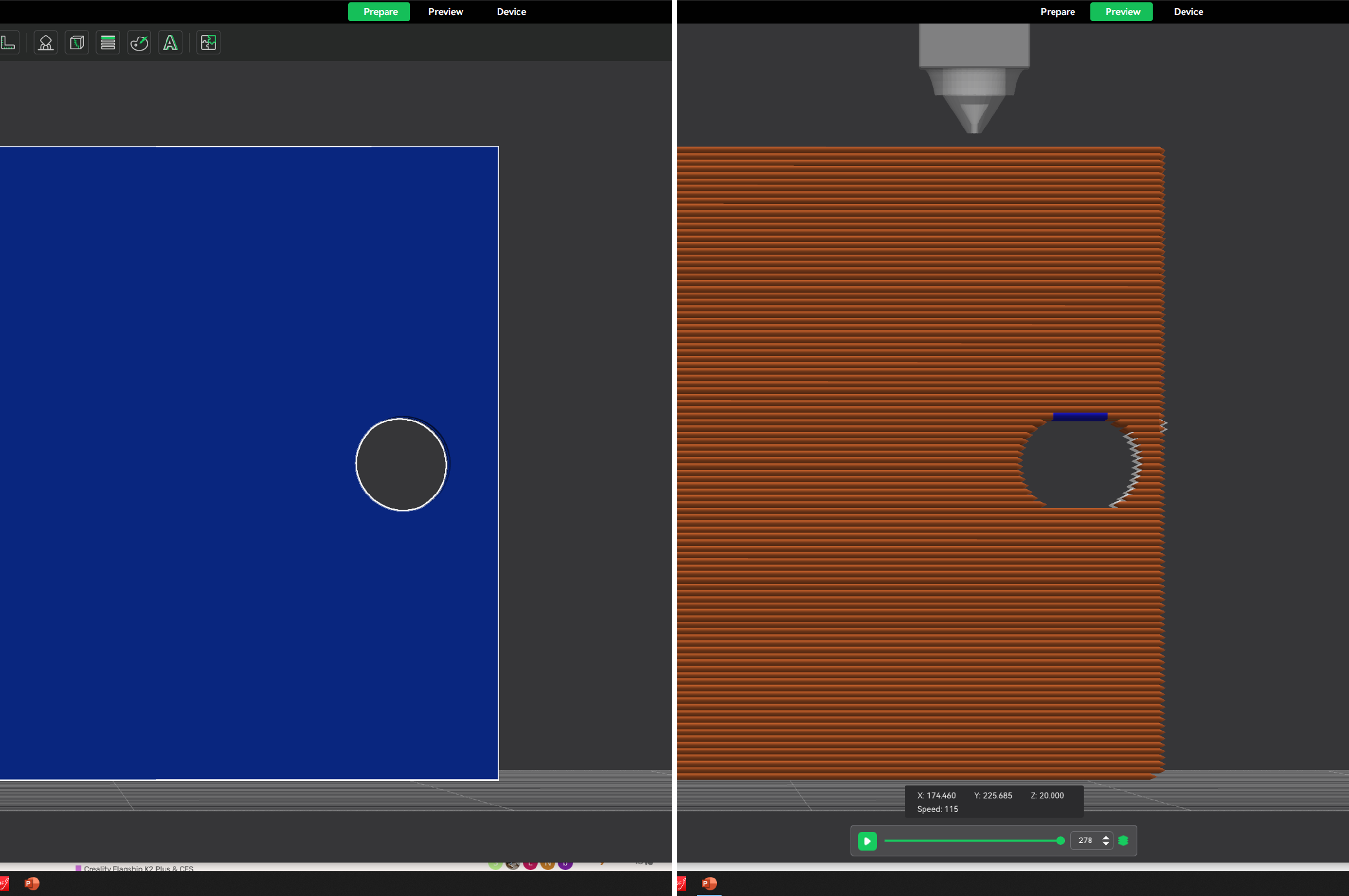
How can improve this? The hole is quite small - 3mm diameter. I can’t print it flat because of other details. Any other ideas?
A picture paints a thousand words…
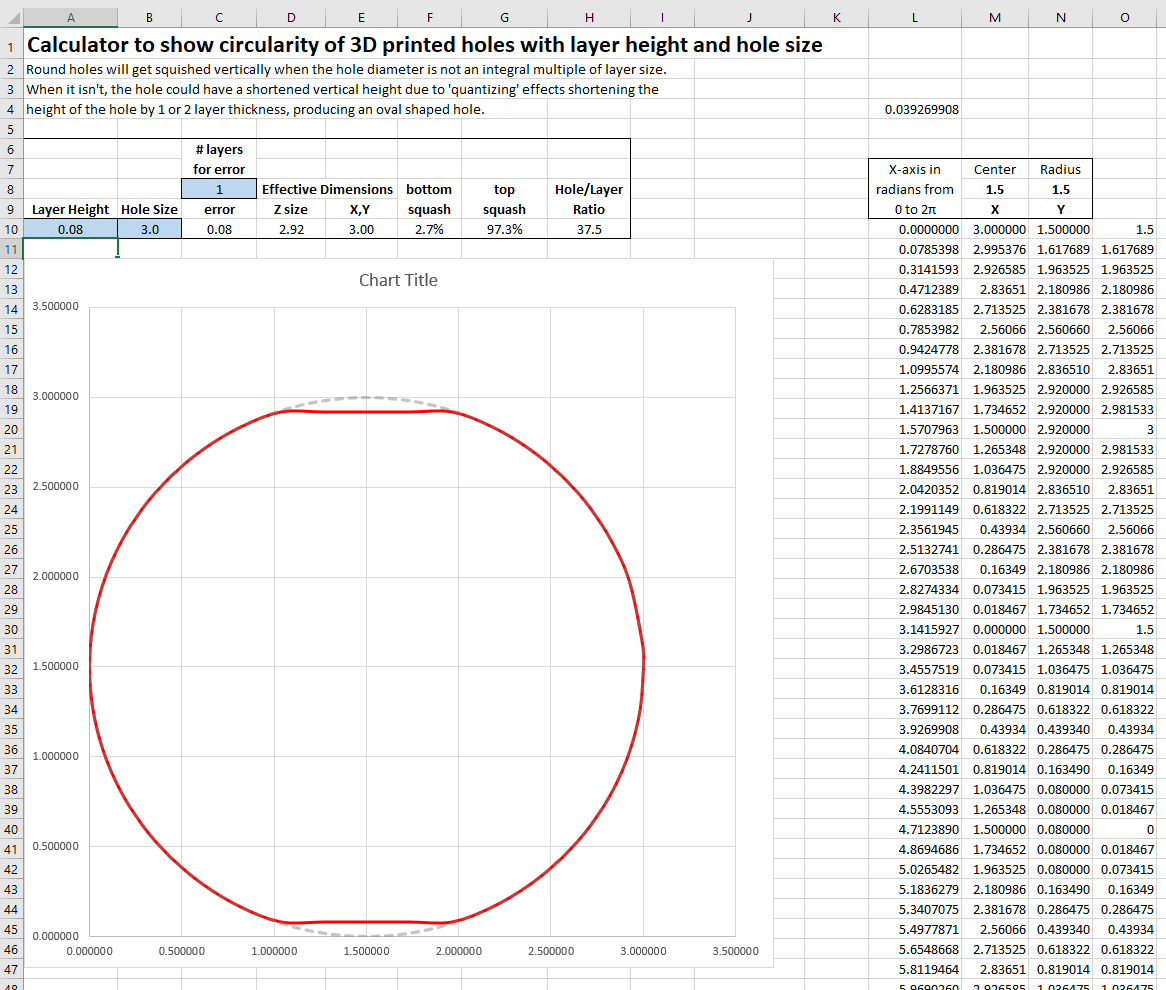
I’ve noticed the same issue and all I could conclude was that it’s due to small diameter holes with not-so-small layer heights. I made an Excel spreadsheet to calculate and display the effect of layer height on holes.
For instance if the hole is 3mm and you’re using 0.2mm layers this is the predicted shape:
If you reduce the layer height to 0.08 then it improves a little:
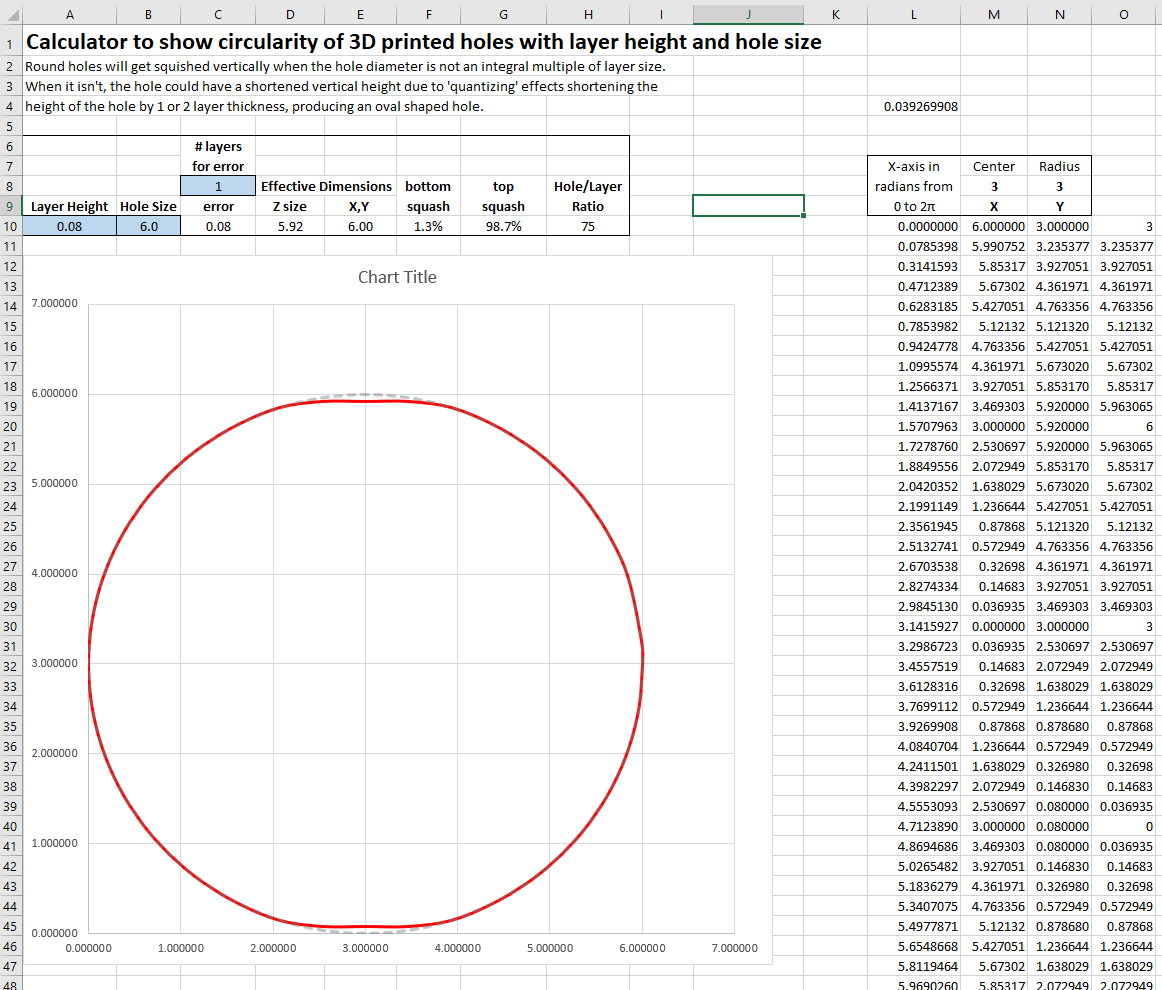
And if you increase the hole size to say..6mm, it also gets better again:
It has to do with the hole’s perfect circle not being able to be reproduced with finite layer sizes. If the layer height gets really small it can produce a small hole with greater precision. But when the layer heights get larger, there is a loss in resolution to produce that small hole accurately.
I think this is a fundamental, though undesirable, side effect of 3D printing.
I’m not claiming that my spreadsheet is totally accurate, but it showed me that if you want to keep the “squashing” of small diameter holes on the XZ and YZ planes under 2%, the hole diameter to layer height ratio would need to be greater than 50:1. If your doing 3mm holes with 0.2mm layers the ratio is only 15:1 and the squashing would be about 7%.
So anyway, all of this doesn’t really fix the situation. Maybe someone else out there knows of a way to get around this dilemma?