Hi all, hoping someone has some insight:
Under speed calibrations there is a “jitter speed” option. After printing it, I’m seeing a clear difference between the X and Y axis.
As it’s not listed in their tutorial section, does anyone have any general information on this test? What is it meant to test? How do I interpret the results? What settings should I change?
It appears that the test is to calibrate jerk speed, however I have no idea why the two axes have differing print quality.
Any advice?
Pictures below:
- Labeled X, actually on the Y axis. Weird print defects, why is this happening?
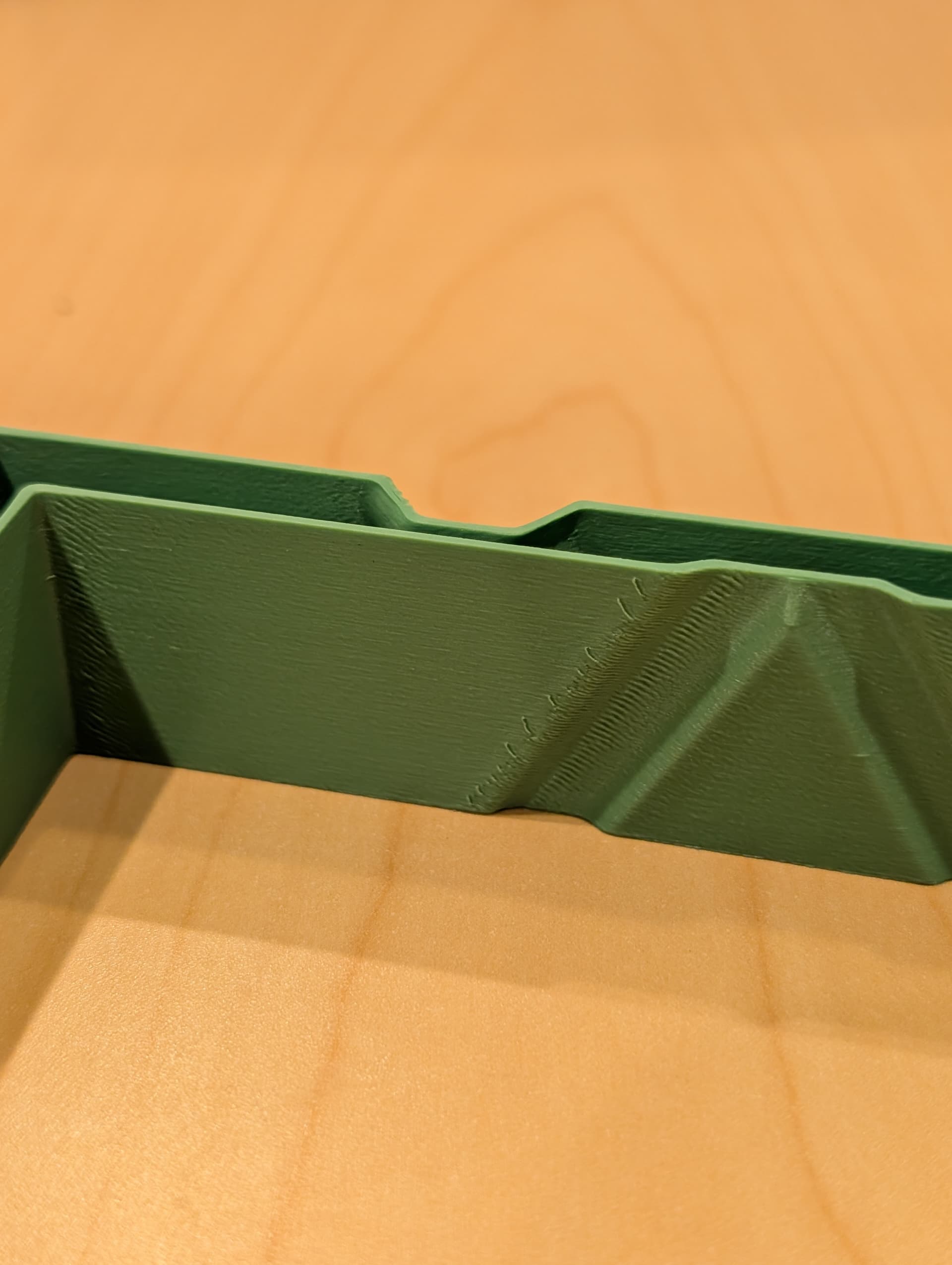
- Front side of the one labeled X. The ridges are fused at the corners and are generally too close together.
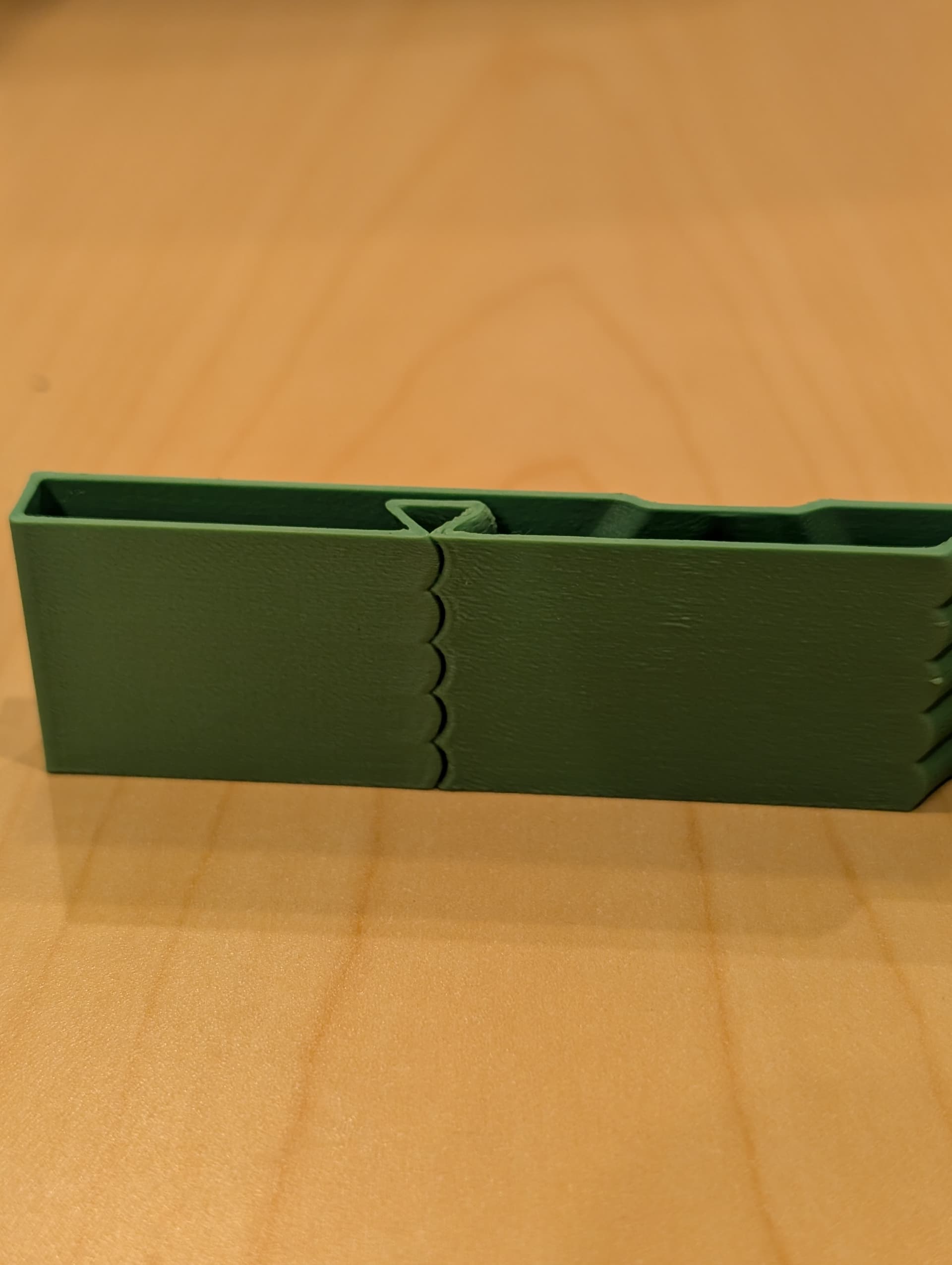
- Front side of the one labeled Y (but is on the x axis). Ridges are well (perfectly) spaced.

- Back side of the one labeled Y. No print defects.

Creality Print 6.2.1
K2 Plus Combo
Thank you in advance!