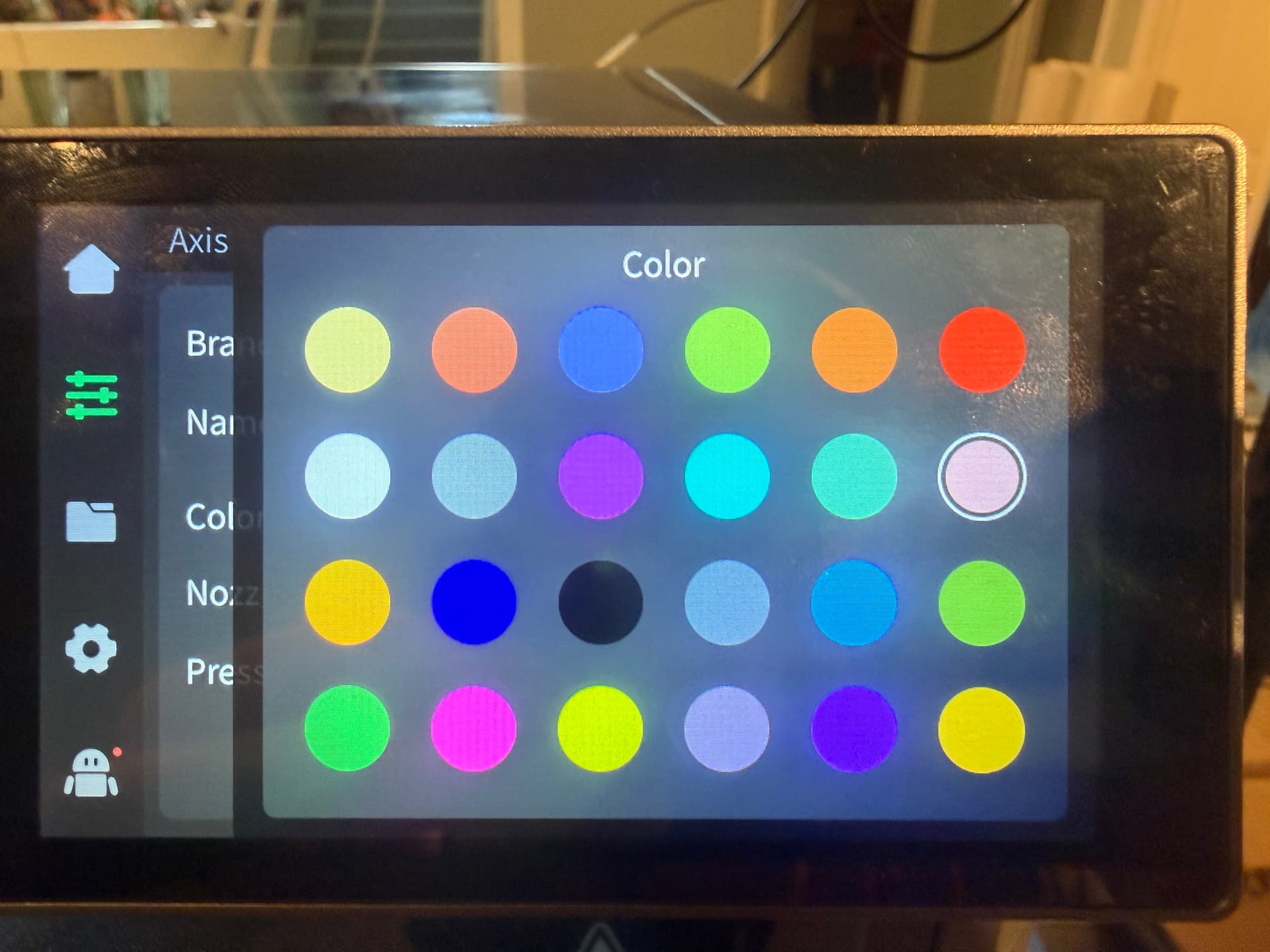
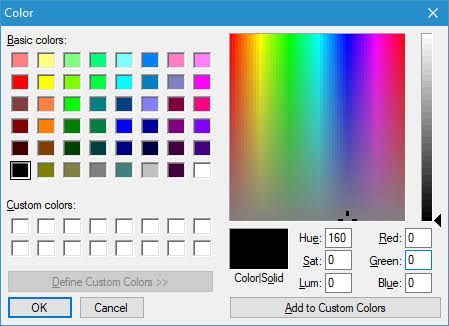
In here colours are very limited what if you wanna Pacific colour that you wanna add to your printer but you can’t because you don’t have that colour in it and what if you wanna add your specific colour that you want to select without selecting a whole different colour that you well know that isn’t that color? because I had to do that a couple times and there are times that I completely forgot to change the filament out for a different color. Why can’t we have a screen? It looks similar to this one or a little bit simpler like this to add to the screen like we have above to select our colour and have virtually little to no error of forgetting to change the filament to make the right colour and yes, I know when you’re painting your 3-D model they have that screen on, but that’s completely different. That’s on your computer not the printer and I tried looking up something of a solution that I had but no results please creality. Can you make it happen?
Hello @ 
Welcome to the Creality Forum…! 
I think I understand what you’re asking. The color selected on the printer screen does not control the color of the print—the printer will use whatever filament is actually loaded in the CFS.
Right now, you generally have to choose the closest available color. It sounds like you would like @Creality to add a custom color picker so the color shown on the printer screen more closely matches the filament that is loaded. That could make it easier to identify each spool and avoid forgetting to change the filament.
… “loaded in CFS”… dumb answer when title says “I don’t mean CFS”…
Changing the color on the screen doesn’t change anything, object will be printed in the color of the material loaded in the printer… So I realy don’t understand the question or the use of changing the color!
Thank you yes that’s what’s exactly what I’m talking about