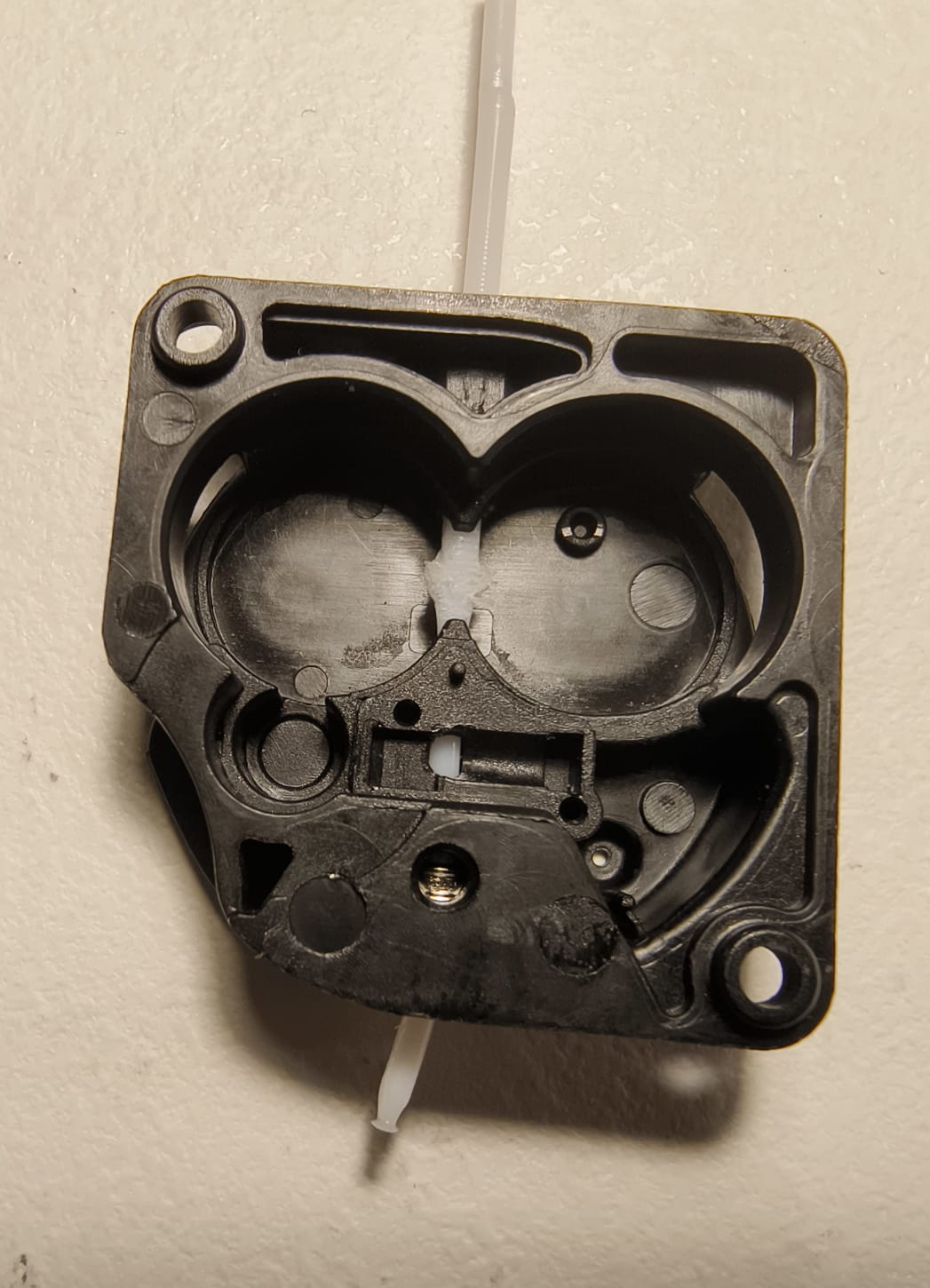
After printing for may be half an hour, the filament get stucked inside the extruder (as you can see in picture attached) and of course it doesn’t come out.
So, i understood it is a temperature issue.
For printing I used the default Creality Print profile for Generic PETG,
with 250 degrees for nozzle, machine top cover on, front door closed.
Should fans all on? Should the top cover off as for the PLA?
Should I change speed?
Or is it an extruder issue?
Also, is there is a solution about filament out sensor that doesn’t work at all?
What is the speed you are printing at? For generic PETG I would not exceed 100mm/s and nozzle temperature of 235c and bed at 70 c.. For hyper PETG I set mozzle at 250c and print at 250 mm/s and have not issues with either my K1c or K2.
Hi, I print a lot of PETG and I used to get this problem even with PLA. I print PETG with 245-250 degree C and I tuned the amperage down to 0.42-0.45 in the Fluidd config file. This has allowed the extruder motor to print cooler and prevent heat creep. Also Root your printer if you have not already.
I will try to slower down the temperature. I printed most of the PETG on my K1 Max around 235c to 240c. I set the bed temperature at 50 with my cold plate. With the normal build plate 70 to 75c bed temperature should be good. Apply a thin layer of glue stick as release agent.
I left my cooling fan on at 100 percent when I printing PETG. I just remove the top cover and closed the door.
Based on my experience dry the PETG before printing. You will have better bed and layer adhesion. Also less stringing. PETG absorb moisture pretty quick.
Thank you sir. Well, this is what I did: I changed the extruder first, after that I made some temperature tests, I also I put a lid on it. After which I found the right temperature around 245 degrees, the machine has a hardened steel nozzle, and I did not have problems anymore.