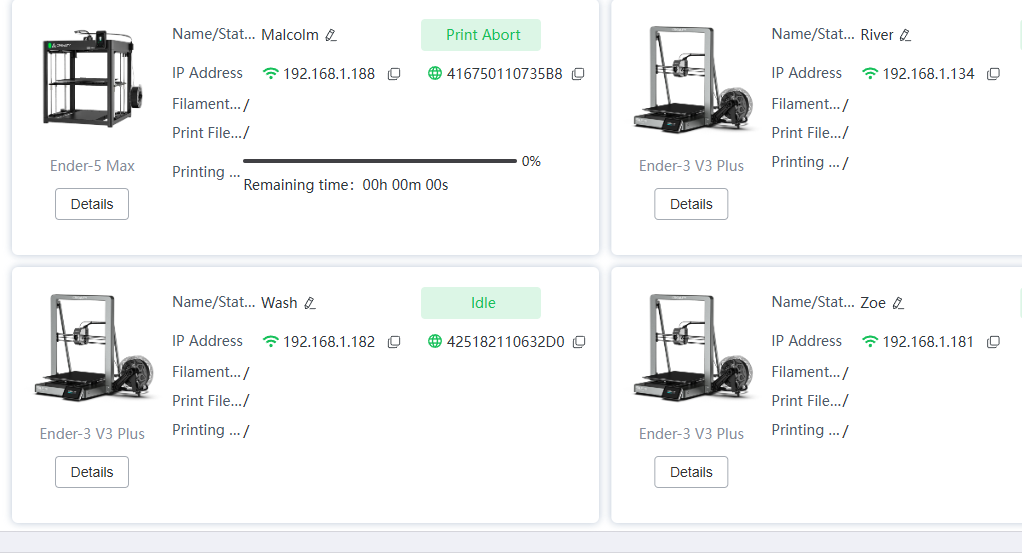
I found I have more ideas than bandwidth to print them, so I bought a second printer. The model is the same as my first printer. I would like to assign them display names in creality print rather than having to remember the ip address. Just an idea for the future. I’m not certain there is much demand for this, but I would like it.
1 Like
Love the firefly names of your printers!
1 Like
I still can’t figure out how to get there. On the prepare screen there is a printer list with a pencil, but the name isn’t an editable field. How do I get to the devices list you used?
Click on “DEVICE” in the top bar of the screen of CP…
I wondered who would notice that  All of them are Malcolm & Jayne my Ender5Maxes, Zoe, Wash, River & Simon - my E3V3Pluses, Inara for the Hi Combo, and Kaylee for my Sparkx i7.
I do have Kosh and Londo too - My Centauri Carbon HAD to be Londo, and my K2 Pro is Kosh
1 Like
I have #1, #2, #3, #4… so i don’t have to remember their names  They are all K1-Max printers…
I figured out my problem, posting in case anyone else falls into this. When you bring up the device pane and press home, you do get a device list. That list has two modes. What came up for me was a list mode, which won’t let you change the name. In the upper right there are icons to choose the list mode or panel mode. The panel mode is the icon on the left. If you switch to panel mode, then you can change the name.
The feature is there, but not as easy to find as I would have thought.
1 Like
CP opens the device-tab default in Panel-mode, so sometime in the past you have switched to list-mode and closed the program…