After having a good experience with the (4) K1 MAX and (2) ENDER-3 V3 KE printers I use almost non-stop I thought it would be nice to pick up a K2 Plus for some of the larger projects I get into.
Just to be clear the (6) older machines are rooted and run full versions of Klipper. The K2 Plus is “how it came out of the box (almost)”. Bed was so warped above 50°C I installed a graphite bed, problem solved. I have attempted multiple times to contact tech support about this issue only to be put on hold for literally hours. I would have expected better support for the amount someone spends for a “Flagship” printer. (Got better support for my AD5X that I got used)
Since tech support is literally useless, I am posting here to see if anyone has come across this issue and was able to find an actual fix.
One out of three attempts to print will fail during pre-checks/calibration. Bed will heat, hot end will warm up, bed will rise touch nozzle twice, lower something like 30mm, head moves to front right and does its normal Y and X then moves to back of cabinet, bed lowers to the bottom and does the normal self-leveling, comes up about 30-40mm then slams back to the bottom over and over till it faults with a Heat Break Fan error or you kill power.
All connections on the machine have been checked and re-checked, original bed re-installed. I am at the point I think it has something to do with the control board but would like others’ opinions that may have had similar issues. When it prints it prints very well and has done 2 -44 hour jobs with no issues then fails at the startup of the next job.
Out of all the issues I have had on other printers with heat break issues none have ever tried to tear itself apart. If you never had heat break issues on a K1 MAX you never owned a K1 MAX lol.
If I can’t get a fix for this my next step will be a BTT board and controller with a lot of setup and config time.
Just wanted to add a little more information.
Firmware Version 1.1.3.13
Creality Print 6.3 (update shows as latest version)
I don’t have the K2 Plus. I have a K1C with the CFS installed. I had a similar problem.
With mine, it ended up being that the filament poop chute was dragging on the print bed. It would raise, then it would lower down to the bottom and bang repeatedly, much like what you experienced. Could your graphite bed perhaps be dragging on something?
The bed was my first thought so I put the stock bed back in and it was able to do a full calibration and make it through 2 test prints. On the third test it repeatedly slammed the bottom again and faults with heat break fan error. As far as I know the hot end fan has nothing to do with Z-axis motors. I think I am finally getting an idea what is happening. If I go into Fluid and make a macro to turn the hot end fan on and off it will randomly move the bed downwards instead of turning the fan on. With the macro at least I can turn it back off before it hits bottom. Now I need to figure out if it is a corrupt firmware issue or control board.
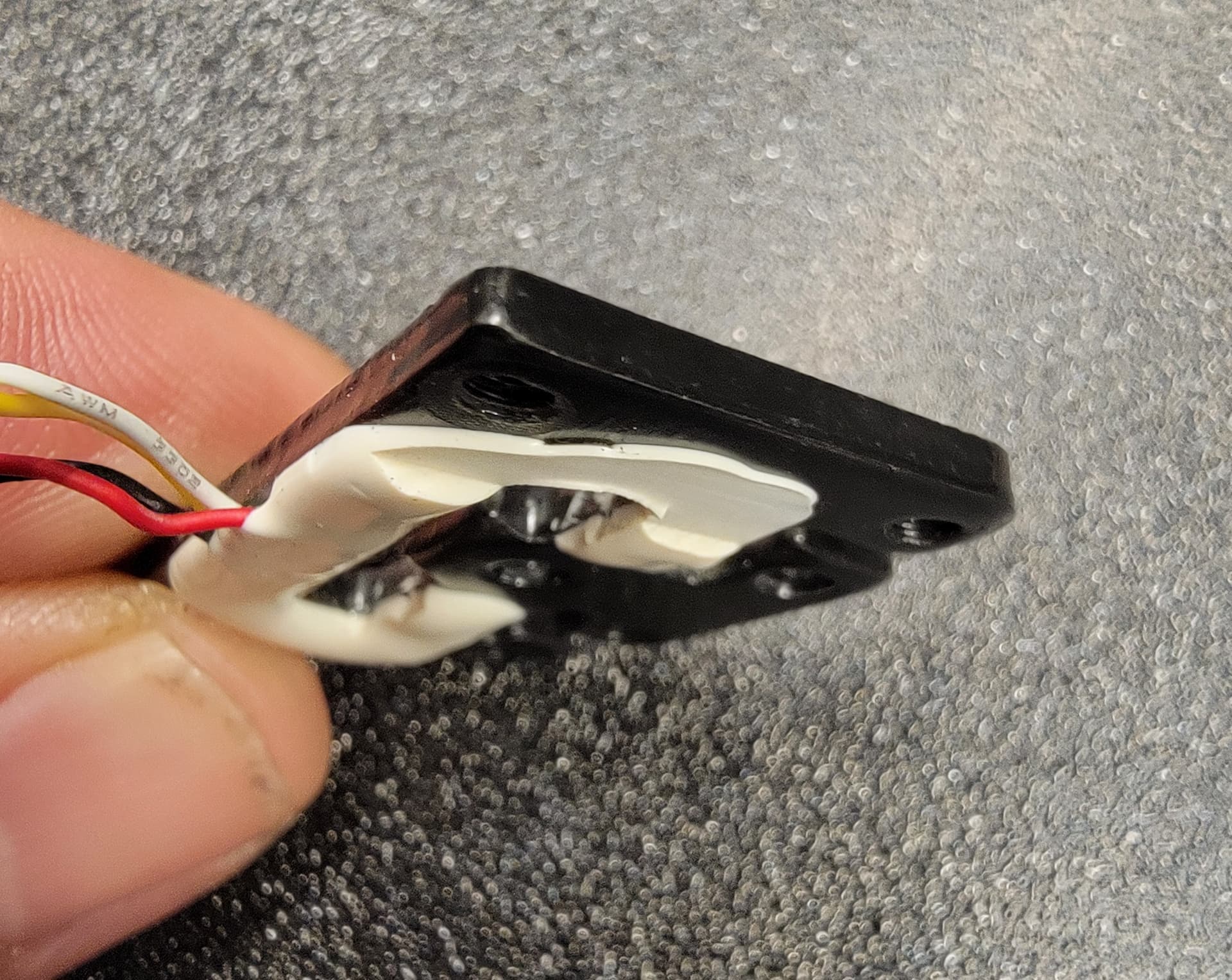
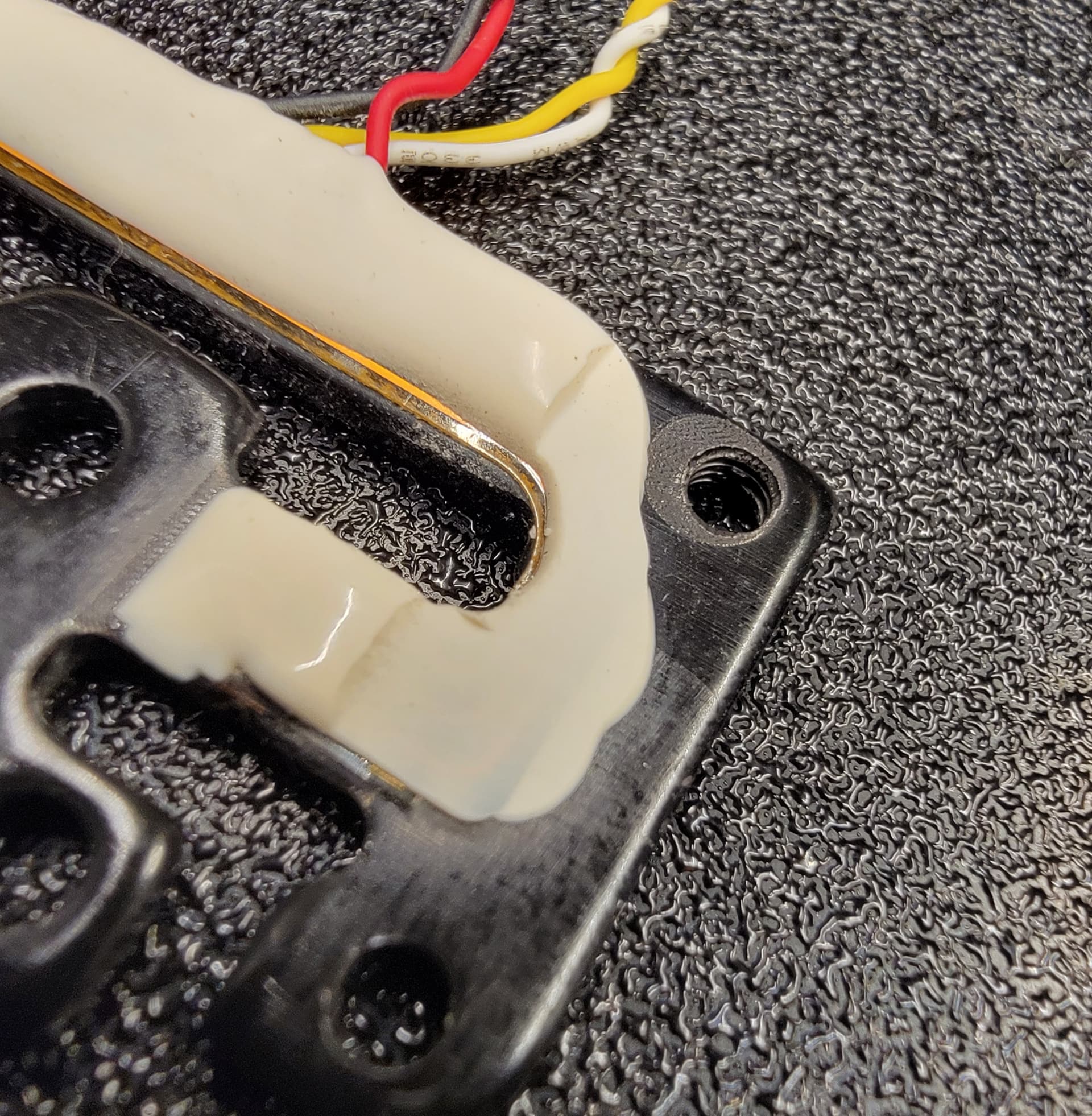
Problem has been resolved, after a little thinking there was only one sensor in the printhead that would affect the bed. Took the printhead off and disassembled it completely. First thing I found was two wires in the harness were pinched by the cover that holds the chain to the head. Further into the printhead I found the strain gauge sensor had been smashed prior to being install at the factory. I say prior to being installed as there is nothing in the head that could do this (seen in picture). Replaced the sensor, put everything back together, did a factory reset and calibration. Ten prints and no errors so far.
Not sure if it was the sensor or the pinched wires but fixed is fixed.
1 Like
This is not a defect, a thin layer of silicone is removed at the factory to prevent the side fan from resting
New replacement from Creality was not flattened like this and the fan had room it. Even if this was done during manufacturing and supposed to be flat, I’m sure the thin conductors under the silicone are not supposed to be shorting to the metal.
I checked the strain gauge in two printers, in both the original one had a silicone cutout as in the picture, the problem in my k2 plus was the collision of the extruder and the table during calibration, which led to a strong pressure, bending of the guides, CM2789-z error, the new Creality strain gauge I bought also had a silicone cutout, but in my case the cause of the problem was a damaged control board in the extruder
1 Like