I noticed my runout sensor was not working the other day. I figured it had broken and decided to replace it. I ended up getting the DXC Extruder which has a runout sensor in it that plugs into the hot-end pcb. After getting that all installed and doing a test print, I tested the runout function and…. nothing. It did not recognize there was no filament.
I went and factory reset the printer and still no luck.
What else could be going wrong? I would rather not have to replace the main board…
I have plugged that in to the hot end board. I ended up rooting the machine and I think I found the setting for it. But, it says it should be on. I checked the printer.cfg file and a few others that were .cfg. they all say True for pause when printer is out of filament.
I don’t have a way to wire the old one’s wiring to the new one without buying another cable I don’t think. The original one still lights up blue when in use, but the icon doesn’t show on the printer screen. Since adding the new sensor, the icon shows up very briefly on startup and then disappears.
I am concerned I will have to replace the mainboard.
IK I can be a pain, but did you follow these directions?
(Optional) Back up printer.cfg and gcode_macro.cfg
(Optional) If you want to disable the factory filament sensor, remove or comment out the [filament_switch_sensor filament_sensor_1] section in printer.cfg. To comment it out, add a # at the start of each line of the section, including the [filament_switch_sensor filament_sensor_1] line.
If a [filament_switch_sensor filament_sensor_2] section exists in printer.cfg, remove it.
Copy the following section and paste it into printer.cfg. This tells the printer that it has the DXC filament sensor connected to the filament port on the toolhead PCB, and tells it what to do when it runs out.
Running into the exact same issue, but on a K1C 2025 (the printer.cfg header shows k1c-x2600 as the model codename — seems to be a newer hardware revision than the ones discussed above).
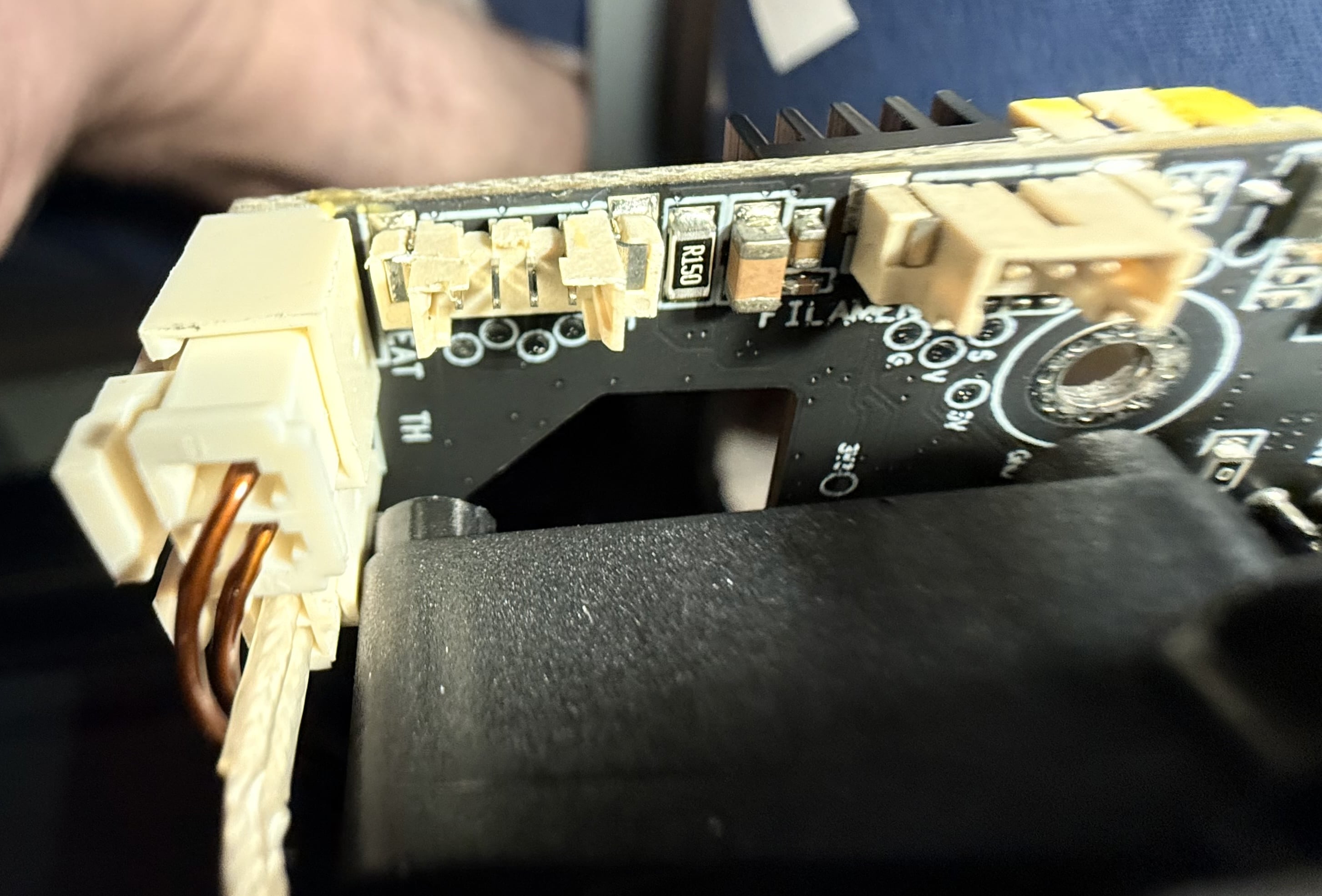
Confirmed the DXC sensor is plugged into the correct dedicated connector on the toolhead PCB — it’s clearly labeled “FILAMENT” on the board silkscreen, with S / 5V / G pins (photo attached).
Tried nozzle_mcu:PA10 (the pin everyone above uses) — Klipper rejects it: pin PA10 is reserved for serial. So this board revision apparently reassigned that pin.
Tried nozzle_mcu:PB0 instead — Klipper accepts it fine (no errors), but QUERY_FILAMENT_SENSOR shows “filament not detected” regardless of whether filament is actually loaded, removed, or manually pushed further into the extruder.
Has anyone with this same 2025/X2600 board revision found the correct pin for the DXC sensor on nozzle_mcu? Happy to share my full printer.cfg if useful.