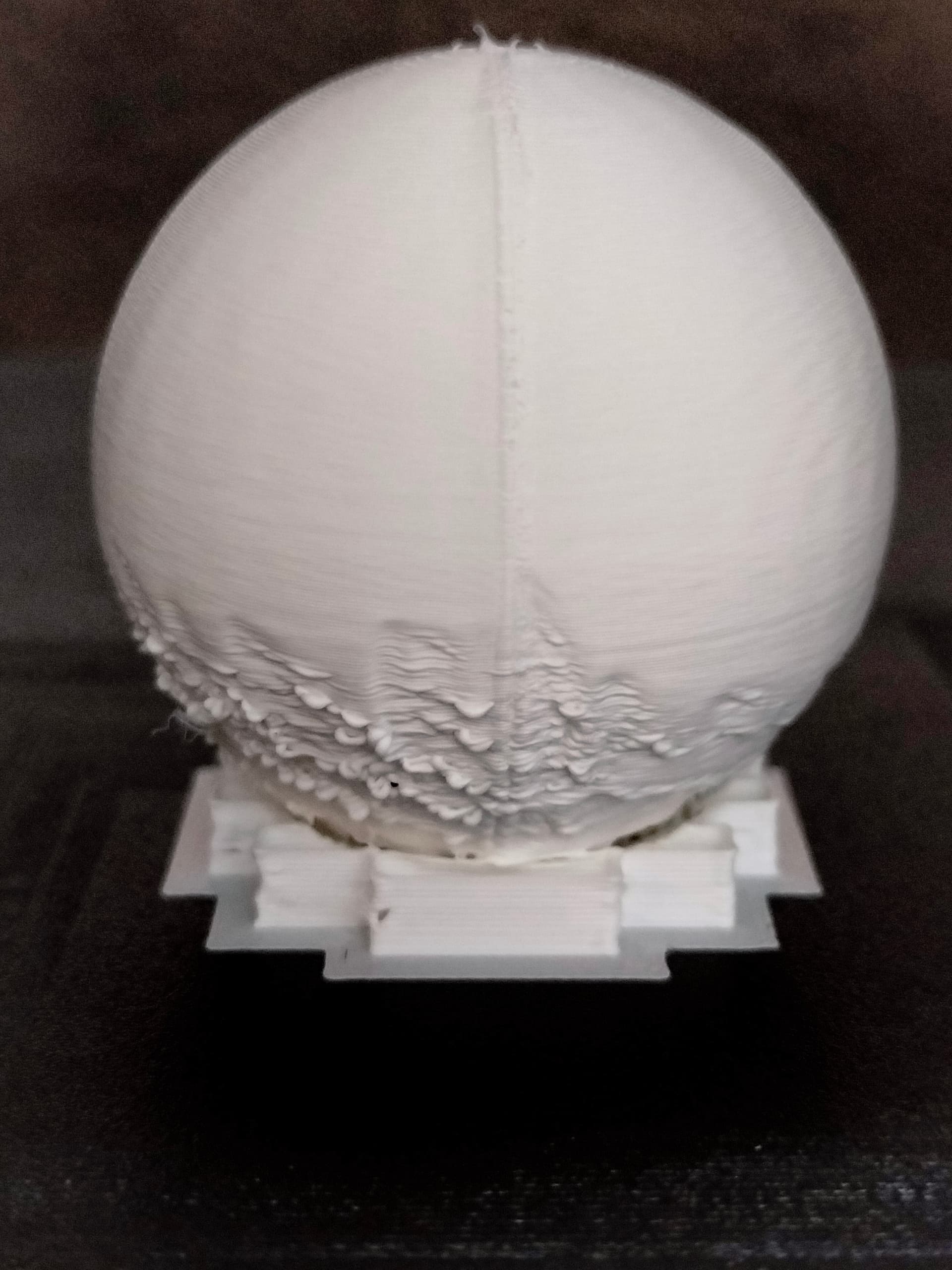
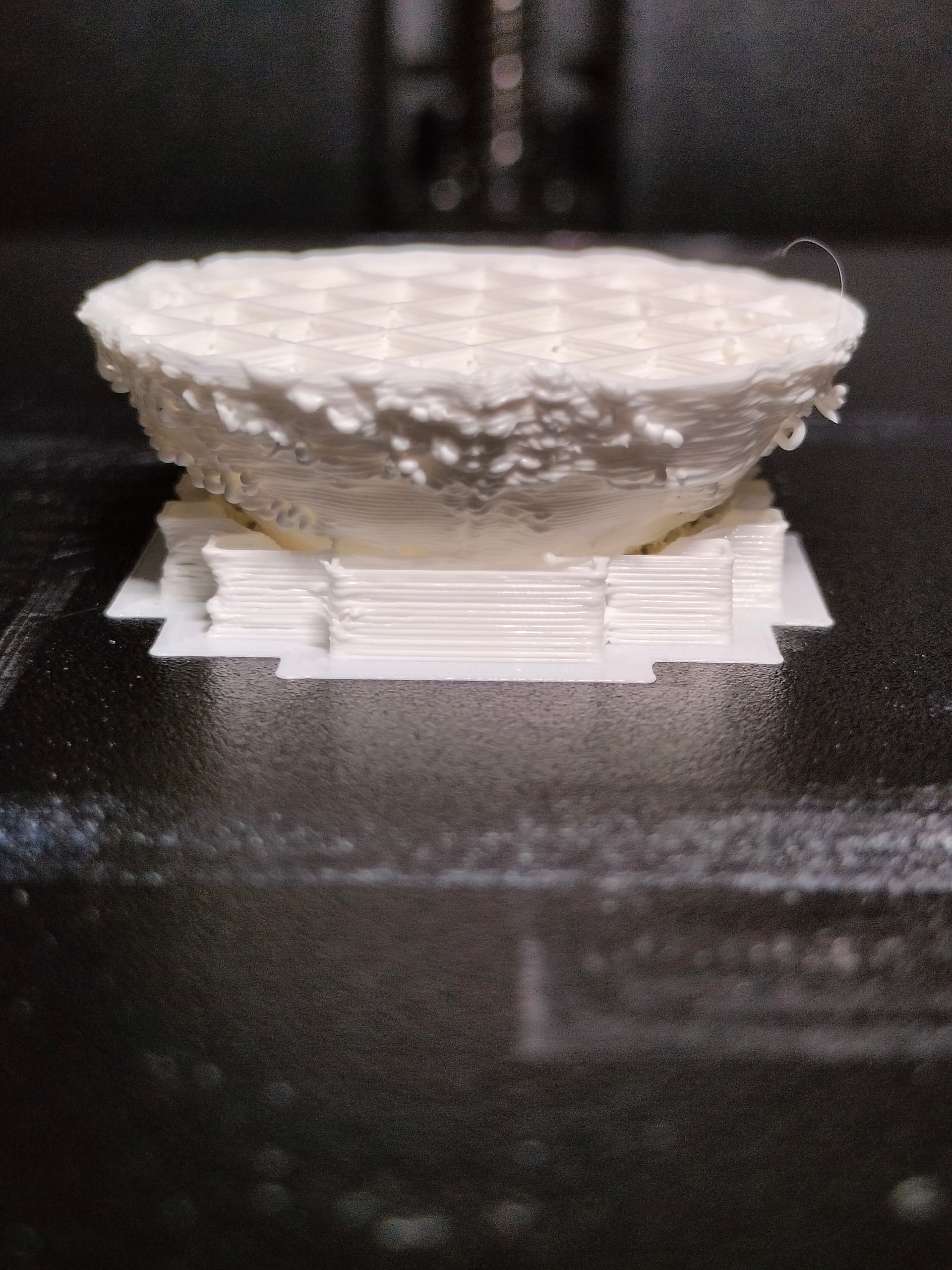
@Mr_MBR Thanks for your positive response to my problem.
It’s very nice to hear that your printer has no issues and that i’m a moron for trying to upgrade so my printer will support future features.
Since this is the first time ‘ever’ I’m reporting a problem on a forum, I’m bound to leave ‘critical information’ out.
I used some logic and presumed that the print quality should not be affected after any firmware upgrade.
Since those upgrades should be improving stuff and not degrade my prints, I was very supprised to see the outcome of this ‘upgrade’.
Of course I’ve downgraded the firmware already to version 1.3.3.46 but this doesn’s improve anything.
It’s as if the upgrade permanently changed some settings in my printer.
I’m printing with Generic PLA. I’ve been using the same stuff/brand for years now and never had any problems. So, in my logic … it can’t be the filament.
the day/hour before the upgrade the printer printed fine with the same roll of filament. First print after the upgrade….crap!
I use the default settings for Generic PLA. I never changed anything to it since it printed perfect. And, according to your logic, why should I change anything if it works.
I use Creality Print and the profiles that came with it. And I haven’t updated this software since the firmware upgrade. So, that too is not a variable here.
So, the question remains, how can a simple firmware upgrade (however stupid it may be to do so) destroy my prints like this!
By the way, the test cube in Creality Print, prints fine!. So does the pyramid. The sphere is crap, so is the overhang test (crappy at 45 degrees and up). Conclusion, anything with a overhang is crap, rest is fine.
Een the part embedded in support is crap!
And again, same default profile from Creality for PLA.
What I’ve tried so far is:
-
lower temperature to reduce the effects of gravity. result: Minor improvement
-
lowered the printspeed. result: Minor/medium improvement best results at 50% reduction, so max 100 mm/sec on outer layers and 150 mm/sec on inner layers.
-
position on built plate to check infuence of cooling fan. Result: minor improvement
In most testresults the side pointing at the cooling fan has the best quality. Side is a strong word by the way since this better quality covers about 1/4 of the circumference.
- changed filament: no improvement whatsoever!
So, any suggestions as to what this might have caused?
Would downgrading to an even earlier version of the firmware make sense?