I have an ethernet lan w/o WiFi (an HP switch 16 port that receive WAN from the server)
K1 MAX is in the LAN via Ethernet port and noone WiFi in my workroom
every time I switch off the printer the IP address change, I’m reading in the forum that the IP address is assigned from wifi
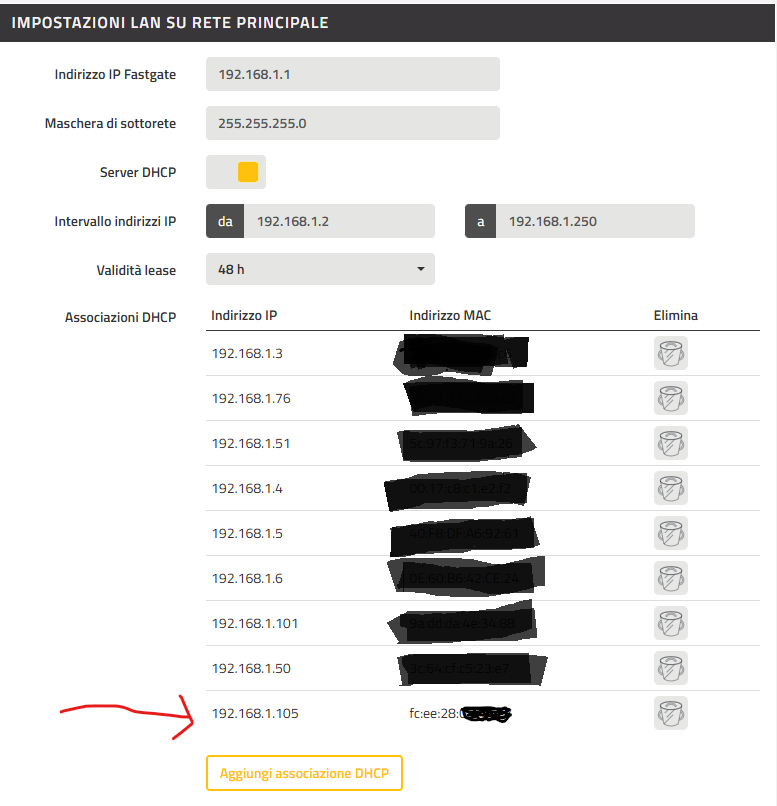
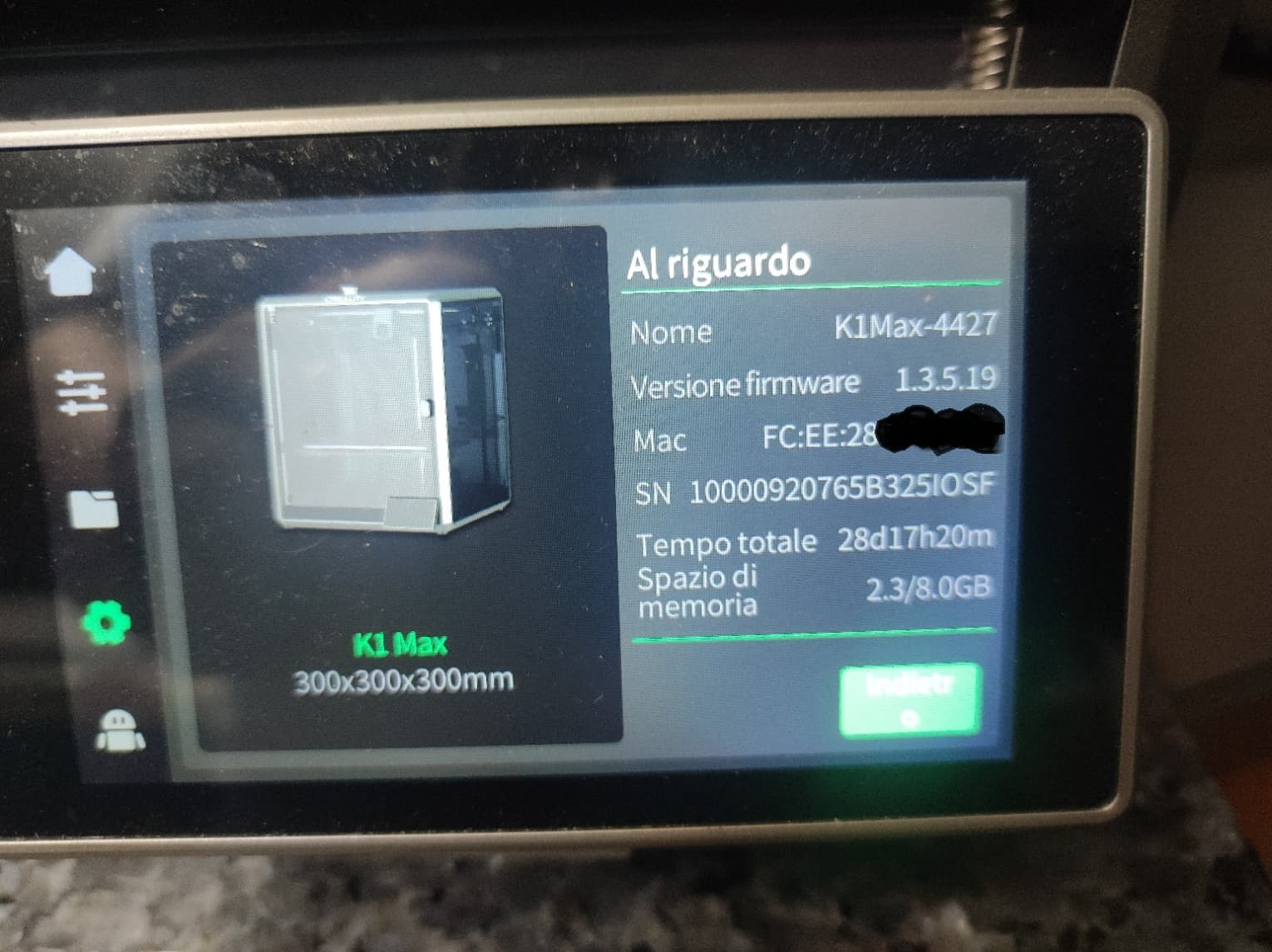
the MacAddress placed in the router is ignored infact after a reboot of K1MAX the IP change and the one in router point to macaddress that start with FC:EE:28.
Any suggestion how to solve the issue
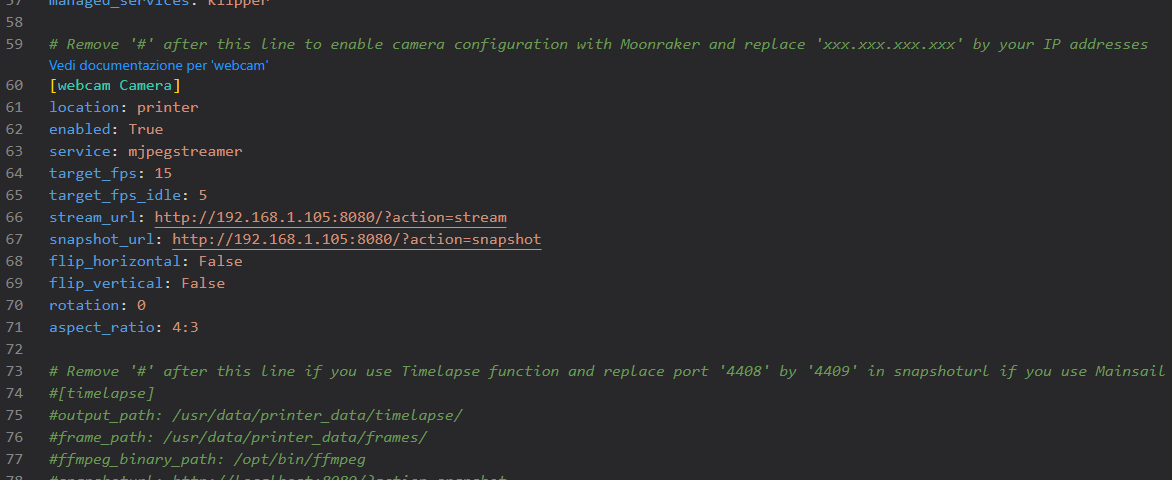
If I install Moonraker and fluidd every time I must go into config and change the address of the cam … a sample
yesterday was 192.168.1.121:8080 and today is 192.168.1.105:8080 the permanent link to the web page of the cam must be changed in my pc and in the pc of some collegues … every day …
Make sure you use the MAC-address of the ethernet-port of your printer. If you can’t find it use a tool like Advanced IP Scanner, this tool will tell you the Mac-address!
Reminder: if you do a firmware update, the Mac-address changes… so you have to update your router again!
I had my K2 Plus configured for both Wifi and Ethernet. I was running into the same problem with the IP Address changing periodically. Given that the Ethernet connection should always be available, I just unconfigured the Wifi and life is good.
Thank you for your kind reply.
The Advanced IP Scanner give me the mac address … but all these info are already in the printer MAC, ip and so on. I cannot understand why the IP changes whan I shut off the printer
About the firmware I’ve blocked it because the last release had an issue about cam
Thank you for your kind reply.
As told I cannot have and use WiFi.
But with your reply you confirm that the wifi ip address is static with wifi so the mac address is for wifi not for ethernet
Creality made the firmware in a way that you can’t put a static IP-address in the printer, so every time you switch on the printer it will ask your router which IP-address it should use…
To make sure the printer gets the same IP-address every time, you have to tell you router that if a device with a certain MAC-address is asking for an IP-address, it will give the same address every time! So therefore you need the MAC-address if the ethernet-port of the printer!
Therefore I said to use Advanced IP Scanner for the MAC-address if you can’t find it in your printer!
Another option is to raise the “lease time” in your router, the lease-time tells the router how long it must reserve an IP-address for a device. If the lease-time is long enough, the printer will get the same IP-address every time… I prefer to use the MAC-address…
Creality should have made this possible in the firmware… then changing the MAC-address after a firmware update (they say they do that for safety reasons) would have no impact and there is no need to update the router with the new MAC-address!
thank you for your kind reply.
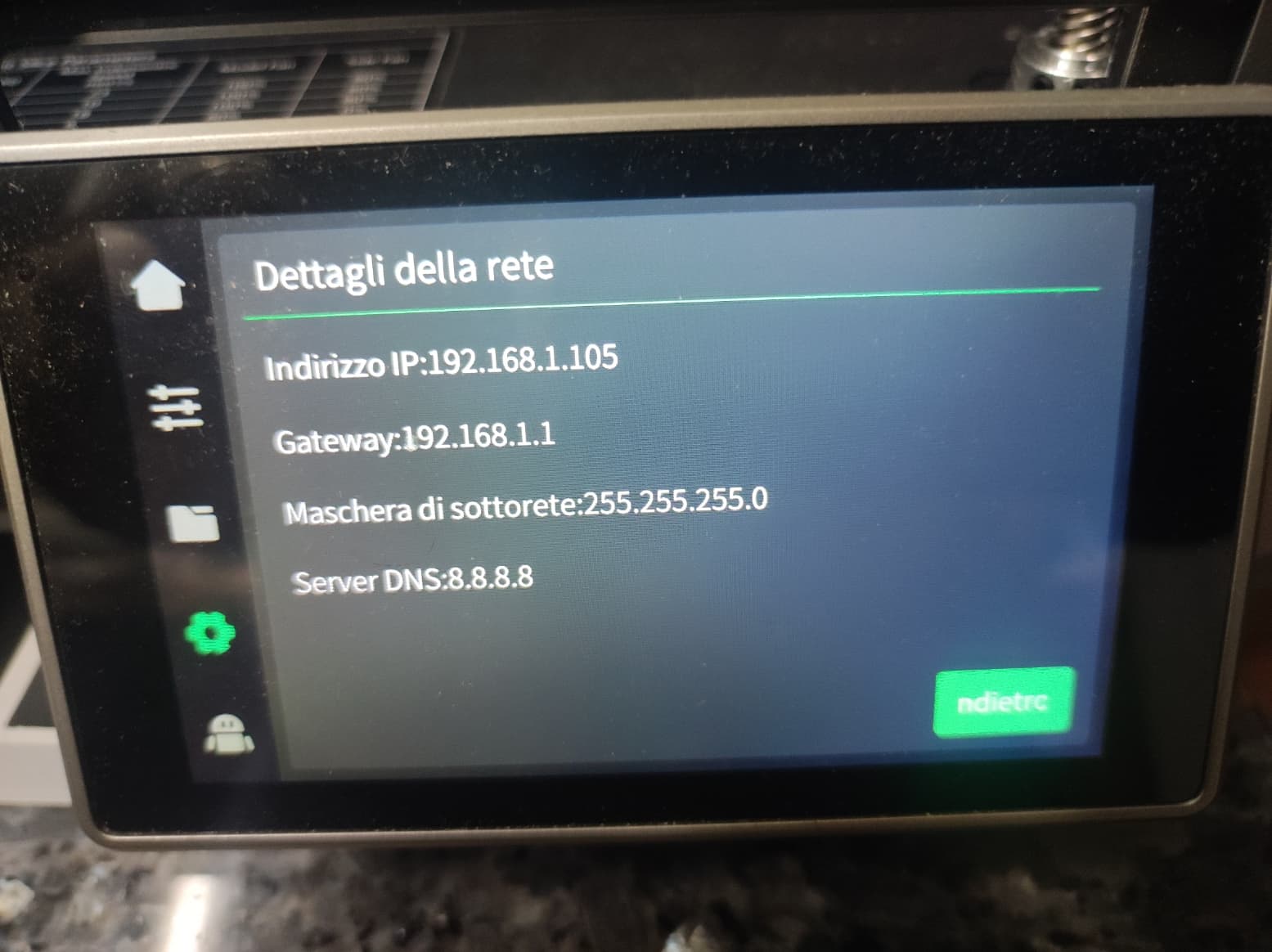
but you can see below, sorry for the italian menu but surely you can understand, the router, the ip of k1max and mac of k1 max. and also I need change params in moonraker.conf for seeing the cam.
Believe me it’s really heavy not only but the URL in the browser of my collegues to view the cam must be changed every time http://192.168.1.105:8080/?action=stream
If this evening finished my job I shut off the printer the ip address, I use ONLY ethernet not WiFi, change drammatically and tomorrow I must lose half an hour to modify all
Change your IP address range to 192.168.1.2 to 192.168.1.249 if you are at home you should not need that many IP addresses, then assign IP address 192.168.1.250 to the camera. The IP address cannot be assigned as a static address and be in the DCHP IP range at the same time. Let me know if this helps