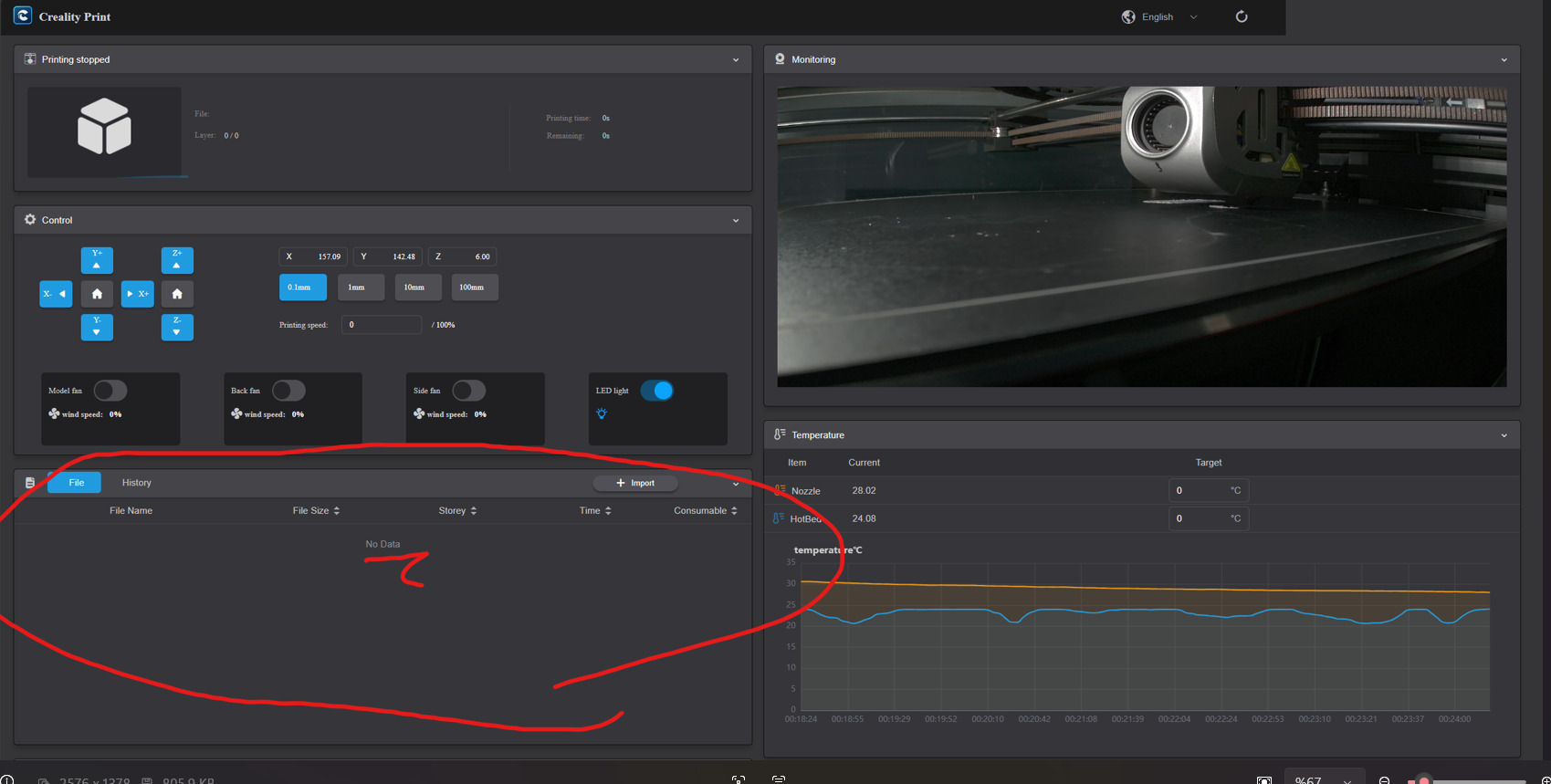
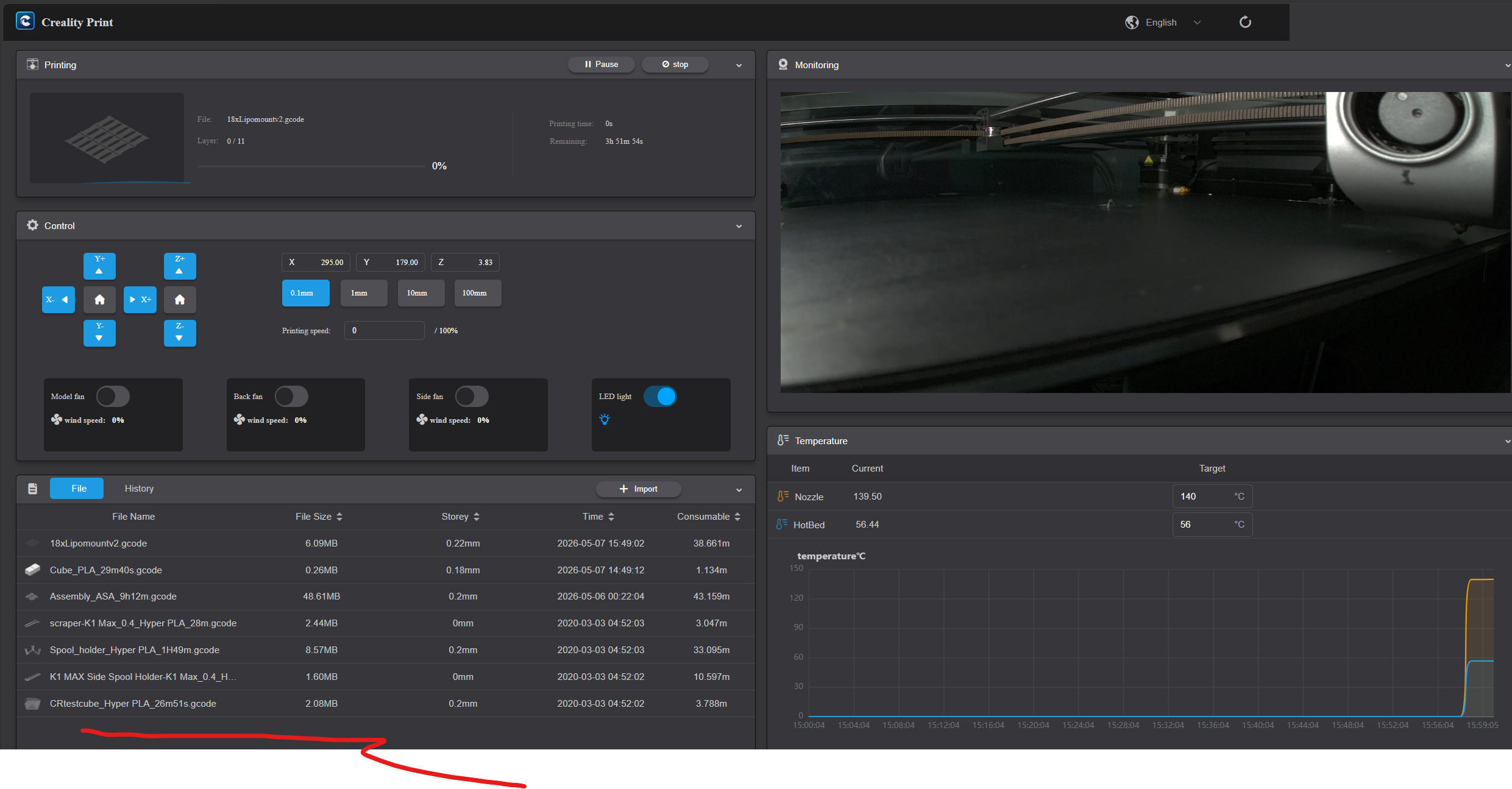
After recent firmware updates, my K1 Max connects to OrcaSlicer over LAN and the camera stream works, but uploaded files do not appear and I cannot start prints remotely.
The same behavior appears when I open the printer by IP in a browser. So the printer is reachable, but file management and print start are broken.
Please confirm whether this is a known firmware issue or a current limitation. If others have the same issue, please report your firmware version.
Just got my printer going after having to mothball it for 6 months due to construction. It asked for an update when it powered on. Now I’m having the same problem as Craycle. Web GUI, Creality Slicer or Orca. Doesn’t matter. No Remote File management is available. My Print History, however, is available.
Same issue here. Clearly related to an update. I just unboxed a printer I ordered back in November and I set it up with Orcaslicer and ran 2 prints without issue. I did not think to write down the old firmware version unfortunately.
I was then prompted by the printer to do an update and accepted it (version 1.3.5.19). After the update I opened Orcaslicer to send some new files over and found that the file list will no longer populate, but controls and monitoring still works. Unrelated, but the old UI on the touchscreen was blue, the UI on this new update is green.
Quick update.
I have two K1 Max printers, both currently running:
CR4CU220812S11_ota_img_V2.3.5.34.img
I do not use CFS.
Since this firmware, I have issues with OrcaSlicer remote printing, browser based file access, and filament mismatch warnings. The last stable version for my setup was:
CR4CU220812S11_ota_img_V1.3.3.46.img
This was the blue UI firmware before the green UI / CFS update.
I tried rolling back through SSH local OTA. V1.3.1.19 was detected and extracted, but blocked with:
ota_major < cur_major && ota_major < 2
ota: stoped version_is_new
V1.3.3.46 also failed earlier with:
kernel update failed
ota: error
So it looks like V2.3.5.34 blocks normal rollback to V1 firmware.
I contacted Creality Support and requested the official special rollback package to return to V1.3.3.46. I will update here if they send a working solution.
You can always revert to an earlier FW version
Hope that helps
Unfortunately, I can’t. How do you revert?
Quick update, issue resolved on my side.
The rollback procedure provided by Creality Support worked correctly.
I successfully rolled both of my K1 Max printers back to:
CR4CU220812S11_ota_img_V1.3.3.46.img
The problems were present on all firmware versions released after V1.3.3.46, including the newer green UI / CFS firmware versions.
After returning to V1.3.3.46, all issues disappeared.
OrcaSlicer remote printing works correctly again, uploaded files are visible again from the browser interface, and remote printer management is working normally.
For my setup, V1.3.3.46 is currently the last fully stable firmware version before the green UI / CFS firmware generation.
I do not use CFS, so this may help other standard single-filament K1 Max users experiencing similar issues.
Important note:
The rollback could not be done with the normal public firmware files alone. Creality Support provided a special rollback firmware package and a specific recovery procedure.
If you have the same issue, I strongly recommend contacting Creality Support cs@creality.com directly and following their official rollback instructions carefully instead of trying random downgrade methods.
1 Like
Cool!
Thanks for sharing that, I was putting off upgrading to V2 until I saw the bug report. I’m sure there are many folks breathing again because of you!
Cheers!
1 Like
I am glad to help! Have fun.
so just a follow up, did you by any chance save the file so that you can share it?
Yes, I saved the file.
I asked Creality Support if it is okay to share the special rollback firmware and procedure with other users. They confirmed that it can be shared for users who are also on newer firmware versions and do not use CFS.
Rollback package and files:
https://1drv.ms/f/c/4365f9a598d897ee/IgDRxN0eDSPcS6RXiPgIE1-YAflrQGMeUOViz64icQ0eb4w?e=8zp9Ke
Important note:
This is not a normal public firmware downgrade. The working process is:
-
Install the special rollback firmware provided by Creality.
-
After the printer reboots, do not run self test yet.
-
Install the normal monochrome K1 Max firmware from the official Creality firmware page, or use the included firmware in the shared package.
-
For my setup, I installed:
CR4CU220812S11_ota_img_V1.3.3.46.img
- After the monochrome firmware installation is complete, run self test.
After this procedure, OrcaSlicer remote printing, browser based file management, uploaded file visibility, and remote printer management started working correctly again.
Also important:
For my setup, every firmware version released after V1.3.3.46 caused these issues, not only V2.3.5.34.
So even if you are currently on another newer firmware version without CFS, you may still need to first move to the supported rollback path firmware and then follow the rollback procedure provided by Creality to return to V1.3.3.46.
Please use this carefully and only if you understand the risks of firmware rollback.
Best regards,
Cemal Özçelik
Founder of Craycle
Thanks for the Info!
I’m still running 1.3.3.46
There’s just too many issues with the V2.+ firmware.
A lot of people say it works fine, but I don’t tech 3D printers that work great, lol
I just picked up a 3rd party CFS for cheap from a bud,
so in a good position to see if a fw upgrade is warranted
I rooted my K1Max, and switch back and forth as developments unfold
Off hand, have you come across issues with rooted printers and the newer FW?
Let me know if any other problems come up,
Thanks again for the files!
Cheers!
Hi,
Thanks for the update.
So far, I have not personally noticed any specific issue related to rooted printers and the newer firmware. Most of the problems I have seen seem to be more general firmware related issues rather than something clearly caused by root access itself.
Your current approach sounds reasonable, especially if 1.3.3.46 is working well for you.
Thanks again, and I’ll let you know if I come across anything new.
Cheers,
Cemal