Direct Import
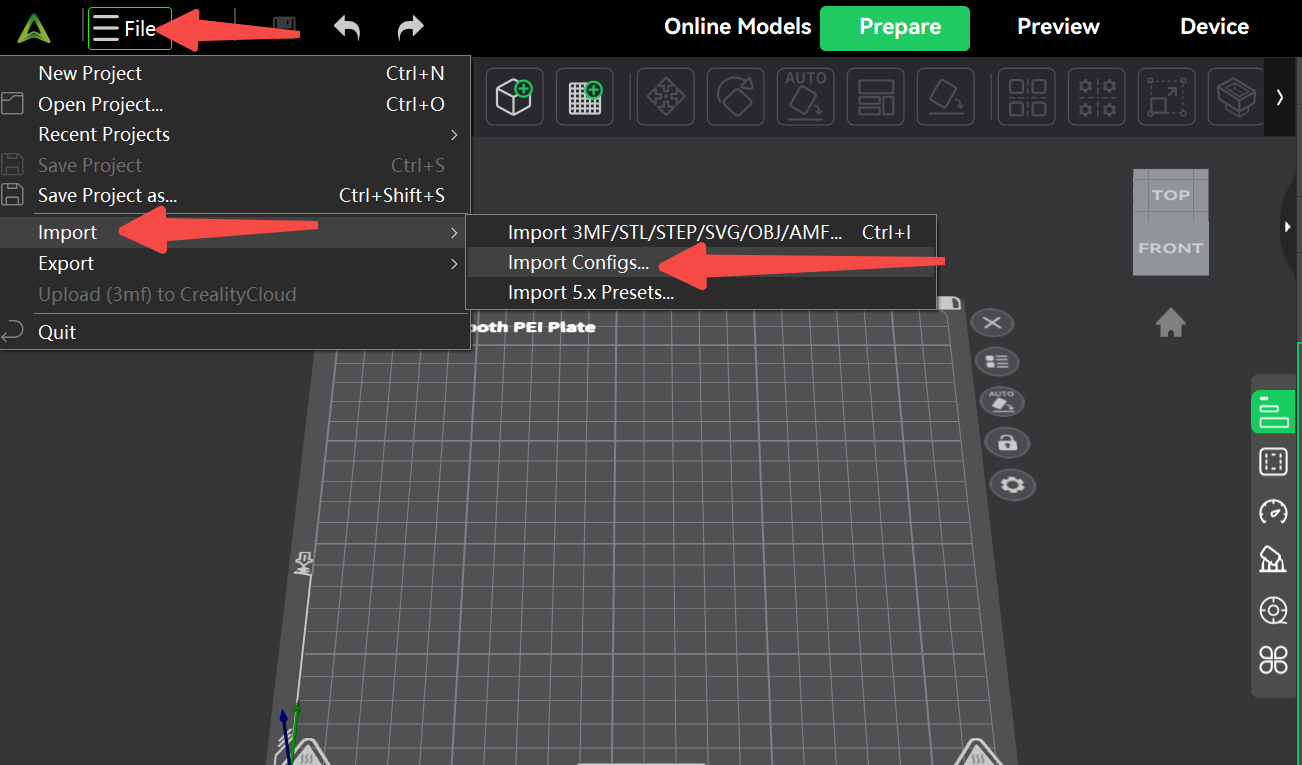
In the upper right corner, click [File], [Import], [Import Configuration], then select the corresponding configuration file.
Creality K1 0.2 nozzle.creality_printer
Creality K1 Max 0.2 nozzle.creality_printer
Creality K1 SE 0.2 nozzle.creality_printer
Creality K1C 0.2 nozzle.creality_printer
Manual Parameter Configuration
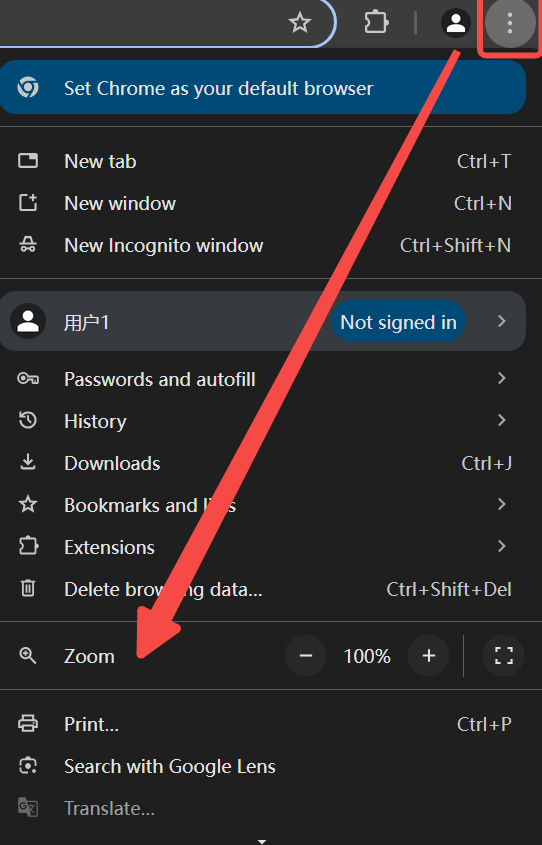
For the best reading experience, we recommend setting your browser’s zoom level to 75% for full information.
Parameter table
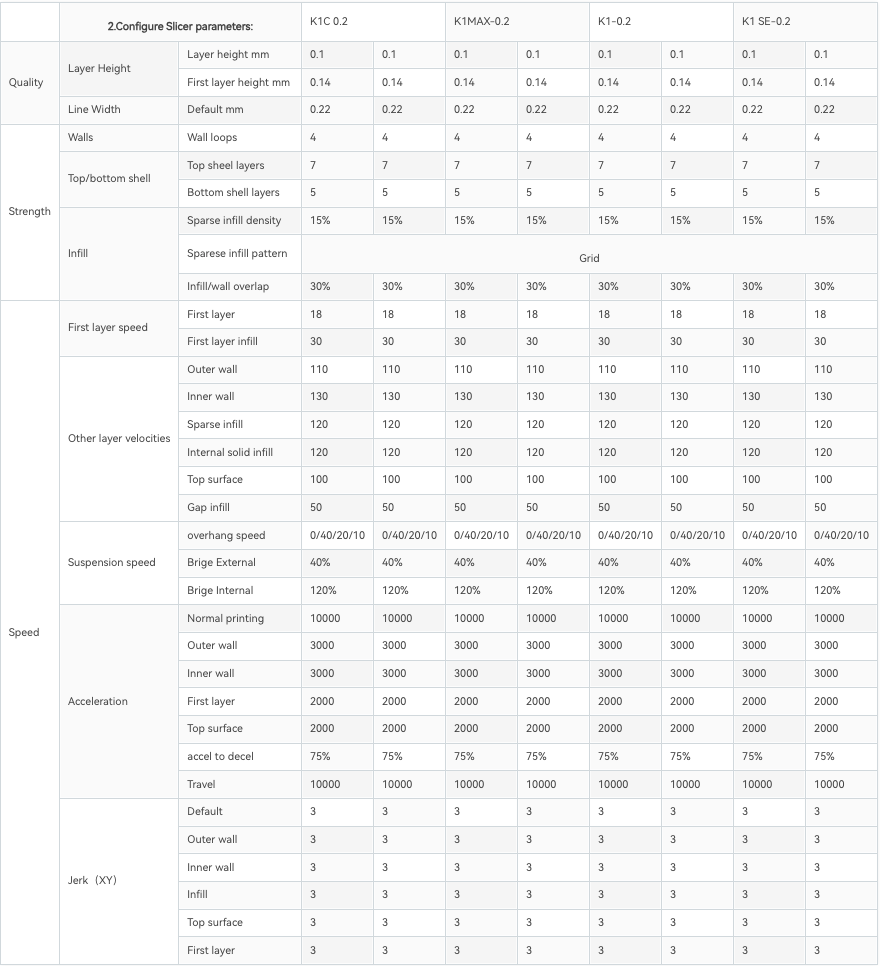
Refer to the parameter table configuration, manually modify the corresponding 0.2 nozzle configuration parameters for the printer according to the following steps.
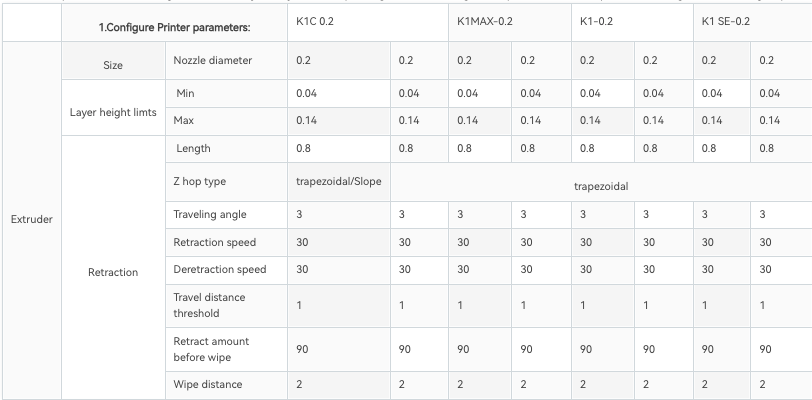
Configure Printer Parameters
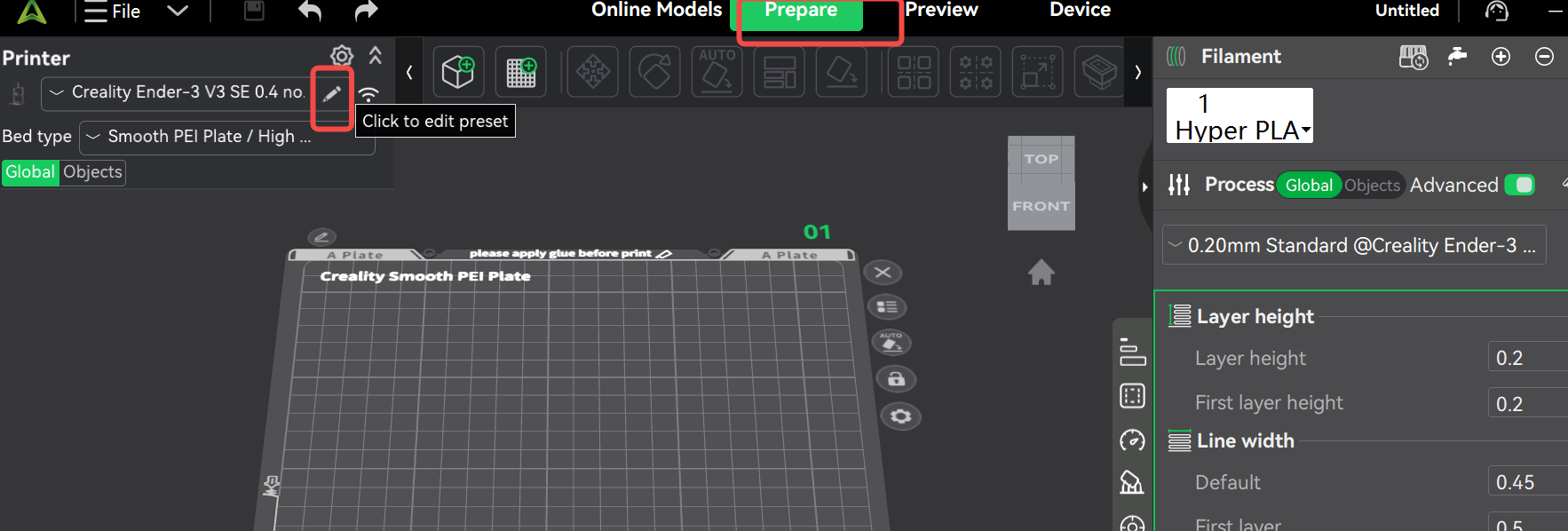
Open Creality Print, enter the [Prepare] interface, and click the [Pen] icon in the upper left corner.
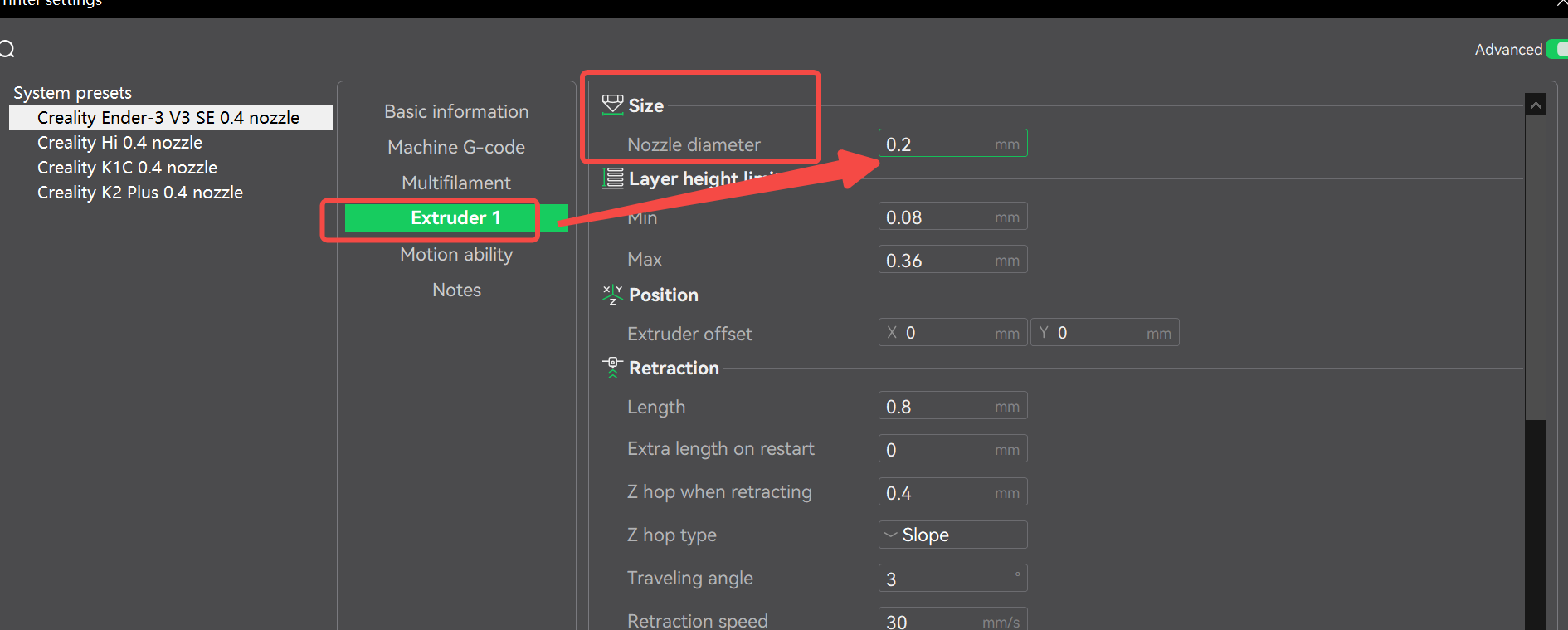
Enter the configuration page, select [Extruder], then fill in the configuration parameters according to the table parameters corresponding to the machine model and filament.
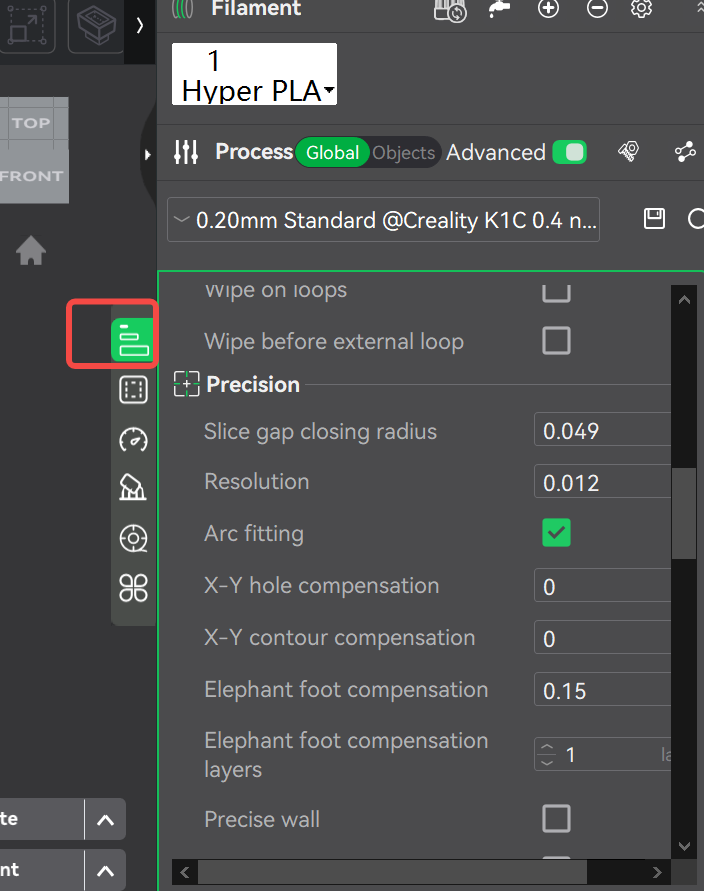
Configure slicing parameters
Select the corresponding configuration items in the parameter column on the right side of the overall page.
Configure Filament Parameters
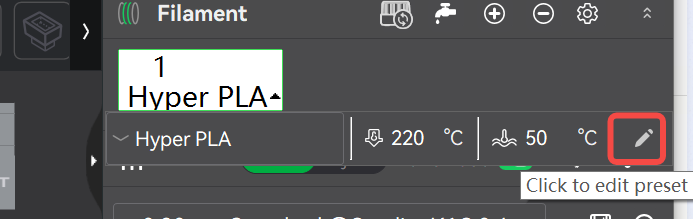
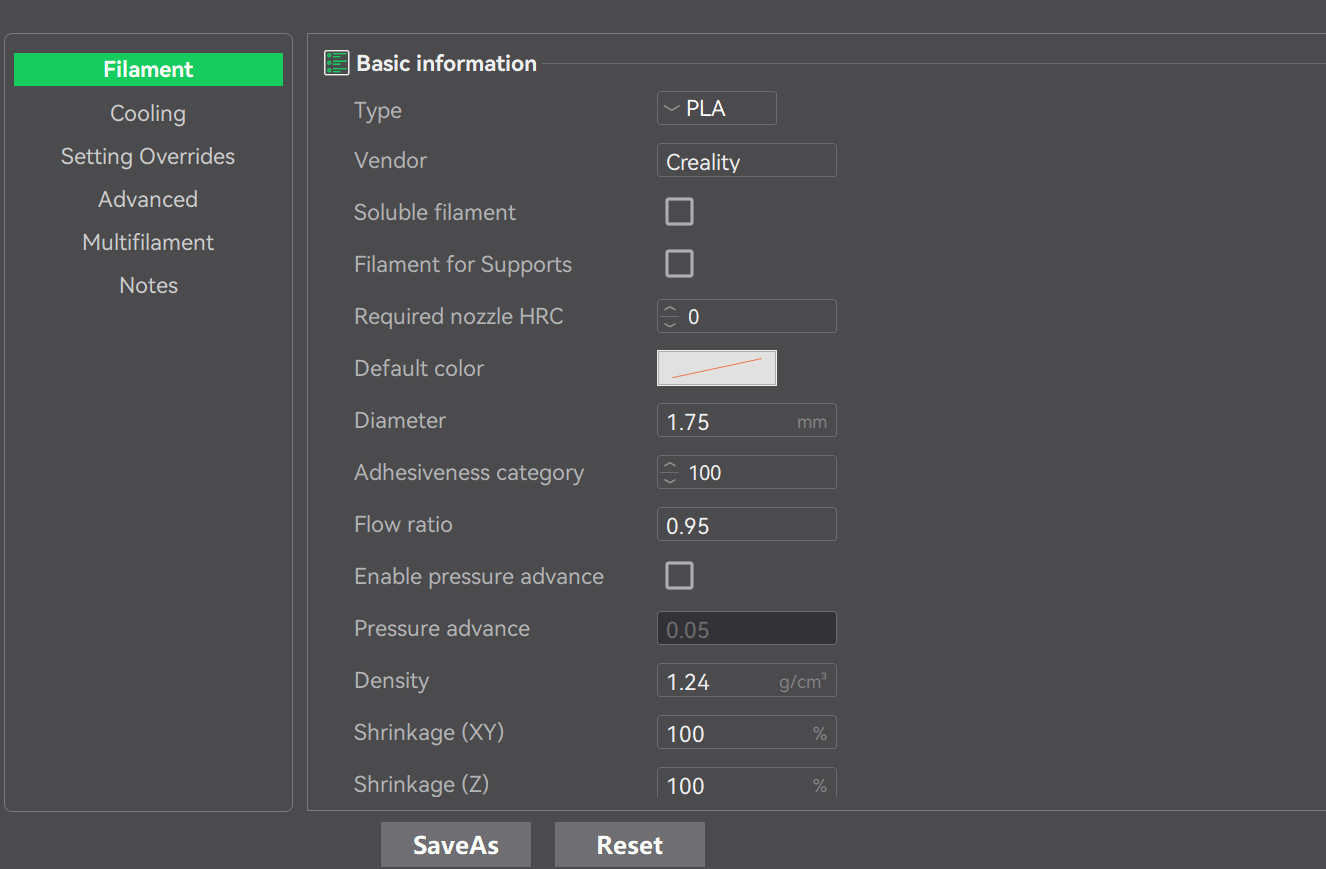
On the right side of the overall page parameter column, first select the “+” to add a new filament, then click on the descriptive text of the newly added filament to display the related menu, and click the [Pen] button to enter the filament configuration interface.