K1c 2025 two error today and not working

Hello

Today my k1c 2025 after 1 month of usage , it stopped working, with two errors, after a normal start-up

TE2564 (temperature of hotend low) and after this a CL5003 “auto leveling failure“

what happen ? All wiring seems ok, but I don’t want to disassemble anything due to warranty

i open a tickt, but Creality support are very slow to reply

Is there a chance it will work again, how does creality support work?

I am not sure about the CL5003 but temperature too low for the hotend usually signifies too much air flow around the hotend. So, instead of using 100% for your fan(s), try lower volumes of air being pushed towards the hotend.

Also, there are a couple things to do for the auto leveling features. Try to update to the latest-greatest Creality Slicer and do not perform the Print Calibration.

I sometimes use the print calibration set up when putting in new filament or using a new bed but outside of that idea, I do not believe it is needed.

the error is not displayed on slicer, but on monitor , when i select extrude or retract

menu.

Oh. Hmm. That is a new one to me. Maybe a more mature person can step in here. Usually, from self experiencing issues on my own and having to review the books Creality keeps for errors, I usually come to the same conclusions…

  1. Something is off
  2. The hot end gets too hot or not hot enough due to fan cooling which can be changed
  3. I cannot go over 300C ← BLAH…

Sometimes I cannot figure out the issue but I say on my side of things, 97.3% of the time it is the cooling. Those electronics can only handle so much heat before they frizzle out.

I understand what you are saying. I just have no definitive answer for now. Let me just make some sense of this now:

  • So, the hot end heats up
  • You retract or extrude the filament
  • Error

First off, without an answer, that does not seem like it is replicable but I think maybe the hot end is erroring out on all of which may be involved here, e.g. 1) Electronic Failure (maybe) 2) The filament only heats to about 220 or a bit less for the heating of the filament for extrusions 3) Maybe you have some nice filament that needs further heating.

Oh and be careful when you screw and unscrew the nozzle from the throat. Parts fly off the thing. I use the K1C from 2024 (maybe a severe difference or not) instead of the 2025 model.

Unplug the cables for the hot end and temperature gauge when screwing and unscrewing the nozzle and throat. I learned that expensive lesson already. I tried my darndest to solder back the pieces. Nope. Once the ceramic has been displaced from the heating element wires, replace ‘em. You can save a headache or two.

Also and I know this sounds silly…

Heat the filament first. Then extrude. While heating the filament from the menu, does the hot end even get hot?

Not warm but severely hot is how the hot end would seem to touch. The reason I am asking is because I have used the older 2024 menu but relied somewhat on the slicer GUI.

Also, I have had to transition the hot end -0.75mm which makes it almost 1mm closer to the bed which is something I did not want to do.

Again, sorry for not answering well enough. I think maybe your menu is different than mine.
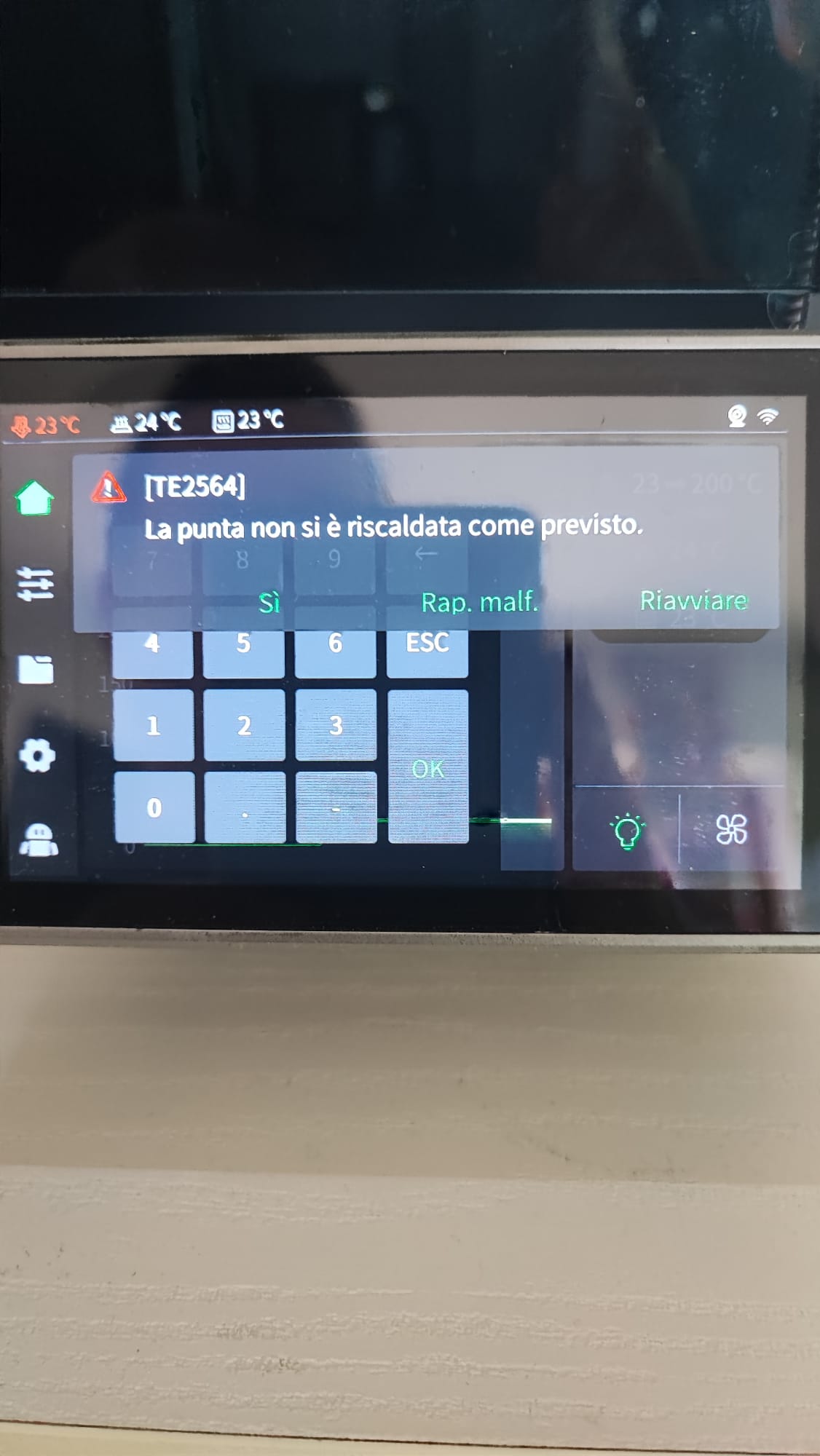
Thank @For_Ward , the problem is that the temperature doesn’t move from 20 degrees (celsius), as soon as I ask it to go up it goes into error.
as I was asked by the official creality support, to check all the cables if they were in place, but error persist

I think the hotend is broken, is it possible after just a month of use?

Is the hot end heating? If the temperature is indicating 20c then the temperature sensor is working OK normally if the sensor is faulty the reading would be 0 or maximum not 20. I would remove the cover on the hot end and check the heater connection on the circuit board. if OK then you may have a faulty heater cartridge. If this is so, replace the heater and nozzle block.

Bill

@Bill.b , no the sensor i think work well, the 20 celsisus is the hotend temperature, same of the ambient, this because hotend temperature wont up, with the error in screenshot.
But Creality support hesitates with questions if the cables are all connected……..
This already means a month of printer downtime.

I thought buying from the official Creality store would be more popular.

If they don’t respond within a week, I’ll file a complaint with PayPal.

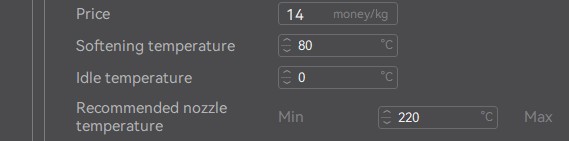
In the GUI, there is a section that states the filament settings.

This may help you.

Update

I do not think the hotend is broken but who knows? I had to fidget with the settings a long time for optimal working conditions. Have you taken apart the hotend gantry section yet? It might be a loose cable or like Creality states, the cable may be unattached.

What version of the slicer are you running, e.g. 5.2, 6.3, 7.0? Also, do you have updates automatically set for firmware on the printer?

Today Creality reply to my ticket with a new nozzle kit and hotend to replace mine..hoping it arrives soon

just to reply to @For_Ward
i’m using creality print v 6.3.1.3548, the 7 version have too bug on it..

but the problem is on touch screen and system, during the heating process, it does not rise in temperature

so so the slicer has nothing to do with it

1 Like

Okay. Maybe mine was just working as is…

Good luck! I will try to pay attention. So when you reply, I can see what transpires.