I am having an inconsistent printing issue with my Creality K1C when printing PLA. I have only used PLA so far and have not tested any other materials.
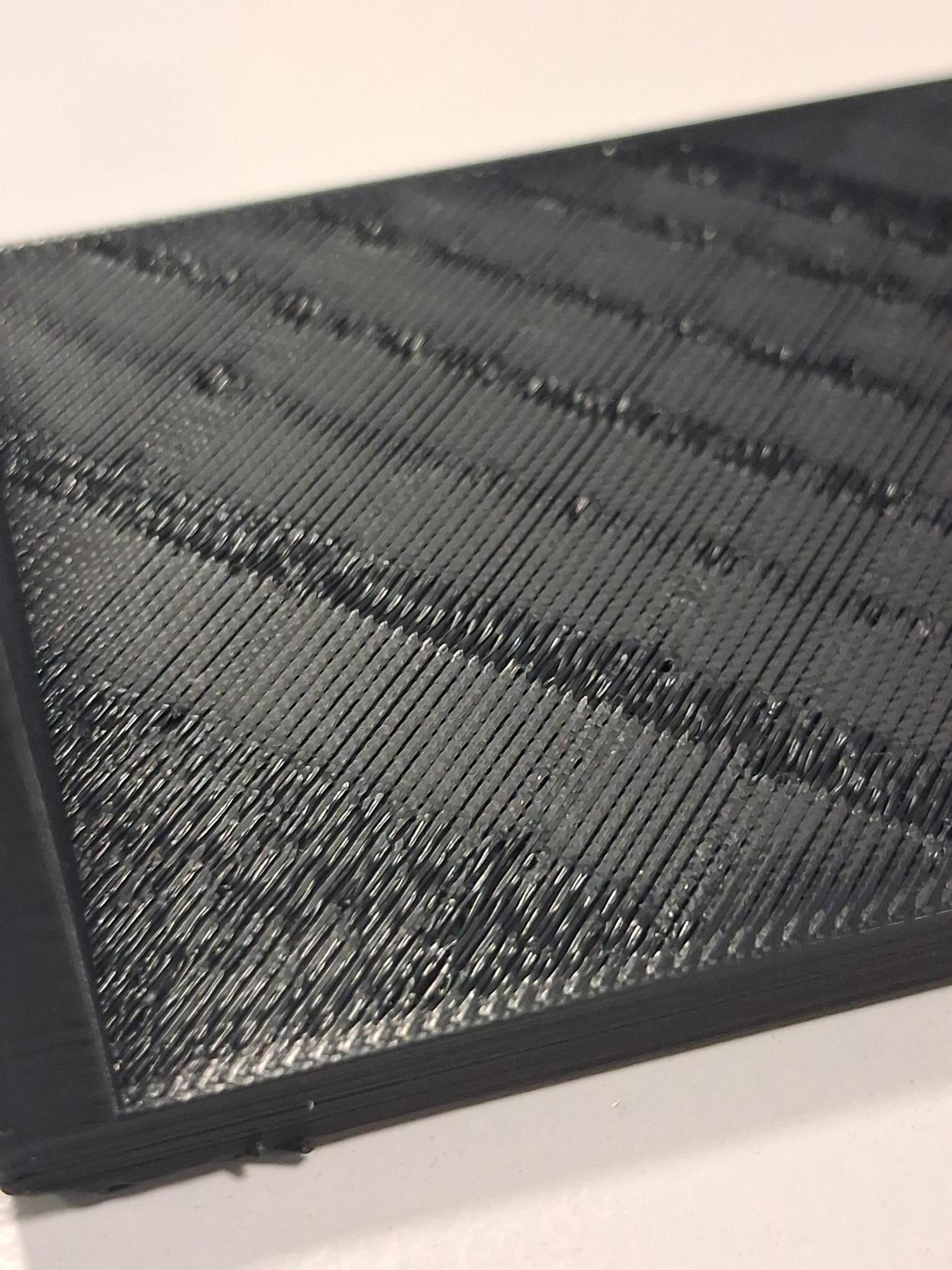
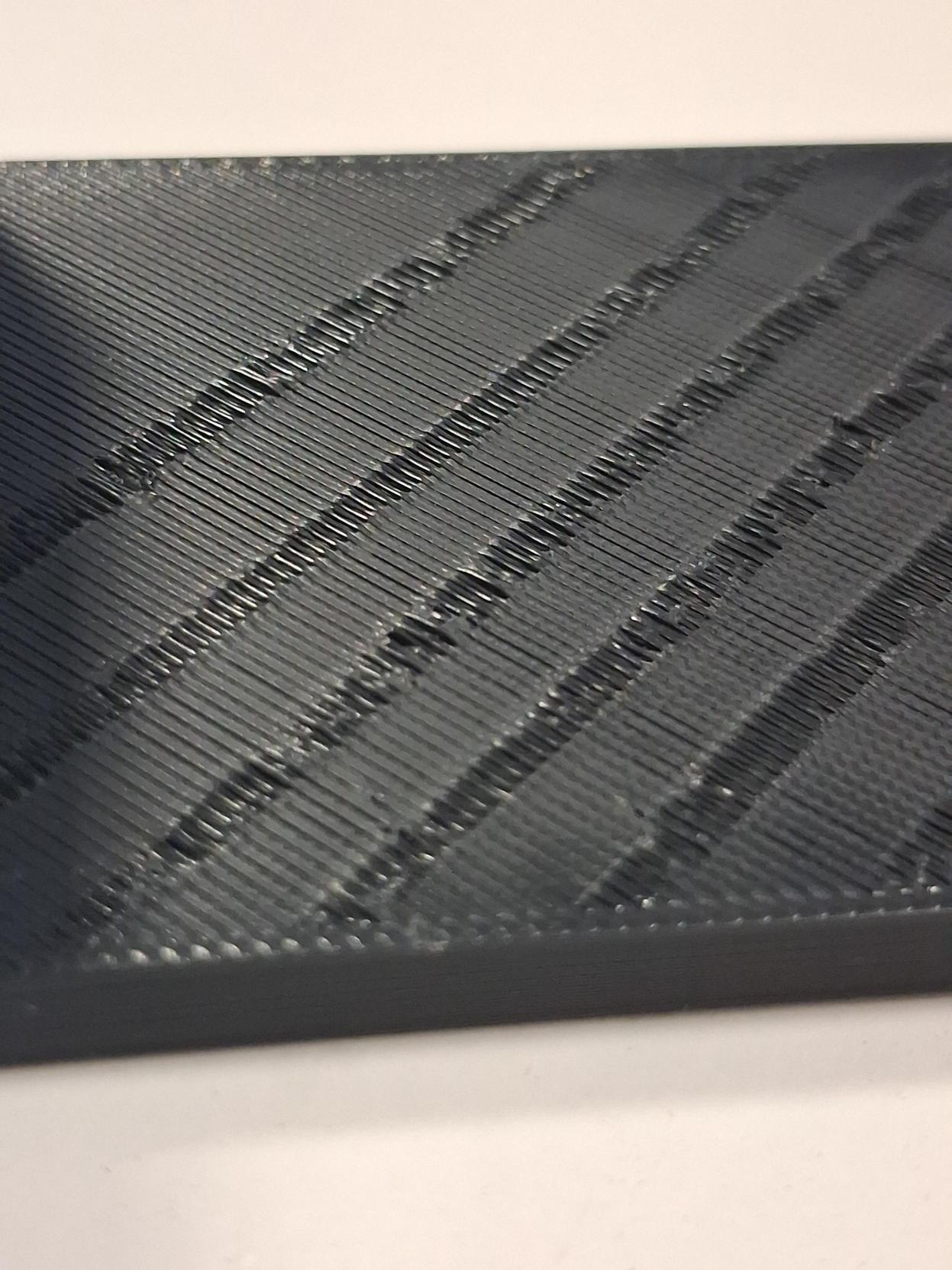
The problem is that gaps or missing patches appear on the printed surface, but they are perpendicular to the extrusion lines rather than along them, which would normally suggest inconsistent filament flow. I am using the default settings in Creality Print for Creality Hyper PLA, which is the filament I currently have.
Other filaments, such as Fiberlogy PLA, are practically impossible to print with this printer. I have full rolls sitting unused because of this issue.
I have tried changing various slicer settings, cleaning the nozzle, changing the build plate, replacing the filament feeder gears, lubricating the rails, tightening the belts, and several other things, but nothing seems to help.
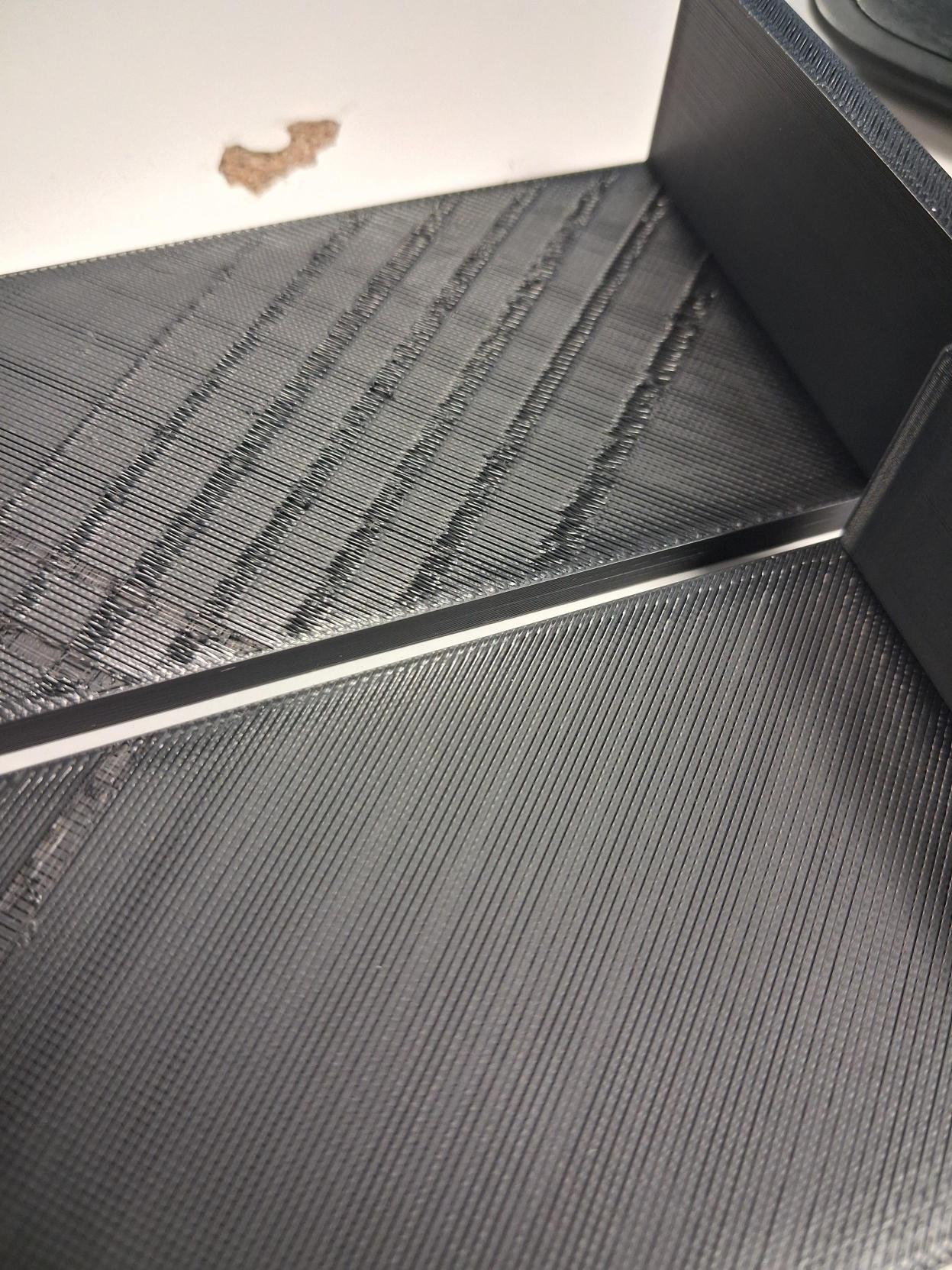
What makes this particularly confusing is that the problem is intermittent. Sometimes it occurs, sometimes it does not, even when printing exactly the same models with the same settings. One of the attached photos shows two identical models printed during the same print job: one has the defects, while the other came out fine enough. This makes the issue even harder to understand.
The filament has sometimes been brand new, sometimes stored for a while, and sometimes dried in a Creality filament dryer at 50°C for 6–8 hours. I cannot identify any correlation between the filament’s condition and the appearance of the defects.
Has anyone experienced a similar issue with the K1C or have any ideas what could be causing it? I would appreciate any suggestions, as I have already tried quite a few things without success.