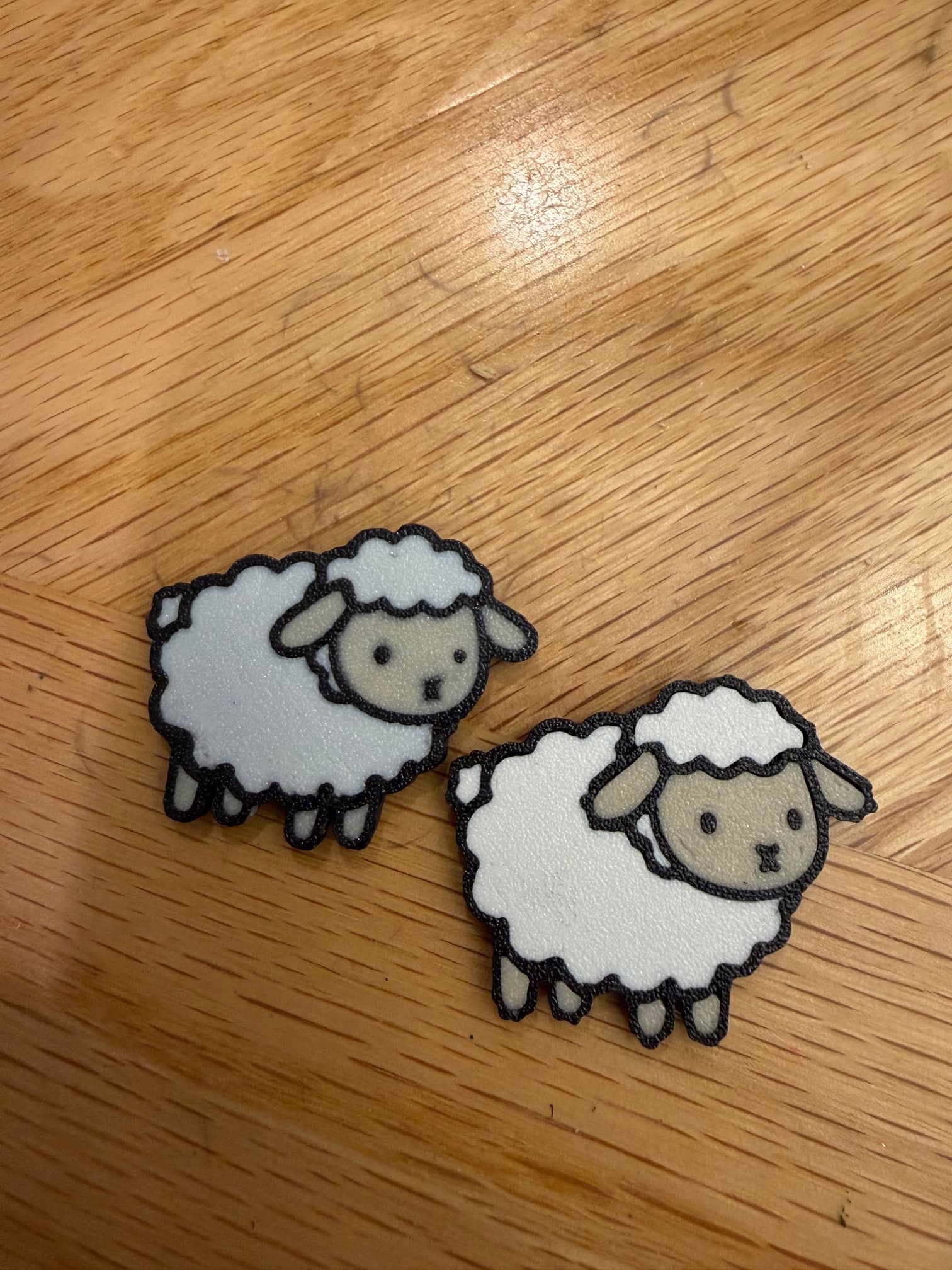
I have a K1c (with CFS) as well as a K2 Plus. I have been having problems with smaller prints on the K2 plus and only just realized that my K1c seems to print better: finer lines, less smudges. I am using Elegoo with the same colors of filament for both printers (PLA+ rapid) –and the colors also differ: they appear duller from the K2 Plus prints for both the white and the “flesh” color, and more matte-like for the white on the K1c although I’m using the same PLA+ filament for both. I am printing the first 3 layers on the K2 plus at 30-40 hoping that would give better prints
. How do I refine my K2 plus settings to get it to print as well, and am I imagining that the two printers have different color output?? In the picture, the K2plus print is on the left, and the K1c on the right.
If you want to compare prints, start by printing them in the same size… when printing smaller some detail will fade..
To get the white more white you have to purge more to clean out black…
They were actually the same size–just the camera angle (couldn’t take picture overhead due to a lot of shadow).
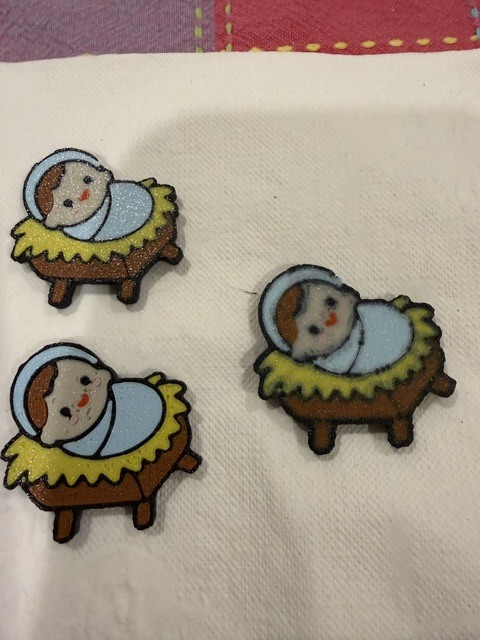
As are the models in these pictures: same size, same model.
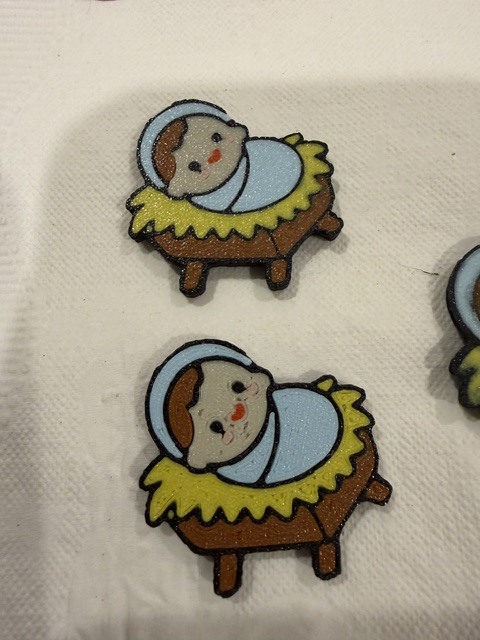
I moved an additional CFS unit to my K1c, and have attached a few pictures. The two on the left (or the two alone) are printed on the K1c: top when I printed only 5 at a time (trial), buttom when I printed 24. For reference, these are roughly the size of a 50 cent piece… The bottom one: didn’t fill in the first layer as well in any of the prints, but wasn’t an issue before.
The one on the right: was printed on my K2 Plus, with settings slowed down to match the K1c (speed, acceleration, jerk, etc) and the print was still terrible. Same filament, same model, sliced separately obviously due to different printer profile. Same filament print order (black was last for each one).
Two questions:
-
as regards the K2 Plus, what can I do to get it to print as cleanly as my K1c? At least for this model, the K2+ is doing a horrific job.
-
as regards the K1c, it looks like the most recent run there was ? under-extrusion for the first layer, but not on the prior run. What could have changed? I have never changed any of those settings on either machine.
Please help!
For the k1c print, that appears to be a first layer adhesion issue. Part of the print lifted while printing giving the appearance of under extrusion - at least that is what I see in the pic.
As for the k2+ - first don’t treat it like the k1c. It likely needs to print faster for better results, and you likely need to calibrate the flow rate for the filament your using….
Thank you, that’s very helpful!
I was printing the first 3 layers (the multicolor) at 30-40 mm/sec for both printers; any thoughts on what to try for the K2+ ? Also, would there be any reason to lower the acceleration/jerk? I have read many posts where slower print & acceleration were recommended. That being said, it can’t get any worse than what it’s doing recently.
Would there be any K2+ mechanical issues that would cause those effects? I literally just re-installed the 1.1.5.5 or whatever it is after proving to myself that the 1.1.3 whatever did no better…
As regards flow rate, when using multiple filaments, i could have it optimize only the first used–unless you are talking about using Fluid to capture the settings for each filament…I’d have to figure out how to know what filament was what (learning curve)
Creality Print has built in Calibration Tools. Creality Print Calibration
Start there. I found it very helpful to calibrate for individual filaments I was having issues with. It is actually really a simple process to calibrate for flow rate - but it made a huge difference for me. Each specific filament gets its own user profile - i adjusted Creality Soleyin Grey and Creality Soleyin White to each have their own flow rates - whether single color print or multi - flow rate changes whenever a different filament is used as each has its own profile - it is completely auto after the initial set up. Super easy. Took only 1 hour, a few grams of filament, and a magnifying glass (but that is just because I was being super picky and wanting to be sure to select the right one.
Humidity is another factor of course, but I assume you’ve got that under control already in the CFS - if not, that’s an essential next step. My CFS humidity is at 5%  I love the desiccant drier I designed and printed.
Ok, so here’s a question. Did you even try running the K2plus on the default settings without adjustment? That is where I would have started. Just slice and print - THEN decide what if any changes are required. It’s very possible your ‘custom’ settings are causing the problem. Just let the K2 do its thing. Many times it does it very well.
Thank you for that info! I finally got to optimizing flow & PA, and the resultling print was nearly perfect–
Why would the K1c have NOT required that information? I haven’t tried the flow rates for the K1c (using mainly K2 plus since improved) but why was the K1c so forgiving of improper filament calibration?
1 Like