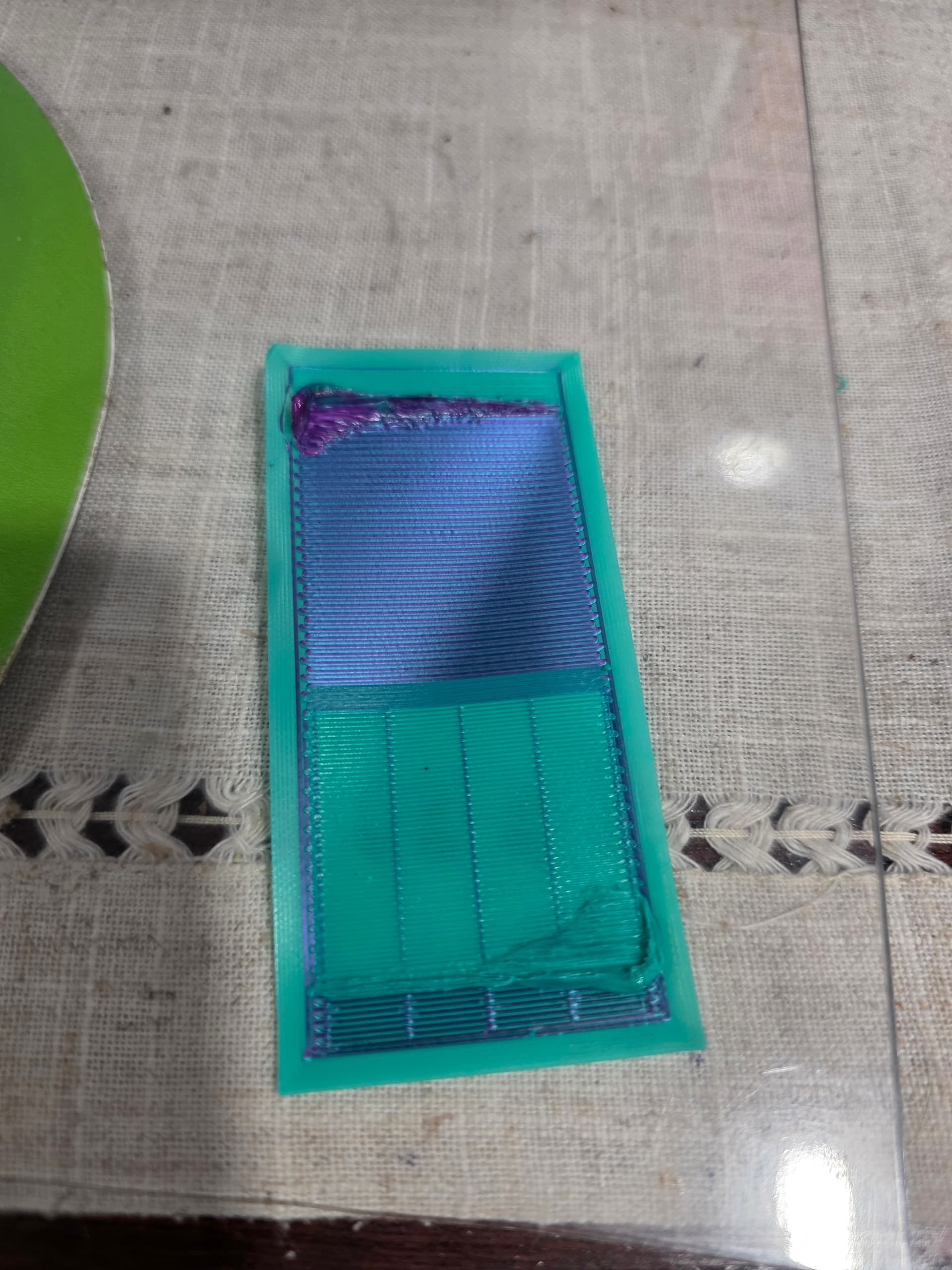
After every color change with my K1c with Cfs, it immediately goes to the prime tower and leaves an initial blob, than prints fine after that. The blob than causes impact with the nozzle when it goes back over that area in the prime tower.
The model seams to print fine, I am thinking its a software/setting issue and not a mechanical issue. I am using OrcaSlicer v2.3.1
There are more than one possible causes. Please try first if the nozzle is clear and has no clogs and the chute and cutter is also clear. Do you print with 0,4mm nozzle? Did you use this filament previously on the regular single color models? If it possible, please try using Creality Print for similar model to check if the printer preset is correct
The nozzle was clear. I am printing with a .4mm nozzle. This filament has only been used for this CFS multi-color model.
I am printing the model now with Creality Print, and after a few adjustments, it does not do the blob in the prime tower, or at least at the point where it was recognizable. So I am printing one of these models and see how it turns out.
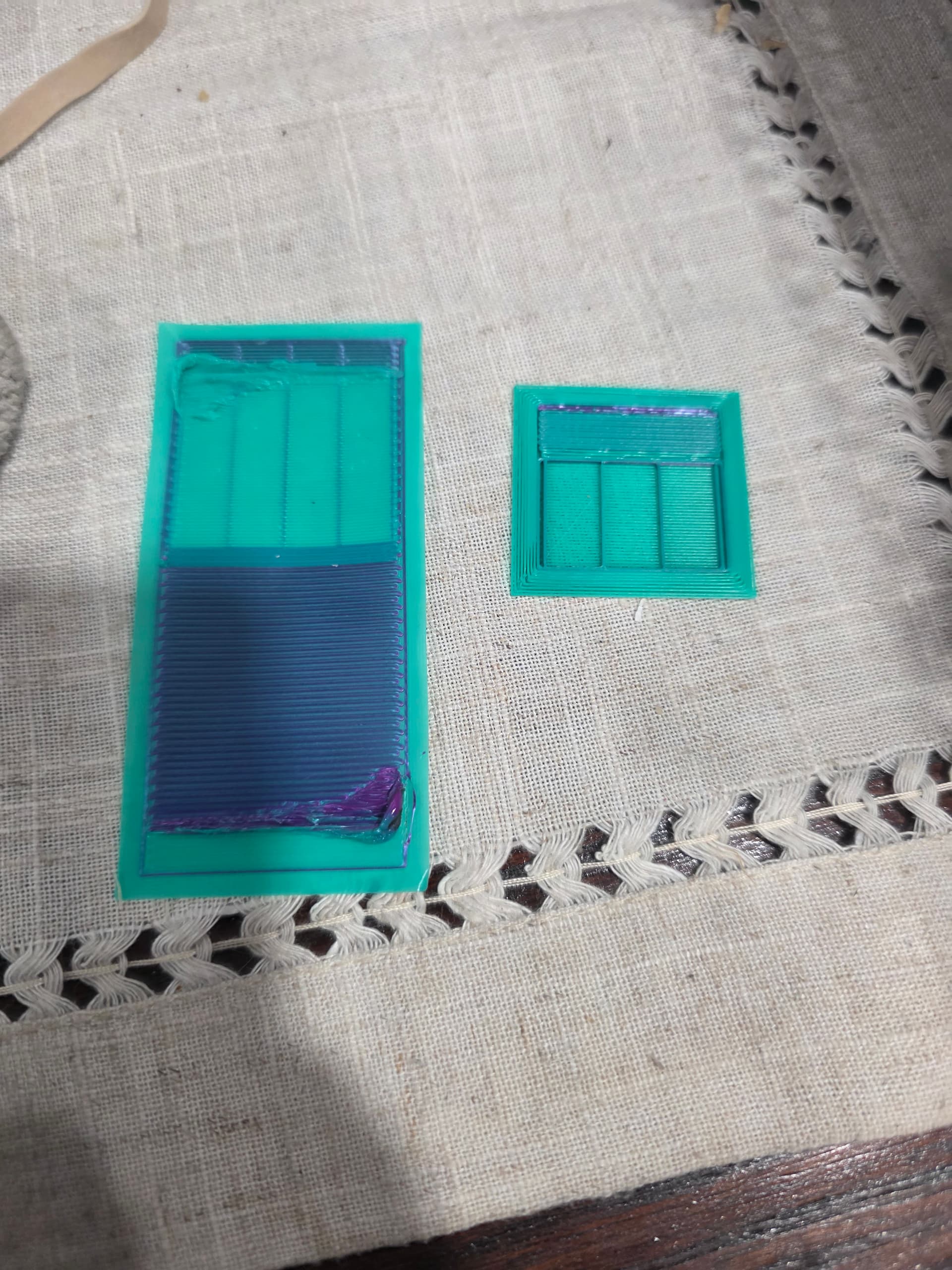
The prime tower on the right is the one from Creality Print. This is before I tweaked a few settings that improved it even more. Also notice the size difference between Orca and Creality.