Welcome to the community.
I’ll try to address what you’ve already done and offer some observations. The TL;DR version: This looks like mechanical not firmware related, the firmware upgrade may be just coincidental.
-
Reseated the hot end – Good start but did you replace the entire hotend? It’s worth a try.
-
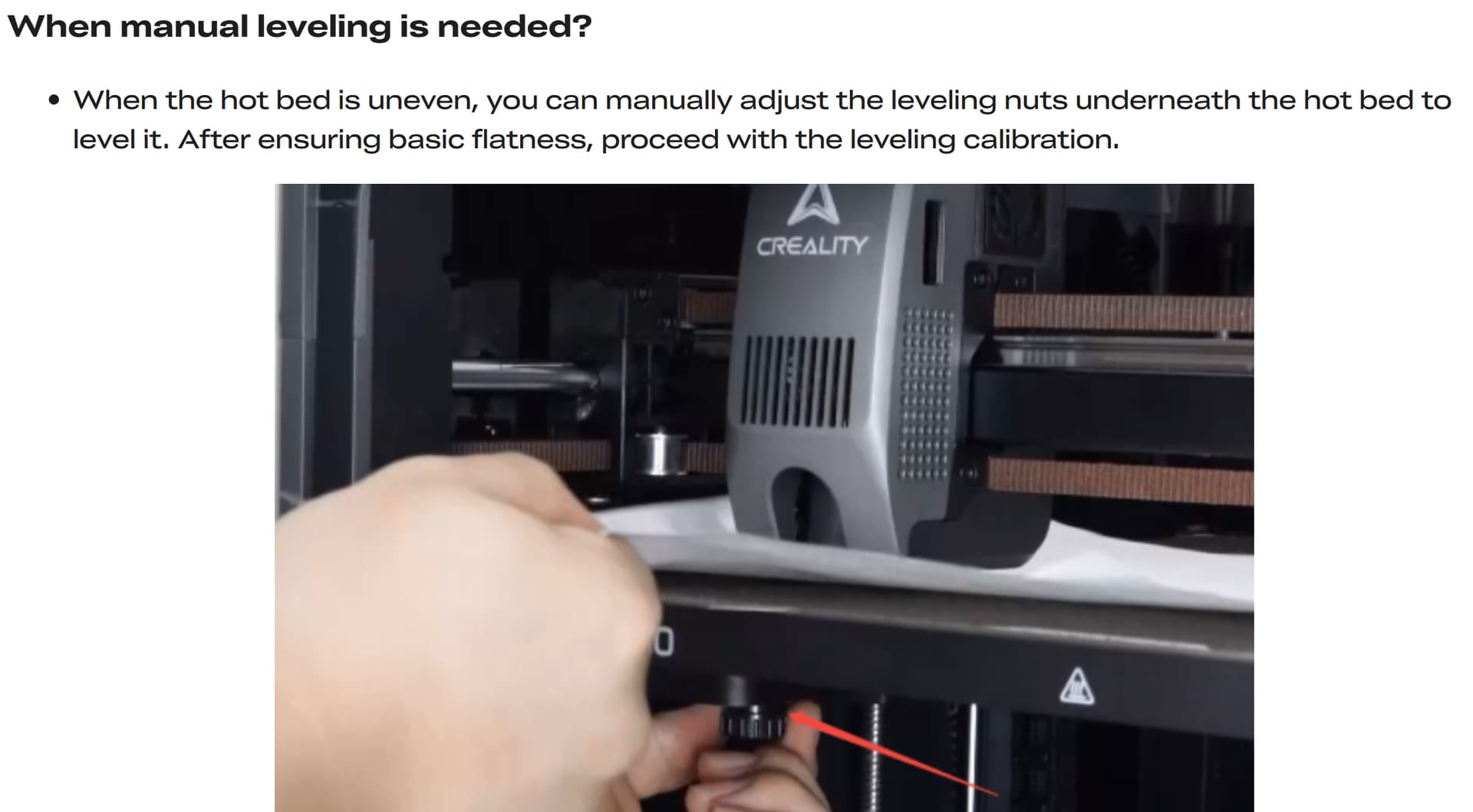
Ran calibration (several times) - I assume you mean bed leveling? Please confirm. This should have fixed the issue even if the hotend is slightly off.
-
Reset back to factory settings - While that might feel good, it rarely address this kind of issue.
-
Used OrcaSlicer rather then Creality Print - This is not relevant to the problem displayed and should have no affect unless there is a real defect in the generated GCODE.
-
Downgraded to previous version of firmware (1.1.6.3) – This is a good step and you just proved that the firmware is not the issue.
-
Upgraded to very latest firmware (1.1.6.7.2) – See above explanation.
-
Heated the plate before printing – This is good but one thing you might want to try, if you haven’t done it already, is let the bed heat soak for 30 minutes at operating temperature and then run the bed leveling calibration.
-
Turned AI off – Good step because it removes one more variable.
-
Ensured the slicer profile matches that of the filament (using Creality Hyper PLA) – While this is a good step, did you try using Generic PLA profile. It will be slower but I’ve found it to be a good fallback when I’m too lazy to properly calibrate a 3rd party filament I haven’t used before.
Other things to try:
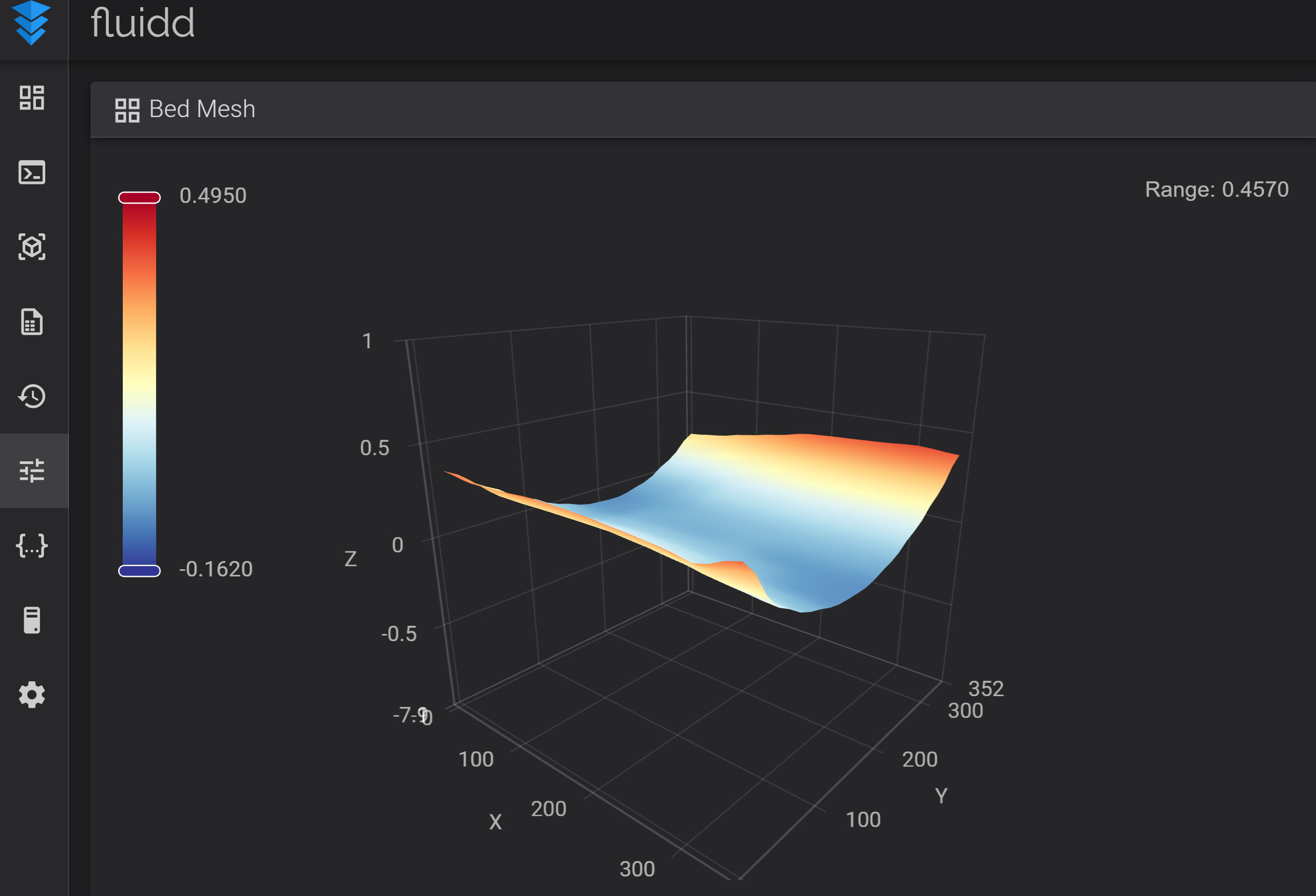
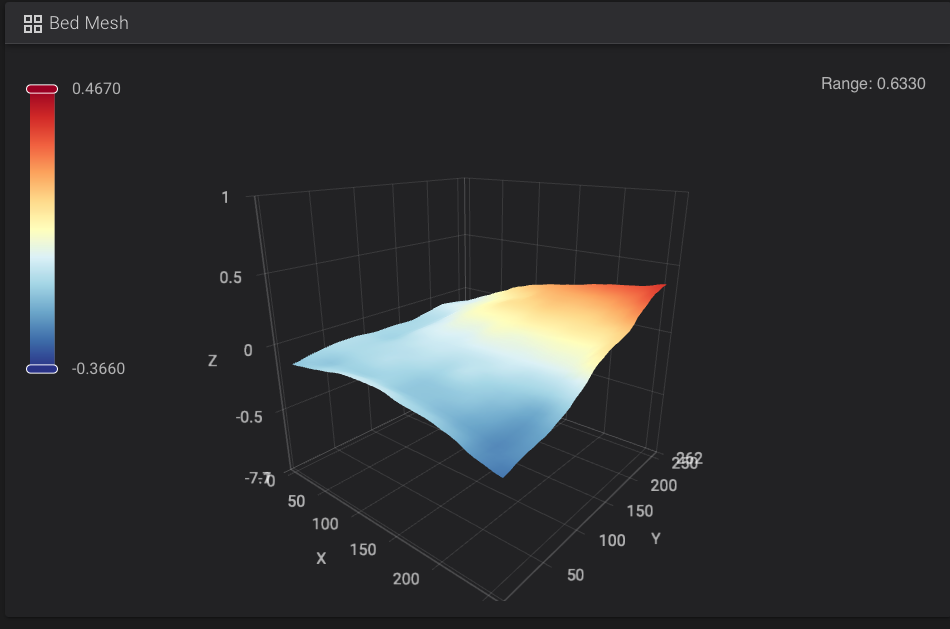
- Point your browser to the fluidd web page for your printer. That would be this format http://<your_printer_iP>:4408/#/tune This will show you what your mesh looks like. Upload the image here so we can see what the bed level calibration looked like and possibly offer some insights or better yet, upload the image to your favorite AI with the following prompt:
-
I have a ‘your_printer_name’ with Klipper firmware, review this image and tell me if I should be concerned and what the remedy is.
As you can see, on my K2 Plus, it at first looks alarming with a range of 0.4570 but I assure you that is well within spec. I believe creality states that anything ±1.0 is valid but check this in the wiki.
Possible wiper problem
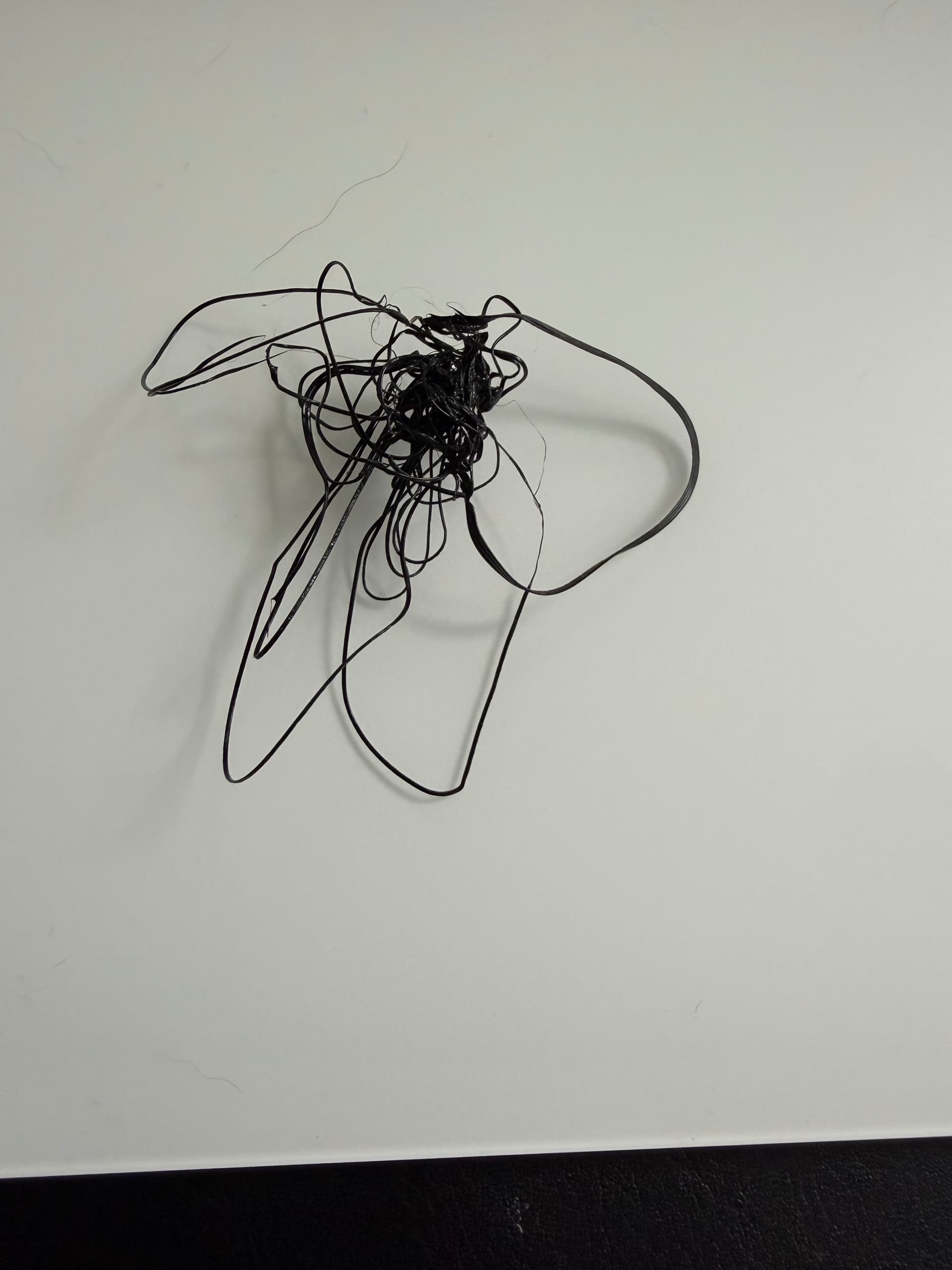
I didn’t see this on your list, but did you check the nozzle wiper above the purge chute? The filament around the hot end looks like it could be purge material that was not completely wiped off the nozzle.
Before changing anything else, heat and clean the nozzle, inspect the wiper for damage or poor alignment, and then watch a purge cycle to confirm whether the wiper completely removes the extruded material. The wiper pad can easily be replaced. Its position can also be adjusted by carefully bending the metal bracket, although the complete assembly is inexpensive enough to replace.
Here is an Amazon search for replacement wipers:
https://www.amazon.com/s?k=creality+K2+Wiper+brush
Here is Creality’s replacement procedure:
A defective wiper could explain the filament accumulating around the hot end and possibly being dragged into the first layer. However, it would not fully explain why the nozzle gouged the build plate. If the nozzle is clean before printing and the first layer is still being scraped or swept away, you may also have a separate nozzle-height, hot-end alignment, or calibration problem.
If the wiper is the cause, this is a better wiper solution
In my experience, Creality’s K2-series wiper is poorly designed. Depending on which version was shipped with the printer, replacing it can also be difficult because of differences in the supplied mounting hardware.
In my case, the purge chute on my K2 Plus did not have the mounting hardware required by the replacement part. I eventually became so frustrated that I created an adapter for a Bambu Lab wiper. After installing it, my wiper-related problems went away.
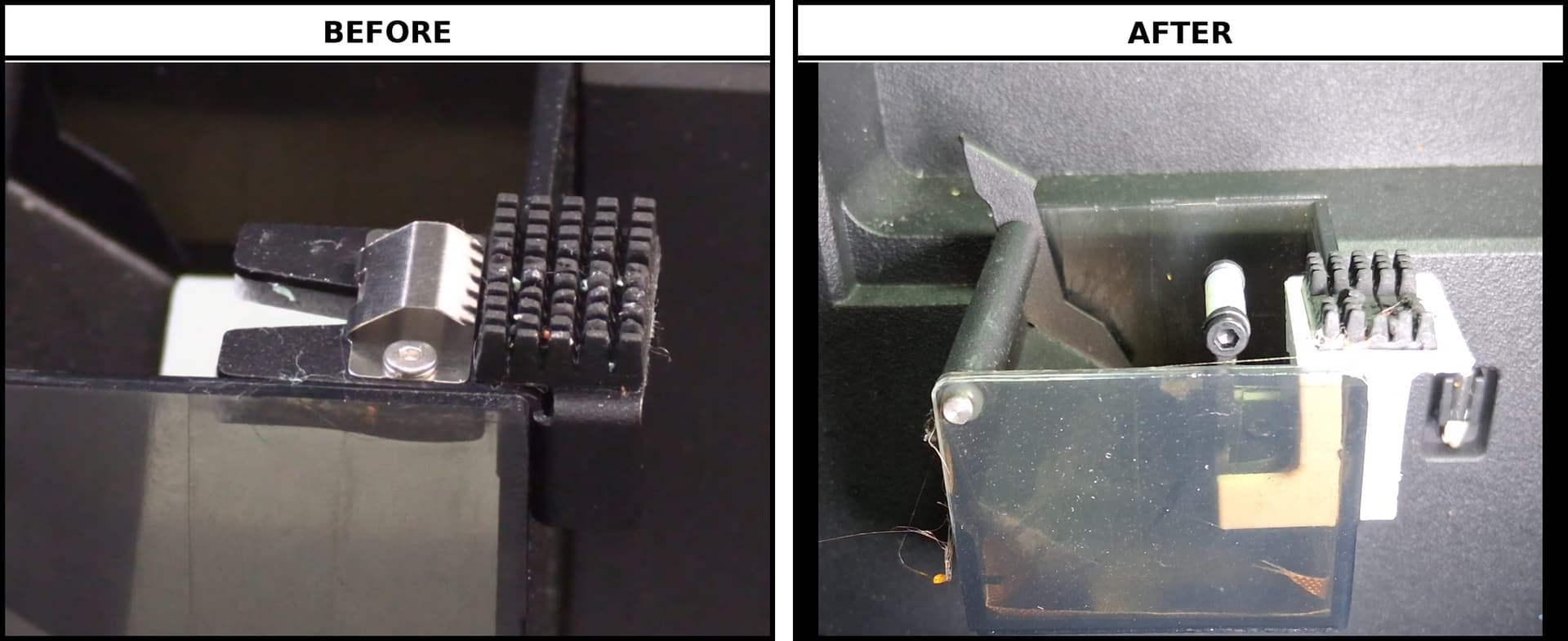
Here is my modified K2 Plus wiper holder. It uses the Creality pad but includes mounting for a Bambu Lab wiper. Because yours is a K2 rather than a K2 Plus, I cannot confirm that this holder will fit your machine without modification.
K2+Wiper+Replacement+v3.STL (64.3 KB)
Here is one source for the Bambu Lab X1- and P1-series wiper:
This is what the modification looks like in my machine. The before photo is from Creality’s wiki, and the after photo is from my printer. The Bambu Lab brush shown in my printer has been installed for about a year. Although it is visibly degraded and overdue for replacement, it continues to work very well.