Hello everyone! I got the K2 plus about 3 weeks ago. At first I tried printing some very basic small models using the side spool holder and using Creality Hyper PLA and the stock Hyper PLA profile. The prints worked and everything seemed right with the world. Although I got this printer to print large models. So I quickly turned to my large model and sent it to the printer, again using the stock Creality Hyper PLA profile. The PLA was Creality Hyper PLA in red. I then encountered problem after problem. I will list the ones I can remember here so people have the full history but I’ve adjusted so many settings at this point in attempts to get the Creality Hyper PLA red to print my large model, its been quite the journey:
- (stock profile) extruder gears showed tons of red powder and the print had gaps towards the top and in general was just bad. The first 30 or so layers looked great and there was great bed adhesion
- (updated profile and changed a bunch of settings after following online recommendations)
- Adjusted temp
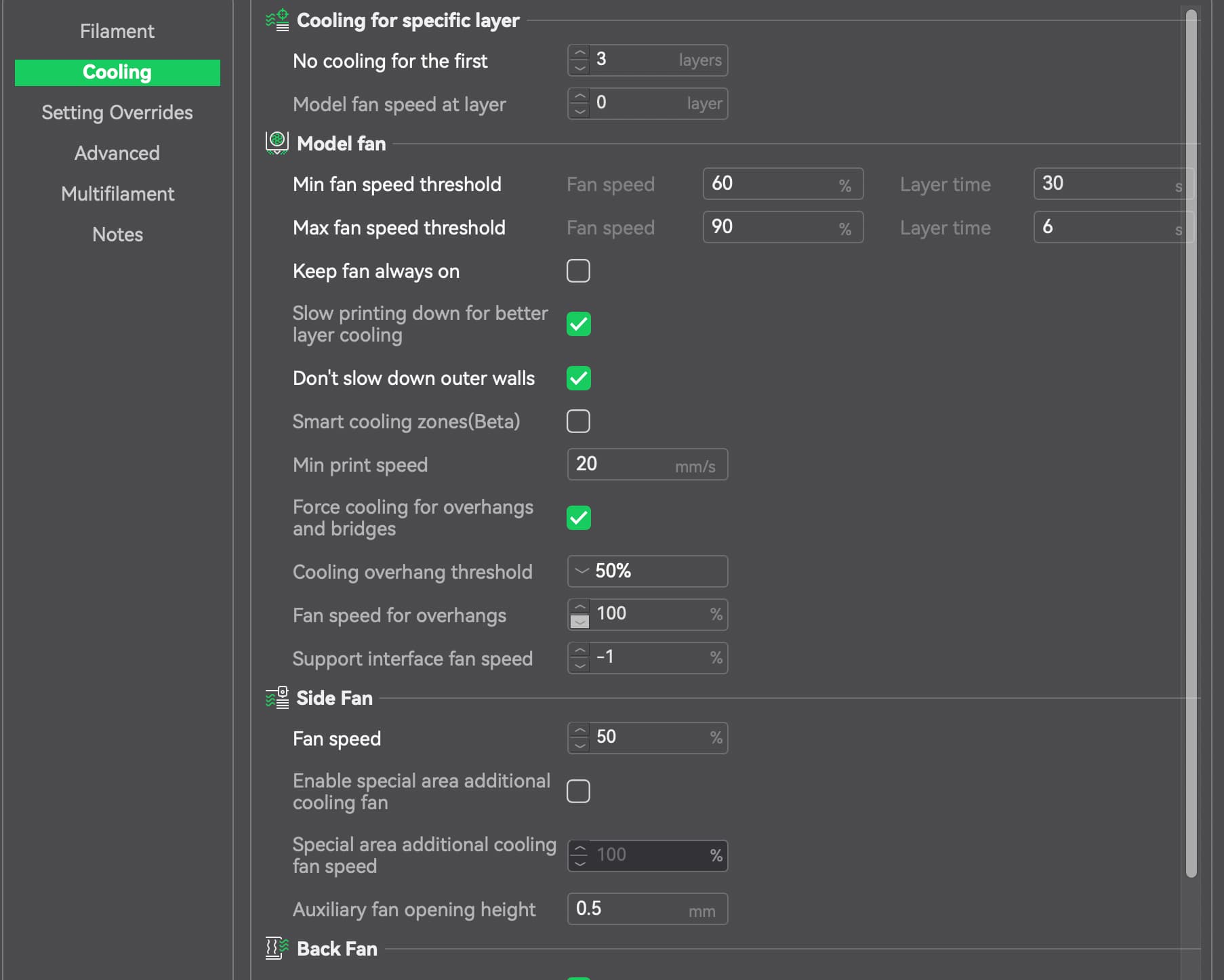
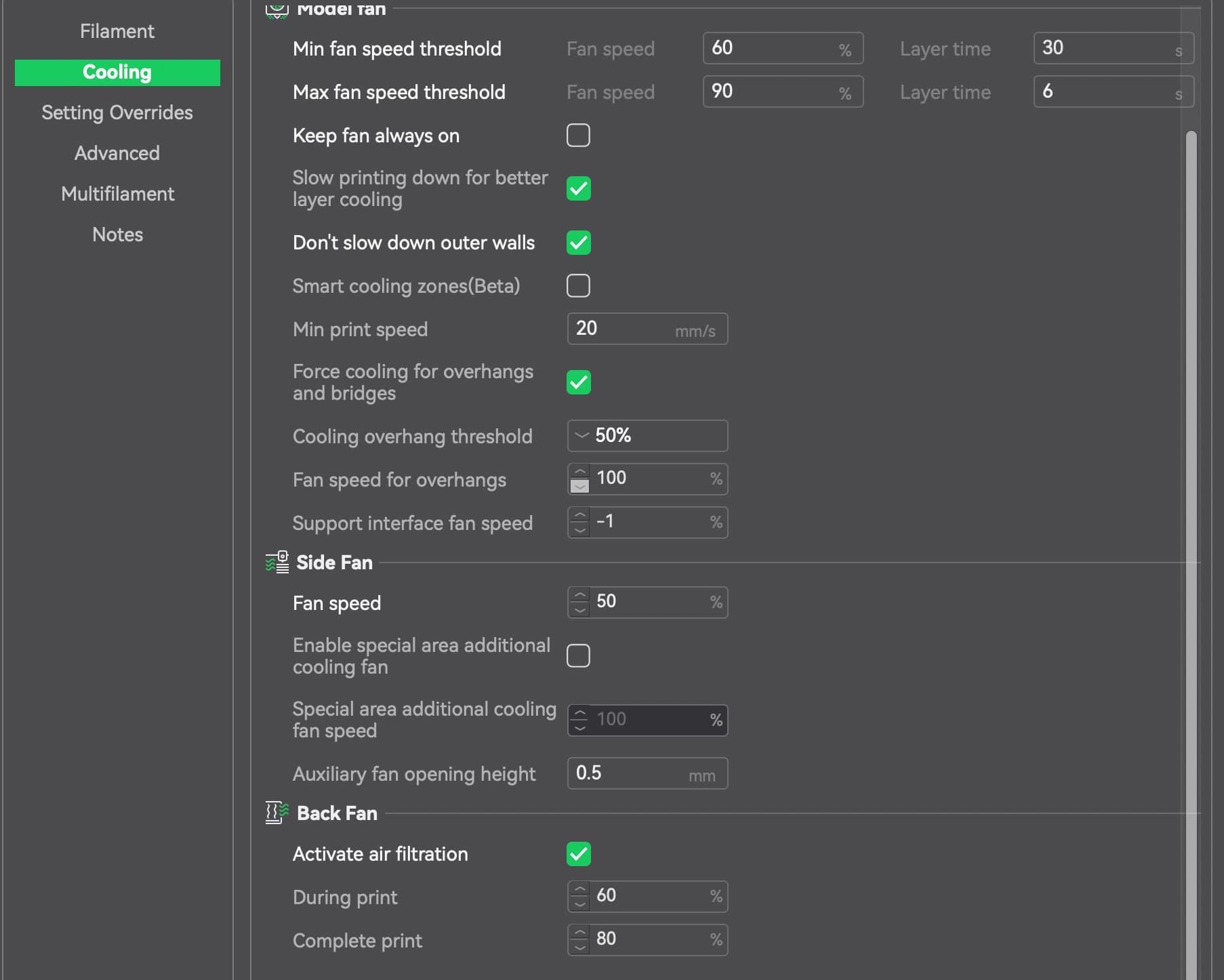
- Adjusted fan speeds and timings of fans because large gaps were seen between some of the initial layers
- Adjusted extrusion and retraction lengths because some layers were “under extruding”
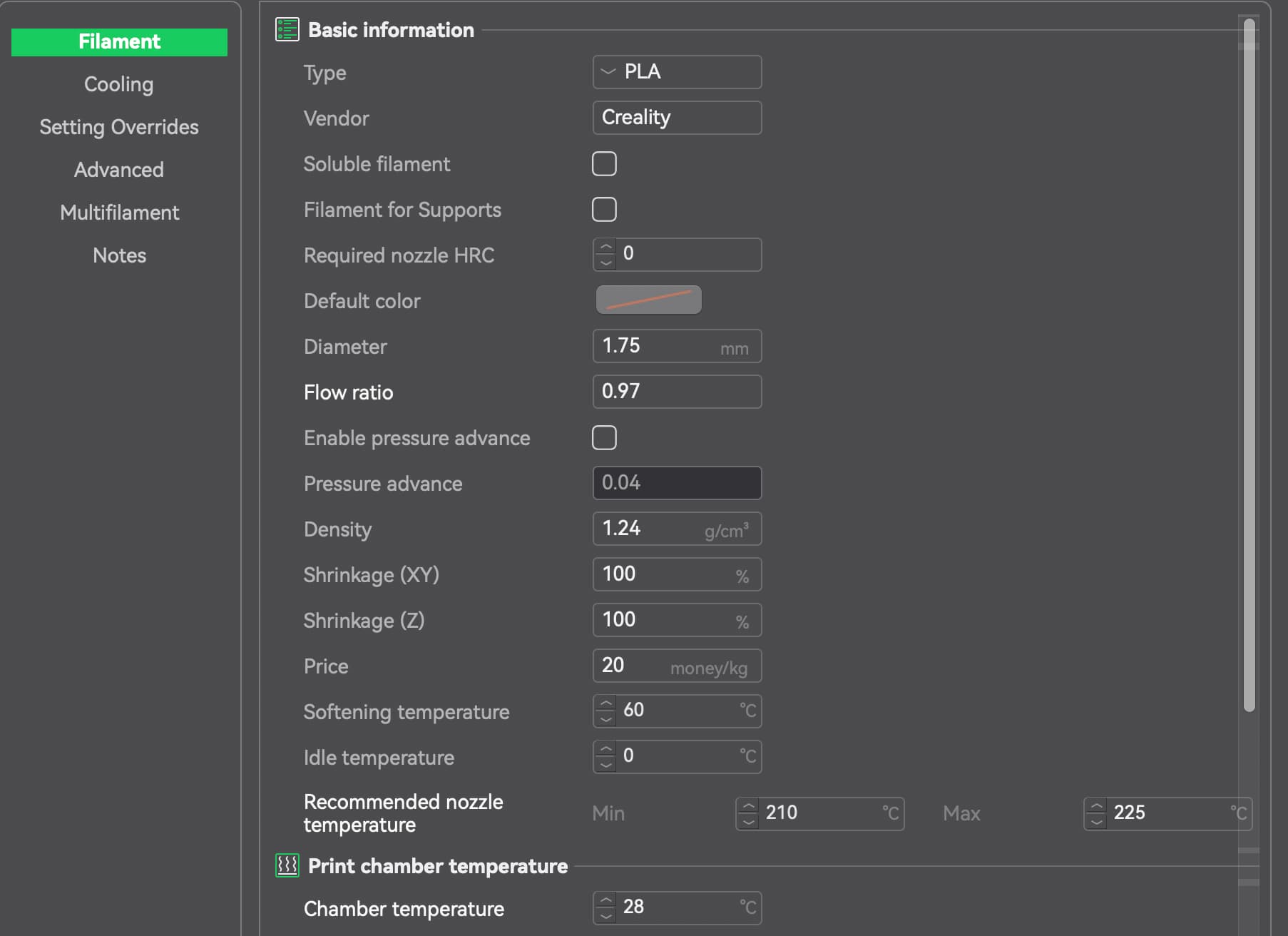
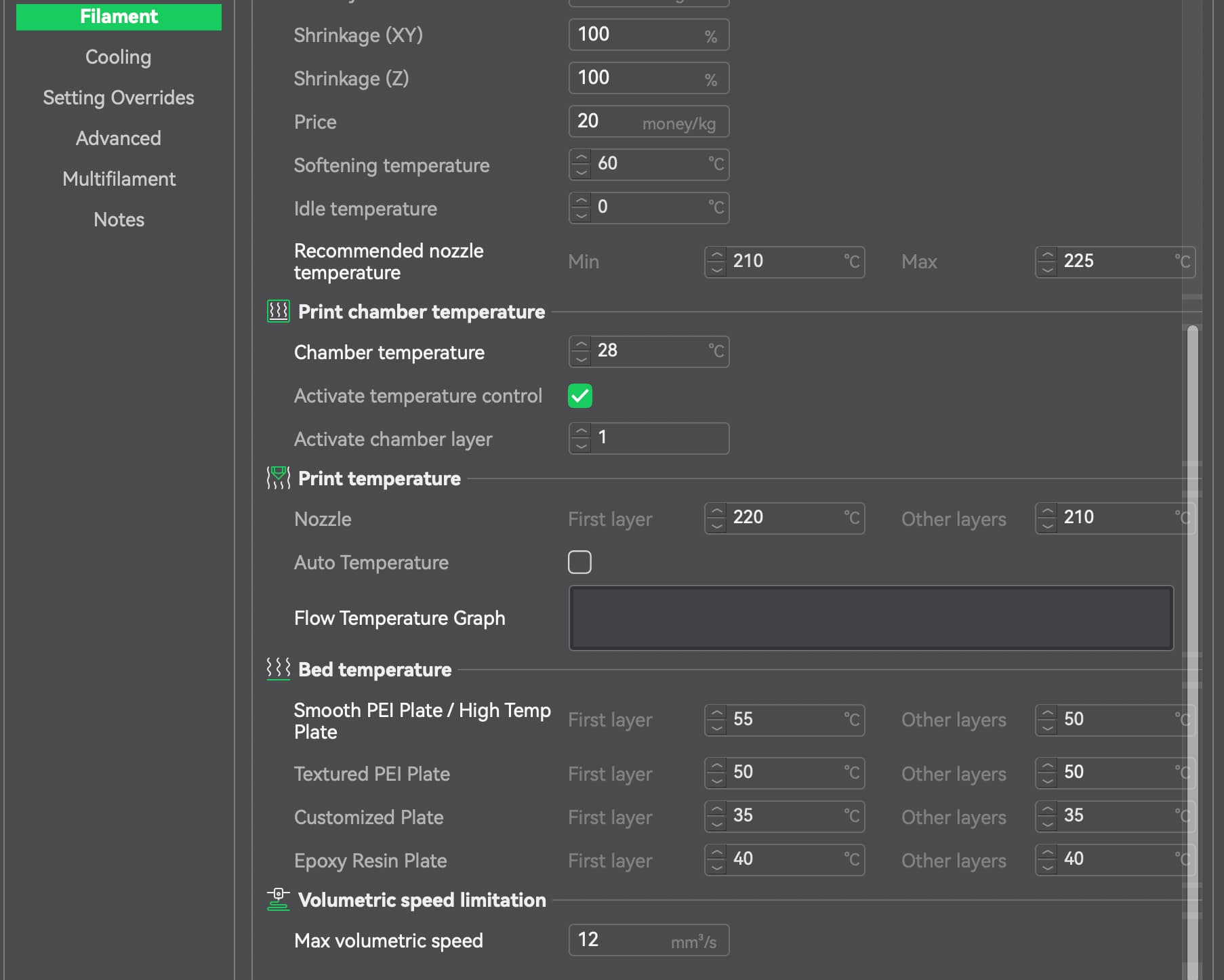
- And several other things (see the Hyper PLA profile screenshots below for all the things)
Screenshots are below for where I landed, but this profile update still does not allow me to print large prints. When I do, around 80 or so layers print fine on a large model, but then there are gaps in the print and top layers start to become stringy, extruder gears start chewing through filament and become clogged and eventually the layers do not adhere to each other and the print just goes horribly wrong.
After about 2 weeks of battling with Hyper PLA, I decided to try just regular PLA, since I print perfectly fine on my Creality CR10 V2 printer with Overture PLA with 205 nozzle temp and 60 bed temp. So I switched over to that PLA on my K2 and with the Creality generic PLA stock profile, and it was problem city all over again.
- Extruder gears grinding the filament again
- Layers showing gaps and then eventually stringing and all that
To eliminate the PLA being wet, I purchased the creality dryer and dried the Overture PLA for 8 hours. Still the same. So I started to tweak the stock PLA profile using recommendations I found online and also ChatGPT. I’ve got the profile to the point where I can print smaller things, but when I print large prints (roughly over 1000 layers), the first like 800 layers seem good sometimes but then the top layers become very thin with no adhesion.
I’m so frustrated with this thing. As I said, I have a creality CR10 V2 which is OLD, but it just works and is solid! How this K2 can not surpass that thing baffles me. The key difference between the two printers is my CR10 has the extruder gears away from the hot end. So the filament stays cool all the way through the tub till it melts at the hot end. This K2 has the extruder right above the hot end and so the heat soak seems to cause the filament to get soft and then the extruder gears chew through the filament.
Everything I have read about my problems online, printing with the Overture PLA , is saying its heat problems where heat is rising into the heat break, softening the PLA and causing under extrusion, gear grinding and all that. The thing is, I took the top glass off the printer and print with the door wide open using my updated profile. I am using the Overture recommended nozzle temp and bed temp and not using what I would consider an aggressive cooling profile. So I am completely lost. While I could possible understand why the Overture PLA may not print, since its not creality PLA, why the Creality Hyper PLA doesnt print out of the box on the stock Hyper PLA profile is ridiculous. It should work pefect, but it doesnt for me.
So I could really use some advice on what is going on here. While I get 3d printing is coming along, with a printer such as the K2, it should be able to print using stock profiles especially with Creality’s own Hyper PLA  Anyone with some advice to get me to a working printer to print this Overture PLA and honestly even the Creality Hyper PLA would be AMAZING and truly appreciated.
Hyper PLA Updated Profile settings:
Filament:
Cooling (Hyper PLA)
Settings overrides (Hyper PLA)
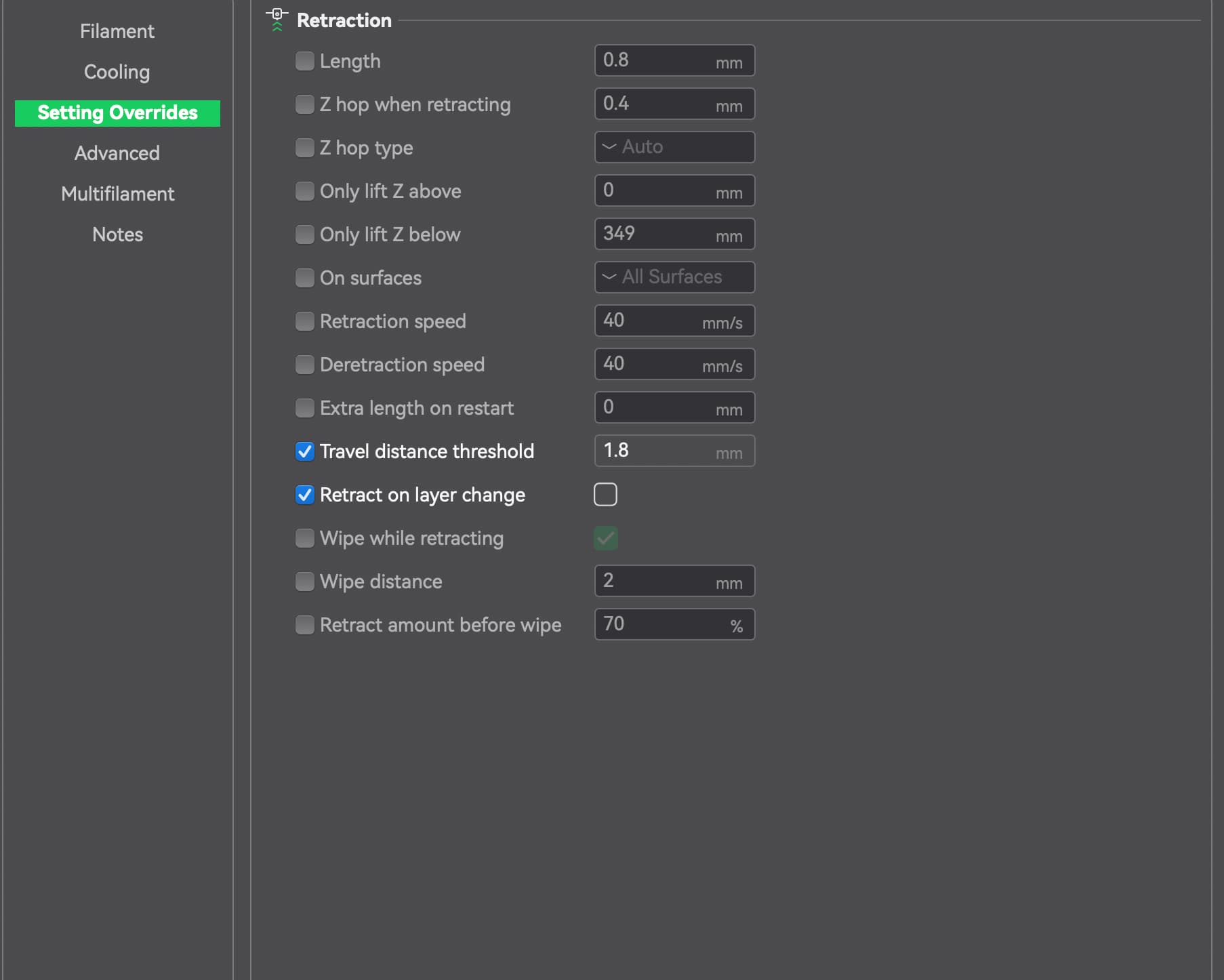
PRINT SETTINGS in Creality Print software (Hyper PLA):
- First layer: 20mm/s
- Outer wall: 45mm/s
- Inner wall: 130mm/s
- Sparse infill: 120mm/s
- Internal solid infill: 120mm/s
- Top surface: 90mm/s
- Gap infill: 120mm/s
- Support: 120mm/s
Overture PLA updated profile
Filament:

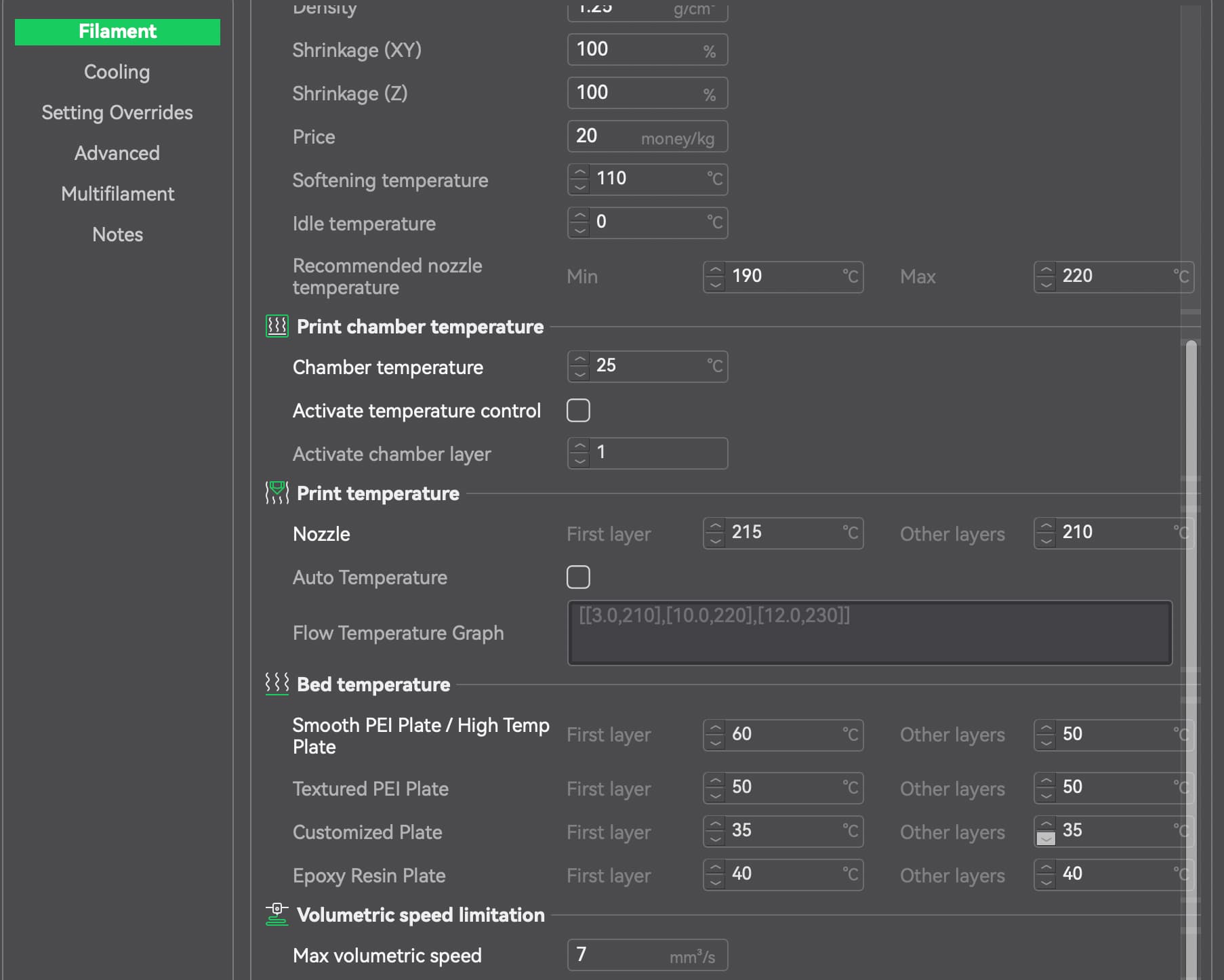
Cooling (Overture PLA):
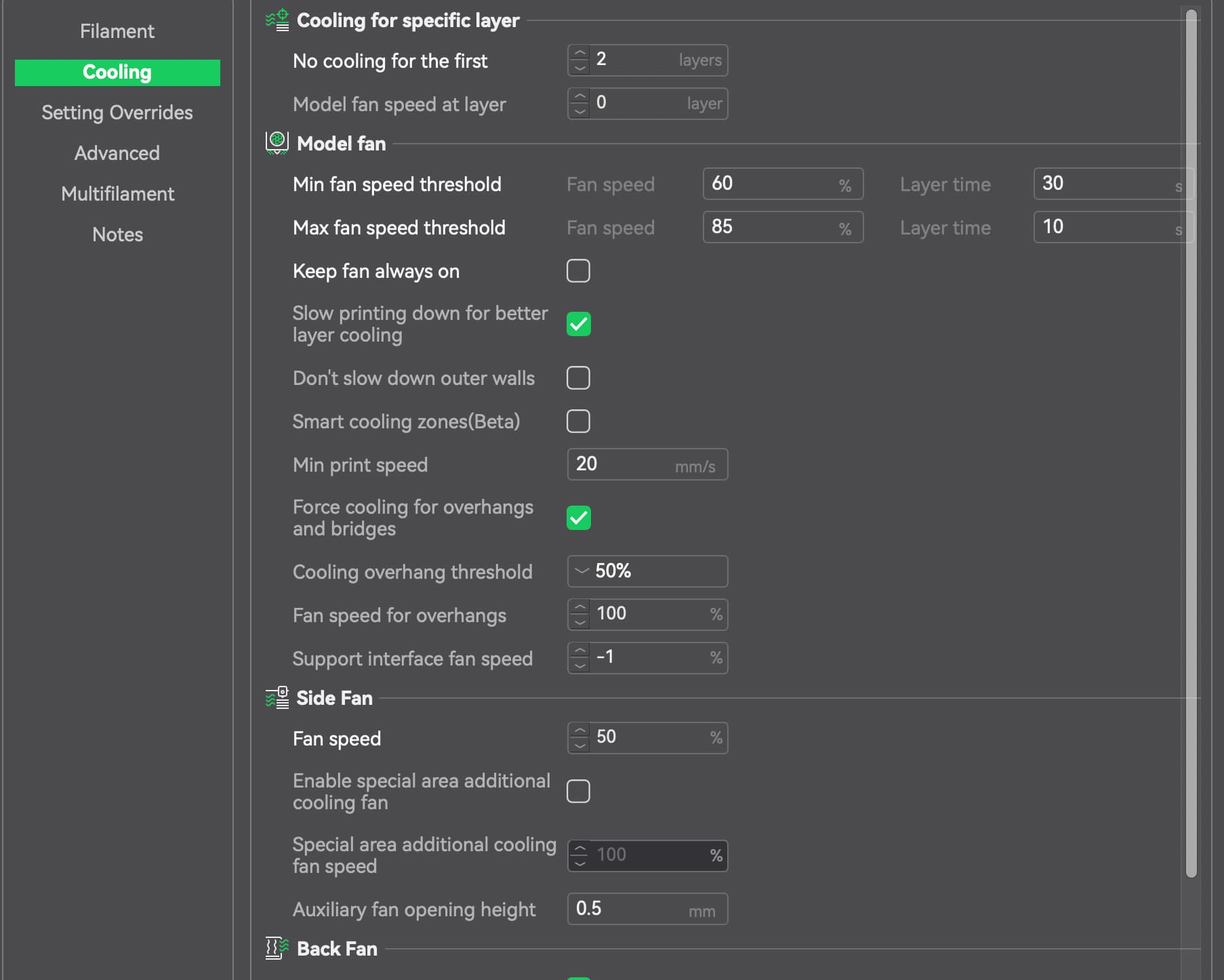
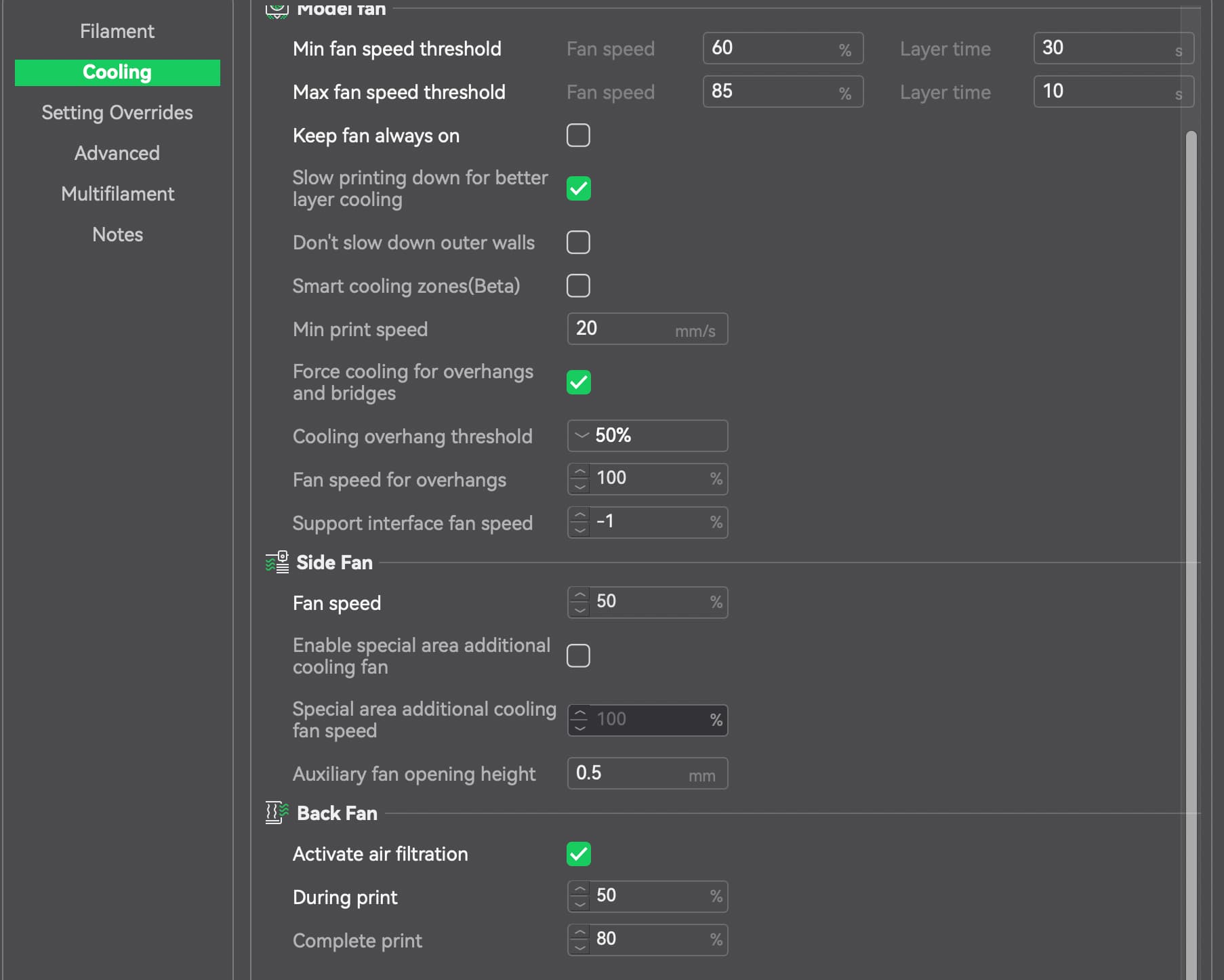
Setting Overrides (Overture PLA):
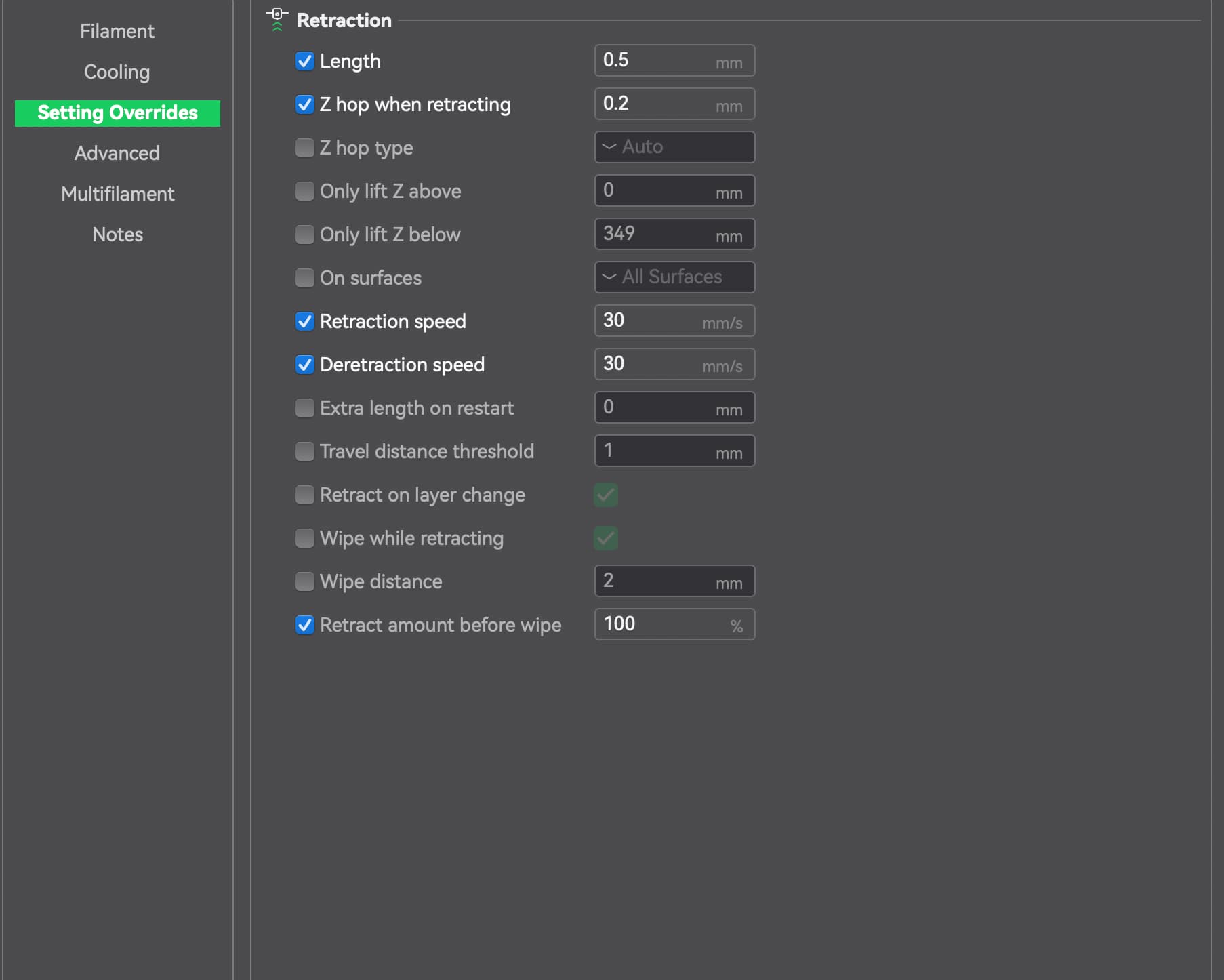
Overture PLA settings in Creality Print software:
- First layer: 20mm/s
- First layer infill: 40mm/s
- Outter wall: 40mm/s
- Inner wall: 40mm/s
- Sparse infill: 110mm/s
- Internal solid infill: 110mm/s
- Top surface: 90mm/s
- Gap infill: 100mm/s
- Support: 100mm/s
- Support interface: 70mm/s