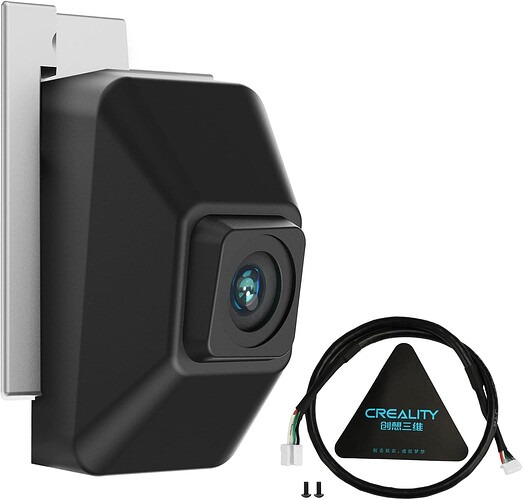
K2 (non pro/Plus) - AI Chamber Camera replacement / upgrade

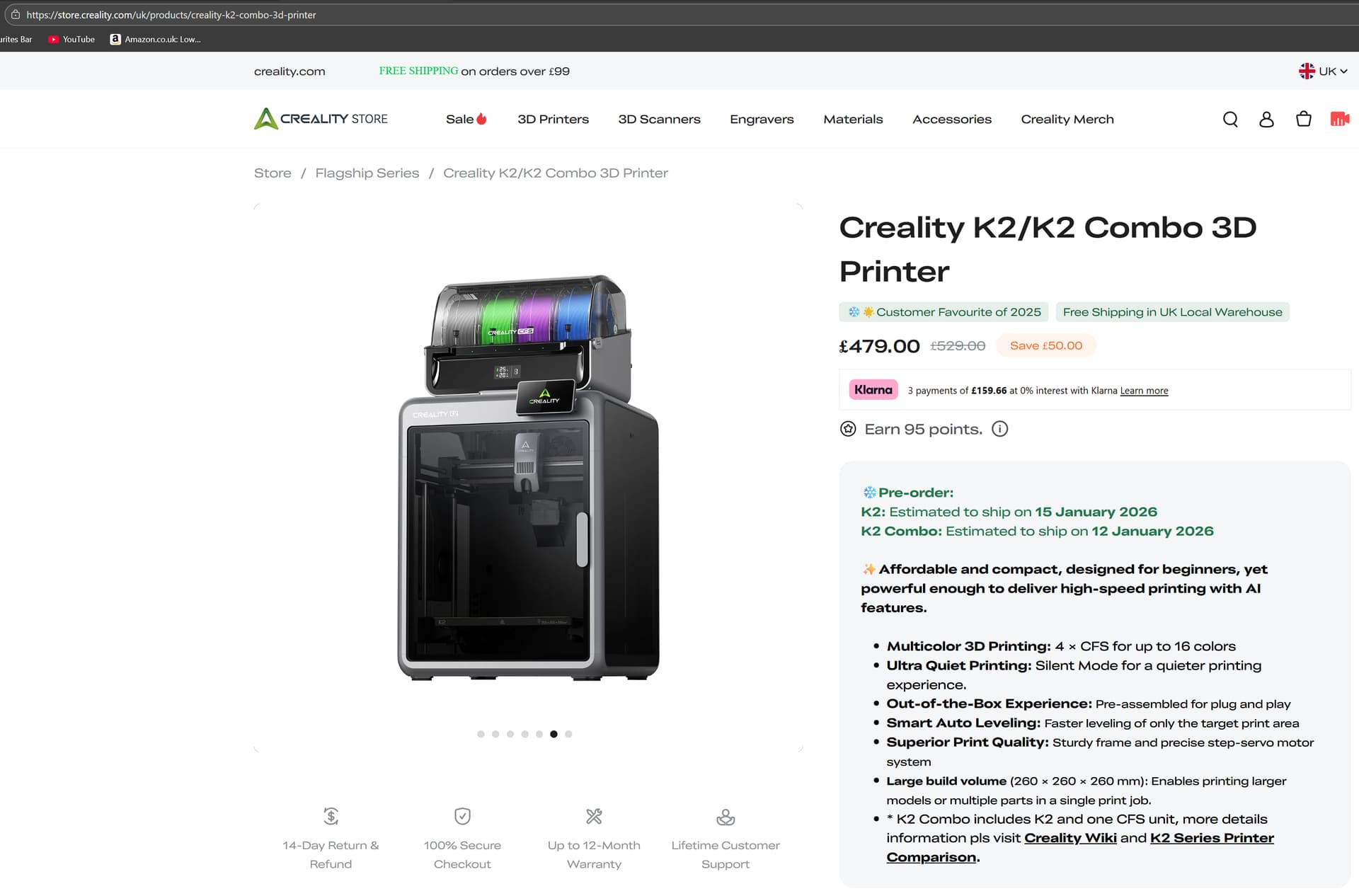
so, I brought a K2 Base model directly from Creality(uk). there was an option for the AI chamber Camera so i added that thinking it was a upgrade camera.

I have not been able to find out what the difference is between the built in vs the AI camera.

I cannot find any instructions, tutorials or videos of how to replace / remove the camera (it is a lot different from the Plus)
it may well be similar to the Pro (Service Tutorial K2 Pro Time-lapse Camera Replacement) looking at this video.

I have a sneaky suspicion that Creality are pushing this AI Chamber Camera as a “add on” purchase to the base K2 when in reality its just a replacement to the one the K2 comes with and not an upgrade. Given there is no details of how the cameras differ (if at all) and the amount of work striping my brand new printer apart. My question is

Is it worth it? Does someone know the benefit of “upgrading” this camera. or if my above theory is correct.

Thanks

Decoy.

@MrTheDecoy The Camera in the video is radically different from the camera in the Creality wiki. I’m waiting for a print to finish so I can see which one I have.

Amazon sells an “official Creality upgrade” camera. I couldn’t find specs on the original camera and limited specs on the upgrade camera, but Amazon’s AI had a lot to say. I’m not sure how much I trust Rufis (amazon’s AI) It mostly spits out sales hype, but it was the most informative thing I found:

how is it different from the camera that comes with a creality k2?

The Creality K2 Pro/K2 AI Camera is an upgrade accessory that provides enhanced capabilities compared to the built-in camera on the standard Creality K2:

Standard K2 Built-in Camera:

  • 720p resolution at 30 frames per second

  • Basic monitoring functionality

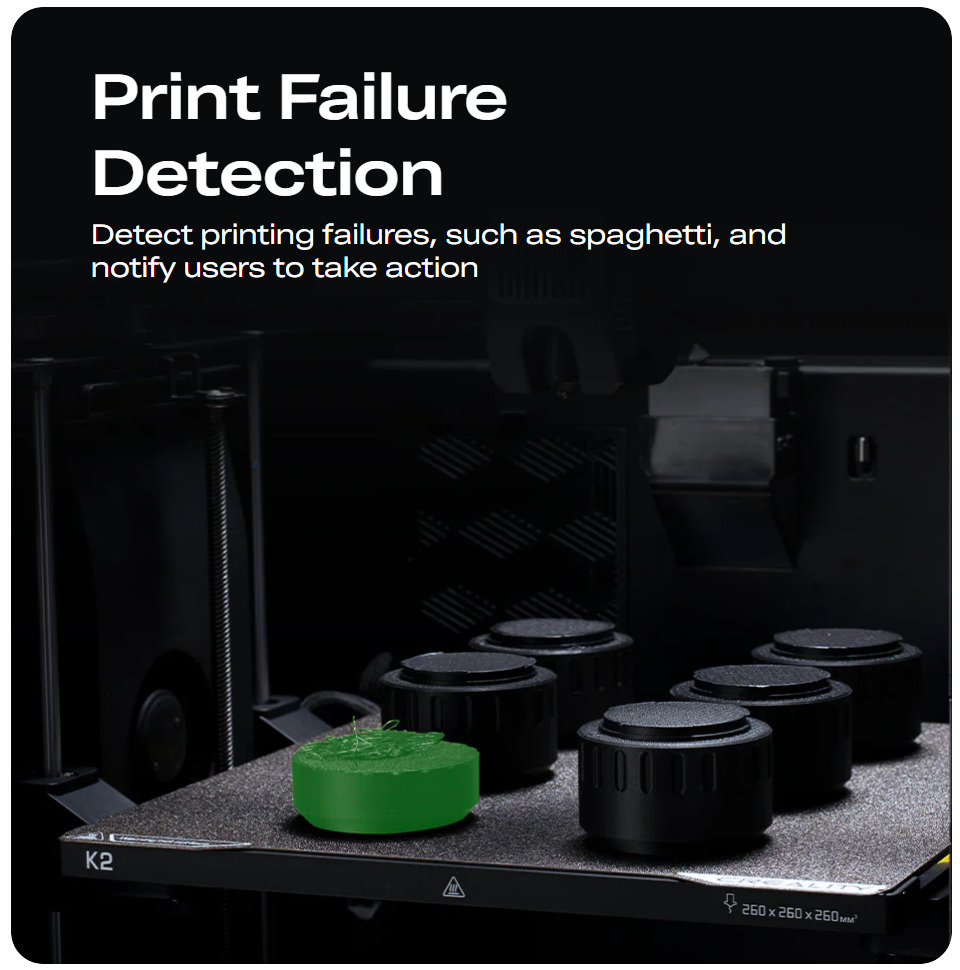
  • Standard AI detection capabilities

This Upgrade Camera:

  • 1080p HD resolution - significantly sharper image quality

  • Enhanced AI detection for better spaghetti failure recognition and foreign object detection

  • Advanced time-lapse filming with automatic video generation

  • Real-time remote monitoring via Creality Cloud

  • Easy installation through reserved interface

The main advantages are the higher resolution (1080p vs 720p) and improved AI detection algorithms for more reliable print monitoring. This accessory is designed to replace or supplement the standard chamber camera for users who want better image quality and more advanced monitoring features.

Thanks for the reply and info @gozmon

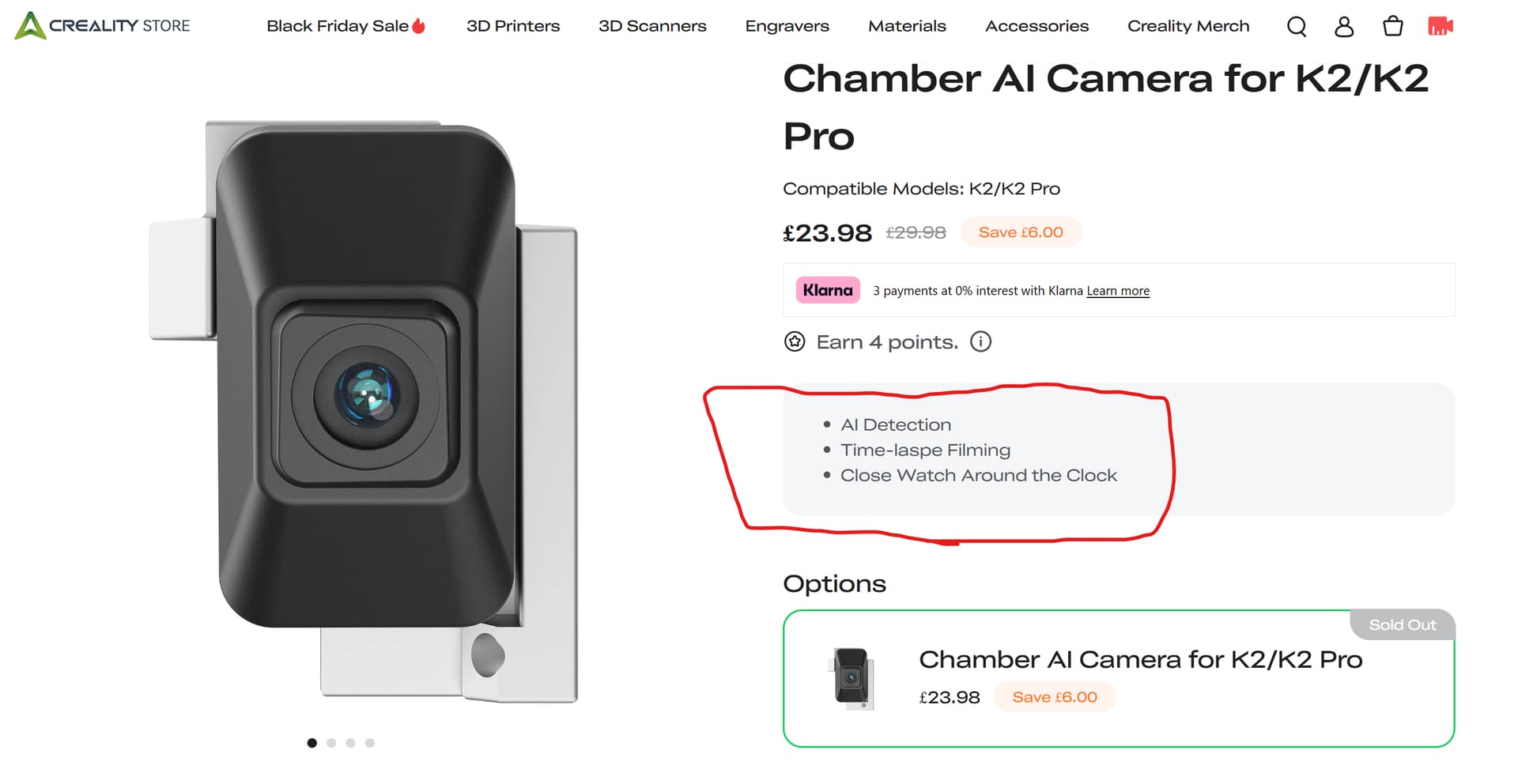
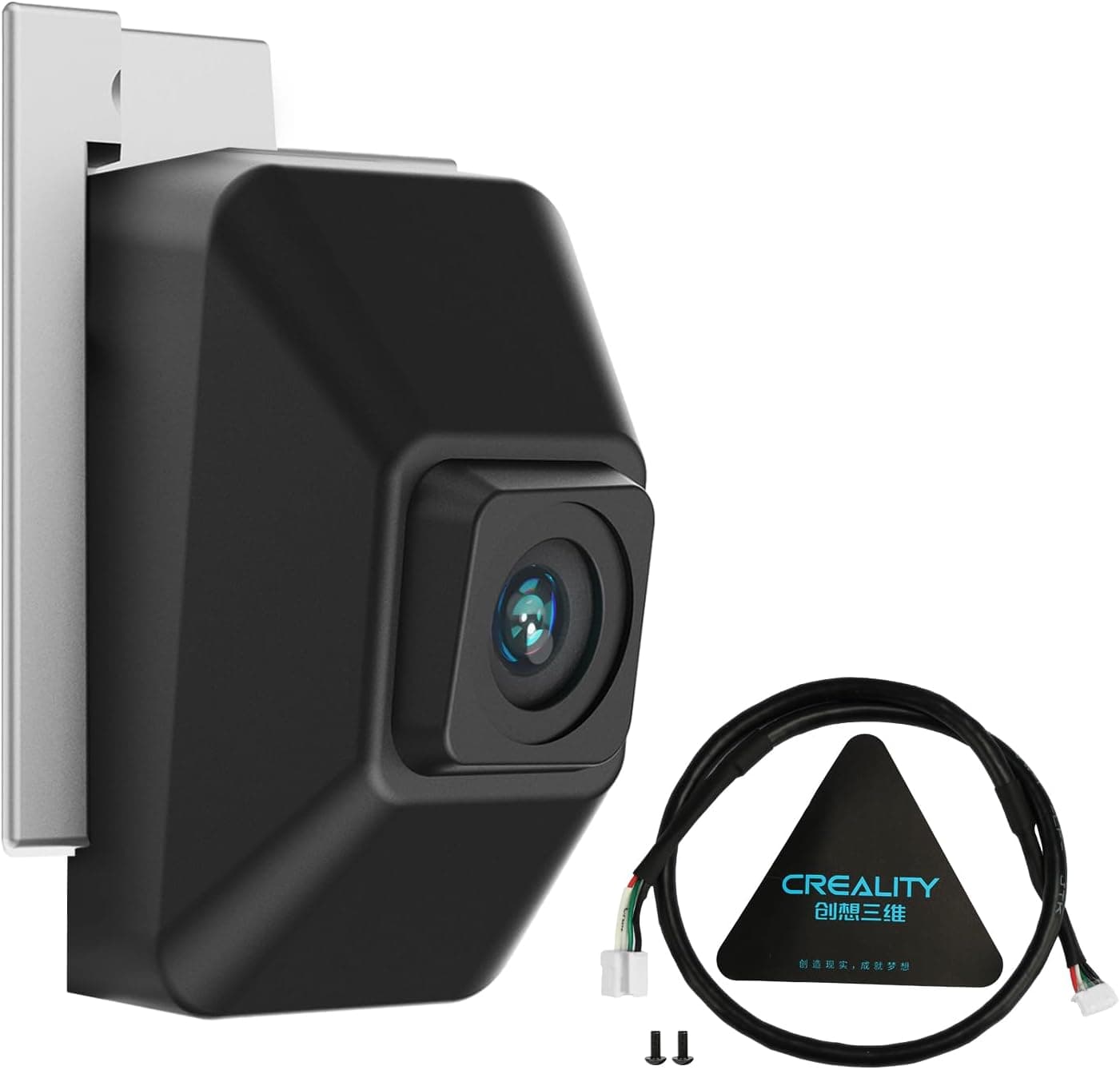
I got this camera directly from Creality when i got the K2 - Chamber AI Camera for K2/K2 Pro

As you can see there is zero information on this camera on Creality’s site.

I did contact Creality via the online chat to explain this situation and request a return and refund, the response was it needs to be sorted via email and they gave me a ticket number and that was it. I have not received an email as of yet, So I doubt it go anywhere with them.

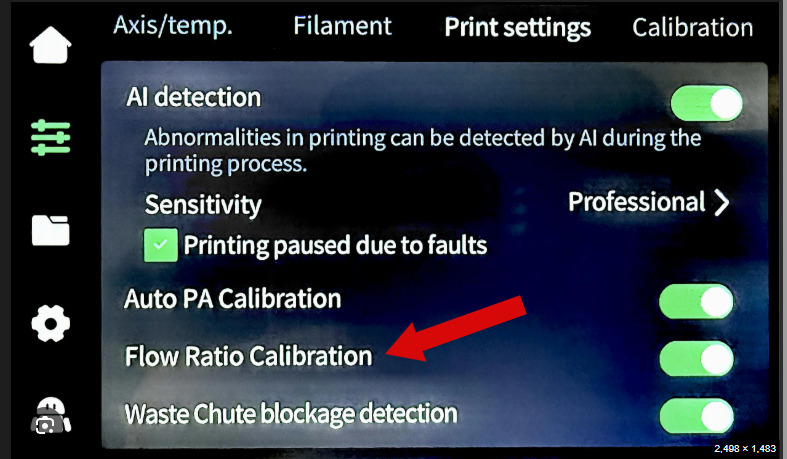
As for the enhanced AI, The camera itself will not have any “AI” functions. it will be software based on the controller. I believe the “Enhanced AI” is due to the camera feeding higher resolution picture to the controller thereby giving the detection algorithm (what Creality are calling AI) more data and a higher chance to detect issues.

The stock camera does time lapse already and has real time monitoring via the app and Creality Print - both working fine.

example - https://drive.google.com/file/d/1-1zqWi4ilkhVtdHvU5089dMZJ914Ktuc/view?usp=sharing

so it comes down to if the one you linked is actually different to the one I got from them directly.

As I believe they are just going to ignore my request to return it (Not legal in the UK - breaks consumer rights) I may try to install it to see if there are any differences.

I will give them a week, I have a support ticket number so they could just be slow responding.

Also to note - I asked CoPilot and got very much the same response to yours from amazons AI.
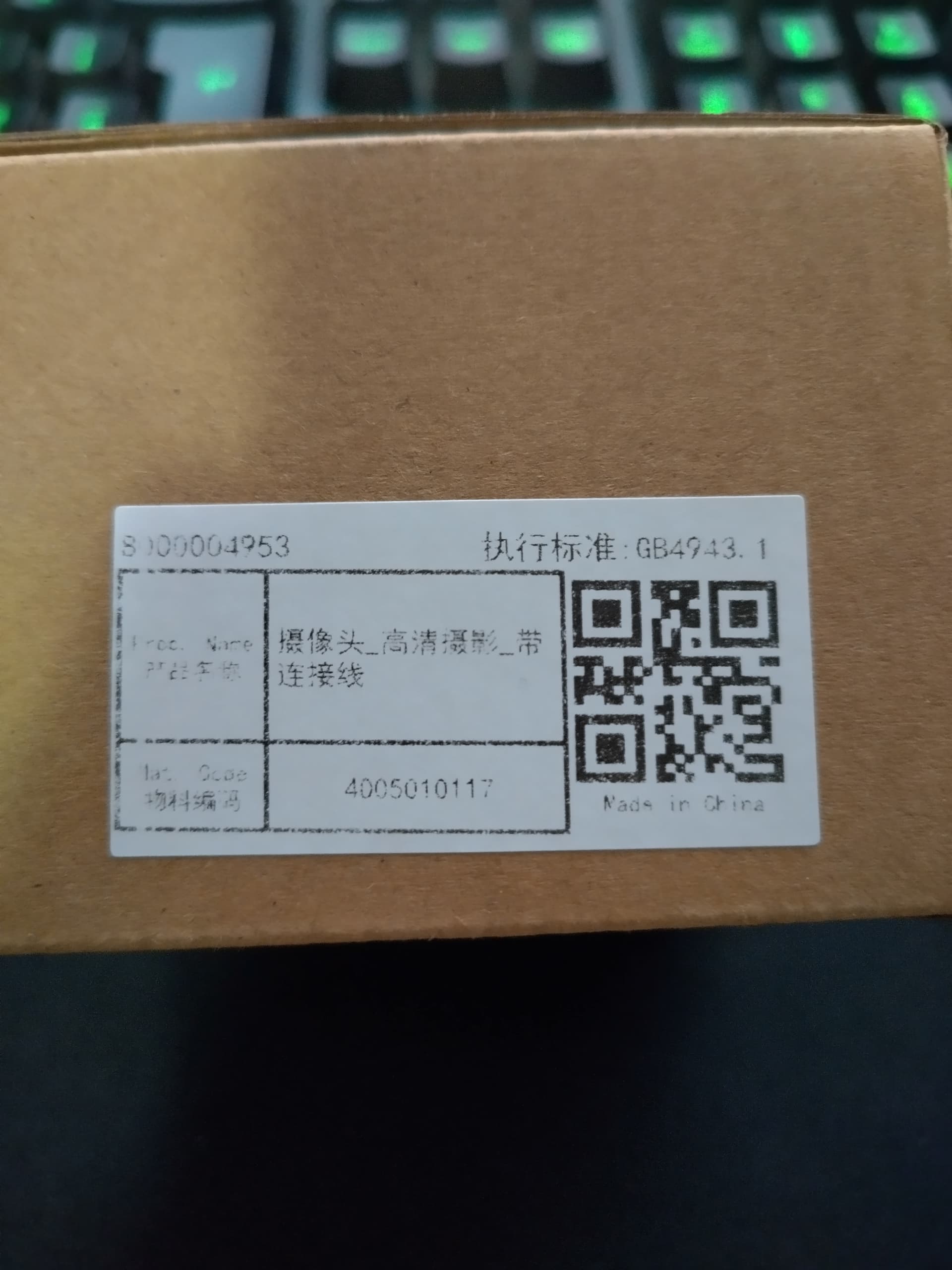
I also put the pics of the lables on the box into copilot and it told me that the part description translates to “Connector Head – Right Front Fog Lamp” … sounds about right. :wink:

I will post back here updates and the final conclusion to this.

Decoy

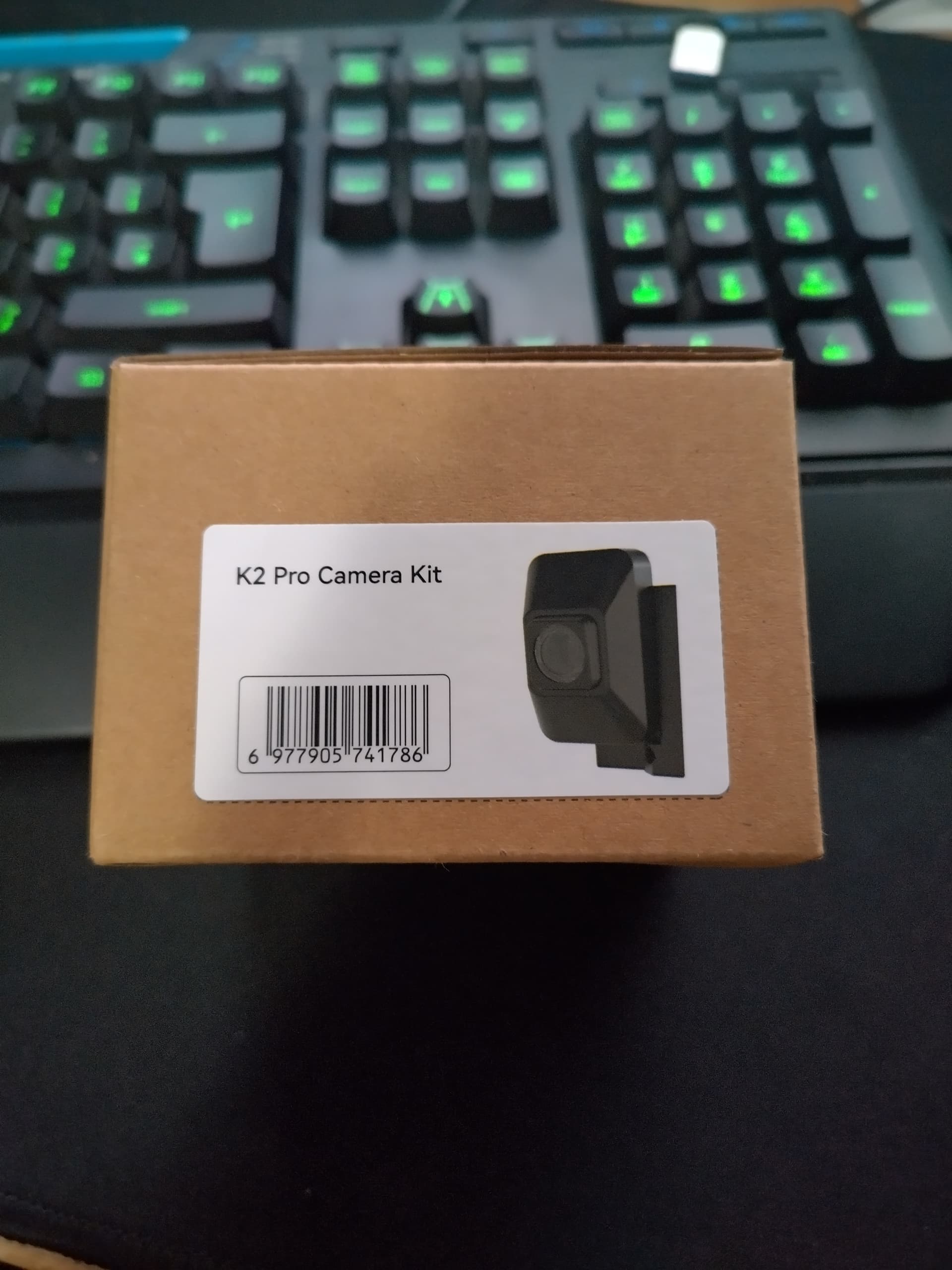
Pics of the camera box.

1 Like

Oh yea, must be an upgrade ‘cause mine didn’t come with fog lamps! :rofl:

Did you ever find out anything definitive? Is the factory one 720 and this updated it to 1080? Did you install it?

Hi Wes

I am still in communications with Creality and have asked for spec’s and differences between them twice now with zero comment from them.

its taking time as i have been very unwell and could not respond to the emails right away.

I have found no evidence to suggest otherwise. so it is now my opinion that the cameras are exactly the same and the “Chamber AI Camera” they sell as a “accessory” is actually a direct spare part replacement for the one the K2 comes with.

I am unable to return the camera I purchased due to time restriction Creality have imposed upon the return process due to me being unwell.

so, my plan is. when I am better i will remove the camera in the K2 and compare the two physically to see the difference. If i can get to the circuit board without breaking anything I will compare component differences also. I have been an electro-mechanical engineer all my working life so I should be able to do this without breaking things… so long as I can see it.

The page for the camera on Creality’s website - Chamber AI Camera for K2/K2 Pro

there is even a typo on the 3 lines of info they have for the camera.

For now, I highly recommend that people avoid buying the Chamber AI Camera “accessory” until we can get clear information as to if it is a “accessory” upgrade or just a spare part.

When I have further information I will post here. whatever the outcome.

Hope this helps.

Decoy

EDIT: Also note the three feature points listed of the camera (red outline). The Camera that the K2 comes with does this already.

Wow, crazy that you can’t get a simple question answered. Thanks for the quick follow up though. I’m actually having issues even getting Timelapse to work on mine at all so didn’t know if this was the problem or not. I also saw a Timelapse someone else posted from a base k2 and the video they shared was only 720. Have you saved any of your time lapse videos to check the resolution? Feel better mate!

Wes.

Here is a link to a poop chute i designed and printed when i first got the K2. yes its 720.

also to enable time lapse on the K2 ..

go to Settings → General → Camera → Enable time‑lapse photography.

I then view and download them via the device view in Creality print :slight_smile:

Hope that helps.

Decoy

EDIT: forgot to link the vid :P… brain dont work hardly at all now.

Thanks, so I will be curious to know if that accessory actually upgraded to 1080 which would seem to be worth while. I’m only using cloud for now but will have to check those settings for sure.

Wes

I have had communications (emails) with Creality about the return of the camera.

Due to my current health issues I will be unable to return it in the time frame they set and may not be able to return it in any extended time frame they arrange.

So, If i end up keeping the camera (highly likely at this point) i will fit it when I can and report the results and link sample vids from it here.

Sorry I cannot say when this will be. It depends on my health.

I will update here when I get more info.

Decoy

UPDATE:

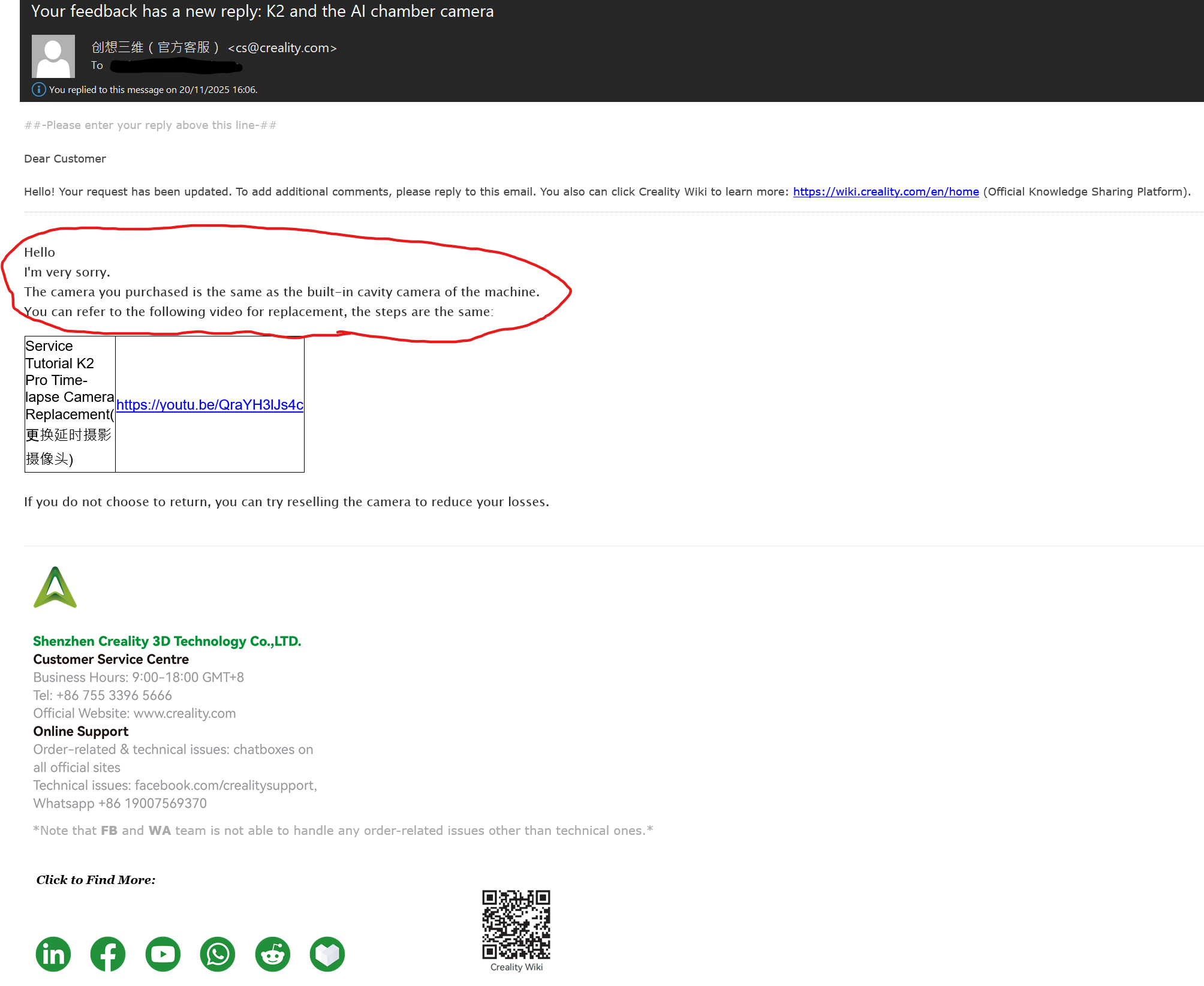
Creality finally answered my questions about the Spec of the Chamber AI Camera found in the Accessory section on the Creality UK shop.

This is the response I got from them.

(hers the link in that email if anyone needs or is interested to see https://youtu.be/QraYH3lJs4c)

So, my suspicions were correct - this is a spare part and NOT a accessory.

That means it is being Miss-sold and miss-represented (in the UK)

I have returned it for a refund.

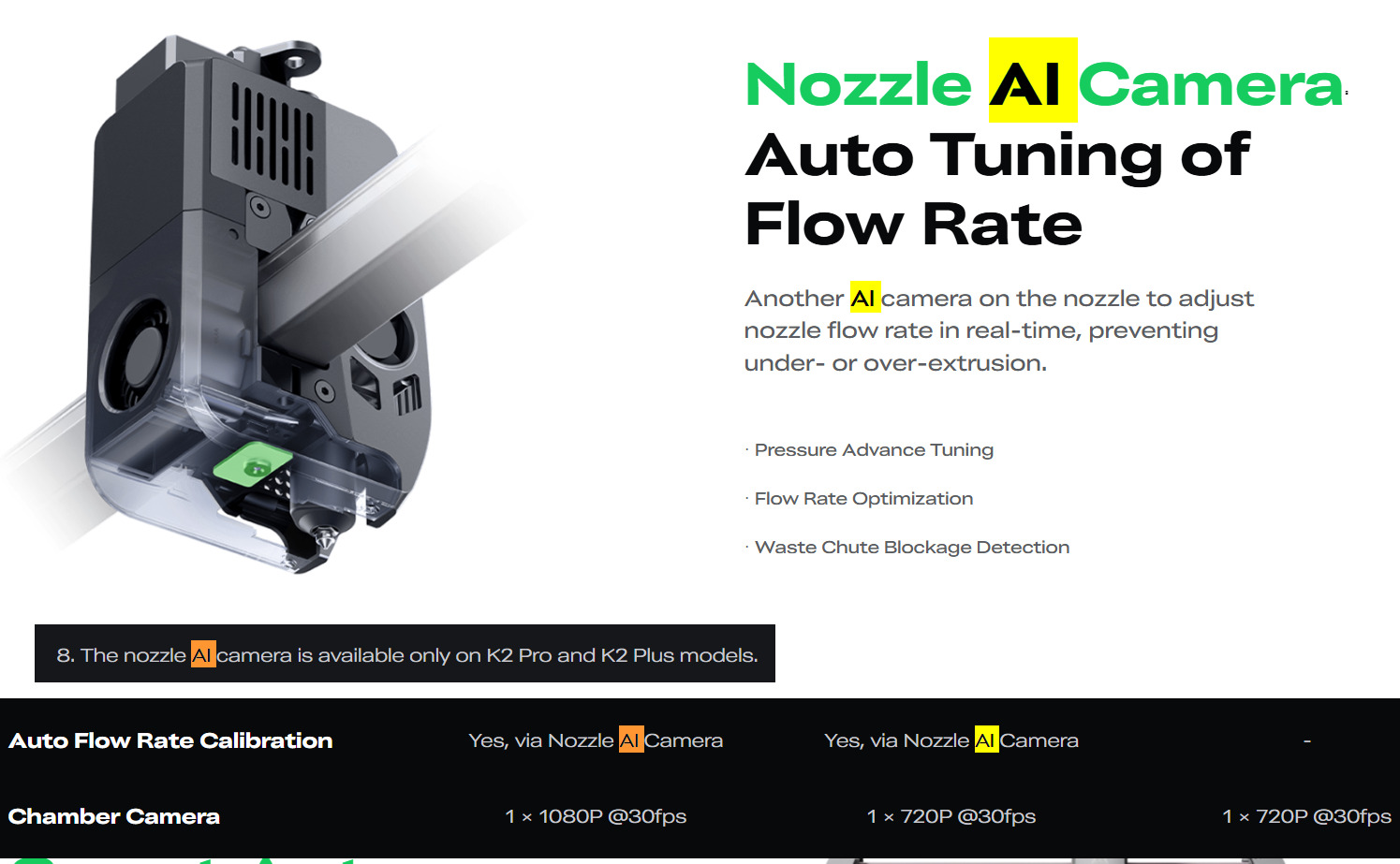
On the K2 comparison sheet on Creality’s website (K2 Pro Combo | K2 Series 3D Printers - Creality) it specifies the cameras on the K2 and K2 pro are 720p

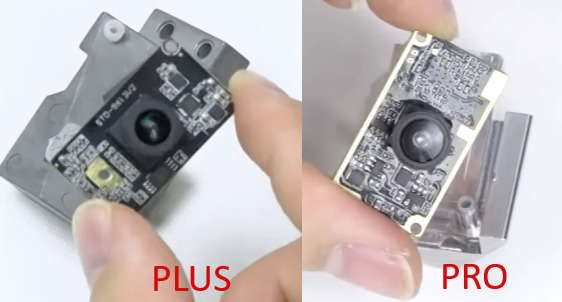
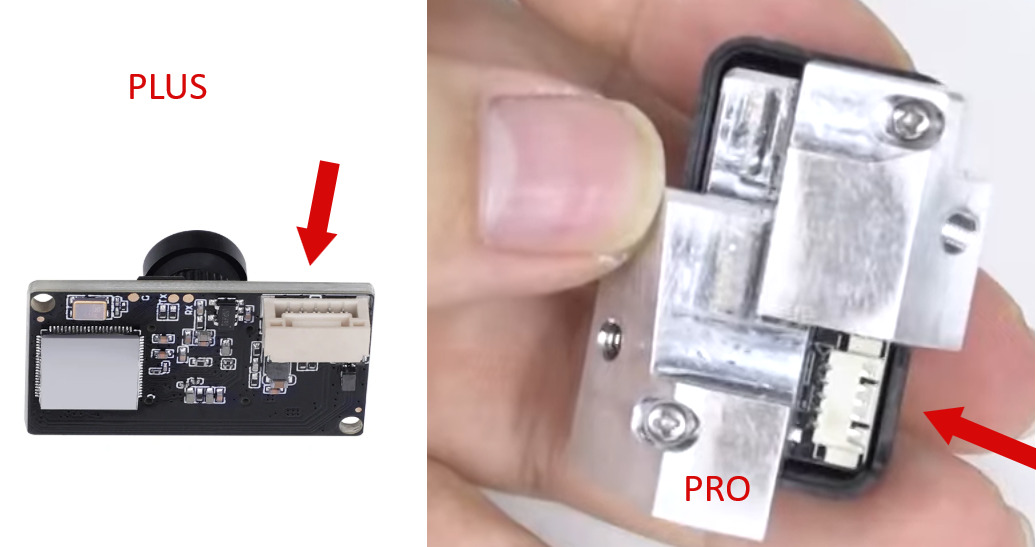
Interestingly the camera on the K2 Plus is 1080. I looked at the replacement vid for the K2 Plus and its a different fitting to the K2 / K2 Pro. Link if anyones interested.. Replace K2 Plus Chamber AI Camera | Creality Wiki

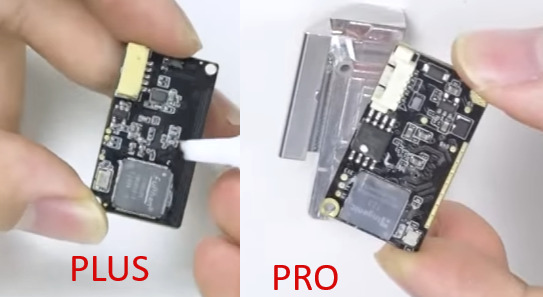
Note the camera on the K2 plus comes as a PCB the Camera on the K2 /K2 pro comes with a plastic shroud and attached to a metal bracket. I can also confirm the PCBs are different between these two types of camera.
((side note / random thought – if you could fit the K2 Plus camera into the K2/K2 pro would it then work at 1080 or is it limited in the printers firmware…..))

My conclusion to all this.

As the camera is exactly the same as the one that comes with the K2 and K2 pro there is no point in purchasing it unless you have to replace yours. If that happens, good luck as the procedure looks like a nightmare.

so, It seems I have answered my own question in this thread and as a bonus found out Creality are using underhanded tactics to sell you unnecessary products, and as a super bonus extra found out Crealitys “Support” is, well, lets just call it difficult to be polite.

Hope this has helped people.

Regards

Decoy

1 Like

gozmon

Tag’d you for the update above if your interested :slight_smile:

1 Like

Wes_Parton

Tag’d you for the update above if your interested :slight_smile:

Interesting, at least you got an answer and glad they are at least accepting the return. Thanks!