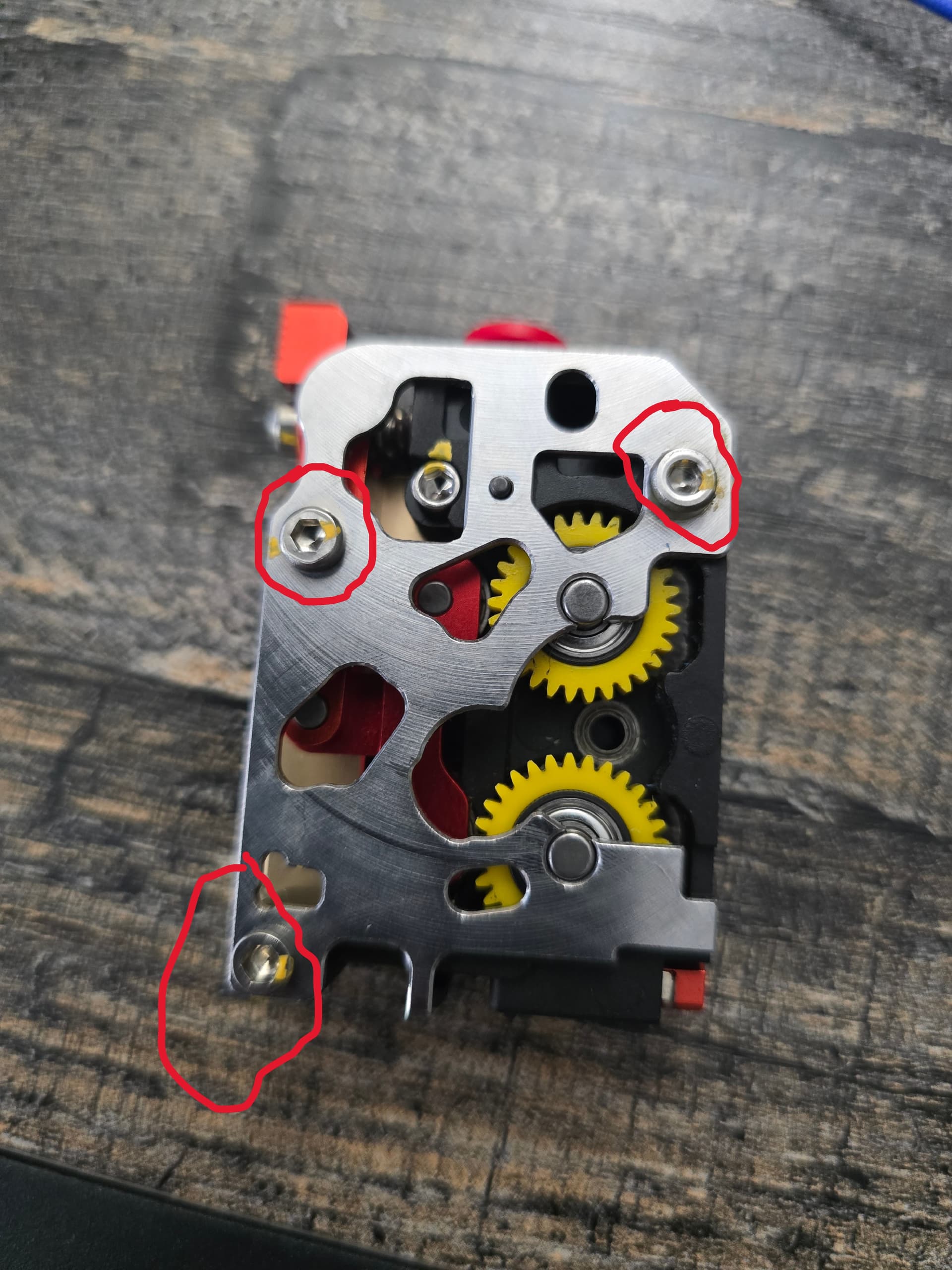
SO I wanted to leave this here in case anyone else had the issue. I was printing away and all of the sudden a part I had been printing several times started failing. (just so happened to be the same time I needed a new roll of filament. So over the next couple of weeks I spent WAY too much time trying to figure out what had happened. Lots of gaps, failure to extrude, failure to retract, larges gaps in the print. Making it look like the PLA was wet. So I dried it. Still nothing good. It was print fine for a couple of layers and fail again. ,One of the things I noticed was if I manually triggered the CFS buffer it would work great. Me thinking that might be part of the issue and the buffer was slipping. Filament would make it to the sensor in the extruder but wouldn’t load in to the gears without my help. One of the things I noticed was if I manually triggered the CFS buffer it would work great. Me thinking that might be part of the issue and the buffer was slipping. So now I am thinking the gears on the DXC-2 were filled with little micro bits of PLA. I take it off I clean the gears the best I could. Didn’t occur to me to even check the three screws on the silver plate After coming to the conclusion and several more days of Updating the SW to the latest, sending a log to Creality showing the MCU was getting way too hot and lots of other issues none seemed related, I resigned myself to the fact I need to take the extruder all the way apart.
Well as soon as I put a drive on the screws on the plate it turned. They were all three about 1/4 turn loose. So they loosened up with the heat cycling. Did even think to look at those.
So guess I will add that to my maintenance to tighten those. I may add some blue loctite to it if I see them loosening up often.
2 Likes
Thanks for the great piece of information. This will indeed help this community.
I don’t know if you had the chance but if you captured the specific area on the CFS or printer where you found the flaw, that would be a great addition to this post.