Ecco una versione ottimizzata per il forum ufficiale di Creality. Il tono è tecnico e collaborativo, ideale per attirare l’attenzione degli sviluppatori o degli utenti esperti del forum.
Titolo: K2 Plus: Over-extrusion / Flow issues with ASA and ABS (First layers)
Testo:
Hello everyone,
We have recently integrated a Creality K2 Plus with CFS into our workflow. We are long-time Creality users, currently operating two Ender 3 Pro, an Ender 5 Plus, and a K1 Max.

While we are very satisfied with the K1 Max, we are encountering a specific and frustrating issue with the K2 Plus when printing with ASA and ABS.
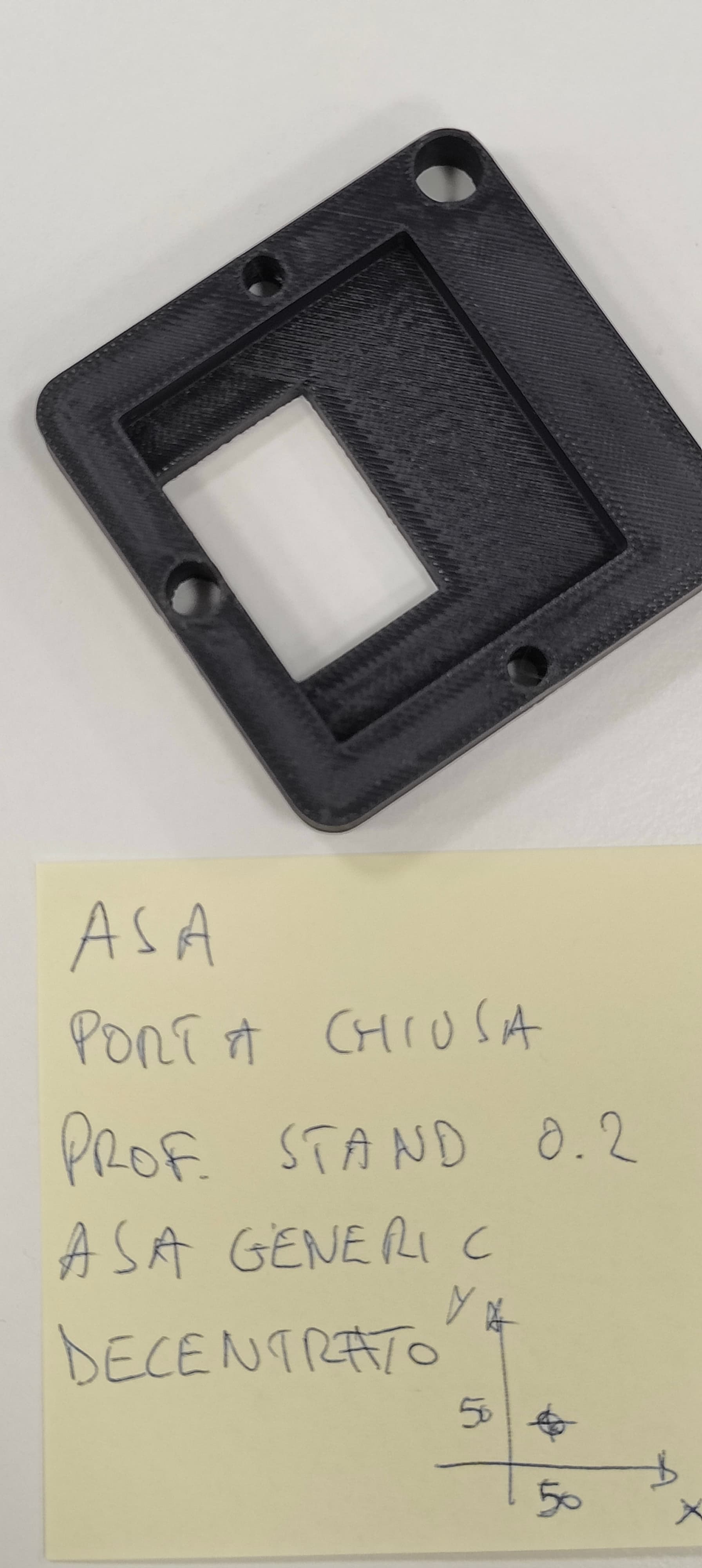
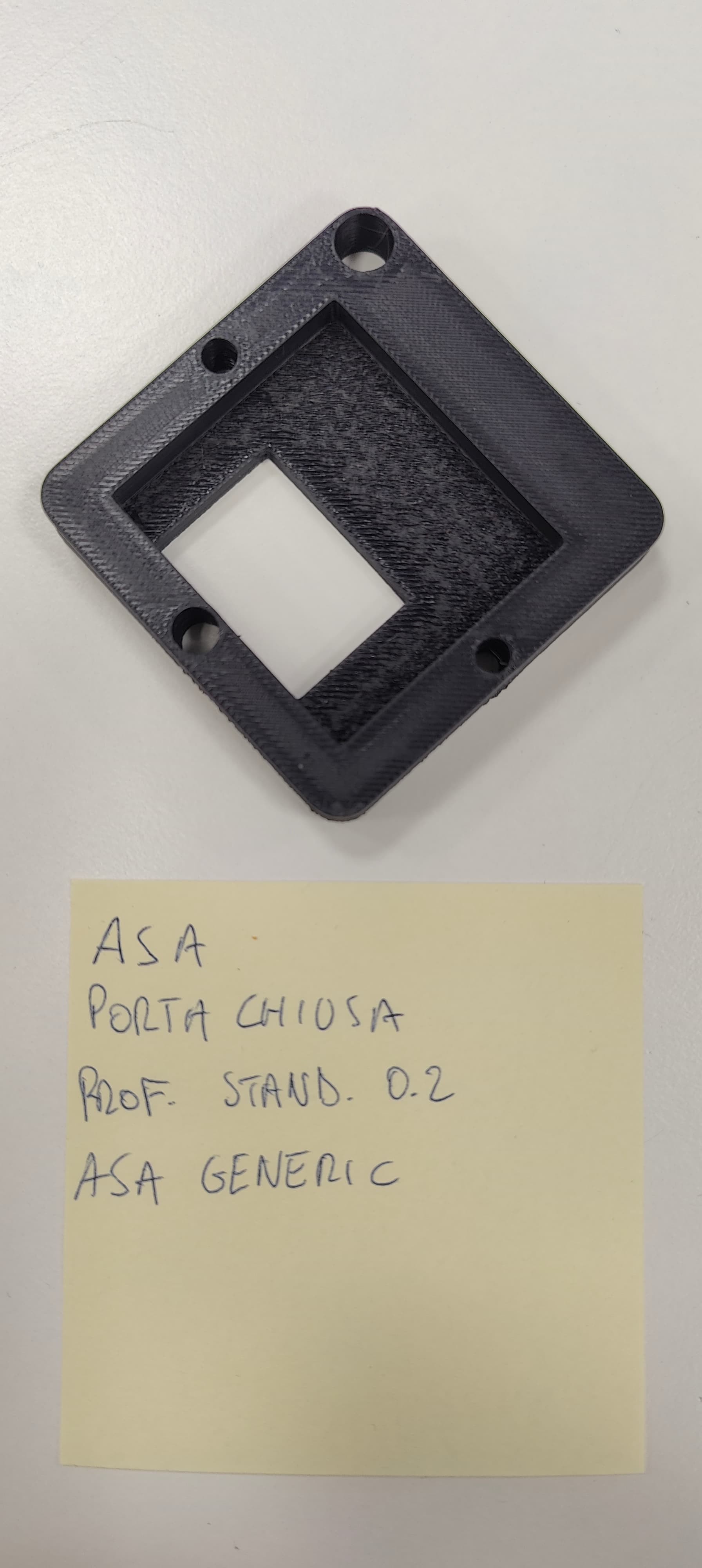
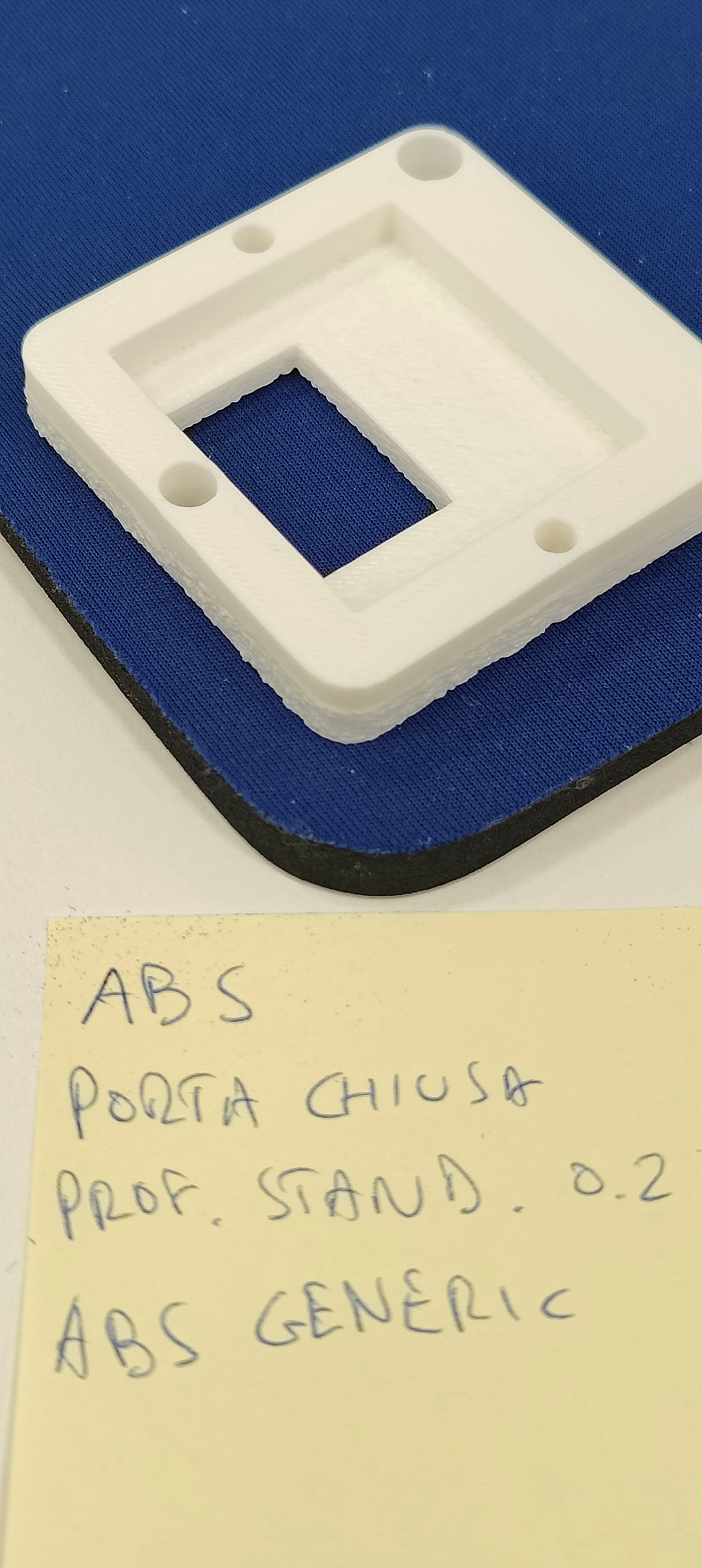
The Problem: During the printing of solid layers (from the 2nd layer up to about 3mm in height), we experience a severe over-extrusion effect. The nozzle seems to “plow” into the excess material, creating a very poor surface finish.
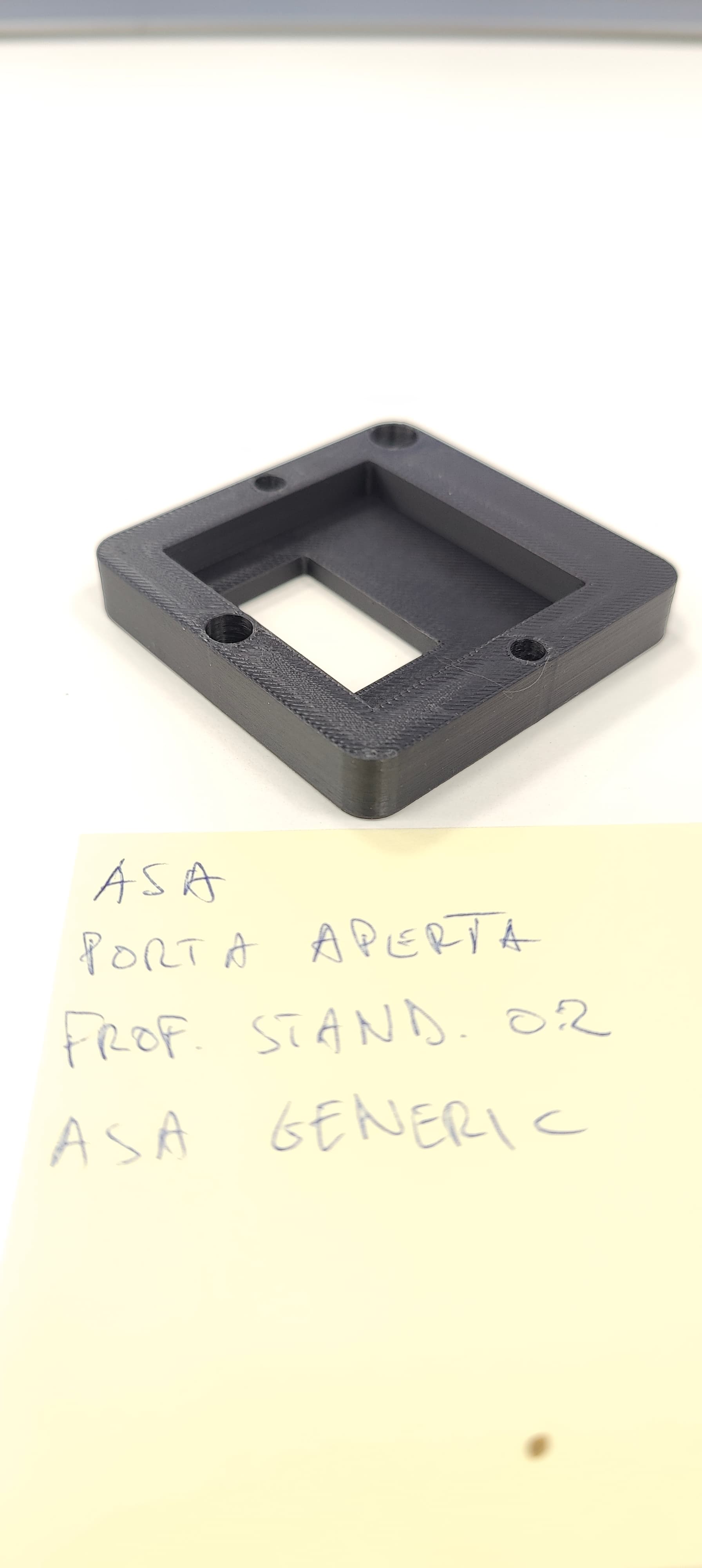
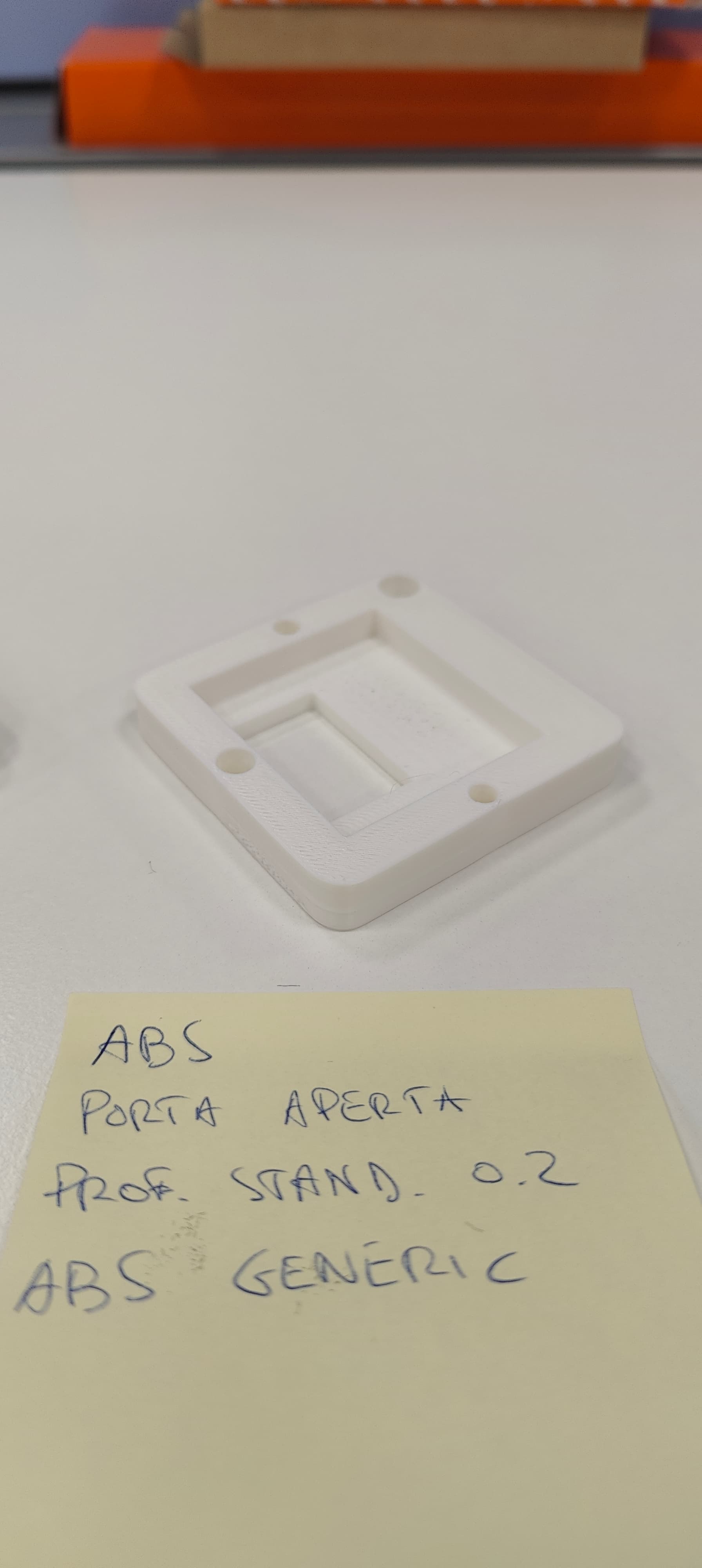
- The strange behavior: This issue only occurs when the front door is closed. If we print with the door open, the quality is perfect.
- High-Temp materials only: The problem is persistent with ASA and ABS. PLA prints perfectly without any issues.
- Top Surface: The defect is so aggressive that it remains visible even on the final top surface of our test samples.
Asa Door Closed
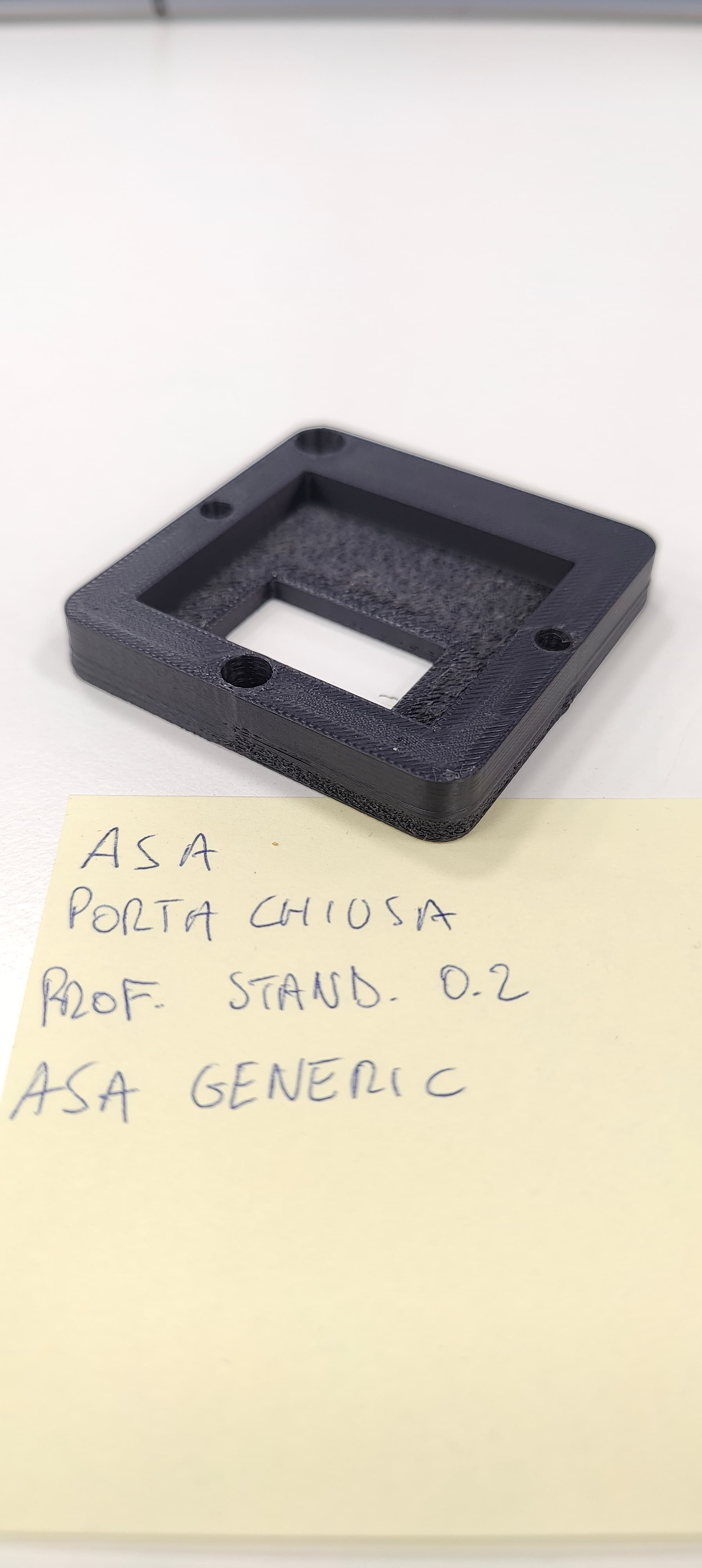
ASA Door Open
ABS Door Closed:
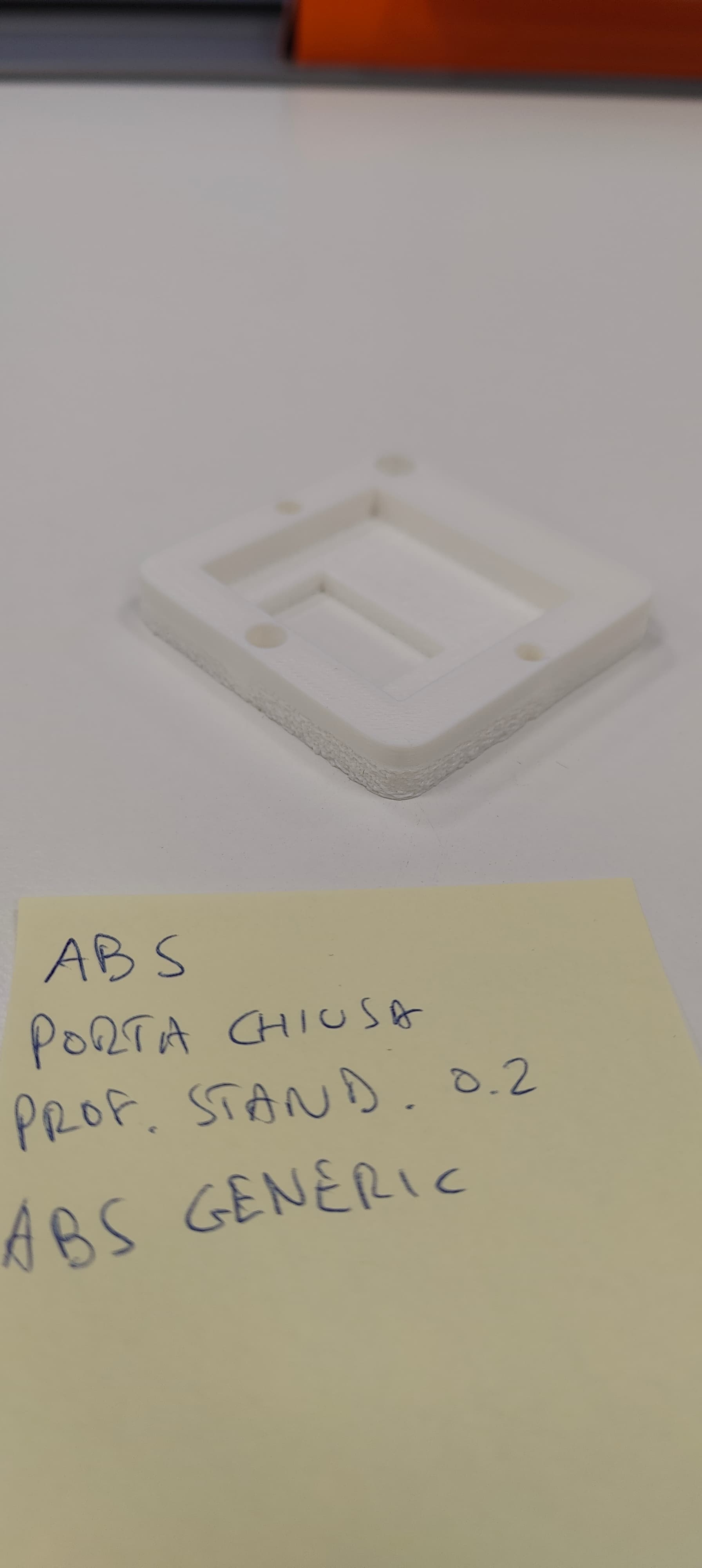
Abs Door Open
PLA Door Closed
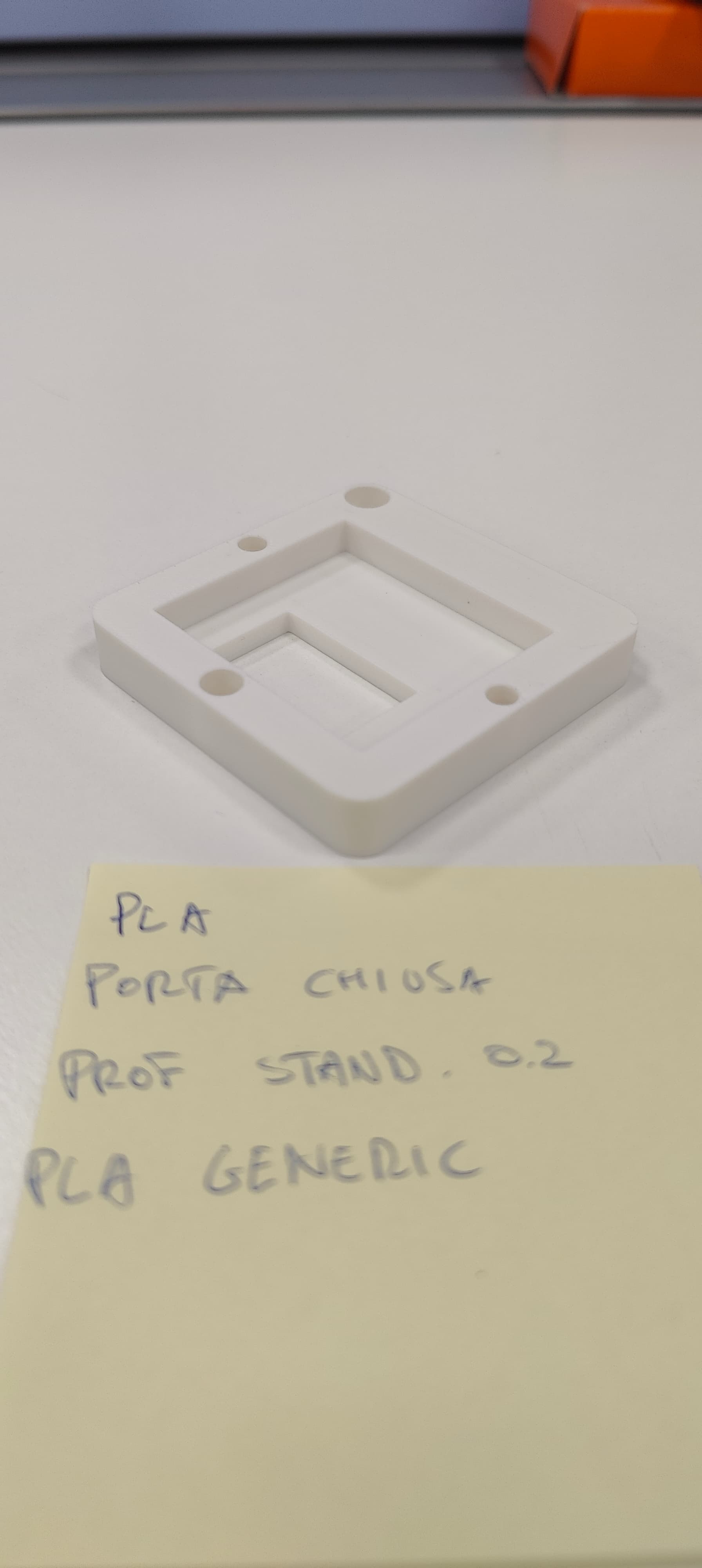
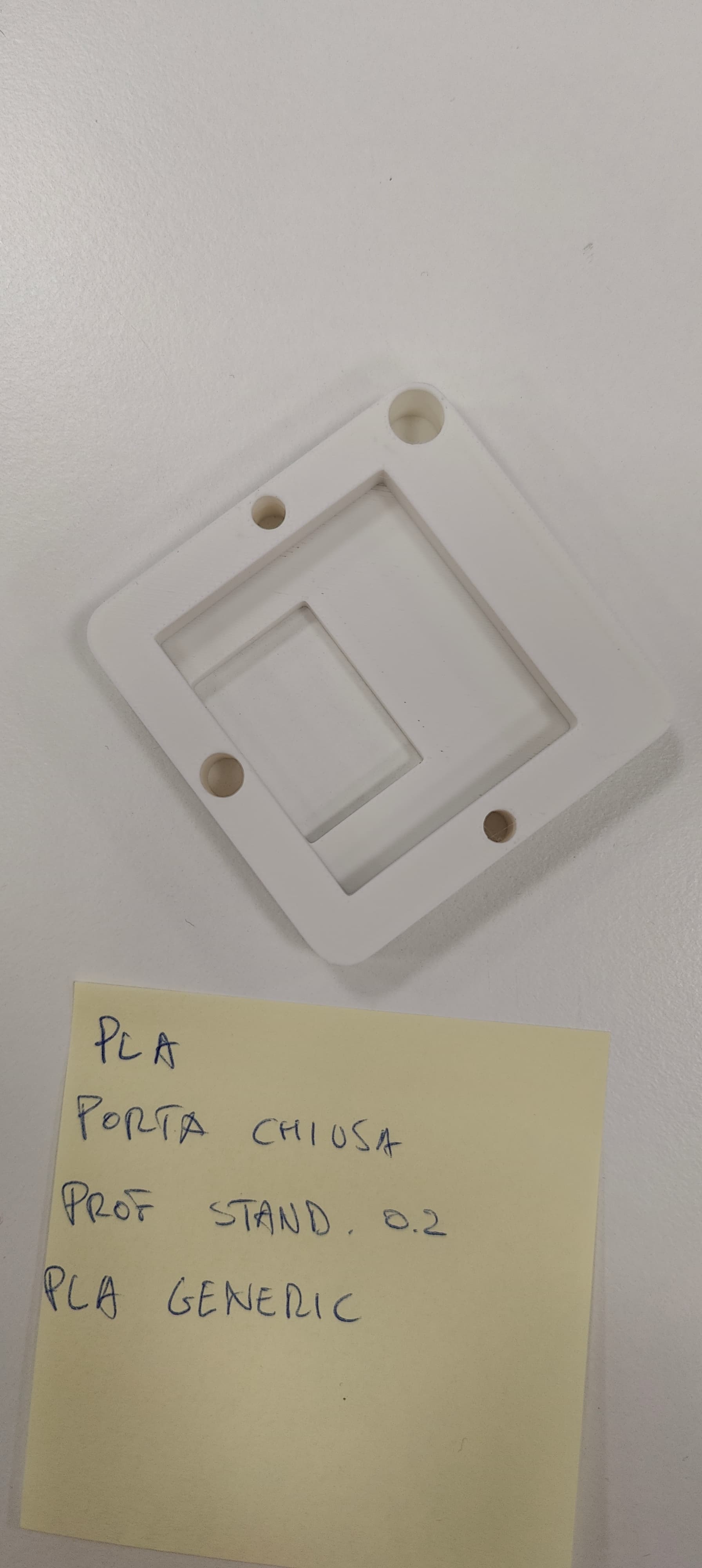
Troubleshooting performed:
- Mechanical Accuracy: We checked the Z-axis and mechanical movements with a dial indicator; the machine respects the physical coordinates accurately.
- AI Functions: We tested both with AI features (Lidar/Flow calibration) enabled and disabled. The situation improves slightly but the problem remains.
- Bed Leveling: Multiple auto-leveling cycles performed.
- Direct Comparison: Our K1 Max prints the same G-codes and materials flawlessly under the same conditions.
It seems like a thermal management issue or a firmware bug related to flow compensation when the chamber is sealed. Since printing with the door open is not a viable solution for ASA/ABS (due to warping and fumes), we are looking for a definitive fix.
We are attaching some photos showing the “plowing” effect and the difference between door-open and door-closed prints.
Has anyone else in the community experienced this? Are there specific settings or a firmware update that addresses this flow/pressure behavior in a closed chamber?
Thanks for any help!