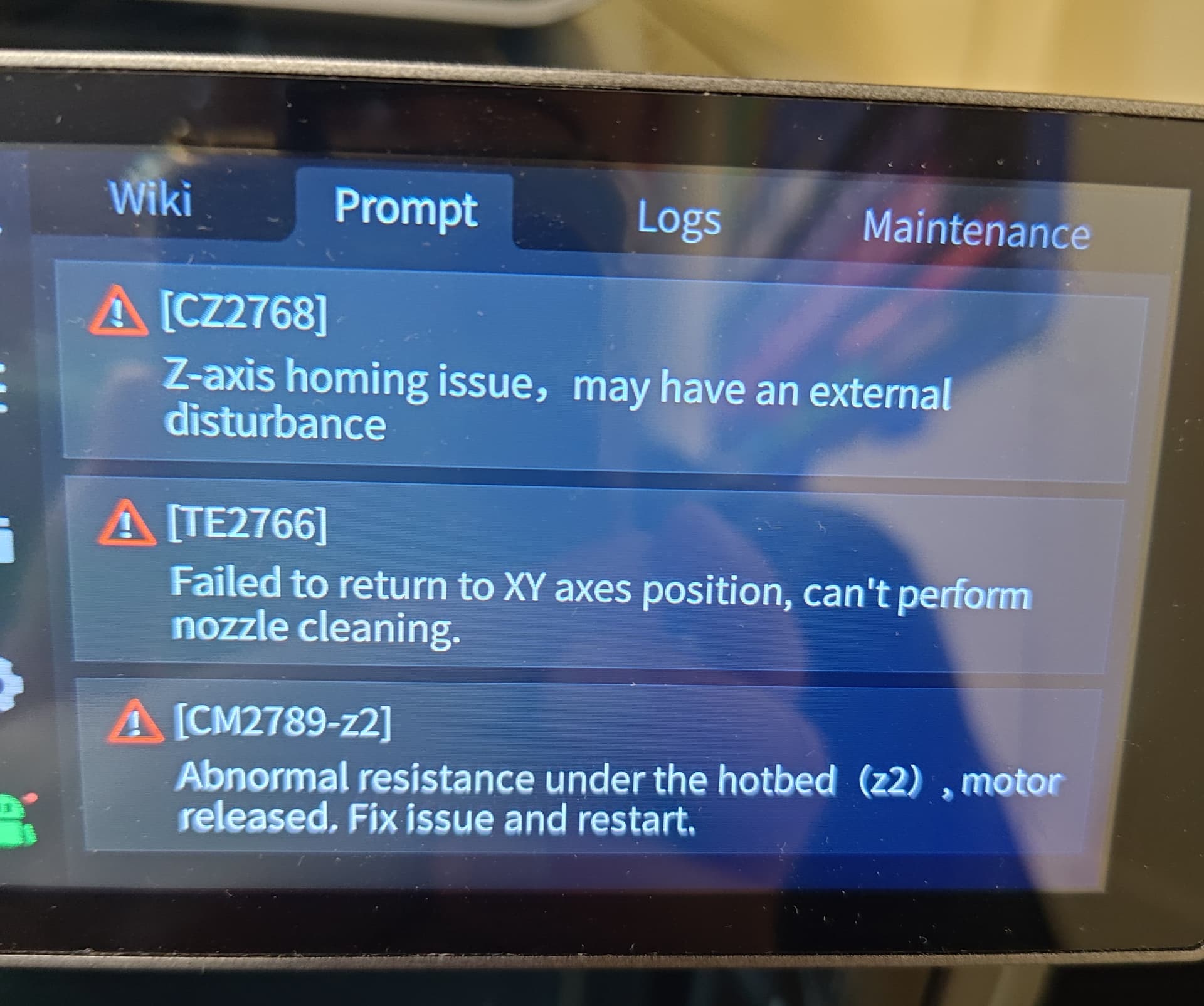
It started happening once in a while and now is happening every time. I attempt to start a print and while the printer is measuring the bed, at some point z2 motor keeps driving the bed upwards until it crashes and the printer gives an error code. I’ve checked connections, I’ve checked sensors, I took apart the extruder and checked the strain gauge and it looks fine visually. I’ll attempt replacing tomorrow. It’s my last idea. I’ve run the internal calibration routine several times but it seems to make no difference. This has been happening with all firmware updates. Printer is fully up to date. About 250 hours on it. Any ideas for a solution? I have customers waiting on prototypes and right now I cannot deliver.
1 Like
こんにちは。
一番いい方法はエラー状況を動画で撮影しサポートに送る事です。
注文書シリアルナンバーを用意して一緒に送る事です。
回答が来るまで、動かさない。
今の状況を悪くしないために。そしてビルドプレートを傷つけないためです。
質問ですが
歪みセンサーを確認とはどのような事を実行したのですか?
交換したのでしょうか?
エラーコードが書かれていないので分かりませんが、調べて修復したのでしょうか?
The error code I most often get is CM2789 (Z-axis error: Abnormal resistance in the Z-axis movement direction, motor released.) Sometimes other error codes. The nozzle is clean when touching the bed to measure deformation. The sensor behind the nozzle is also clean. Under the bed, there is no debris and the bottom sensors are clean. I don’t know how to check the strain gauge (distortion sensor). Visually I see no cracks. I only suspect it is bad because printer keeps turning z-axis motor even when it is touching nozzle. Thus, strain gauge does not send signal of contact with the nozzle? I replaced strain gauge, ran the auto-level calibration, and got a new print started (successfully). I took video but the error did not occur. I will video the start of every print to try to capture the error. So many people like Creality but I have had so many problems. Maybe bad luck printer. I waist so much time trying to figure out why error codes occur. I will contact support when it happens again and hopefully they can help. I will follow up with any fixes.
こんにちは。
私も歪みセンサーとビルドプレートの交換品待ちです。
15日にセルフチェックでビルドプレートに傷がつきました。
再起動してセルフチェックはすべてOKでプリントも出来ていますが
サポートからは交換を提案されました。
歪みセンサーを疑うのは良い考えだと思います。
他のトピでも歪みセンサーエラーが見られるようです。
1年で2回目の交換です。
歪みセンサーはエラーする部品ではないがノズルとビルドプレートの衝突や、過度な負荷・力が加わることなどが考えられエラーが起きるようです。
私は消耗品と考えるようにしました。
4000時間でも出ない人もいれば私の様にエラーが出る事もあります。 
エラーが解消してプリントが出来ることを願っています。
There is a fault in the last few firmware versions. When the printer checks whether there are any objects from the previous print left on the bed and proceeds to re-home the Z-axis and perform tilt correction, the nozzle scrapes heavily across the bed. A change to the macros resolves this. Could this have caused the pressure sensor to be overloaded? (K2 Plus)
I changed the strain gauge and so far I’ve made 5 prints with no failures during bed leveling / deformation measurement. I hesitate to say it is fixed. Will follow up later if I start having failures again. Perhaps after a certain number of failures, the strain gauge was overloaded.